Trupeer Blog
总结

On go-live day, the training library is perfect. Every guide matches the screens, every video shows the right steps and every quick reference card is accurate. Six months later, after two system updates, a new approval rule and a renamed field, about a third of it is wrong. New hires follow outdated steps, support tickets rise and people stop trusting the training altogether.
Training content doesn't fail at go-live. It fails afterwards, slowly, as the system and the business change around it. This guide explains how to maintain training documentation after go-live, step by step: why it goes stale, a simple maintenance model your team can run with every change, and how Trupeer keeps guides and videos current by updating them from the recording instead of rebuilding them.
Why does training documentation go out of date after go-live?
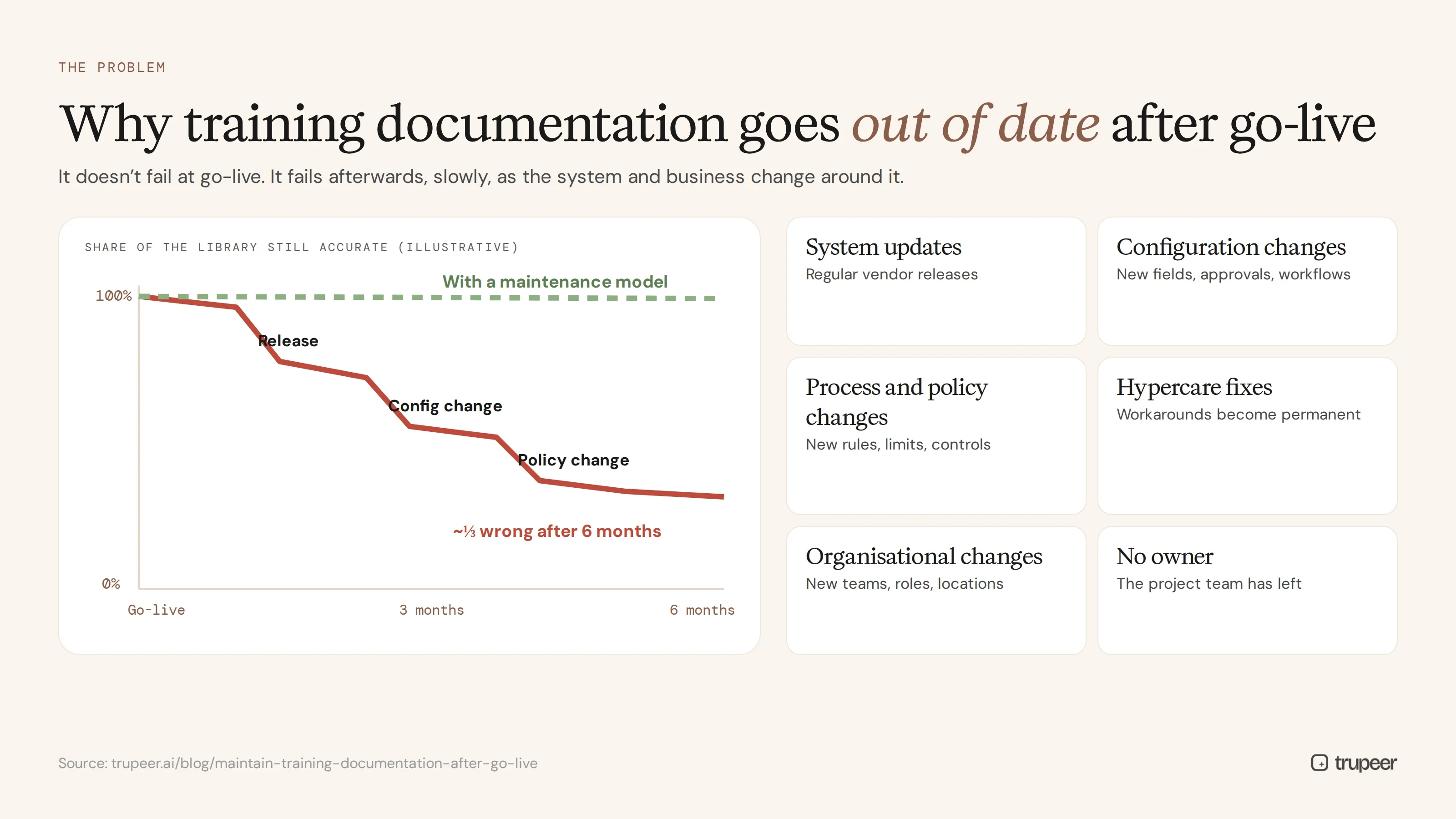
System updates: cloud platforms such as SAP, Workday, Salesforce and ServiceNow release changes on a regular schedule.
Configuration changes: your own team adds fields, changes approvals and adjusts workflows after go-live.
Process and policy changes: new rules, limits and controls change what people should do.
Hypercare fixes: early workarounds become permanent, or get replaced, without the training catching up.
Organisational changes: new teams, roles and locations need different content.
No owner: once the project team leaves, nobody is responsible for keeping training current.
What does outdated training documentation cost?
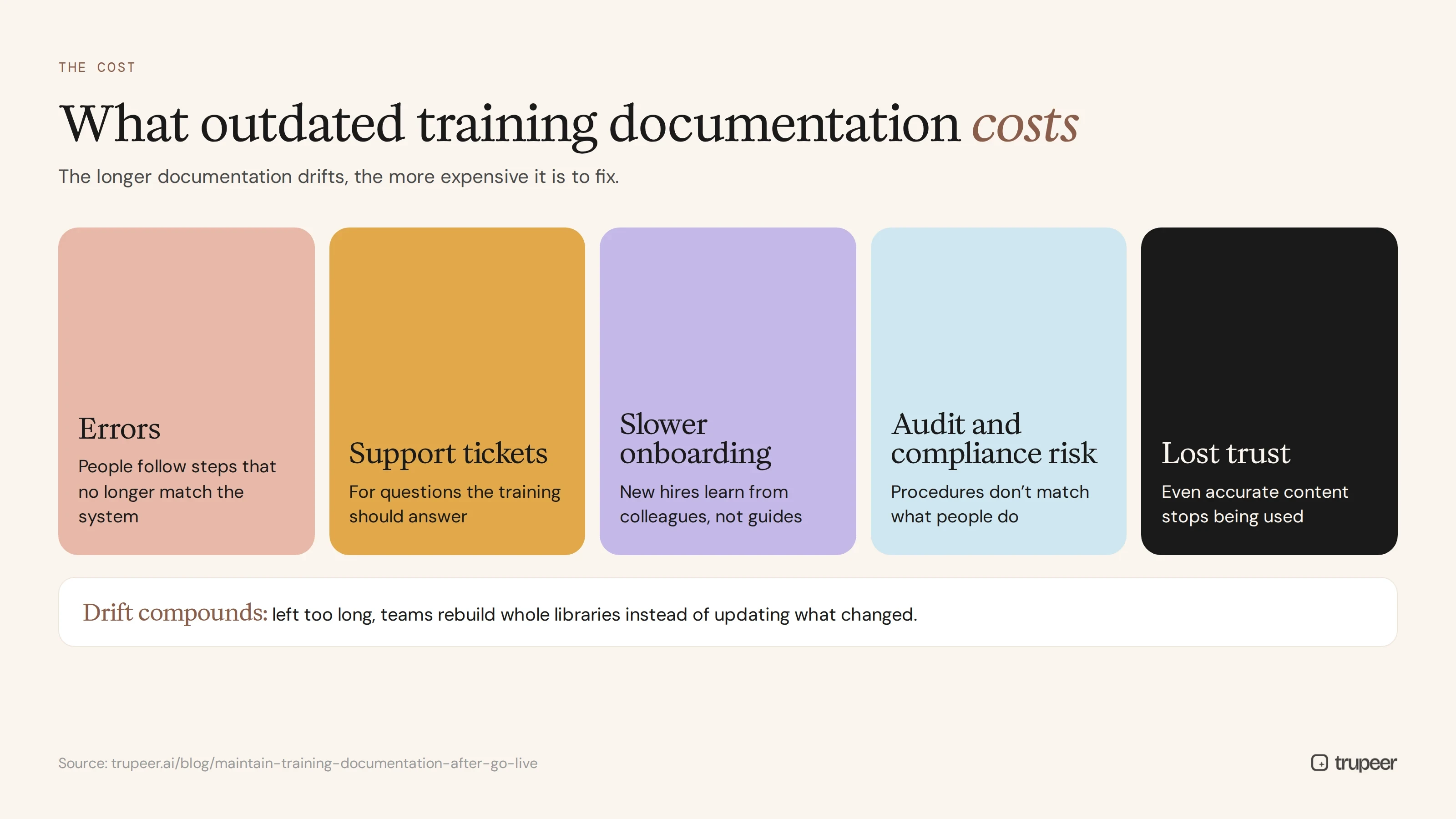
Errors, because people follow steps that no longer match the system.
Support tickets for questions the training should answer.
Slower onboarding, as new hires learn from colleagues instead of the guides.
Audit and compliance risk when documented procedures don't match what people do.
Lost trust, so even accurate content stops being used.
The longer documentation drifts, the more expensive it is to fix, because teams end up rebuilding whole libraries rather than updating what changed.
The maintenance model: how to maintain training documentation after go-live
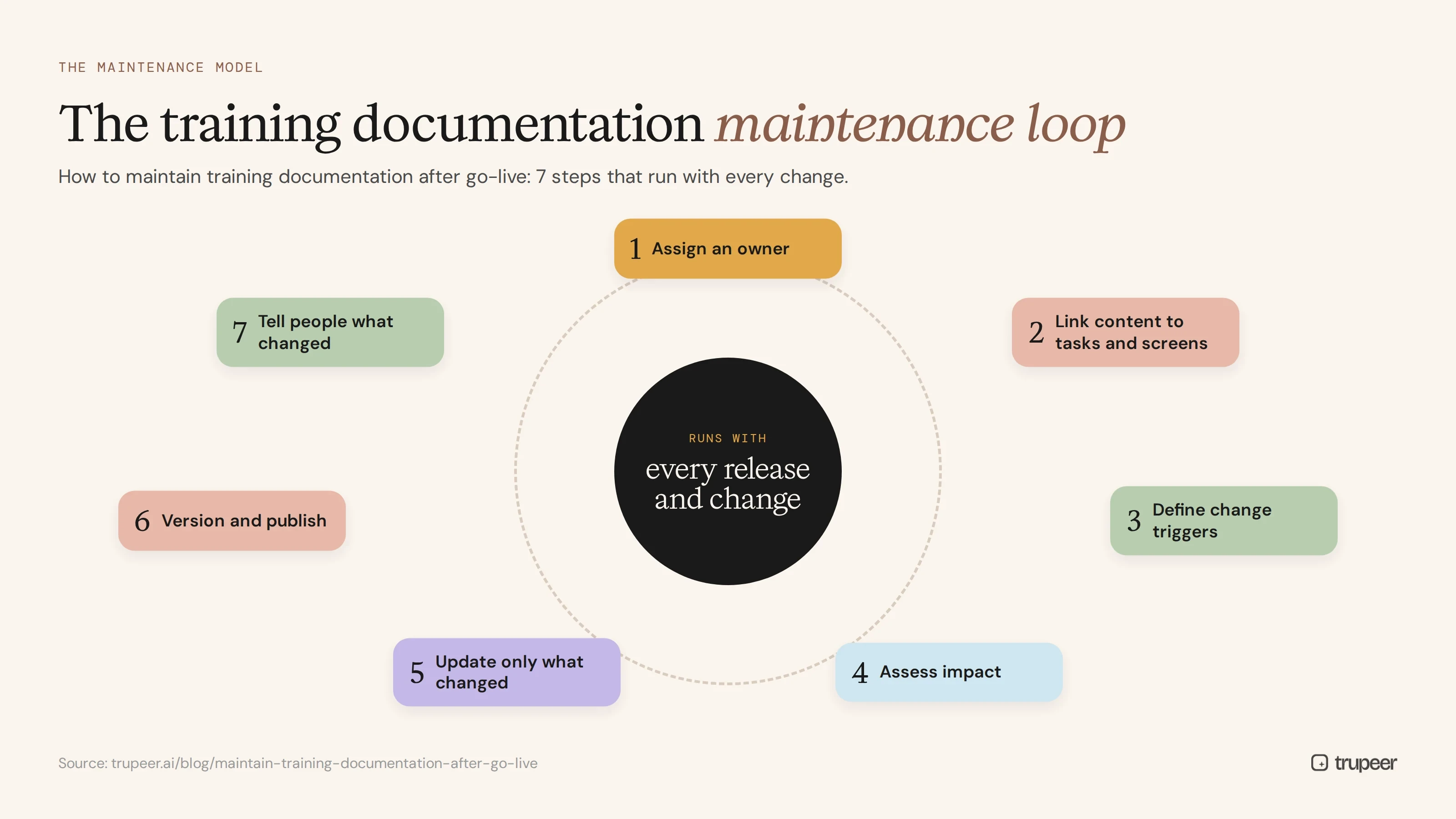
The best way to maintain training documentation after go-live is a small, repeatable process that runs with every change:
1. Assign an owner to every guide and video
Each piece of content needs a named owner, usually the process owner or a super user, who is responsible for keeping it accurate. A super user training program gives you a ready network of owners.
2. Link content to the tasks and screens it covers
Tag each guide with the system, module, process and role it covers. When something changes, you can find every affected guide in minutes.
3. Define change triggers
Agree what triggers a training review: each vendor release, each internal change request, policy updates, audit findings and repeated support questions.
4. Assess impact for each change
For every change, decide which content is affected and how: a wording change, a changed step, a new screen or a new process.
5. Update only what changed
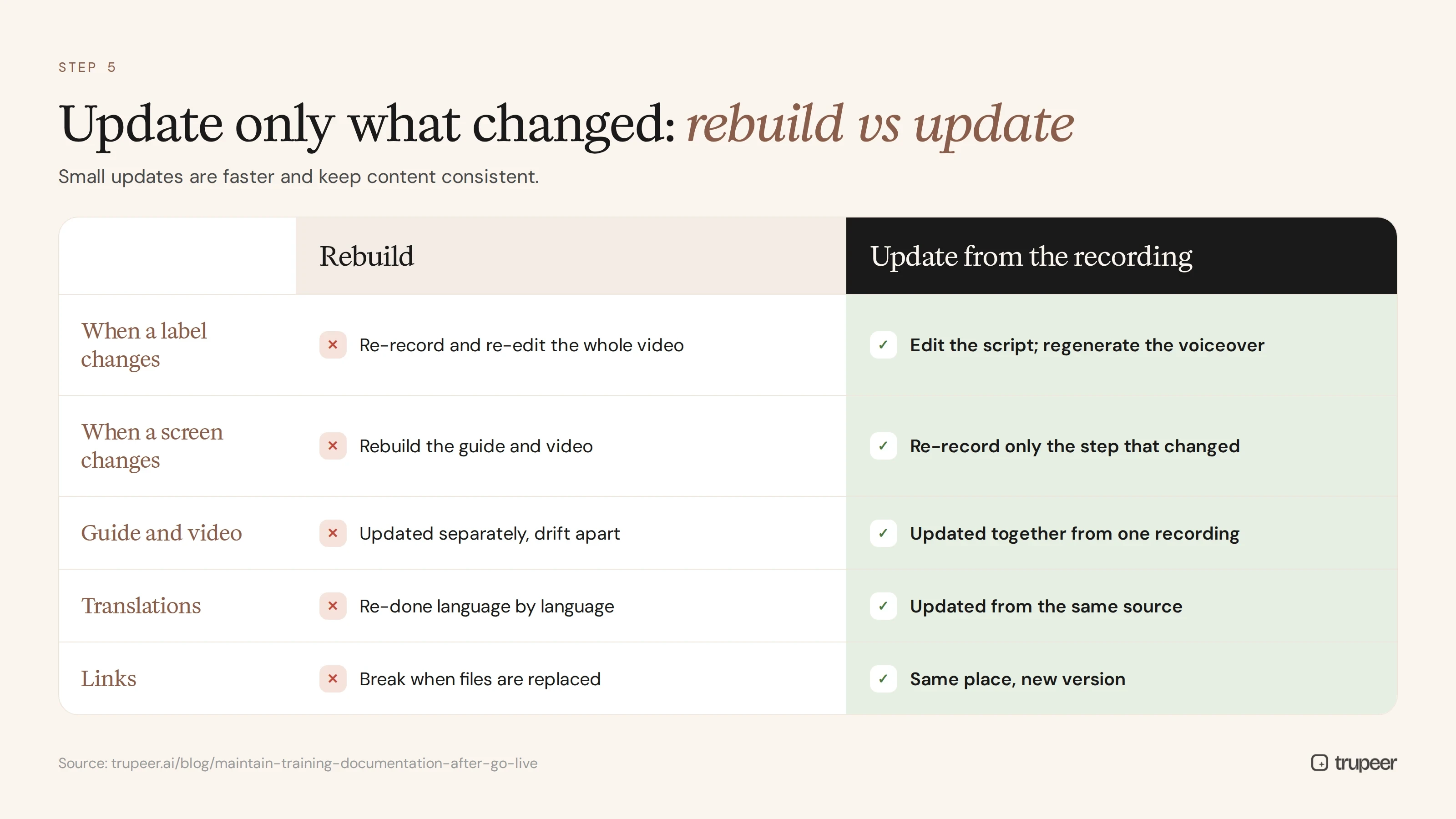
Edit the affected step, script or screenshot rather than rebuilding the whole guide. Small updates are faster and keep content consistent.
6. Version and publish
Publish the update in the same place, with a new version and date, so links keep working and users always see the current version. See SOP version control for a simple versioning model.
7. Tell people what changed
Share a short "what's changed" note or video with affected users before or when the change goes live.
How does Trupeer keep training documentation current?
Trupeer is built so training content can be updated from the recording instead of rebuilt from scratch.
Update the script, not the recording
Every Trupeer video has an editable script. When a field is renamed or wording changes, edit the text and regenerate the AI voiceover, and the video updates to match. See how to update a training video without re-recording.

Documentation tied to the recording
Step-by-step guides are generated from the same recording as the video, so the written guide and the video stay in step when you update them. Trupeer's auto-updating documentation tool shows how this works.

Re-record only the step that changed
When a screen changes, record just the affected step and replace it, instead of recording the whole process again.
Update every language from one source
Translate the updated version into your other languages from the same source with Trupeer translation, so every language moves to the new version together.

Publish in one place
Update content in one searchable knowledge base, so links in your system, intranet and LMS keep pointing to the current version.
See what's used and what's missing
Viewer analytics show which guides people use, where they drop off and what they search for, so you can prioritise updates.

How do you maintain training documentation after go-live with Trupeer, step by step?
Import your go-live library of recordings, guides and videos into Trupeer, tagged by system, process and role.
Assign owners for each process area.
Review each release and change request for training impact.
Edit scripts and regenerate voiceovers for wording and label changes.
Re-record changed steps where screens have changed.
Translate and publish the updated versions in one place.
Send a short update to affected users and super users.
Check analytics and support tickets monthly to find gaps.
How often should you review training documentation after go-live?
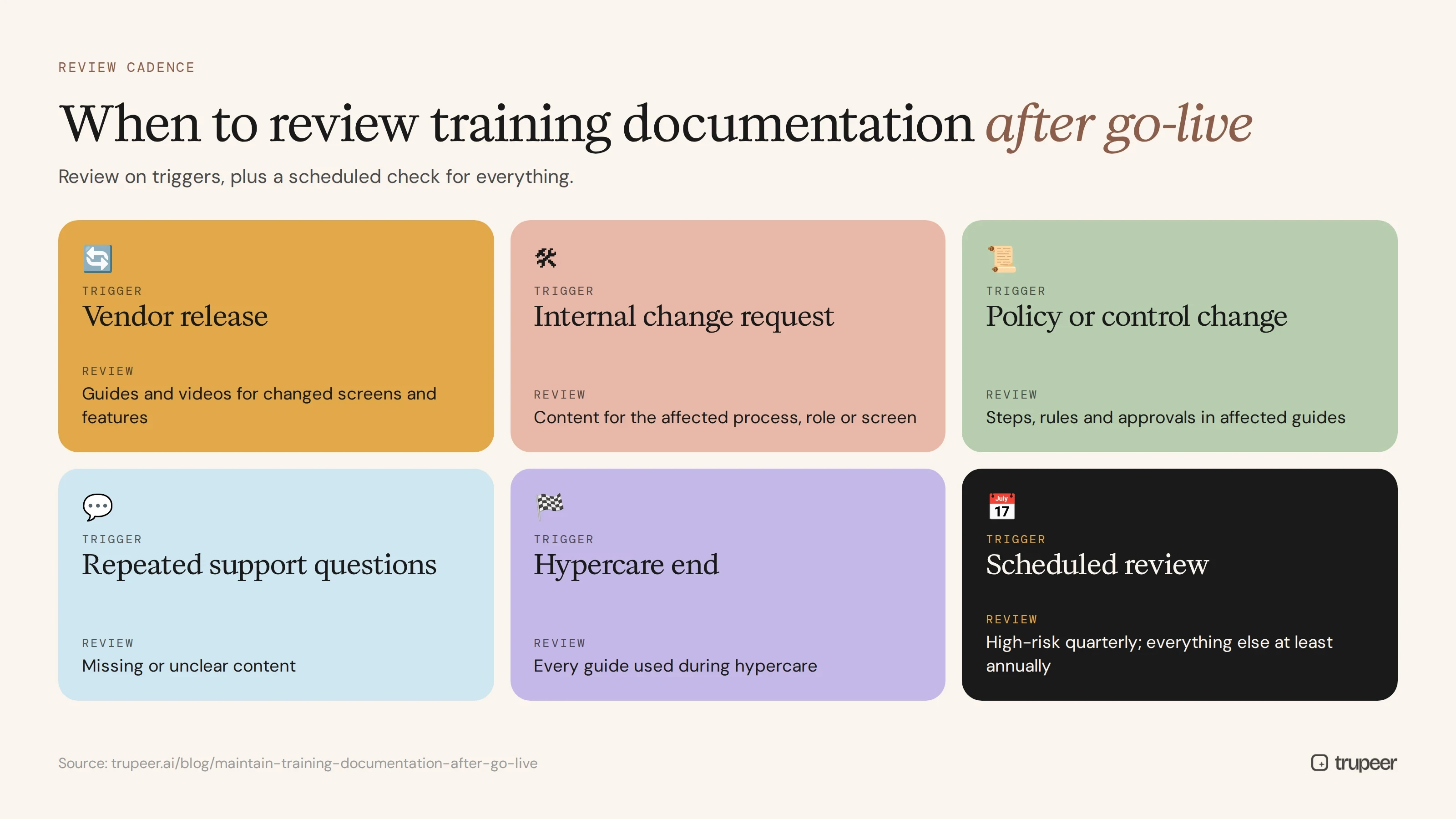
Trigger | What to review |
|---|---|
Vendor release | Guides and videos for changed screens and features |
Internal change request | Content for the affected process, role or screen |
Policy or control change | Steps, rules and approvals in affected guides |
Repeated support questions | Missing or unclear content |
Hypercare end | Every guide used during hypercare, to make fixes permanent |
Scheduled review | High-risk content quarterly, everything else at least annually |
During hypercare itself, short videos answering common questions cut repeat tickets; see the post-go-live support video strategy.
How do you measure whether training documentation stays current?
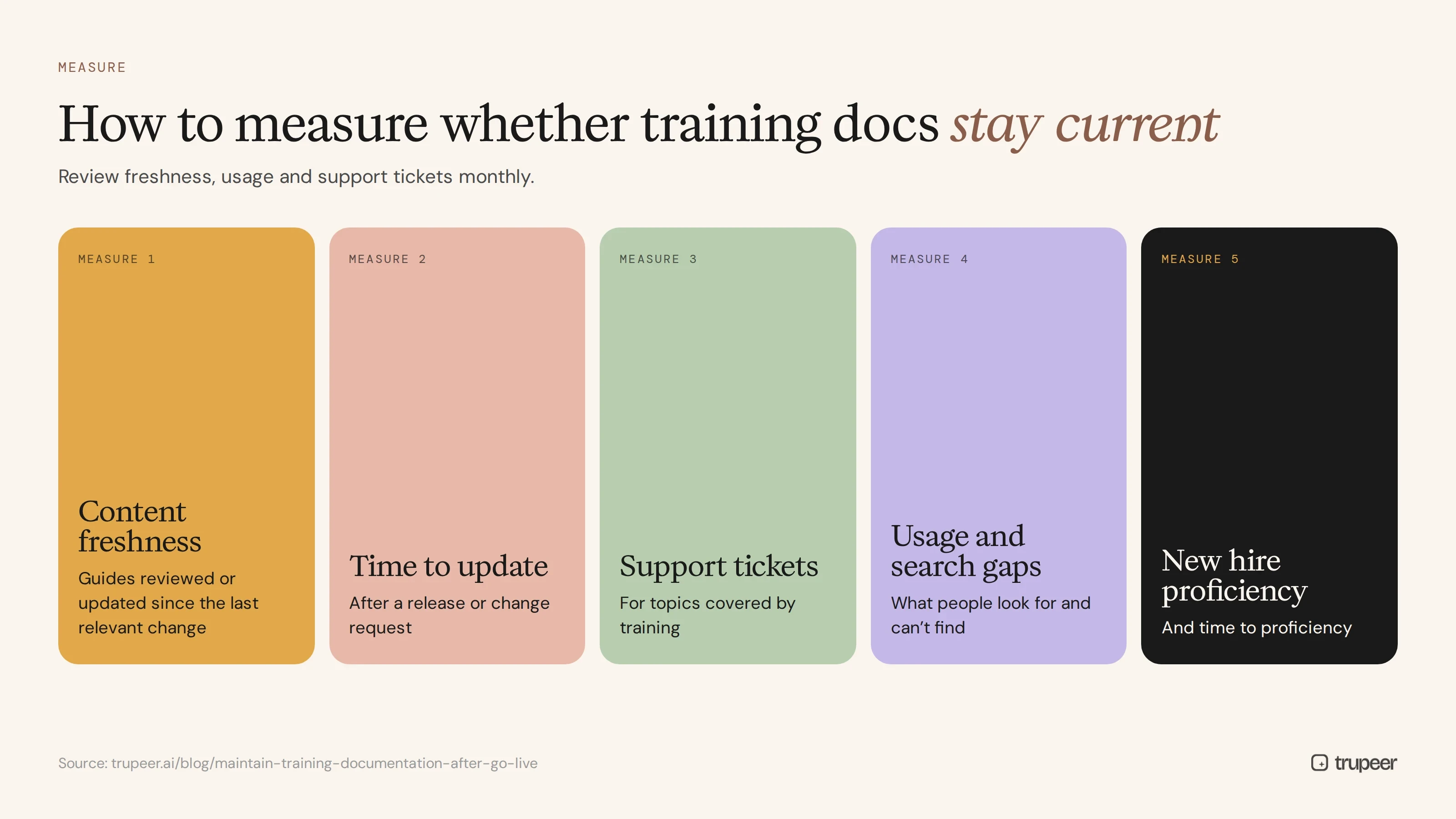
Content freshness: the share of guides reviewed or updated since the last relevant change.
Time to update after a release or change request.
Support tickets for topics covered by training.
Usage and search gaps: what people look for and can't find.
New hire proficiency and time to proficiency.
Who should own training documentation after go-live?
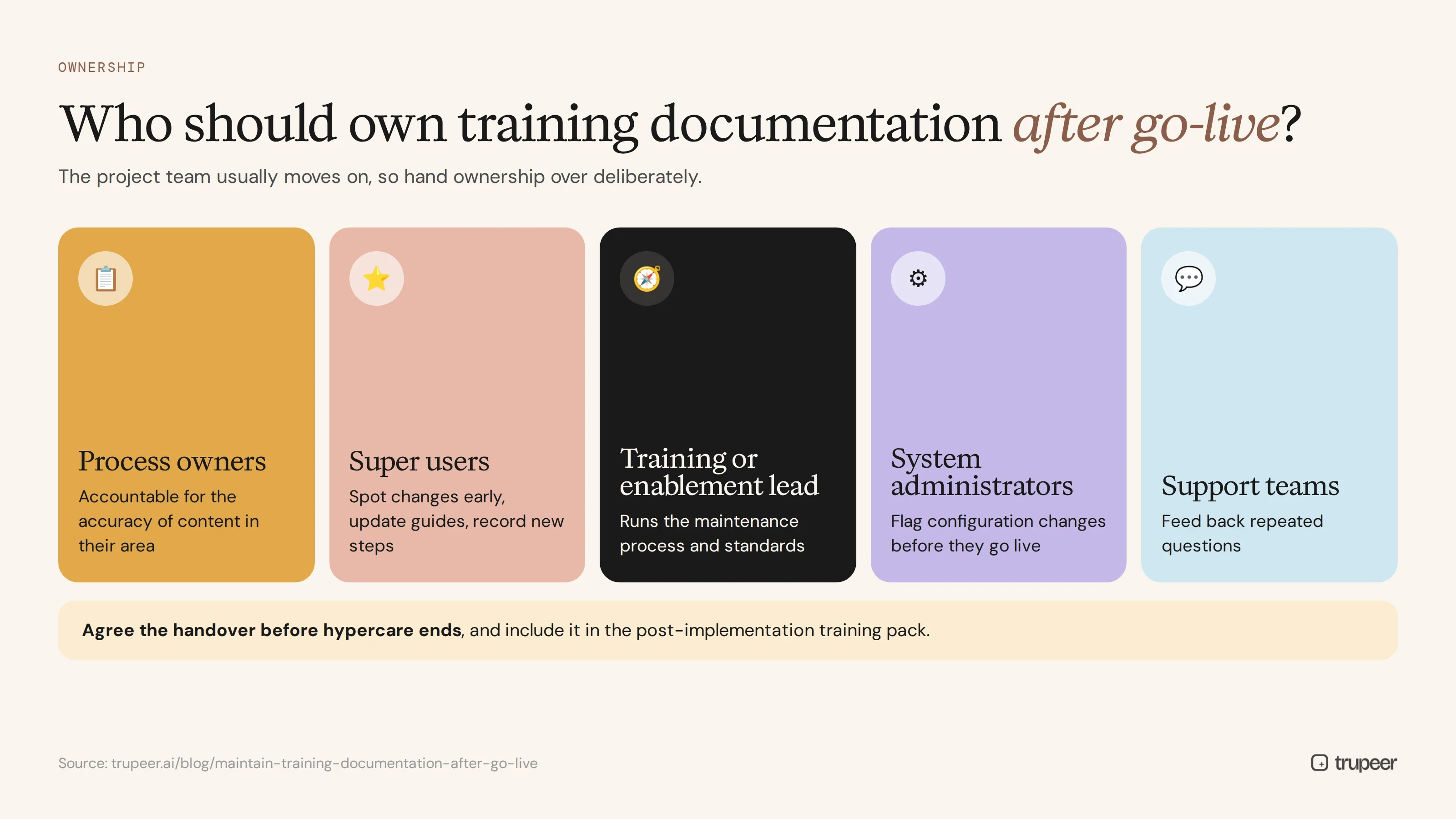
During the project, a training team builds the library. After go-live, that team usually moves on, so ownership has to be handed over deliberately:
Process owners are accountable for the accuracy of content in their area.
Super users spot changes early, update guides and record new steps.
A central training or enablement lead runs the maintenance process, tracks releases and keeps standards consistent.
System administrators flag configuration changes that affect users before they go live.
Support teams feed back repeated questions that point to missing or unclear content.
Agree this handover before hypercare ends, and include it in the post-implementation training pack you hand to the business.
Training documentation maintenance checklist
Every guide and video has a named owner.
Content is tagged by system, module, process and role.
Change triggers are agreed and someone tracks vendor releases.
Each change gets a quick training impact assessment.
Updates change only the affected steps, not whole guides.
Guide and video are updated together.
Translations are updated from the same source.
New versions are published in one place, with old versions retired.
Users get a short note on what changed.
Freshness, usage and support tickets are reviewed monthly.
Common mistakes in maintaining training documentation
Treating training as a go-live deliverable with no plan or budget afterwards.
No owners, so nobody notices content going stale.
Rebuilding instead of updating, which makes every change expensive.
Updating the guide but not the video, or the other way round.
Leaving old versions online, so people find the wrong one.
Not telling users what changed.
The same discipline applies to customer-facing content; see how teams keep an ERP demo library current when the product changes.
Keep your training documentation current with Trupeer
Trupeer lets you update training guides and videos from the recording, so every release means a quick edit, not a rebuild. Book a demo to see how your team can keep training documentation current after go-live.
Frequently asked questions
How do you maintain training documentation after go-live?
Assign an owner to every guide, tag content by system, process and role, define change triggers, assess the impact of each change, update only what changed, version and publish in one place, and tell users what changed.
Why does training documentation go out of date?
Because systems are updated, configurations change, policies and processes evolve, hypercare fixes become permanent and, often, nobody owns the content after the project team leaves.
How often should training documentation be reviewed?
With every vendor release and internal change that affects it, plus scheduled reviews: quarterly for high-risk content and at least annually for everything else.
How do you update training videos without re-recording?
Edit the video's script and regenerate the AI voiceover for wording changes, and re-record only the steps whose screens have changed.
Who should own training documentation after go-live?
Process owners or super users for each area, supported by a central training or enablement lead who runs the maintenance process.
How do you keep translated training current?
Update the source version first, then translate the updated version from the same source, so all languages stay in step.
What tools help keep training documentation current?
Tools that generate guides and videos from recordings, let you edit scripts and regenerate voiceovers, version content and publish it in one searchable library, such as Trupeer.
How do you know which training content is out of date?
Track which content each change affects, review content after every release, watch support tickets and search gaps, and use viewer analytics to spot drop-offs.



