2026年3月31日

Customer Onboarding Video Software Platforms: The Complete 2026 Guide

Customer Onboarding Video Software Platforms: The Complete 2026 Guide

Customer Onboarding Video Software Platforms: The Complete 2026 Guide

Customer Onboarding Video Software Platforms: The Complete 2026 Guide

Explore customer onboarding video software platforms to create tutorials, demos, and guided onboarding flows. Deliver scalable content faster with AI-powered tools like Trupeer.

Explore customer onboarding video software platforms to create tutorials, demos, and guided onboarding flows. Deliver scalable content faster with AI-powered tools like Trupeer.

内容目录

Trupeer AI 使您能够从粗略的屏幕录制中快速创建 AI 产品视频和文档

即时 AI 产品视频和文档,从粗略的屏幕录制中生成

免费开始

免费开始

Summarise with:

Claude

ChatGPT

Gemini

Perplexity

Grok

Uncover the best tools for creating engaging customer onboarding videos in 2026

30 min read · 2026. March 31,2026.

Buyer's Overview

In 2026, creating a seamless and engaging onboarding experience is crucial for customer retention. With 86% of customers stating they'd stay loyal to a business that invests in effective onboarding content, the stakes are high. Yet, many companies still rely on outdated screen recordings that lack voiceover, branding, and analytics.

86% of customers say they would stay loyal to a business that invested in onboarding content.

Source: Wyzowl State of Video, 2024

This guide is designed for teams looking to upgrade their onboarding processes. Whether you're a small business owner, a customer success manager, or part of a large enterprise, you'll find the right video software platform to fit your needs. We cover various tools, their features, pricing, and what makes each unique. This ensures you can choose the best platform to enhance your customer's first experiences with your products.

Best Customer Onboarding Video Software Platforms: Head-to-Head Comparison

Feature

Trupeer

Loom

Synthesia

Vidyard

Wistia

Camtasia

Descript

Screencast-O-Matic

Screen Recording

Yes

Yes

No

Yes

No

Yes

Yes

Yes

AI Voiceover

Yes

No

Yes

No

No

No

Limited

No

AI Avatar

Yes

No

Yes

No

No

No

No

No

Custom Branding

Yes

Limited

Yes

Yes

Yes

Limited

Limited

Limited

Interactive Elements

Yes

Limited

No

Yes

Yes

No

Limited

No

Video Hosting

Yes

Yes

Yes

Yes

Yes

No

Yes

No

Analytics

Yes

Yes

Limited

Yes

Yes

Limited

Yes

No

Auto Subtitles

Yes

Yes

Yes

Yes

No

Yes

Yes

No

Multi-language

Yes

Limited

Yes

Yes

No

Yes

Yes

Limited

Free Tier

Yes

Yes

No

Yes

No

No

Yes

Yes

  1. Trupeer

    Trupeer

Trupeer is a cutting-edge platform designed to simplify the creation of engaging customer onboarding videos. It's perfect for businesses of all sizes looking to enhance their onboarding process with professional-quality videos. Trupeer stands out due to its AI-powered capabilities, offering automated voiceovers and avatars that bring a human touch to digital interactions. The platform also provides robust analytics tools, allowing you to monitor viewer engagement and optimize content accordingly.

Trupeer's unique strength lies in its ability to customize branding seamlessly, ensuring your videos align perfectly with your company's visual identity. While some users may find the AI avatars less realistic, the overall value of the tool remains high for those seeking efficiency and engagement.

Key Features

  • AI-powered screen recording

  • Custom branding options

  • Interactive video elements

  • Comprehensive analytics dashboard

  • Multi-language support

  • AI voiceover and avatar technology

  • Auto-generated subtitles

"Trupeer transformed our onboarding process, making it more engaging and efficient."

Pros

Cons

Efficient AI tools reduce production time significantly.

AI avatars may lack realism for some users.

Highly customizable branding options.

Initial setup can be complex for new users.

Advanced analytics provide deep insights.

Higher pricing tier for full feature access.

Pricing

Free tier available, paid plans start at $49/month.

  1. Loom

    Loom

Loom is a popular choice for quick and easy video communication. Known for its simplicity and speed, it's ideal for teams that need to create and share videos on the fly. Loom excels in providing a straightforward interface that allows users to record their screens and narrate simultaneously, making it perfect for tutorials and walkthroughs.

However, Loom's simplicity can be a limitation for users seeking advanced features like AI capabilities and custom branding. It's best suited for those who prioritize speed over customization.

Key Features

  • Instant screen recording

  • Shared video links

  • Basic editing tools

  • Integration with Slack and other apps

  • Viewer engagement analytics

  • Auto-generated subtitles

  • Easy sharing options

Pros

Cons

User-friendly with minimal learning curve.

Lacks advanced AI features.

Seamless integration with popular tools.

Limited customization and branding options.

Quick video sharing and collaboration.

Basic analytics features.

Pricing

Free tier available, paid plans start at $8/month.

  1. Synthesia

    Synthesia

Synthesia offers a unique approach to video creation by leveraging AI to produce professional-grade videos with realistic avatars. It's perfect for businesses looking to create personalized video content without the need for actors or a production crew. Synthesia's AI avatars can speak in multiple languages, making it an excellent choice for global outreach.

While Synthesia's AI capabilities are impressive, the platform's lack of screen recording features may require users to supplement with other tools. It's best for teams focused on creating polished, avatar-driven content.

Key Features

  • AI-generated avatars

  • Multi-language support

  • Customizable video templates

  • Script-to-video conversion

  • Integrated voiceovers

  • High-quality video output

  • Wide range of avatar selections

Pros

Cons

Innovative AI avatars for realistic presentations.

No screen recording capabilities.

Supports multiple languages for broad reach.

Higher cost compared to basic video tools.

Produces high-quality professional-grade videos.

Limited interactive elements.

Pricing

No free tier, plans start at $30/month.

  1. Vidyard

    Vidyard

Vidyard is designed for businesses that need advanced video marketing tools. Known for its powerful analytics and integration capabilities, Vidyard helps teams create videos that drive engagement and track viewer interactions. It's an excellent choice for marketing and sales teams looking to leverage video for lead generation.

While Vidyard's comprehensive features are a boon for marketers, the platform's complexity may be overwhelming for users new to video creation. It's best suited for those who need detailed analytics and CRM integrations.

Key Features

  • Advanced video analytics

  • Integration with CRM systems

  • Customizable calls-to-action

  • Video personalization options

  • Interactive video elements

  • Comprehensive video hosting solutions

  • Lead generation tools

Pros

Cons

Powerful analytics for in-depth insights.

Complex interface for new users.

Seamless integration with marketing tools.

Higher cost for premium features.

Robust customization and personalization options.

Requires time to master all features.

Pricing

Free tier available, paid plans start at $19/month.

  1. Wistia

    Wistia

Wistia positions itself as a video marketing platform focused on brand building. It offers a range of tools to create, manage, and analyze video content, making it ideal for businesses looking to enhance their brand's visual storytelling. Wistia's standout feature is its ability to provide detailed viewer engagement analytics, helping brands craft content that resonates.

However, Wistia's focus on marketing means it may not provide the depth of features needed for technical tutorials or onboarding videos. It's best for companies prioritizing brand-aligned content.

Key Features

  • Brand-focused video hosting

  • Engagement analytics

  • Customizable player design

  • SEO optimization tools

  • Video heatmaps

  • Marketing integrations

  • Email capture forms

Pros

Cons

Strong focus on branding and storytelling.

Limited technical features for tutorial creation.

Detailed analytics for viewer engagement.

No free tier available.

Customizable video player enhances brand identity.

Higher pricing for premium marketing features.

Pricing

No free tier, plans start at $99/month.

  1. Camtasia

    Camtasia

Camtasia is well-known for its comprehensive video editing capabilities, making it a favorite among educators and trainers. It offers powerful tools to create detailed tutorials and educational content, with a focus on screen recording and editing. Camtasia's strength lies in its full suite of editing features, allowing for creative flexibility.

However, Camtasia's extensive features can be overwhelming for beginners. It's best for users who need detailed video editing and are willing to invest time in learning the software.

Key Features

  • Advanced video editing tools

  • Screen recording capabilities

  • Interactive quizzes and elements

  • Custom animations and effects

  • Audio enhancement tools

  • Multi-track timeline editing

  • Export to multiple formats

Pros

Cons

Comprehensive editing tools for detailed videos.

Steep learning curve for new users.

Flexible export options for diverse needs.

No free tier available.

Interactive elements enhance engagement.

Higher price point for full feature set.

Pricing

No free tier, one-time purchase price of $249.99.

  1. Descript

    Descript

Descript is a versatile tool that combines audio and video editing with transcription capabilities. It's perfect for creators and marketers who want to produce videos and podcasts with ease. Descript's standout feature is its AI-powered transcription, which simplifies the editing process by allowing text-based video editing.

While Descript offers a unique approach to editing, its focus on transcription may not fulfill all traditional video editing needs. It's best for users who prioritize speed and ease of use in media creation.

Key Features

  • AI-powered transcription

  • Text-based video editing

  • Screen recording and editing

  • Multi-track audio editing

  • Overdub voice cloning

  • Collaboration tools for teams

  • Simple video publishing

Pros

Cons

Innovative text-based video editing approach.

Limited advanced video editing features.

Effective transcription and editing combination.

May not suit users needing detailed video editing.

Facilitates easy collaboration among teams.

Higher price for premium transcription services.

Pricing

Free tier available, paid plans start at $12/month.

  1. Screencast-O-Matic

    Screencast-O-Matic

Screencast-O-Matic provides a budget-friendly solution for screen recording and basic video editing. It's a great choice for educators and small businesses that need to create straightforward instructional videos without a hefty price tag. The platform offers intuitive recording and editing tools that allow users to produce videos quickly.

While Screencast-O-Matic is easy to use, its basic feature set may not meet the needs of users looking for advanced editing or professional-quality production. It's best suited for those seeking simplicity and cost-effectiveness.

Key Features

  • Screen recording and webcam capture

  • Basic video editing tools

  • Overlay graphics and text

  • Audio narration and music integration

  • Cloud hosting and sharing

  • Easy-to-use interface

  • Video trimming and cutting

Pros

Cons

Affordable pricing for basic needs.

Limited advanced editing features.

User-friendly interface for quick learning.

No AI or advanced automation tools.

Simple video sharing and hosting options.

Basic analytics capabilities.

Pricing

Free tier available, paid plans start at $1.65/month for Deluxe features.

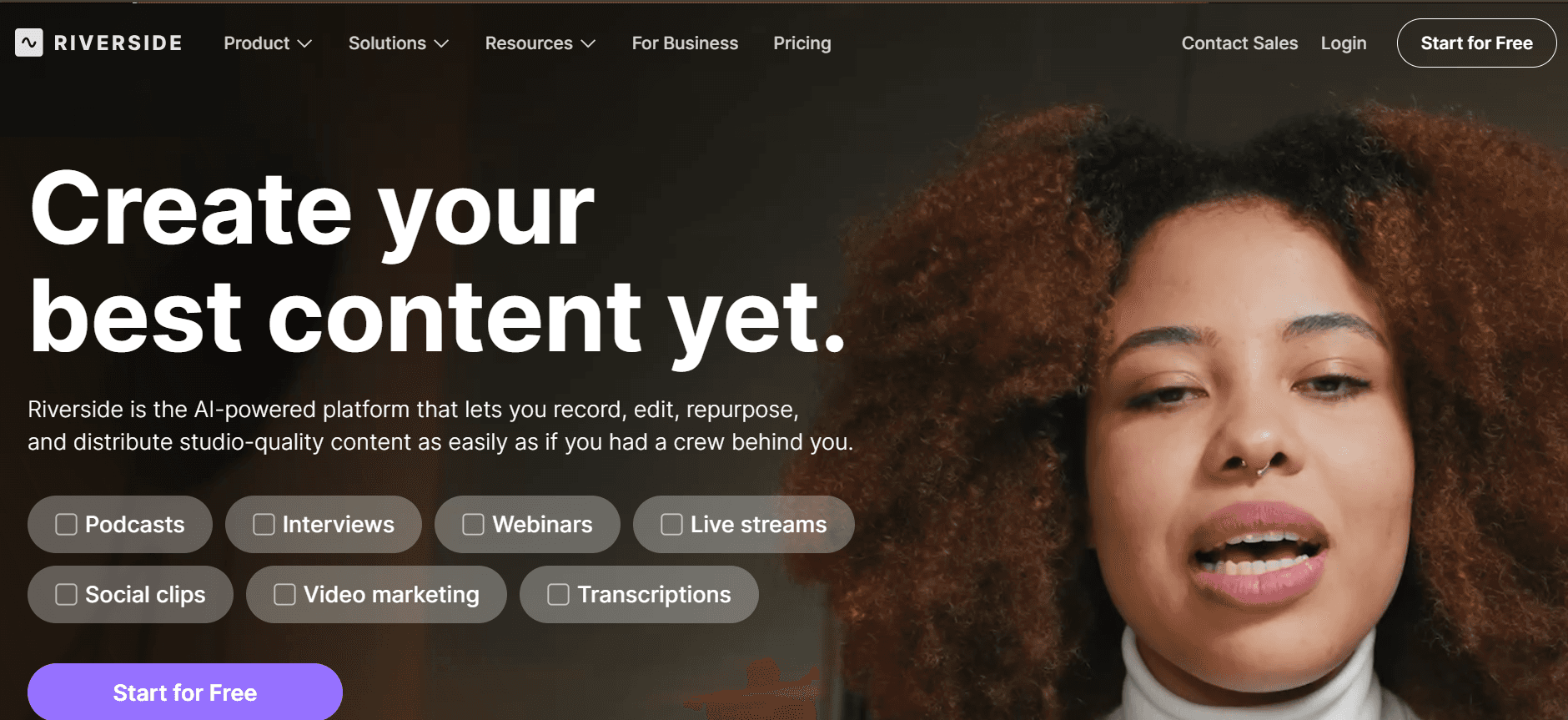
  1. Riverside

    Riverside

Riverside is a versatile platform designed for high-quality audio and video recording, often used by podcasters and media creators. It provides a reliable solution for teams that require studio-quality recordings, even remotely. Riverside's unique selling point is its ability to record separate audio and video tracks locally, minimizing the risk of internet-related quality issues.

While Riverside excels in audio fidelity, its focus on recording rather than editing means users may need additional tools for comprehensive video production. It’s best for creators who prioritize raw recording quality.

Key Features

  • Local audio and video recording

  • Separate track recording for editing

  • High-quality 4K video support

  • Real-time audio monitoring

  • Studio-quality sound

  • Remote guest recording

  • Browser-based platform

Pros

Cons

High-quality recording even with poor internet.

Limited editing tools available.

Supports 4K video for professional output.

Higher cost for premium features.

Easy remote recording for multiple participants.

Requires additional tools for video editing.

Pricing

Free tier available, paid plans start at $15/month.

Customer Onboarding Video Challenges: What Teams Struggle With

  1. Unprofessional Video Quality

  • Without proper recording setups, videos can appear amateurish.

  • Lack of high-quality equipment can affect the overall production value.

  • Unclear audio and visuals can lead to miscommunication.

  • Brands risk appearing less credible if videos don't meet professional standards.

Slow Production Pipeline

  • Creating videos often takes days due to manual processes.

  • Coordination between teams for content approval can delay timelines.

  • Changes in product features require re-recording, further extending deadlines.

  • Limited resources can strain teams, leading to bottlenecks in content delivery.

  1. Content Staleness

  • Frequent product updates outdate existing video content rapidly.

  • Lack of agile tools for quick edits means older content is often ignored.

  • Audiences disengage if video content doesn't reflect current product offerings.

  • Maintaining content relevance becomes a costly endeavor without the right tools.

  1. Limited Personalization

  • Standardized videos fail to address diverse customer segments.

  • One-size-fits-all content doesn't cater to unique user needs.

  • Personalized content requires additional resources and complex processes.

  • Failure to personalize can lead to reduced customer engagement and satisfaction.

  1. Insufficient Engagement Data

  • Without analytics, understanding viewer behavior is challenging.

  • Lack of data on drop-off points hinders content optimization.

  • Teams struggle to measure the effectiveness of video content.

  • Decisions based on assumptions rather than data can lead to ineffective strategies.

Challenge

Traditional Process

Business Impact

Time Cost

Unprofessional Video Quality

Manual recording with basic tools

Decreased brand credibility

High (due to re-recording)

Slow Production Pipeline

Manual coordination and approval

Delayed content delivery

Very High

Content Staleness

Periodic content reviews

Outdated customer engagement

Medium to High

Limited Personalization

Generic video production

Reduced customer satisfaction

Moderate

Insufficient Engagement Data

No analytics integration

Unoptimized content strategies

Medium

Must-Have Features in Customer Onboarding Video Tools

  1. AI-Powered Screen Recording with Voiceover

AI-powered screen recording combined with voiceover brings unparalleled efficiency to video production. This feature allows creators to capture their screens while AI generates natural-sounding voiceovers, reducing the need for manual narration. Tools like Trupeer excel in this area, offering seamless integration of AI technology to deliver professional-quality voiceovers without extensive human input.

The primary benefit is the significant reduction in production time, enabling teams to focus on refining content rather than spending hours on voice recording. Additionally, AI voiceover ensures consistency in tone and quality across all videos.

  1. Custom Branding (Logo, Colors, CTAs)

Custom branding is essential for maintaining brand identity in video content. This feature allows businesses to incorporate their logos, color schemes, and personalized calls-to-action directly into videos. Platforms like Wistia and Vidyard offer advanced branding options, ensuring that every video aligns with the company's visual standards.

Effective branding not only reinforces brand recognition but also enhances viewer engagement. By embedding CTAs, teams can guide viewers towards desired actions, such as signing up for a service or exploring additional resources, directly from the video.

  1. Auto-Generated Subtitles and Translations

Auto-generated subtitles and translations make video content accessible to a broader audience. This feature automatically generates text overlays for spoken content, which can be translated into multiple languages. Descript and Synthesia are notable for their robust subtitle generation capabilities, catering to global audiences with ease.

Accessibility is a significant advantage, as subtitles ensure that content is comprehensible to non-native speakers and the hearing-impaired. By expanding their reach, businesses can tap into new markets and increase their content's impact.

  1. Engagement Analytics with Viewer Drop-Off Tracking

Engagement analytics provide insights into how viewers interact with video content. This feature tracks viewer behavior, identifies drop-off points, and measures overall engagement levels. Vidyard is particularly strong in delivering detailed analytics, helping teams optimize their content strategy based on real data.

Understanding viewer engagement allows teams to refine their content, ensuring it resonates with their audience. By identifying areas of improvement, businesses can make informed decisions to enhance video effectiveness and achieve better results.

  1. Easy Content Updates Without Re-Recording

Easy content updates are crucial for maintaining video relevance, especially in fast-evolving industries. This feature allows teams to make quick edits and updates to existing videos without the need for full re-recording sessions. Tools like Trupeer enable seamless updates, keeping content current and reflective of the latest product offerings.

The ability to update content rapidly ensures that videos remain accurate and relevant, which is vital for maintaining customer trust and engagement. It also reduces the time and resources spent on creating new videos, allowing teams to focus on other strategic initiatives.

  1. Interactive Elements

Interactive elements transform passive video viewing into an engaging experience. Features such as clickable links, quizzes, and polls encourage viewer interaction and increase retention. Platforms like Vidyard and Wistia excel in offering these interactive options, enabling businesses to create dynamic and engaging content.

By incorporating interactivity, videos can provide a more personalized experience, encouraging viewers to engage more deeply with the content. This not only boosts engagement rates but also enhances the educational value of the videos, making them more impactful.

How to Choose Customer Onboarding Video Software Based on Your Use Case

  1. Product Welcome and First-Session Setup Videos

When launching a new product, welcome videos play a crucial role in setting the right tone for customer interactions. These videos introduce the product and guide users through their initial setup, ensuring a smooth onboarding process.

  • Key Challenges:

    • Complex product features require clear explanations.

    • Users often need guidance on initial setup procedures.

    • Ensuring engagement from the start is critical.

  • Solutions Needed:

    • Clear, concise instructions with visual aids.

    • Personalized content to address diverse user needs.

    • Engaging and interactive elements to retain attention.

Tool

Best Features

Trupeer

AI voiceover, interactive guides

Loom

Quick screen recording, easy sharing

  1. Feature Walkthroughs for Self-Serve Customers

Feature walkthroughs are essential for self-serve customers who prefer exploring product capabilities independently. These videos should be detailed yet user-friendly, offering a comprehensive overview of key features.

  • Key Challenges:

    • Ensuring clarity in feature explanations.

    • Providing in-depth insights without overwhelming users.

    • Keeping content updated with new product features.

  • Solutions Needed:

    • Modular video segments for easy navigation.

    • Regular content updates to reflect feature changes.

    • Engagement analytics to monitor viewer interest.

Tool

Best Features

Synthesia

AI avatars, multi-language support

Vidyard

Interactive elements, analytics

  1. Customer Education Video Series

Educational video series provide ongoing value by educating customers on product usage and best practices. These videos help build a knowledgeable user base, promoting long-term customer success.

  • Key Challenges:

    • Creating content that remains relevant over time.

    • Ensuring educational videos are engaging and informative.

    • Catering to different learning styles and preferences.

  • Solutions Needed:

    • Structured series with clear objectives for each video.

    • Incorporating quizzes or assessments to reinforce learning.

    • Multi-format delivery to accommodate various user preferences.

Tool

Best Features

Wistia

Brand-focused content, detailed analytics

Camtasia

Advanced editing, interactive quizzes

  1. Onboarding Email Video Sequences

Integrating videos into onboarding emails enhances communication and engagement. These videos can provide quick tips, setup instructions, or feature highlights, making them an effective touchpoint in email campaigns.

  • Key Challenges:

    • Ensuring videos are concise and compelling.

    • Maintaining relevance with the email content.

    • Tracking viewer engagement within email campaigns.

  • Solutions Needed:

    • Short, focused video content tailored to email context.

    • Integration with email marketing platforms for seamless delivery.

    • Analytics to measure video performance and engagement.

Tool

Best Features

Vidyard

Email integration, viewer analytics

Descript

Text-based editing, quick publishing

  1. Customer Success Check-In Videos

Customer success check-in videos are personal touchpoints that help nurture customer relationships. They provide a platform for feedback, updates, and ensuring customers are achieving their goals with the product.

  • Key Challenges:

    • Personalizing content for each customer interaction.

    • Ensuring videos are seen as valuable, not intrusive.

    • Measuring the impact of these interactions on customer satisfaction.

  • Solutions Needed:

    • Personalized video content tailored to individual customer needs.

    • Feedback mechanisms to gauge customer satisfaction.

    • Analytics to track engagement and impact on customer loyalty.

Tool

Best Features

Trupeer

Customization, engagement analytics

Loom

Quick recording, easy sharing

Best Practices for Creating Customer Onboarding Videos

  1. Before Recording

  • Define the video's purpose and target audience clearly.

  • Script the content to ensure clarity and conciseness.

  • Choose appropriate tools and settings for your specific needs.

  • Gather all necessary resources, including graphics and annotations.

  • Set up your recording environment to minimize distractions and noise.

  1. During Recording

  • Maintain a steady pace and clear articulation throughout the video.

  • Use visuals and annotations to emphasize key points.

  • Engage the viewer with direct address and interactive elements.

  • Record a few takes to ensure the best quality and delivery.

  • Monitor audio levels to avoid distortion or background noise.

  1. After Recording

  • Edit for clarity, cutting unnecessary content and enhancing visuals.

  • Add subtitles and translations for accessibility.

  • Incorporate branding elements like logos and color schemes.

  • Test the video with a small audience for feedback and improvements.

  • Analyze viewer engagement metrics to refine future content.

Frequently Asked Questions

  1. What is customer onboarding video software?

Customer onboarding video software helps businesses create engaging videos that guide new users through initial product setup and usage. These tools offer features like screen recording, voiceovers, and analytics to enhance the onboarding experience, making it easier for customers to understand and adopt products.

  1. How do I choose the right tool for my business?

Consider your business needs, such as the level of customization, AI capabilities, and integration requirements. Evaluate the features, pricing, and specific use cases of each tool to determine which best aligns with your objectives and target audience.

  1. Can these tools integrate with my existing CRM?

Many onboarding video platforms, like Vidyard, offer integration capabilities with popular CRM systems. This allows you to streamline customer data management and personalize video content based on user information stored in your CRM.

  1. Do I need advanced technical skills to use these tools?

No, most customer onboarding video tools are designed with user-friendly interfaces that require minimal technical expertise. Tutorials and support resources are often available to assist with any learning curve you might encounter.

  1. Are there free options available?

Yes, several platforms, such as Loom and Screencast-O-Matic, offer free tiers with basic features. However, to access more advanced functionalities, you may need to upgrade to a paid plan that fits your business needs.

  1. How are these tools typically priced?

Pricing models vary, with some tools offering monthly subscriptions, while others provide one-time purchase options. Costs depend on the features offered, user licenses, and the level of support provided. Check each platform's pricing page for detailed information.

  1. How long does it take to implement these tools?

Implementation time can vary based on the complexity of your requirements and the tool's capabilities. Basic setup might only take a few hours, while more comprehensive integrations could require additional time and planning.

  1. What support options are available if I encounter issues?

Most platforms provide extensive support resources, including FAQs, tutorials, and customer service channels. Look for tools with robust support systems, including live chat, email assistance, and user communities, to ensure you have help when needed.

Final Thoughts

Choosing the right customer onboarding video software is pivotal for enhancing user experience and ensuring successful product adoption. By understanding your specific use cases and the challenges each tool can address, you can make an informed decision that aligns with your business goals.

Explore the capabilities of Trupeer and other top platforms to find the perfect fit for your needs. Start transforming your onboarding process today by visiting Trupeer. Enhance your customer interactions and drive loyalty with innovative video content solutions.

开始免费使用我们的AI视频+文档生成器制作视频

开始免费使用我们的AI视频+文档生成器制作视频

Experience the new & faster way of creating product videos.

Instant AI Product Videos and Docs from Rough Screen Recordings.

Get started for free

免费开始

Experience the new & faster way of creating product videos.

Instant AI Product Videos and Docs from Rough Screen Recordings.

Get started for free

免费开始

Experience the new & faster way of creating product videos.

Instant AI Product Videos and Docs from Rough Screen Recordings.

Get started for free

免费开始