Trupeer Blog
Samenvatten

Overzicht voor kopers
Employee onboarding kan de ervaring van een nieuwe medewerker maken of breken. Bedrijven met robuuste onboardingprocessen zien volgens de Brandon Hall Group een verbetering van 82% in het behoud van nieuwe medewerkers. Video-gebaseerde onboardingoplossingen winnen aan populariteit omdat ze de opstarttijd aanzienlijk verkorten en een boeiender en interactiever alternatief bieden voor traditionele methoden. Ondanks deze voordelen vertrouwen veel organisaties nog steeds zwaar op statische documenten en missen ze de voordelen van dynamische trainingscontent. Deze gids behandelt de beste video-gebaseerde onboardingoplossingen die in 2026 beschikbaar zijn en biedt een gedetailleerde vergelijking om besluitvormers in HR, L&D en operations te helpen de beste match te vinden voor de behoeften van hun organisatie.
Beste tools voor video-gebaseerde employee onboarding: head-to-head vergelijking
Functie | Trupeer | Synthesia | Loom | Camtasia | iSpring Suite | Whatfix | Tango | Articulate 360 | Vyond |
|---|---|---|---|---|---|---|---|---|---|
Kernfuncties | |||||||||
Schermopname | Ja | Nee | Ja | Ja | Ja | Nee | Ja | Nee | Nee |
AI-avatar/voice-over | Ja | Ja | Nee | Nee | Nee | Nee | Ja | Ja | Ja |
Professionele functies | |||||||||
SCORM-export | Ja | Nee | Nee | Ja | Ja | Ja | Nee | Ja | Nee |
Interactieve training | Ja | Ja | Nee | Beperkt | Ja | Ja | Beperkt | Ja | Ja |
Integraties | |||||||||
LMS-integratie | Ja | Beperkt | Beperkt | Ja | Ja | Ja | Nee | Ja | Beperkt |
Meertaligheid | Ja | Ja | Nee | Beperkt | Ja | Beperkt | Nee | Ja | Ja |
Custom branding | Ja | Ja | Beperkt | Ja | Ja | Ja | Nee | Ja | Ja |
Gratis abonnement | Nee | Nee | Ja | Nee | Nee | Nee | Ja | Nee | Nee |
Trupeer

Trupeer is ontworpen om het onboardingproces te stroomlijnen door een complete suite aan video-gebaseerde trainingstools aan te bieden. Het is vooral geschikt voor grote organisaties die consistente training nodig hebben over verschillende afdelingen. De opvallende functie van Trupeer is de AI-gestuurde personalisatie, waarmee content wordt aangepast op basis van rol en locatie. Het platform heeft echter geen gratis abonnement, wat kleinere bedrijven met beperkte budgetten kan afschrikken. De kracht van het platform zit in de robuuste analyses die inzicht geven in de voortgang en betrokkenheid van medewerkers.
Belangrijkste functies
AI-gestuurde contentpersonalisatie
Robuuste analyses en rapportage
Interactieve trainingsmodules
Ondersteuning voor meerdere talen
Opties voor custom branding
LMS-integratie
Compatibiliteit met SCORM/xAPI
Videobewerkingshulpmiddelen
"Trupeer heeft ons onboardingproces getransformeerd, waardoor het boeiender en efficiënter is geworden."
John Doe, HR Director bij TechCorp (Bron: G2)
Voordelen | Nadelen |
|---|---|
AI-gestuurde content maakt onboarding gepersonaliseerd. | Er is geen gratis abonnement beschikbaar voor kleine teams. |
Geavanceerde analyses helpen om voortgang en betrokkenheid bij te houden. | De initiële setup kan complex zijn voor niet-technische gebruikers. |
Ondersteunt meerdere talen, waardoor wereldwijde uitrol eenvoudiger wordt. | Af en toe vertraging bij het renderen van video’s wordt door gebruikers gemeld. |
Prijs
Trupeer biedt een premium abonnement vanaf $49 per gebruiker per maand.
Synthesia
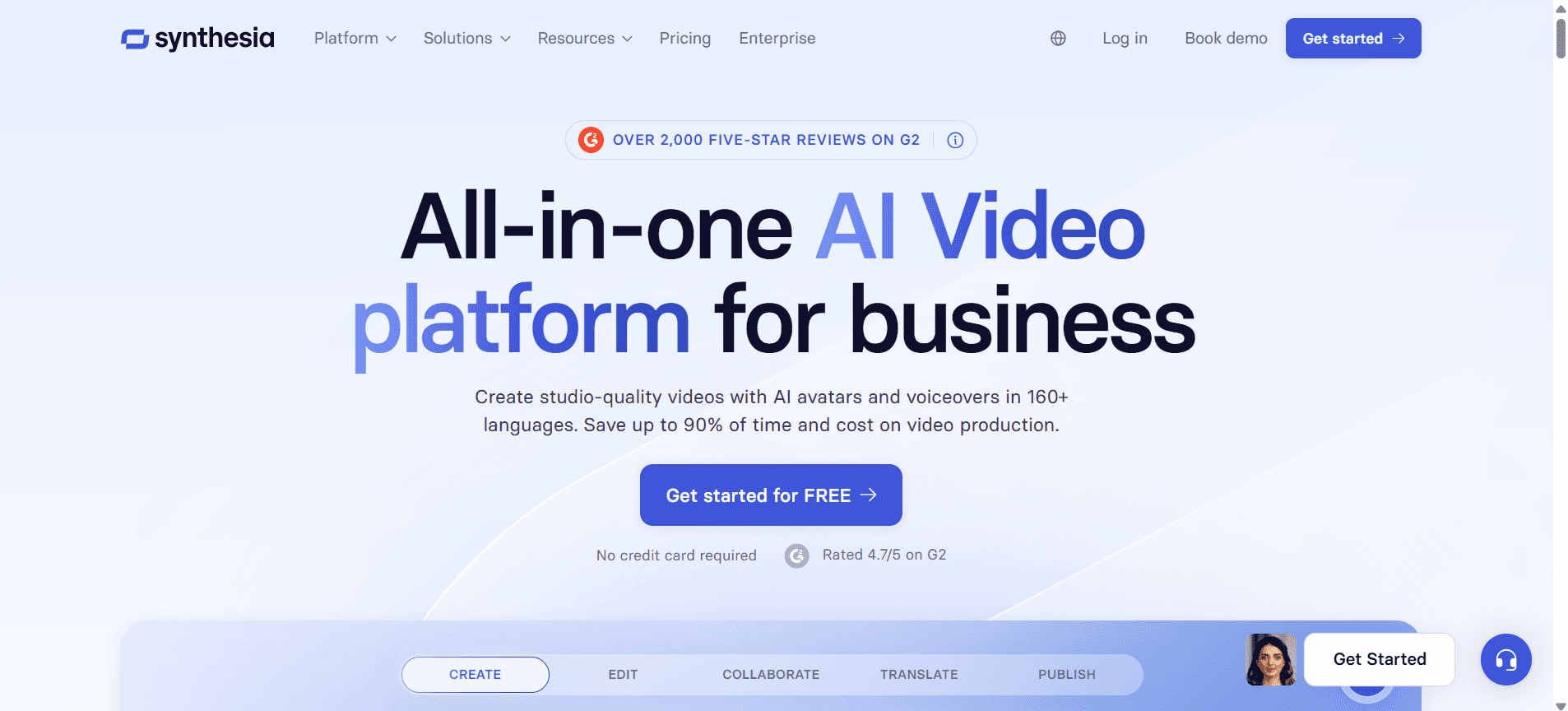
Synthesia is gespecialiseerd in AI-gegenereerde videcontent, wat ideaal is voor het maken van schaalbare en visueel aantrekkelijke trainingsmaterialen. Het is vooral handig voor bedrijven die AI-avatars en voice-overs willen integreren in hun training. Maar Synthesia mist mogelijkheden voor schermopname, wat een beperking kan zijn voor teams die uitgebreide videofuncties nodig hebben. De AI-gestuurde functies zijn echt baanbrekend en onderscheiden zich op het gebied van innovatie.
Belangrijkste functies
AI-gegenereerde video-avatars
AI-voice-overs in meerdere talen
Aanpasbare videomtemplates
Integratie met populaire LMS-platforms
Interactieve videofuncties
Opties voor branding en personalisatie
Videopslag in de cloud
Regelmatige updates met nieuwe AI-functies
Voordelen | Nadelen |
|---|---|
AI-avatars maken content visueel aantrekkelijk. | Ondersteunt geen schermopname. |
Biedt uitgebreide taalopties voor wereldwijde teams. | Vraagt een hoge leercurve voor nieuwe gebruikers. |
Naadloze integratie met de meeste LMS-platforms. | Hogere kosten vergeleken met sommige concurrenten. |
Prijs
De abonnementen van Synthesia starten bij $30 per maand voor basisfuncties.
Loom
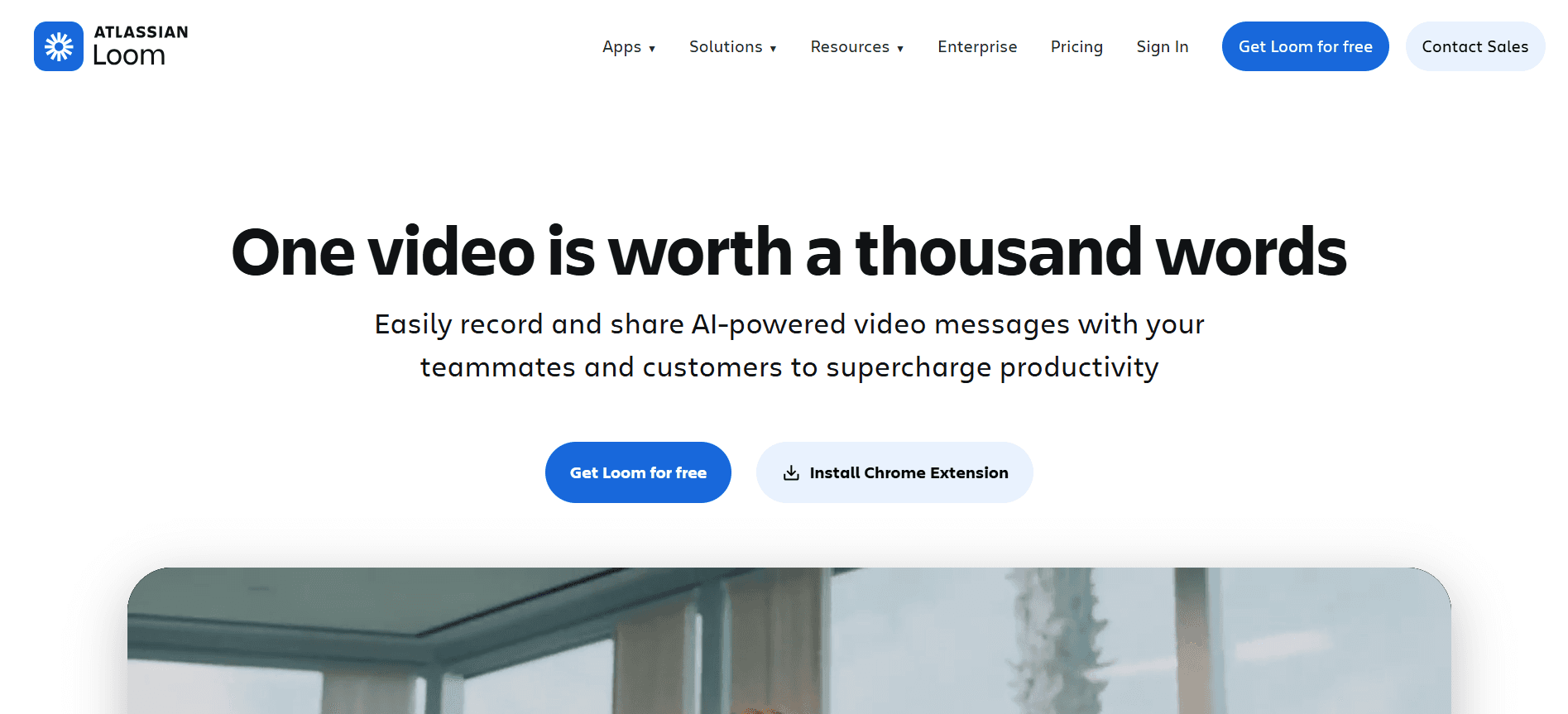
Loom is een gebruiksvriendelijke tool die uitblinkt in schermopname en snelle videodeling. Het is perfect voor startups en kleine bedrijven die een kosteneffectieve oplossing nodig hebben om eenvoudige trainingsvideo’s te maken. Hoewel Loom een gratis abonnement biedt, zijn de geavanceerde functies enigszins beperkt in vergelijking met andere tools. Het is het beste voor teams die gebruiksgemak belangrijker vinden dan complexe functionaliteiten.
Belangrijkste functies
Onbeperkte schermopname
Directe videodeling
Basisbewerkingshulpmiddelen
Browserextensie voor snelle toegang
Analytics voor betrokkenheid van kijkers
Aanpasbare videominiaturen
Video-commentaar en samenwerking
Integraties met Slack en andere tools
Voordelen | Nadelen |
|---|---|
Eenvoudig te gebruiken met een minimale leercurve. | Beperkte geavanceerde functies in het gratis abonnement. |
Biedt een gratis abonnement met basisfunctionaliteiten. | Ondersteunt geen SCORM-export. |
Ideaal voor snelle videodeling en feedback. | Beperkte personalisatieopties voor merkconsistentie. |
Prijs
Loom biedt een gratis versie en betaalde abonnementen vanaf $8 per gebruiker per maand.
Camtasia
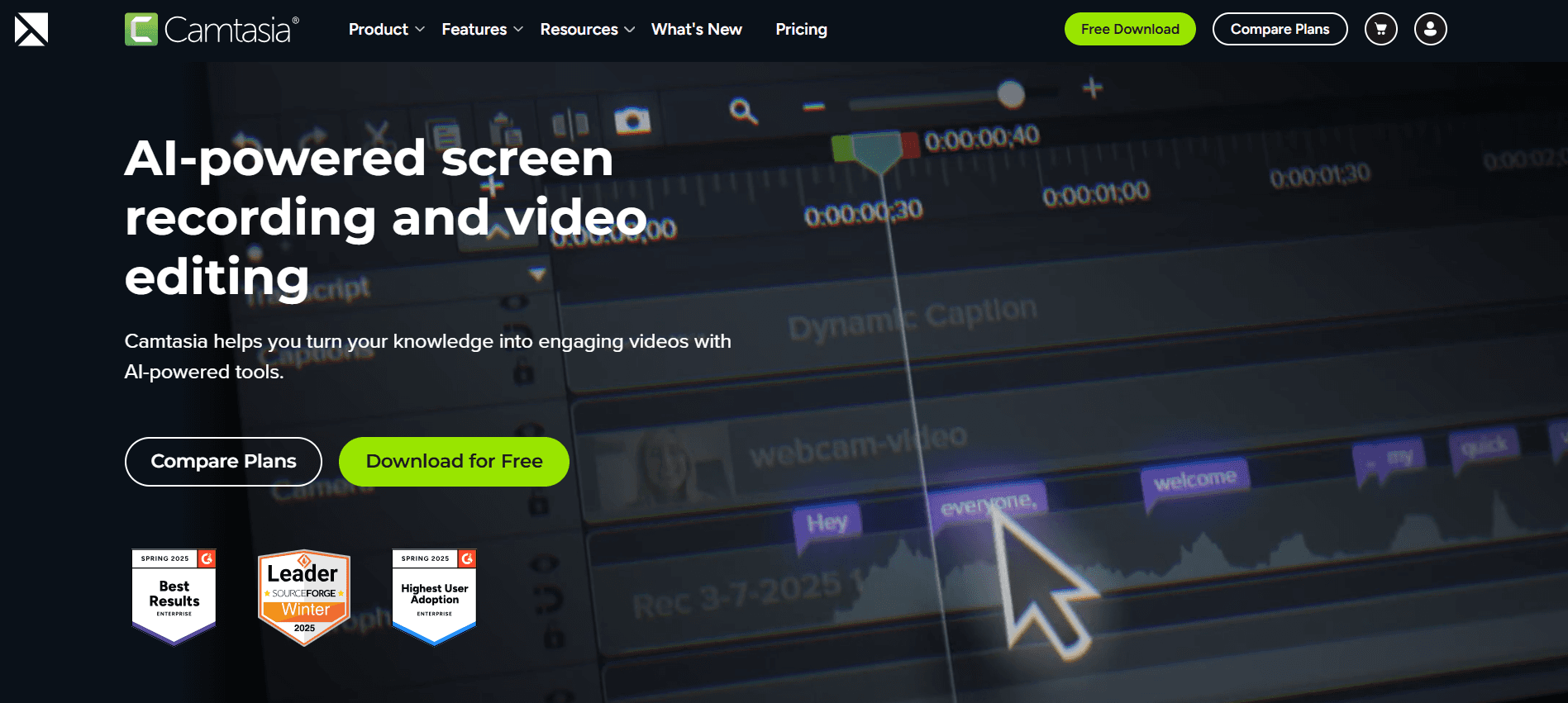
Camtasia is een krachtige videobewerkingstool die schermopname en uitgebreide bewerkingsfuncties biedt. Het is geschikt voor organisaties die hoogwaardige, professioneel afgewerkte trainingsvideo’s nodig hebben. De gebruikersinterface kan in het begin intimiderend lijken, maar de robuuste bewerkingsmogelijkheden maken het de moeite waard. Camtasia is ideaal voor trainingsteams die kwaliteit en detail in hun videcontent prioriteren.
Belangrijkste functies
Schermopname van hoge kwaliteit
Geavanceerde videobewerkingshulpmiddelen
Bibliotheek met royaltyvrije assets
Interactieve quizzen en beoordelingen
Aanpasbare videomtemplates
Direct uploaden naar YouTube
Opties voor SCORM/xAPI-export
Multi-track tijdlijn
Voordelen | Nadelen |
|---|---|
Uitgebreide mogelijkheden voor videobewerking. | Steilere leercurve voor beginners. |
Geweldig voor het maken van hoogwaardige trainingscontent. | Hogere kosten dan sommige eenvoudigere tools. |
Ondersteunt interactieve elementen zoals quizzen. | Er is geen gratis abonnement beschikbaar. |
Prijs
Camtasia biedt een eenmalige aankoop van $299 per gebruiker.
iSpring Suite
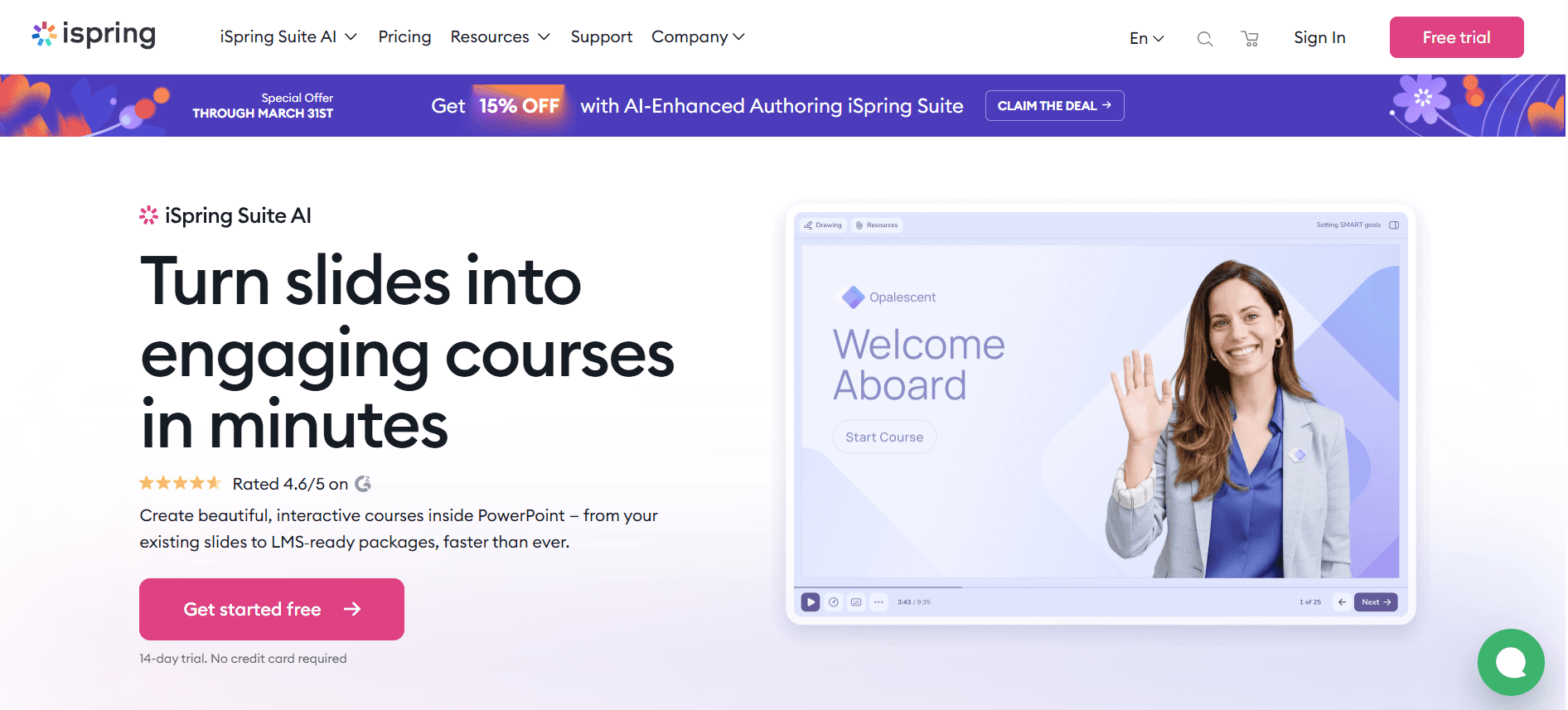
iSpring Suite is ontworpen om e-learningcontent eenvoudig te maken. Het combineert de eenvoud van PowerPoint met geavanceerde functies voor het maken van interactieve quizzen, dialoogsimulaties en videocolleges. Het is ideaal voor onderwijsinstellingen en afdelingen voor bedrijfstraining. Het mist echter enkele van de meer geavanceerde videobewerkingsfuncties die je vindt in gespecialiseerde videotools.
Belangrijkste functies
Integratie met PowerPoint
Interactieve quizzen en beoordelingen
Dialoogsimulaties
Videocolleges en screencasts
SCORM/xAPI-export
LMS-integratie
Content die geschikt is voor mobiel
Aanpasbare templates
Voordelen | Nadelen |
|---|---|
Integreert naadloos met PowerPoint. | Beperkte geavanceerde videobewerkingsfuncties. |
Geweldig voor het maken van interactieve leermodules. | Betaalde abonnementen kunnen duur zijn voor kleine teams. |
Brede compatibiliteit met LMS-platforms. | De interface kan voor sommige gebruikers verouderd aanvoelen. |
Prijs
De prijs van iSpring Suite start bij $770 per gebruiker per jaar.
Whatfix
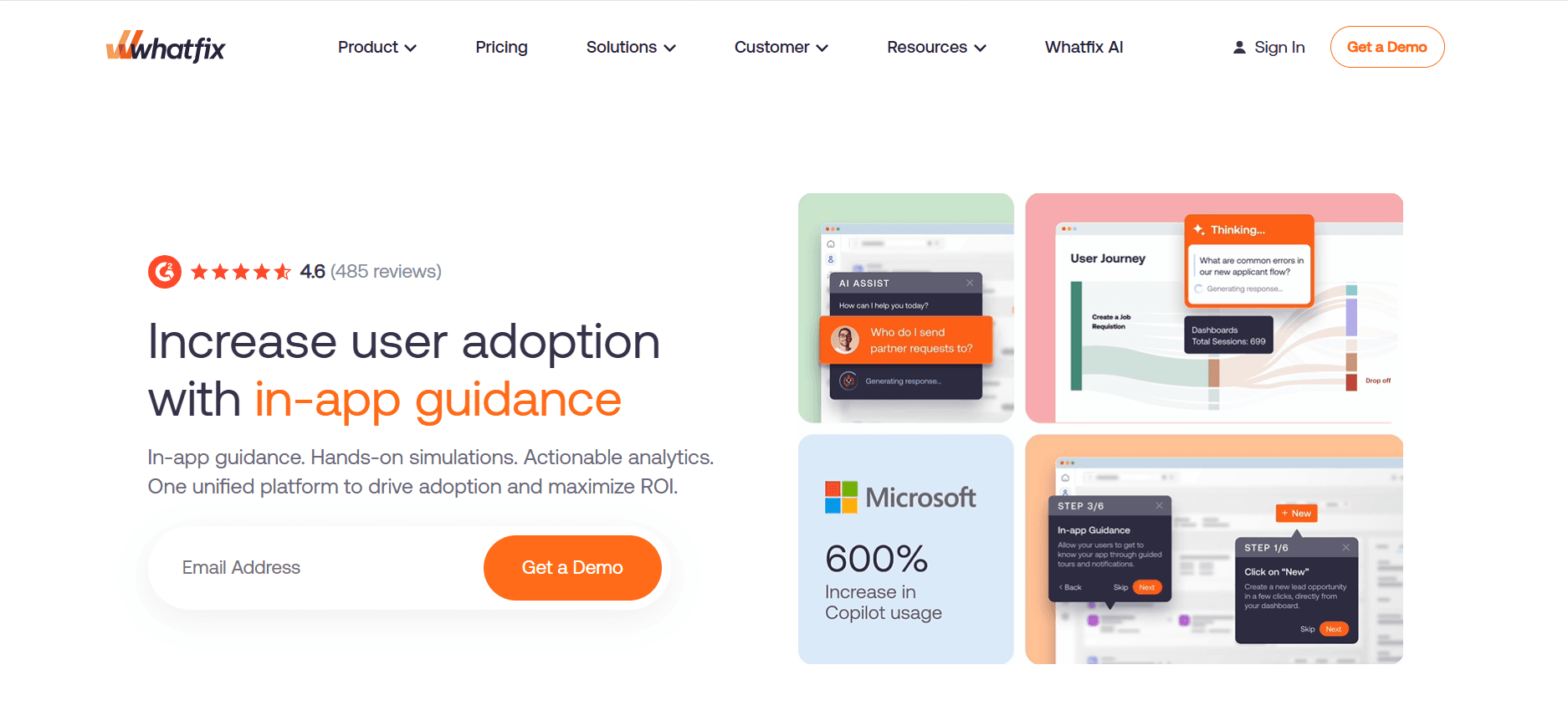
Whatfix richt zich op begeleiding in de app en interactieve walkthroughs, waardoor het perfect is voor het onboarden van medewerkers met softwaretools en -platforms. Het is vooral nuttig voor organisaties met complexe softwaresystemen. Hoewel Whatfix uitblinkt in interactieve training, biedt het geen traditionele videobewerkingsfuncties, wat een nadeel kan zijn voor wie uitgebreide video-oplossingen nodig heeft.
Belangrijkste functies
Begeleiding in de app en walkthroughs
Stapsgewijze tutorials
SCORM/xAPI-export
Ondersteuning voor meerdere talen
Analytics en feedback van gebruikers
Opties voor custom branding
Integratie met CRM en LMS
Mobiele ondersteuning voor training onderweg
Voordelen | Nadelen |
|---|---|
Uitstekend om gebruikers door software te begeleiden. | Niet geschikt voor traditionele videoproductie. |
Ondersteunt meerdere talen voor wereldwijde teams. | Kan duur zijn voor kleinere bedrijven. |
Uitgebreide analyses om voortgang bij te houden. | Vereist technische setup voor volledige mogelijkheden. |
Prijs
Whatfix-prijzen worden op maat gemaakt op basis van vereisten.
Tango
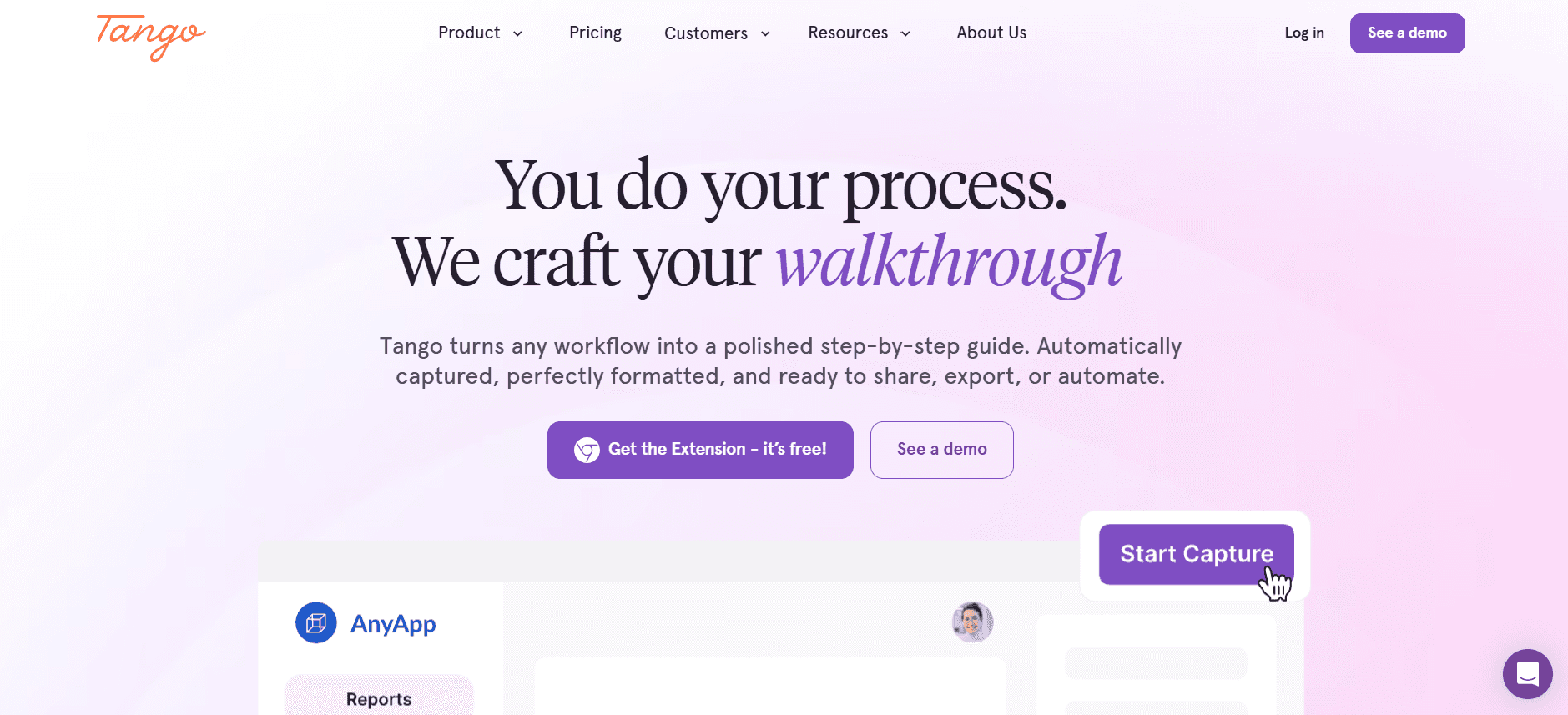
Tango is een lichtgewicht tool die is ontworpen voor het maken van stapsgewijze handleidingen en documentatie. Het is perfect voor teams die snel trainingsresources willen genereren zonder dat ze geavanceerde videofuncties nodig hebben. De eenvoud van Tango is zowel de kracht als de beperking, omdat het geen videobewerking of interactieve elementen ondersteunt, waardoor het minder ideaal is voor uitgebreide trainingsprogramma’s.
Belangrijkste functies
Handleidingen maken met stappenplan
Automatische vastlegging van screenshots
Aanpasbare templates
Deelbare handleidingen
Cloudopslag voor documenten
Gebruiksvriendelijke interface
Basisanalyses
Samenwerkingstools
Voordelen | Nadelen |
|---|---|
Eenvoudig om handleidingen te maken en te delen. | Mist videommaakfuncties. |
Ideaal voor snelle documentatiebehoeften. | Geen ondersteuning voor interactieve elementen. |
Gebruiksvriendelijk met minimale setup. | Beperkte personalisatieopties. |
Prijs
Tango biedt een gratis versie en betaalde abonnementen vanaf $10 per gebruiker per maand.
Articulate 360
Articulate 360 is een uitgebreid e-learningplatform dat een suite aan tools biedt voor het maken van interactieve en boeiende trainingscontent. Het is het meest geschikt voor organisaties die gedetailleerde e-learningcursussen willen bouwen. Met krachtige authoringtools en naadloze integratie met LMS-systemen is Articulate 360 een favoriet onder instructieontwerpers. De complexiteit kan echter overweldigend zijn voor kleine teams of teams die nieuw zijn in e-learning.
Belangrijkste functies
Interactieve e-learningcursussen maken
Responsief ontwerp voor mobiel en desktop
Vooraf gebouwde cursus-sjablonen
Medialibrary met assets
Integratie met LMS-platforms
Samenwerkingstools voor teams
SCORM/xAPI-export
Regelmatige updates van functies
Voordelen | Nadelen |
|---|---|
Uitgebreide set tools voor het maken van e-learning. | Kan complex zijn voor beginners. |
Geweldig voor het maken van interactieve en responsieve content. | Hogere prijs dan sommige alternatieven. |
Naadloze LMS-integratie. | Geen gratis abonnement beschikbaar. |
Prijs
Articulate 360 biedt abonnementen vanaf $1.299 per gebruiker per jaar.
Vyond
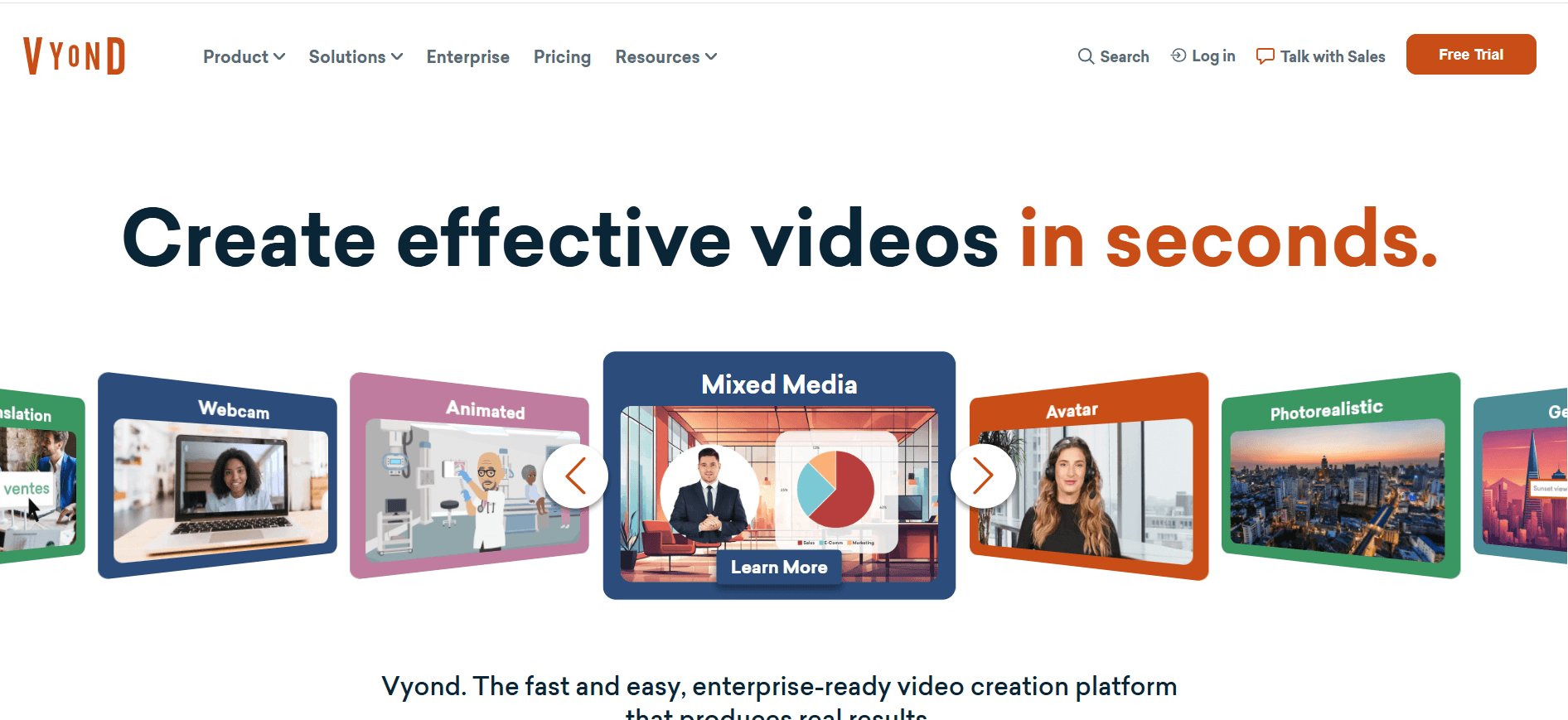
Vyond is gespecialiseerd in het maken van geanimeerde video’s, die vooral nuttig zijn voor boeiende trainingscontent. Het is ideaal voor creatieve teams die een visuele flair willen toevoegen aan hun onboardingmaterialen. De animatiemogelijkheden van Vyond maken het onderscheidend, maar het is mogelijk niet de beste keuze voor teams die live-action videofuncties of diepgaande analyses nodig hebben.
Belangrijkste functies
Aanpasbare creatie van geanimeerde video’s
Brede reeks opties voor personages en scènes
Custom branding en logo’s
Meertalige voice-over
Interactieve video-elementen
Opslag en samenwerking in de cloud
Regelmatig bijgewerkte contentbibliotheek
Eenvoudig exporteren in meerdere formaten
Voordelen | Nadelen |
|---|---|
Unieke animatiefuncties voor boeiende content. | Niet geschikt voor live-action videobehoeften. |
Uitgebreide personalisatieopties. | Hogere kosten voor premium functies. |
Eenvoudige samenwerking met tools in de cloud. | Beperkt in diepgaande analyses. |
Prijs
De prijs van Vyond start bij $49 per gebruiker per maand.
Uitdagingen bij video-gebaseerde employee onboarding: waar teams moeite mee hebben
Nieuwe medewerkers raken overweldigd door informatie
Tijdens de eerste week worden medewerkers overspoeld met data, wat leidt tot cognitieve overbelasting.
Deze toestroom kan resulteren in een slechte retentie van cruciale informatie.
Realtime ondersteuning ontbreekt vaak, waardoor nieuwe medewerkers het zelf moeten uitzoeken.
Onboardingcontent die niet boeiend is, kan hun aandacht snel verliezen.
Onboarding verschilt per locatie
Verschillende locaties en teams kunnen uiteenlopende onboardingmaterialen hebben.
Variatie in trainingskwaliteit beïnvloedt bedrijfscultuur en begrip van de rol.
Lokale werkwijzen kunnen afwijken van de standaarden van het bedrijf.
Zonder centrale regie wordt het lastig om consistentie te monitoren.
Hoge productiekosten voor video’s van professionele kwaliteit
Het maken van hoogwaardige video’s vereist vaak een aanzienlijke investering in middelen.
Professionele videoproductie kan budgetten onder druk zetten, vooral bij kleinere bedrijven.
Regelmatige updates vereisen herhaalde investeringen.
Het inhuren of trainen van interne video-experts verhoogt de kosten.
Content wordt snel verouderd
Snelle veranderingen in bedrijfsprocessen kunnen trainingsmaterialen verouderd maken.
Video’s regelmatig bijwerken kost tijd en is intensief qua middelen.
Medewerkers kunnen verouderde informatie ontvangen, wat de prestaties beïnvloedt.
Versiebeheerproblemen ontstaan, wat leidt tot verwarring.
Geen manier om voltooiing te verifiëren of begrip te testen
Het ontbreken van interactieve elementen betekent dat betrokkenheid nauwelijks kan worden gevolgd.
Managers hebben vaak geen zicht op wie de training heeft afgerond.
Zonder beoordelingen is het lastig om inzicht te krijgen in het retentieniveau.
Kritieke feedbackloops om content te verbeteren ontbreken.
Uitdaging | Traditioneel proces | Impact op de business | Tijdskosten |
|---|---|---|---|
Nieuwe medewerkers zijn overweldigd | Handmatige documentuitdeelstukken | Lage retentiepercentages | Hoge onboardingtijd |
Onboarding is inconsistent | Training op basis van locatie | Afwisselende prestaties van medewerkers | Dubbele inspanningen |
Hoge videoproductiekosten | Uitbestede videoproductie | Budgetoverschrijdingen | Verlengde productietijdlijnen |
Snel verouderde content | Statische video’s en documenten | Training sluit niet aan | Regelmatige herzieningen van content |
Uitdagingen bij verificatie | Handmatige tracking en quizzen | Niet gemeten gereedheid van medewerkers | Tijdrovende evaluaties |
Must-have functies in tools voor video-gebaseerde employee onboarding
Schermopname met AI voice-over
Schermopname is essentieel om software en processen in real-time te demonstreren. In combinatie met AI-voice-overs zorgt deze functie ervoor dat informatie zowel visueel als auditief duidelijk is. Het stelt trainers in staat om gedetailleerde walkthroughs te maken die nieuwe medewerkers in hun eigen tempo kunnen volgen. Tools zoals Loom blinken uit in dit opzicht door intuïtieve schermopnamemogelijkheden te bieden, waardoor het eenvoudiger wordt om gedetailleerde instructies vast te leggen.
AI-voice-over voegt een laag professionaliteit en toegankelijkheid toe en biedt ondersteuning voor meerdere talen om diverse teams te bedienen. Synthesia onderscheidt zich met AI-gegenereerde voice-overs, die een natuurlijke vertelling bieden in meerdere talen, wat het begrip en de retentie versterkt.
SCORM/xAPI-export voor LMS-compatibiliteit
SCORM- en xAPI-compatibiliteit is cruciaal voor het integreren van onboardingmaterialen met Learning Management Systems (LMS). Deze functie zorgt ervoor dat alle trainingsmodules eenvoudig te volgen zijn en kunnen worden opgenomen in bredere leeromgevingen, wat naadloze leerervaringen oplevert. iSpring Suite biedt robuuste SCORM-exportopties, waardoor het compatibel is met een breed scala aan LMS-platforms.
Door deze standaarden te volgen, kunnen organisaties de voortgang en prestaties van medewerkers efficiënt bijhouden en inzicht krijgen in de effectiviteit van hun trainingsprogramma’s. Camtasia ondersteunt zowel SCORM- als xAPI-exports, waardoor het een veelzijdige tool is voor uitgebreide e-learningoplossingen.
Interactieve elementen: quizzen en kennischecks
Interactieve elementen zoals quizzen en kennischecks zijn van vitaal belang om lerenden betrokken te houden en begrip te beoordelen. Ze veranderen passief leren in een actieve ervaring, waarin medewerkers hun begrip kunnen testen en direct feedback krijgen. Whatfix blinkt uit in het bieden van interactieve walkthroughs die gebruikers betrokken houden en ervoor zorgen dat ze de content begrijpen.
Deze functies stellen trainers ook in staat om te identificeren waar medewerkers moeite mee hebben, zodat gerichte interventies mogelijk zijn. Articulate 360 integreert interactieve quizzen naadloos in zijn cursussen, waardoor een dynamische leeromgeving ontstaat die zich kan aanpassen aan de behoeften van de gebruikers.
Voortgang bijhouden en rapportage van voltooiing
Het bijhouden van voortgang en voltooiing is essentieel om de effectiviteit van onboardingprogramma’s te meten. Deze functie geeft managers inzicht in wie de training heeft afgerond en hoe goed ze het materiaal hebben begrepen. Trupeer biedt gedetailleerde analyses en rapportage en helpt organisaties om verantwoordelijkheid en compliance te waarborgen.
Met deze inzichten kunnen bedrijven hun onboardingprocessen continu verfijnen, zodat ze hun doelen behalen. Tools zoals Whatfix bieden uitgebreide analyses die gebruikersbetrokkenheid en voltooiingspercentages volgen en zo een duidelijk beeld geven van de effectiviteit van de training.
Eenvoudige workflows voor het bijwerken van content
In een snel veranderende zakelijke omgeving is het vermogen om content eenvoudig bij te werken cruciaal. Onboardingtools met gestroomlijnde updateworkflows stellen organisaties in staat om trainingsmaterialen snel te herzien, zodat ze relevant en accuraat blijven. De integratie van iSpring Suite met PowerPoint maakt het bijwerken van content eenvoudig, zodat trainers wijzigingen kunnen doorvoeren zonder uitgebreide technische expertise.
Deze functie vermindert de tijd en middelen die nodig zijn voor contentonderhoud, zodat teams zich kunnen richten op het leveren van hoogwaardige training. Tools zoals Tango bieden eenvoudige updateprocessen voor hun documentatie, waardoor het makkelijk is om handleidingen actueel te houden met minimale inspanning.
De juiste video-gebaseerde onboardingtool kiezen betekent dat je deze essentiële functies afweegt tegen de specifieke behoeften van je organisatie. Door te focussen op deze must-haves kun je ervoor zorgen dat je onboardingproces zowel effectief als efficiënt is, wat uiteindelijk de opstarttijd verkort en de tevredenheid van medewerkers verhoogt.
Hoe kies je video-gebaseerde employee onboardingoplossingen op basis van je use case
Day-1 oriëntatie- en cultuurvideo’s
Voor organisaties die boeiende day-1 oriëntatievideo’s willen maken, is het belangrijk om de bedrijfscultuur effectief over te brengen terwijl je de noodzakelijke informatie geeft. Zorgen dat nieuwe medewerkers zich vanaf het begin welkom en geïnformeerd voelen, zet de toon voor hun periode bij het bedrijf.
Belangrijkste uitdagingen: nieuwe medewerkers boeien, cultuur overbrengen, informatie-overload vermijden.
Benodigde oplossingen: videoproductie van hoge kwaliteit, AI-voice-overs, interactieve elementen.
Tool | Beste functie |
|---|---|
Vyond | Animatie voor boeiend storytelling. |
Trupeer | Gepersonaliseerde onboardingcontent. |
Training in systemen en softwaretools
Nieuwe medewerkers trainen op verschillende systemen en software is cruciaal voor hun efficiëntie en productiviteit. De uitdaging zit erin om deze technische content toegankelijk en eenvoudig te begrijpen te maken.
Belangrijkste uitdagingen: complexe systemen uitleggen, betrokkenheid behouden, retentie waarborgen.
Benodigde oplossingen: schermopname, interactieve walkthroughs, realtime feedback.
Tool | Beste functie |
|---|---|
Loom | Eenvoudige schermopname. |
Whatfix | Interactieve begeleiding in de app. |
Compliance- en beleidstraining
Compliance training is verplicht, maar wordt vaak als saai ervaren. Het is belangrijk om deze sessies boeiend te maken en tegelijkertijd begrip te waarborgen om te voldoen aan wettelijke vereisten.
Belangrijkste uitdagingen: compliance waarborgen, medewerkers betrokken houden, begrip verifiëren.
Benodigde oplossingen: AI-voice-overs, interactieve quizzen, gedetailleerde rapportage.
Tool | Beste functie |
|---|---|
Synthesia | AI-gegenereerde voice-overs in meerdere talen. |
Articulate 360 | Interactieve quizzen en compliance-tracking. |
Training in vaardigheden per rol
Training afstemmen op specifieke rollen is essentieel voor nieuwe medewerkers om de vaardigheden te verwerven die ze nodig hebben. Dit type training moet worden aangepast aan de unieke vereisten van elke functie.
Belangrijkste uitdagingen: content personaliseren, relevantie behouden, vaardigheidsverwerving volgen.
Benodigde oplossingen: contentpersonalisatie, voortgang bijhouden, modules per rol.
Tool | Beste functie |
|---|---|
Trupeer | AI-gestuurde personalisatie van content. |
iSpring Suite | Eenvoudig personaliseren met PowerPoint-integratie. |
Leiderschap- en managementontwikkeling
Toekomstige leiders ontwikkelen is cruciaal voor de groei van elke organisatie. Programma’s moeten zich richten op het opbouwen van zowel soft als hard skills en medewerkers voorbereiden op hogere verantwoordelijkheden.
Belangrijkste uitdagingen: soft skills ontwikkelen, leiderschapspotentieel beoordelen, betrokkenheid waarborgen.
Benodigde oplossingen: interactieve trainingsmodules, assessments voor leiderschap, uitgebreide analyses.
Tool | Beste functie |
|---|---|
Camtasia | Videoproductie van hoge kwaliteit voor impactvolle content. |
Trupeer | Geavanceerde analyses om leiderschapsontwikkeling bij te houden. |
Best practices voor het implementeren van video-gebaseerde onboarding
Voordat je het programma lanceert
Definieer duidelijke doelstellingen voor het onboardingprogramma.
Kies tools die aansluiten op je trainingsdoelen en budget.
Betrek stakeholders om diverse input te verzamelen en draagvlak te creëren.
Ontwerp een gestructureerde onboarding-tijdlijn met mijlpalen.
Test de technologie om te zorgen dat deze naadloos werkt op alle apparaten.
Tijdens het onboardingproces
Neem interactieve elementen op om de betrokkenheid te behouden.
Bied realtime ondersteuning om vragen van nieuwe medewerkers te beantwoorden.
Monitor de voortgang met behulp van analyses om gebieden voor verbetering te identificeren.
Stimuleer feedback van deelnemers om toekomstige sessies te verbeteren.
Zorg voor consistentie in de contentlevering op alle locaties.
Na afronding van het programma
Evalueer de effectiviteit van het programma via analyses.
Werk content regelmatig bij om eventuele wijzigingen binnen de organisatie te weerspiegelen.
Verzamel feedback van deelnemers voor continue verbetering.
Erken en beloon succesvolle voltooiing om nieuwe medewerkers te motiveren.
Plan vervolgsessies om leren en ontwikkeling te versterken.
Veelgestelde vragen
Wat is video-gebaseerde employee onboarding?
Video-gebaseerde employee onboarding gebruikt multimediale content, zoals video’s, om nieuwe medewerkers te trainen. Het biedt een dynamisch alternatief voor traditionele tekstgebaseerde methoden en vergroot de betrokkenheid en retentie. Deze aanpak is vooral effectief voor het visueel demonstreren van processen en het overbrengen van de bedrijfscultuur.
Waarom zou ik video-gebaseerde onboarding kiezen boven traditionele methoden?
Video-gebaseerde onboarding is boeiender en interactiever, wat helpt om de retentie van informatie te verbeteren. Het maakt consistente training over locaties mogelijk en kan eenvoudig worden bijgewerkt om wijzigingen te weerspiegelen. Deze methode ondersteunt ook diverse leerstijlen en is op elk moment en overal toegankelijk.
Integreren deze tools met bestaande LMS-platforms?
De meeste video-gebaseerde onboardingtools bieden LMS-integratie, waardoor ze naadloos kunnen worden opgenomen in bestaande leeromgevingen. Tools zoals iSpring Suite en Articulate 360 staan vooral bekend om hun compatibiliteit met verschillende LMS-platforms, zodat gegevensoverdracht en tracking soepel verlopen.
Kan ik deze tools gebruiken voor remote onboarding?
Ja, deze tools zijn ontworpen om remote onboarding te ondersteunen. Ze bieden functies zoals schermopname, AI-voice-overs en interactieve elementen die training faciliteren, ongeacht de geografische locatie, waardoor ze ideaal zijn voor gedistribueerde teams.
Zijn er gratis versies beschikbaar voor deze tools?
Sommige tools, zoals Loom en Tango, bieden gratis versies met basisfuncties. Maar om toegang te krijgen tot geavanceerde functionaliteiten, vereisen de meeste platforms een abonnement of een eenmalige betaling. Het is belangrijk om je behoeften te evalueren om te bepalen of een gratis abonnement voldoende is.
Welke factoren moet ik overwegen bij het budgetteren voor deze tools?
Houd rekening met factoren zoals het aantal gebruikers, gewenste functies en integratiemogelijkheden. Hoge productiekosten kunnen betekenen dat je moet investeren in tools met robuuste videobewerkings- en interactieve functies, terwijl kleinere teams mogelijk prioriteit geven aan kosteneffectieve oplossingen.
Hoe lang duurt het om video-gebaseerde onboarding te implementeren?
De implementatietijdlijn verschilt afhankelijk van de complexiteit van de content en de toolsetup. Hoewel tools zoals Loom snel kunnen worden ingezet voor basisbehoeften, kunnen uitgebreide oplossingen zoals Trupeer meer tijd nodig hebben voor volledige personalisatie en integratie.
Welke ondersteuning is beschikbaar tijdens de implementatie?
De meeste aanbieders bieden klantenondersteuning via online resources, tutorials en directe hulp. Het is verstandig om een tool te kiezen met robuuste ondersteuningsopties om een soepel implementatieproces te garanderen. Bedrijven zoals Camtasia en Synthesia staan bekend om hun behulpzame klantenservice.
Tot slot
De juiste video-gebaseerde onboardingoplossing kiezen kan je ervaring van nieuwe medewerkers transformeren: het vergroot de betrokkenheid en zorgt voor consistentie overal. Door de specifieke behoeften en uitdagingen van je organisatie zorgvuldig te evalueren, kun je een tool selecteren die het onboardingproces stroomlijnt en uiteindelijk de productiviteit en retentie verbetert.
Als je klaar bent om je onboardingprogramma naar een hoger niveau te tillen, bekijk dan de geavanceerde functies van Trupeer voor gepersonaliseerde content en gedetailleerde analyses. Bezoek Trupeer om te ontdekken hoe het je organisatie kan helpen.
Gerelateerde blogs


