Trupeer Blog
Samenvatten

Ontdek de beste tools voor een soepele customer onboarding in 2026.
[15] min read. 26 maart 2026.
Overzicht voor kopers
Het kiezen van het juiste platform voor customer onboarding is nog nooit zo belangrijk geweest. Nu 60% van de bedrijven investeert in dedicated onboarding-functies, ligt de lat hoog om consistente, boeiende ervaringen te leveren. Deze investering wijst op een groeiende trend richting gestructureerde onboardingprocessen om vroege churn te verminderen en de druk op customer success-teams te verlichten.
60% van de bedrijven investeert nu in dedicated customer onboarding-functies.
Rocketlane State of Customer Onboarding, 2024
Je vindt een gedetailleerde vergelijking van de best beoordeelde platforms voor customer onboarding die in 2026 beschikbaar zijn. Deze is bedoeld voor business leaders, customer success managers en teams die hun onboardingprocessen willen verbeteren. Of je nu je klantinteracties wilt stroomlijnen of je retentiepercentages wilt verhogen, deze gids geeft je de inzichten die je nodig hebt om een weloverwogen keuze te maken.
Beste platforms voor customer & client onboarding: head-to-head vergelijking
Functie | Trupeer | Pendo | UserPilot | Appcues | Rocketlane | Dock | GuideCX | Intercom |
|---|---|---|---|---|---|---|---|---|
Kernfuncties | ||||||||
In-app guidance | Ja | Ja | Ja | Ja | Nee | Beperkt | Ja | Ja |
Clientportaal | Ja | Beperkt | Nee | Beperkt | Ja | Ja | Ja | Nee |
Videocontent | Ja | Beperkt | Ja | Ja | Nee | Nee | Beperkt | Ja |
AI-mogelijkheden | ||||||||
Taakautomatisering | Ja | Ja | Nee | Beperkt | Ja | Nee | Ja | Beperkt |
Voortgangsanalyses | Ja | Ja | Ja | Ja | Ja | Beperkt | Ja | Ja |
Professionele functies | ||||||||
E-mailreeksen | Ja | Beperkt | Ja | Nee | Ja | Nee | Beperkt | Ja |
CRM-integratie | Ja | Ja | Ja | Beperkt | Ja | Ja | Ja | Ja |
Integraties | ||||||||
White-label | Ja | Nee | Ja | Beperkt | Beperkt | Ja | Nee | Nee |
Self-serve onboarding | Ja | Ja | Ja | Ja | Nee | Beperkt | Ja | Ja |
Trupeer

Trupeer is ontworpen voor bedrijven die een complete onboardingoplossing zoeken die diep integreert met bestaande CRM-systemen. Het is ideaal voor bedrijven die hun onboardingprocessen willen stroomlijnen met een hoge mate van automatisering en analyses. Trupeer onderscheidt zich door aanpasbare clientportalen en robuuste mogelijkheden voor videodcontent, waardoor het een favoriet is bij middelgrote tot grote ondernemingen.
Belangrijkste functies
Aanpasbare in-app guidance
Geavanceerd clientportaal
Geïntegreerde video walkthroughs
Geautomatiseerd taakbeheer
Uitgebreide voortgangsanalyses
Automatisering van e-mailreeksen
CRM- en white-label-integratie
Self-serve onboarding
"De integratiemogelijkheden van Trupeer hebben onze onboarding-efficiëntie en klanttevredenheid drastisch verbeterd."
Voordelen
Nadelen
Zeer aanpasbare portalen verbeteren de klantervaring.
De initiële setup kan complex zijn voor kleine teams.
Robuuste analyses om de voortgang van onboarding te volgen.
Training is nodig om de functies optimaal te benutten.
Sterke CRM- en e-mailintegratie.
Kosten kunnen ongunstig zijn voor startups.
Ondersteunt self-serve en begeleide onboardingmodellen.
Prijzen
Trupeer biedt een gratis abonnement met beperkte functies, met betaalde plannen vanaf $49/maand.
Pendo

Pendo levert een onboardingervaring die centraal staat bij de gebruiker, vooral voor SaaS-bedrijven. De kracht zit in het bieden van in-app guidance en inzichten die zijn afgestemd op het gedrag van gebruikers. Pendo is met name nuttig voor productteams die de gebruikerservaring willen verfijnen en productadoptie willen stimuleren met datagedreven beslissingen.
Belangrijkste functies
Dynamische in-app guidance
Gedragsanalyses
Verzamelen van feedback van gebruikers
Aanpasbare dashboards
Integratie met populaire CRM’s
Segmentatiefuncties
Analyse van productgebruik
Aangepaste event tracking
Voordelen
Nadelen
Biedt uitstekende inzichten in gebruikersgedrag.
Beperkte mogelijkheden voor een clientportaal.
Maakt gedetailleerde segmentatie van gebruikers mogelijk.
Geavanceerde functies kunnen kostbaar zijn.
Sterke tools voor in-app guidance.
Steile leercurve voor nieuwe gebruikers.
Prijzen
Pendo start met een gratis abonnement voor basisanalyses, met professionele plannen vanaf $199/maand.
UserPilot

UserPilot is gemaakt voor teams die waarde hechten aan maatwerk in user onboarding. Het blinkt uit in het creëren van gepersonaliseerde user journeys en productervaringen zonder dat je codeerkennis nodig hebt. Daardoor is het ideaal voor productmanagers en UX-designers die de betrokkenheid van gebruikers willen verbeteren met behulp van op maat gemaakte ervaringen.
Belangrijkste functies
No-code onboardingflows voor gebruikers
Tracking van feature adoption
Tools voor segmentatie van gebruikers
Gepersonaliseerde in-app berichten
Aanpasbare onboarding checklists
Feedbackloops in realtime
Dynamisch doelen instellen
Integratie met analysetools
Voordelen
Nadelen
Zeer aanpasbaar zonder te coderen.
Beperkte ondersteuning voor videodcontent.
Uitstekend voor gepersonaliseerde user journeys.
Geen geïntegreerd clientportaal.
Sterke tracking van feature adoption.
Basisplan mist geavanceerde analyses.
Prijzen
UserPilot biedt een gratis proefperiode met professionele plannen vanaf $249/maand.
Appcues
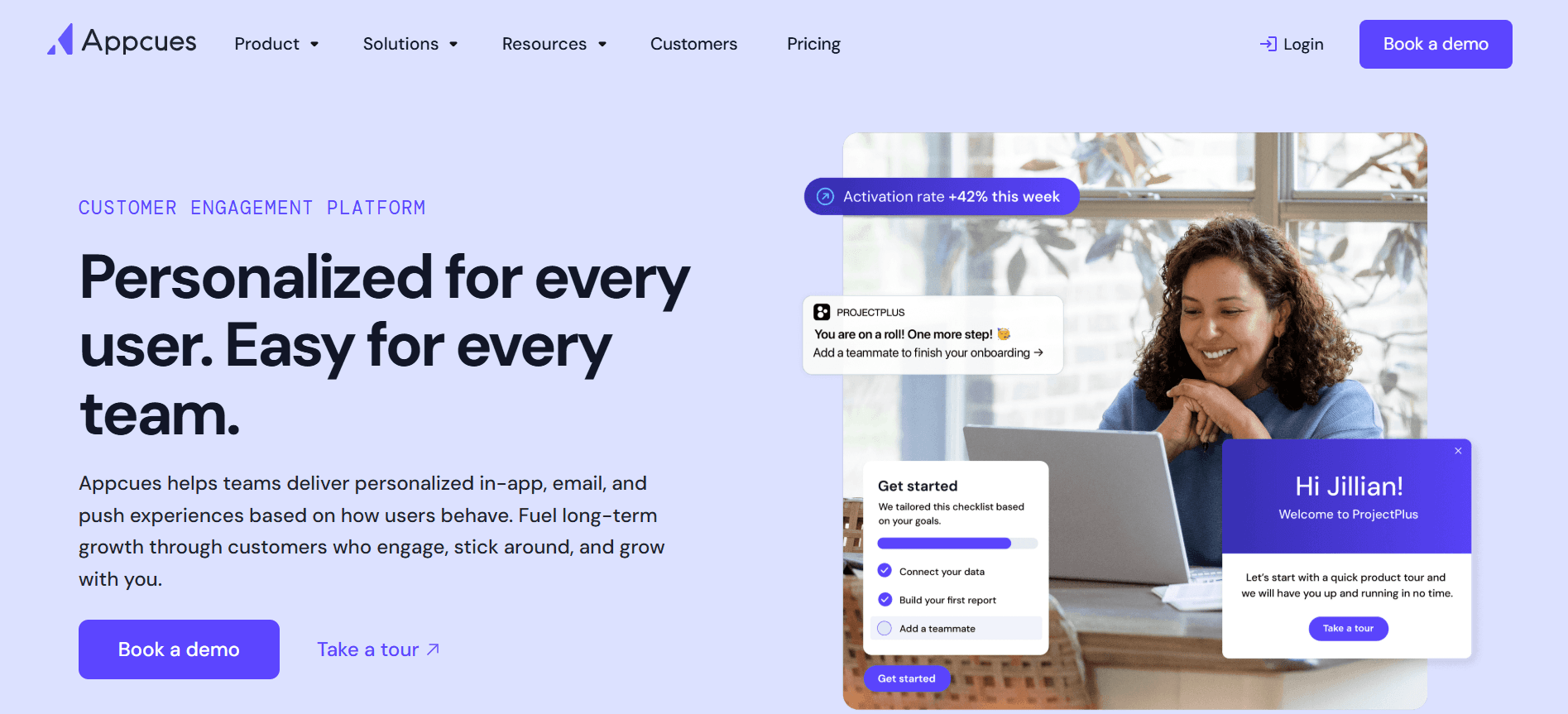
Appcues richt zich op het verbeteren van user onboarding door intuïtieve productervaringen te creëren. Het is met name effectief voor kleine tot middelgrote bedrijven die product tours en in-app messaging willen implementeren zonder diepgaande technische resources. Appcues blinkt uit in het maken van boeiende onboardingervaringen zonder code.
Belangrijkste functies
Drag-and-drop builder
In-app messaging
Gebruiksanalyses
Verzamelen van feedback van gebruikers
Ondersteuning voor meerdere talen
Gerichte user flows
Aanpasbare thema’s
Integratie met tools van derden
Voordelen
Nadelen
Eenvoudig te gebruiken zonder dat je hoeft te coderen.
Beperkte CRM-integratie.
Krachtige tools voor in-app messaging.
Ondersteuning voor video is beperkt.
Geweldig voor het maken van product tours.
Kan duur zijn voor kleine bedrijven.
Prijzen
Appcues biedt een gratis abonnement met essentials, met premiumfuncties vanaf $249/maand.
Rocketlane

Rocketlane is afgestemd op teams die een samenwerkingsplatform nodig hebben voor onboarding in de stijl van projecten. Het is het best geschikt voor agencies en professionele dienstverleners die gedetailleerd workflowbeheer met klanten nodig hebben. De kracht van Rocketlane zit in het faciliteren van samenwerking tussen teams en klanten, zodat projecten op koers blijven.
Belangrijkste functies
Samenwerkende client workspaces
Projectmanagementtools
Tracking van resource allocation
Delen van documenten
Chat in realtime
Tracking van milestones
Analyses van teamprestaties
Integratie met taakbeheersystemen
Voordelen
Nadelen
Faciliteert samenwerking tussen team en klant.
Niet ideaal voor kleine bedrijven.
Bevat gedetailleerde projectmanagementfuncties.
Mist tools voor in-app guidance.
Geweldig voor tracking van resource allocation.
Ondersteuning voor videodcontent ontbreekt.
Prijzen
Rocketlane biedt een proefperiode, met betaalde plannen vanaf $299/maand.
Dock

Dock biedt een unieke kijk op onboarding door zich te richten op client engagement via aanpasbare portalen. Het is ideaal voor bedrijven die prioriteit geven aan directe interactie met klanten en die tools willen om documenten te delen, taken te volgen en onboarding-tijdlijnen te beheren. Hoewel Dock uitblinkt in clientcommunicatie, is het mogelijk niet geschikt voor wie op zoek is naar diepgaande automatisering.
Belangrijkste functies
Aanpasbare clientportalen
Taakbeheer
Delen van documenten
Tracking van tijdlijnen
E-mailmeldingen
Verzamelen van feedback van klanten
Integratie met CRM-tools
Opties voor white-label
Voordelen
Nadelen
Uitstekend voor clientcommunicatie.
Beperkte mogelijkheden voor taakautomatisering.
Aanpasbare portalen verbeteren de interactie met klanten.
Niet geschikt voor bedrijven die diepgaande analyses nodig hebben.
Biedt white-label-oplossingen.
Ondersteuning voor videodcontent ontbreekt.
Prijzen
Dock biedt een gratis basisabonnement, met geavanceerde opties vanaf $149/maand.
GuideCX

GuideCX is gespecialiseerd in transparante en samenwerkende onboarding, waardoor het perfect is voor teams die meerdere clientprojecten tegelijk moeten beheren. Het is met name voordelig voor organisaties die duidelijke clientcommunicatie en inzicht in taken nodig hebben. De kracht van GuideCX zit in het bieden van klanten een helder overzicht van projecttijdlijnen en verantwoordelijkheden.
Belangrijkste functies
Dashboards voor clientprojecten
Tracking van milestones
Taakinzicht voor klanten
Geautomatiseerde voortgangsupdates
Samenwerktools in realtime
Integratie met projectmanagementsoftware
Verzamelen van feedback van klanten
White-labelfuncties
Voordelen
Nadelen
Uitstekend voor het beheren van meerdere projecten.
Kan te complex zijn voor kleine teams.
Biedt duidelijk inzicht voor klanten.
Mist geavanceerde analysemogelijkheden.
Sterk in samenwerking in realtime.
Beperkte ondersteuning voor videodcontent.
Prijzen
GuideCX biedt een gratis abonnement met beperkte functies, met premiumplannen vanaf $249/maand.
Intercom
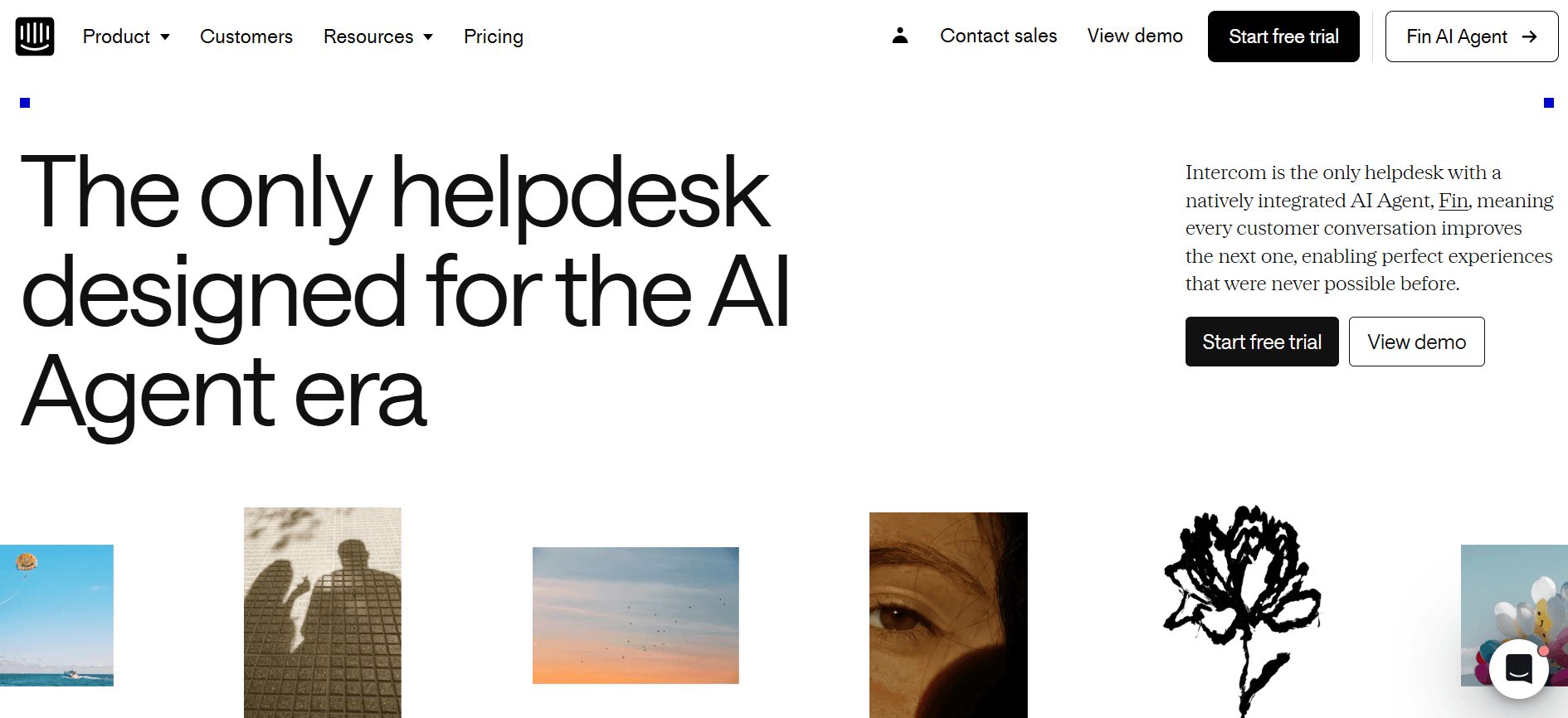
Intercom is een veelzijdig platform dat customer engagement combineert met onboardingfuncties. Het is goed geschikt voor bedrijven die support, sales en onboarding in één platform willen integreren. De opvallende functie van Intercom is het vermogen om gepersonaliseerde customer experiences te leveren via gerichte messaging en automatisering.
Belangrijkste functies
Ondersteuning via livechat
Geautomatiseerde messaging
Tracking van gebruikersbetrokkenheid
Aanpasbare onboardingflows
Integratie met CRM- en supporttools
Inzichten op basis van data
Communicatie via meerdere kanalen
Verzamelen van feedback van klanten
Voordelen
Nadelen
Combineert support en onboarding naadloos.
Kan duur zijn voor kleine bedrijven.
Sterk in geautomatiseerde messaging.
De setup kan complex zijn voor nieuwe gebruikers.
Biedt communicatie via meerdere kanalen.
Beperkt tot basis-onboardingflows.
Prijzen
Intercom start met een basisabonnement van $89/maand, met geavanceerde functies beschikbaar in hogere tiers.
Uitdagingen bij customer onboarding: waar teams moeite mee hebben
Inconsistente onboardingervaringen tussen verschillende CS-medewerkers
Verschillende aanpakken door teamleden kunnen klanten in verwarring brengen.
Inconsistente messaging leidt tot een gebrek aan vertrouwen en duidelijkheid.
Klanten kunnen tegenstrijdige signalen krijgen over processen en verwachtingen.
Standaardisatie is cruciaal, maar lastig te implementeren zonder de juiste tools.
Klanten voltooien onboardingstappen niet zonder proactieve reminders
Klanten verliezen vaak het overzicht of stellen onboardingtaken minder prioriteit.
Gebrek aan tijdige herinneringen kan leiden tot gemiste stappen.
Proactieve communicatie is essentieel om klanten betrokken te houden.
Automatiseringstools zijn nodig om tijdige reminders en updates te sturen.
Het CS-team heeft geen zicht op waar specifieke klanten vastlopen
Zonder duidelijk zicht is het lastig om gerichte ondersteuning te bieden.
Problemen kunnen onopgemerkt blijven, wat leidt tot frustratie bij klanten.
Het bijhouden van de voortgang van klanten vereist analyses in realtime.
Teams hebben dashboards nodig om knelpunten snel te identificeren en aan te pakken.
Het CS-team kan hun capaciteit niet opschalen zonder extra medewerkers
Een hoge werkdruk leidt tot burn-out en lagere productiviteit.
Handmatige processen beperken het aantal klanten dat een team kan behandelen.
Automatisering kan helpen om taken op te schalen zonder de teamgrootte te vergroten.
Efficiëntietools zijn nodig om repetitieve taken te stroomlijnen.
Slechte integratie met bestaande CRM- en supportticketing
Losgekoppelde systemen leiden tot datasilo’s en inefficiënties.
Handmatige datatransfer kan leiden tot fouten en vertragingen.
Geïntegreerde platforms zorgen voor een soepele datastroom tussen teams.
CRM- en supportticketing-integratie is cruciaal voor een eenduidig overzicht.
Uitdaging
Traditioneel proces
Impact op de business
Tijdskosten
Inconsistente onboardingervaringen
Handmatig, verschillende aanpakken door teamleden
Klanten in verwarring, minder vertrouwen
Hoog
Klanten voltooien onboarding niet
Geen geautomatiseerde reminders
Gemiste stappen, vertraagde betrokkenheid
Medium
Beperkt zicht op voortgang van klanten
Geen analyses in realtime
Onopgemerkte problemen, frustratie bij klanten
Hoog
Opschalen van capaciteit zonder extra medewerkers
Handmatige verdeling van werk
Burn-out, beperkte afhandeling van klanten
Zeer hoog
Slechte CRM-integratie
Losgekoppelde systemen
Datasilo’s, inefficiënties
Hoog
Must-have functies in tools voor customer onboarding
In-app guidance en product tours
In-app guidance is essentieel om gebruikers je product efficiënt te laten navigeren. Met deze functies kunnen bedrijven interactieve guides direct binnen hun software aanbieden, waardoor de behoefte aan uitgebreide handleidingen of trainingssessies afneemt. Tools zoals Pendo en Appcues blinken uit in het bieden van dynamische, aanpasbare in-app tours die gebruikers helpen om productfunctionaliteiten snel en effectief te begrijpen.
Product tours bieden stapsgewijze instructies die vooral nuttig zijn voor nieuwe gebruikers. Ze zorgen ervoor dat klanten op de hoogte zijn van alle beschikbare functies, wat de betrokkenheid en tevredenheid van gebruikers vergroot. Door deze tours in te bedden, kunnen bedrijven zorgen voor een consistente ervaring bij alle gebruikersinteracties.
Onboardingportaal voor klanten
Klantenportalen bieden een gecentraliseerd platform waar klanten al het onboardingmateriaal kunnen raadplegen, hun voortgang kunnen bijhouden en communiceren met supportteams. Deze functie is van vitaal belang voor het behouden van transparantie en verantwoordelijkheid. Rocketlane en Dock zijn met name sterk in het aanbieden van portalen die samenwerking en het delen van documenten tussen teams en klanten faciliteren.
Deze portalen helpen het onboardingproces te stroomlijnen door klanten een duidelijk overzicht te geven van welke stappen moeten worden voltooid. Ze maken ook de integratie van andere tools en resources mogelijk, waardoor het voor klanten makkelijker wordt om de informatie te vinden die ze nodig hebben zonder het portaal te verlaten.
Videowalkthroughs ingebed in het platform
Videowalkthroughs fungeren als visuele gidsen die complexe processen kunnen vereenvoudigen. Ze zijn vooral nuttig voor het demonstreren van functies die je niet goed alleen met tekst kunt overbrengen. Trupeer en UserPilot bieden robuuste mogelijkheden voor videodcontent waarmee bedrijven videohandleidingen direct in hun platforms kunnen inbedden, wat het begrip van gebruikers en de retentie verbetert.
Door videowalkthroughs aan te bieden, kunnen bedrijven inspelen op verschillende leerstijlen en een boeiendere manier bieden om meer te leren over productfuncties. Dit kan leiden tot hogere adoptiecijfers en een bevredigender onboardingervaring.
Geautomatiseerde taak- en milestone tracking
Het automatiseren van taak- en milestone tracking zorgt ervoor dat zowel het onboardingteam als de klant weten wat er is afgerond en wat er nog moet gebeuren. Tools zoals GuideCX en Intercom bieden automatiseringsfuncties die projecten op koers houden zonder handmatige tussenkomst.
Deze automatisering verlaagt het risico op menselijke fouten en zorgt ervoor dat niets over het hoofd wordt gezien. Door iedereen op de hoogte te houden, helpt het om momentum te behouden en ervoor te zorgen dat onboardingprocessen op tijd worden afgerond.
Engagement- en health score-analyses
Engagement- en health score-analyses geven inzicht in hoe klanten met je product omgaan. Deze metrics helpen om gebieden te identificeren waar klanten mogelijk moeite mee hebben, zodat teams proactief kunnen ingrijpen. Trupeer en Pendo zijn koplopers in het aanbieden van uitgebreide analysetabellen die bruikbare inzichten geven.
Deze analyses kunnen toekomstige onboardingstrategieën informeren en succesvolle werkwijzen benadrukken. Door het gedrag van klanten te begrijpen, kunnen bedrijven hun aanpak afstemmen op specifieke behoeften, wat de algehele klanttevredenheid en retentie verbetert.
Zo kies je platforms voor customer onboarding op basis van je use case
SaaS self-serve product onboarding
Self-serve onboarding is ideaal voor SaaS-bedrijven met producten die gebruikers eenvoudig kunnen gebruiken zonder directe ondersteuning. Dit model ondersteunt een grote gebruikersbasis met minimale menselijke interventie. Het is cruciaal voor bedrijven die snel willen opschalen zonder hun supportteams evenredig te vergroten.
Zorgen dat gebruikers snel hulpbronnen kunnen vinden.
Autonoom engagement en voortgang van gebruikers bijhouden.
Een hoge hoeveelheid gebruikers efficiënt afhandelen.
In-app guidance en tutorials.
Uitgebreide analyses om engagement van gebruikers te monitoren.
Geautomatiseerde supportsystemen om FAQ’s af te handelen.
Tool
In-app guidance
Analytics
Automatisering
Pendo
Ja
Ja
Beperkt
UserPilot
Ja
Ja
Nee
Enterprise onboarding onder leiding van CSM
Voor enterprise-organisaties zorgt onboarding onder leiding van een Customer Success Manager (CSM) voor persoonlijke aandacht en op maat gemaakte oplossingen voor elke klant. Deze aanpak is essentieel voor complexe producten of services waarbij klanten meer begeleiding nodig hebben om de waardepropositie volledig te begrijpen.
Meerdere onboardingprojecten tegelijk beheren.
Persoonlijke service bieden aan klanten met hoge waarde.
Coördineren tussen verschillende stakeholders en teams.
Robuuste projectmanagementmogelijkheden.
Uitgebreide CRM-integratie voor het bijhouden van klanten.
Tools voor samenwerking en communicatie in realtime.
Tool
Projectmanagement
CRM-integratie
Samenwerking
Rocketlane
Ja
Ja
Ja
GuideCX
Ja
Ja
Ja
Onboarding van agency-klanten
Agencies krijgen vaak te maken met diverse klanten die een onboardingervaring op maat nodig hebben. Het onboardingproces moet flexibel zijn, zodat er ruimte is voor unieke workflows en aanpassingen per klant.
Verschillende klantvereisten afhandelen.
Onboardingervaringen aanpassen voor verschillende branches.
Zorgen voor soepele communicatie tussen agency en klant.
Zeer aanpasbare clientportalen.
Tools voor efficiënte communicatie en het delen van documenten.
White-label-oplossingen voor consistente branding.
Tool
Aanpassing
Communicatie
White-label
Dock
Ja
Ja
Ja
Trupeer
Ja
Ja
Ja
Enablement voor partners en resellers
Partners en resellers hebben duidelijke, gestructureerde onboarding nodig om je merk effectief te vertegenwoordigen. Deze use case vereist tools die uitgebreide training en resources bieden, zodat partners goed zijn uitgerust om je producten te verkopen en te ondersteunen.
Consistente trainingsmaterialen aanbieden.
Zorgen dat partners de productdetails grondig begrijpen.
De voortgang en betrokkenheid van partners bijhouden.
Ingebedde videowalkthroughs voor training.
Toegang tot uitgebreide productdocumentatie.
Voortgangsanalyses om de betrokkenheid van partners te monitoren.
Tool
Trainingsmaterialen
Documentatie
Analytics
Appcues
Beperkt
Ja
Beperkt
Intercom
Ja
Ja
Ja
Best practices voor customer onboarding
Voor onboarding
Definieer duidelijke doelstellingen en resultaten voor het onboardingproces.
Kies het juiste onboardingplatform op basis van je zakelijke behoeften.
Bereid alle benodigde resources en materialen vooraf voor.
Pas onboardingtemplates aan om te matchen met je merk en klantvereisten.
Tijdens onboarding
Houd de communicatie constant om ervoor te zorgen dat klanten zich ondersteund voelen.
Gebruik in-app guidance en tutorials om het leren te faciliteren.
Monitor de voortgang van klanten regelmatig om eventuele problemen snel aan te pakken.
Stimuleer feedback en maak aanpassingen om de ervaring te verbeteren.
Na onboarding
Organiseer een feedbacksessie om inzichten te verzamelen over de onboardingervaring.
Analyseer engagement- en voltooiingsmetrics om verbeterpunten te identificeren.
Bied extra resources en support aan om het leren van klanten te versterken.
Werk onboardingmaterialen regelmatig bij om productwijzigingen en klantfeedback te weerspiegelen.
Veelgestelde vragen
Wat is customer onboarding?
Customer onboarding is het proces waarbij nieuwe klanten worden geïntroduceerd bij je product of service, zodat ze de waarde ervan begrijpen en het effectief kunnen gebruiken. Het omvat doorgaans begeleide tours, tutorials en resources om klanten op weg te helpen.
Waarom is customer onboarding belangrijk?
Effectieve onboarding verlaagt churn en verhoogt productadoptie doordat klanten snel de waarde van je aanbod inzien. Het legt de basis voor een langdurige relatie door vanaf het begin vertrouwen en tevredenheid op te bouwen.
Kunnen onboardingtools integreren met mijn CRM?
Ja, de meeste moderne onboardingtools bieden CRM-integratie. Hierdoor verloopt datatransfer naadloos en heeft je customer success-team een eenduidig overzicht van klantinteracties en voortgang.
Hoe werken tools voor in-app guidance?
Tools voor in-app guidance bieden interactieve elementen binnen je software, zoals tooltips en walkthroughs, om gebruikers door functies en processen te begeleiden. Ze helpen gebruikers door te doen te leren, waardoor het onboardingproces boeiender en effectiever wordt.
Zijn er gratis onboardingtools beschikbaar?
Ja, verschillende onboardingtools bieden gratis abonnementen met basisfuncties. Dit kan een goed startpunt zijn voor kleine bedrijven, maar bedrijven die opschalen kunnen profiteren van betaalde plannen met geavanceerde mogelijkheden en maatwerk.
Wat zijn de typische kosten van een professionele onboardingtool?
De kosten lopen sterk uiteen, maar professionele onboardingtools liggen doorgaans tussen $99 en $299 per maand, afhankelijk van functies en gebruikerslimieten. Het is essentieel om je behoeften en budget zorgvuldig te evalueren.
Hoe lang duurt het om een onboardingtool te implementeren?
De implementatietijd verschilt afhankelijk van de complexiteit van de tool en je bestaande infrastructuur. Eenvoudige setups kunnen binnen een paar dagen worden afgerond, terwijl complexere systemen mogelijk enkele weken nodig hebben om volledig te integreren met bestaande processen.
Hebben onboardingtools technische expertise nodig om te worden ingesteld?
Veel tools zijn ontworpen om gebruiksvriendelijk te zijn, met no-code of low-code opties waarvoor geen uitgebreide technische expertise nodig is. Het integreren met andere systemen kan echter wel enige technische kennis vereisen.
Conclusie
Het kiezen van het juiste platform voor customer onboarding is cruciaal voor het verbeteren van klanttevredenheid en het verlagen van churn. Door je specifieke use case en de beschikbare tools te begrijpen, kun je een oplossing selecteren die het beste aansluit op je zakelijke behoeften en zorgt voor een soepele onboardingervaring.
Trupeer biedt een uitgebreide suite aan functies die is afgestemd op verschillende onboarding-scenario’s, waardoor het een veelzijdige keuze is voor bedrijven van elke omvang. Wil je meer weten over hoe Trupeer je onboardingproces kan transformeren? Bezoek de website van Trupeer.
Gerelateerde blogs


