Trupeer Blog
Zusammenfassen

Überblick für Käufer
In einem wettbewerbsintensiven Markt können sich Unternehmen nicht leisten, die Bedeutung eines robusten Customer-Onboarding-Prozesses zu unterschätzen. Ein erfolgreiches Onboarding-Erlebnis kann die Abwanderung deutlich reduzieren und die Kundenzufriedenheit steigern. Laut einem aktuellen Bericht investieren 60% der Unternehmen in eigene Funktionen für das Customer Onboarding, was die entscheidende Rolle für den Geschäftserfolg unterstreicht.
60% der Unternehmen investieren inzwischen in eigene Funktionen für das Customer Onboarding.
Die Wahl der richtigen Software für das Customer Onboarding ist entscheidend, um konsistente und ansprechende Erlebnisse zu liefern. Dieser Leitfaden stellt die führenden Plattformen vor, die unterschiedliche Anforderungen abdecken – von SaaS-Unternehmen bis hin zu Agenturen – damit Sie die perfekte Lösung für Ihre Organisation finden.
Beste Plattformen für Customer- & Client-Onboarding: Direkter Vergleich
Funktion | Trupeer | Pendo | UserPilot | Appcues | Rocketlane | Dock | GuideCX | Intercom |
|---|---|---|---|---|---|---|---|---|
Kernfunktionen | ||||||||
In-App-Guidance | Ja | Ja | Ja | Ja | Nein | Nein | Ja | Eingeschränkt |
Client-Portal | Ja | Nein | Nein | Nein | Ja | Ja | Ja | Nein |
Videoinhalte | Ja | Eingeschränkt | Ja | Ja | Ja | Nein | Eingeschränkt | Nein |
Task-Automatisierung | Ja | Ja | Nein | Nein | Ja | Ja | Ja | Ja |
Integrationen | ||||||||
CRM-Integration | Ja | Ja | Eingeschränkt | Ja | Ja | Nein | Ja | Ja |
E-Mail-Sequenzen | Ja | Ja | Nein | Nein | Ja | Eingeschränkt | Eingeschränkt | Ja |
White-label | Ja | Nein | Ja | Ja | Ja | Ja | Nein | Nein |
Self-serve Onboarding | Ja | Ja | Ja | Ja | Eingeschränkt | Nein | Ja | Ja |
Trupeer

Trupeer ist für Unternehmen konzipiert, die eine umfassende und anpassbare Onboarding-Lösung suchen. Es bietet eine Kombination aus In-App-Guidance, Client-Portalen und Videoinhalten, um ein nahtloses Onboarding-Erlebnis zu schaffen. Trupeer ist ideal für Unternehmen, die umfangreiche Task-Automatisierung und detaillierte Fortschrittsanalysen benötigen, um komplexe Onboarding-Prozesse zu steuern.
Wichtige Funktionen
In-App-Guidance mit interaktiven Touren
Anpassbare Client-Portale
Eingebettete Video-Durchläufe
Automatisiertes Tracking von Aufgaben und Meilensteinen
Fortschrittsanalysen und Reporting
CRM- und E-Mail-Integration
Optionen für White-label-Branding
Self-serve-Onboarding-Funktionen
„Trupeer hat unseren Onboarding-Prozess verändert und es uns ermöglicht, mehr Kunden mit weniger Ressourcen zu betreuen.“
Vorteile
Nachteile
Sehr anpassbar, um unterschiedliche Anforderungen abzudecken.
Steilere Lernkurve für neue Nutzer.
Bietet sowohl In-App- als auch Client-Portal-Optionen.
Die Preisgestaltung kann für kleinere Unternehmen hoch ausfallen.
Umfassende Analysen für den Fortschritt der Kunden.
Eingeschränkte Integration mit Nischen-CRMs.
Preisgestaltung
Startet bei 49 $/Monat für den Basis-Tarif, mit einer kostenlosen Testversion.
Pendo
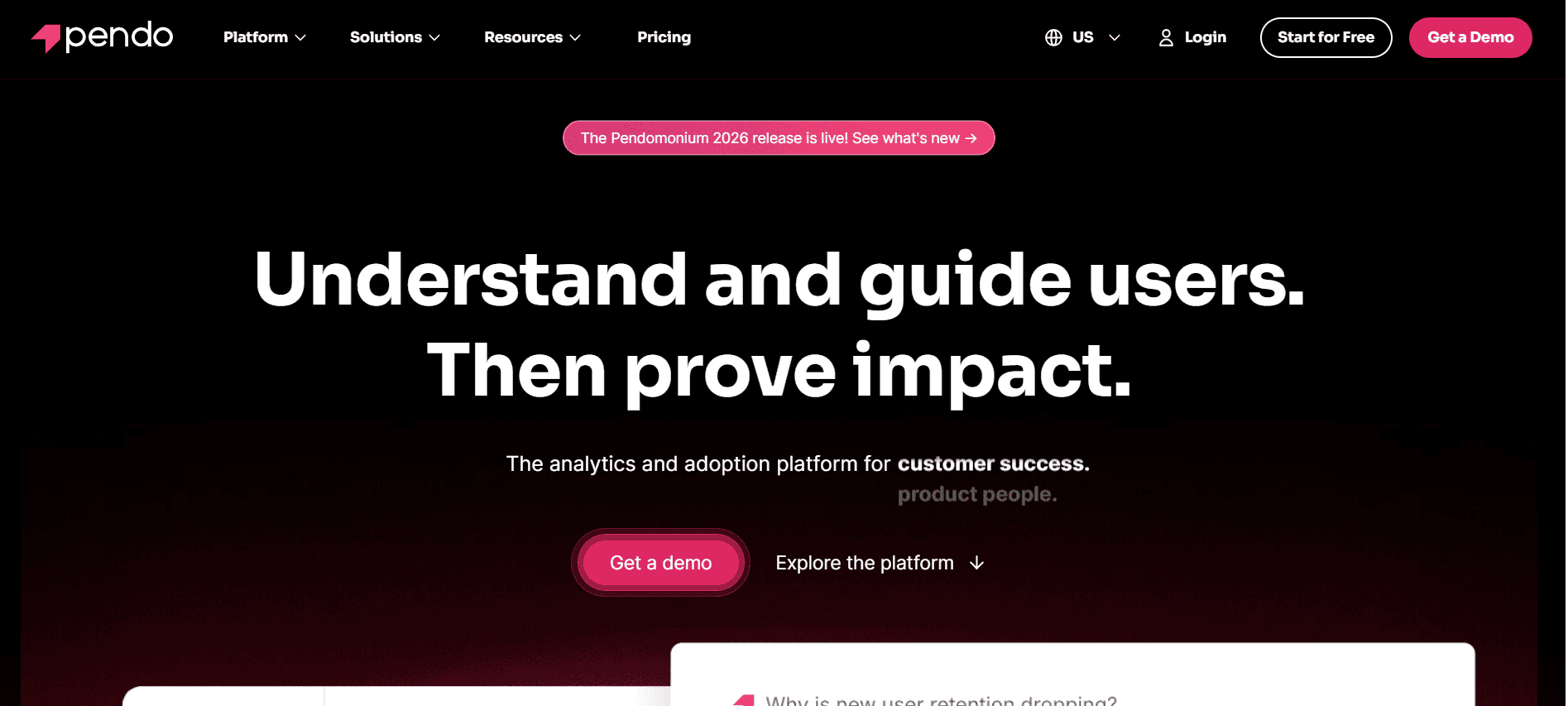
Pendo ist besonders stark darin, robuste In-App-Guidance und Analysen bereitzustellen, weshalb es bei Produktteams sehr beliebt ist. Am besten geeignet ist es für Unternehmen, die die User Experience durch detaillierte Produkttouren und das Sammeln von Feedback verbessern möchten. Allerdings fehlen dedizierte Client-Portal-Funktionen, was die Nutzung in manchen Onboarding-Szenarien einschränken kann.
Wichtige Funktionen
In-App-Guidance mit detaillierten Touren
Analysen zur Nutzung von Produkten
Sammlung von User-Feedback
Integration mit wichtigen CRMs
Anpassbare User-Segmente
Tracking nach Zielen
Support für Mobile Apps
Echtzeit-Alerts und Benachrichtigungen
Vorteile
Nachteile
Starke In-App-Guidance und Produkttouren.
Keine dedizierte Client-Portal-Funktion.
Hervorragende Analysen für das Nutzerverhalten.
Höhere Preisstufen für erweiterte Funktionen.
Nahtlose Integration mit wichtigen Plattformen.
Eingeschränkte Anpassung für kleinere Unternehmen.
Preisgestaltung
Kostenloser Tarif verfügbar, mit kostenpflichtigen Plänen ab 100 $/Monat.
UserPilot
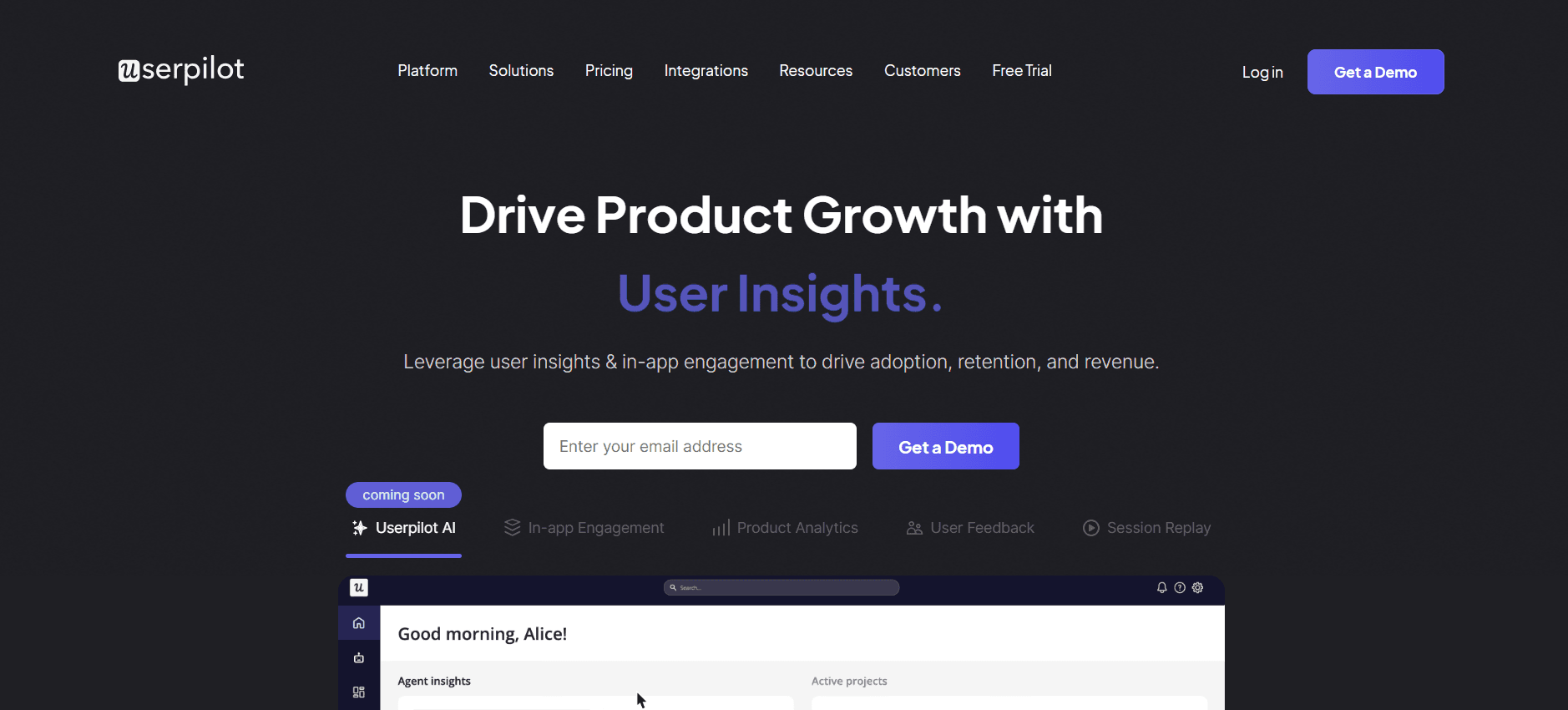
UserPilot bietet eine unkomplizierte Lösung, um personalisierte Onboarding-Erlebnisse zu erstellen. Besonders nützlich ist es für SaaS-Unternehmen, die maßgeschneiderte In-App-Erlebnisse ohne Programmierung bereitstellen möchten. Obwohl es eine hervorragende Anpassbarkeit bietet, kann das Fehlen von Client-Portal-Funktionen für einige Nutzer ein Nachteil sein.
Wichtige Funktionen
No-Code-Erstellung von Product Experiences
In-App-Messaging und Benachrichtigungen
User-Segmentierung und Targeting
Verhaltensbasierte Analysen
Anpassbare Onboarding-Flows
Feedback- und Survey-Tools
Integration mit wichtigen SaaS-Tools
Einblicke in Echtzeitdaten
Vorteile
Nachteile
Sehr anpassbare In-App-Erlebnisse.
Keine Client-Portal-Funktionalität.
Für das Setup ist keine Programmierung erforderlich.
Eingeschränkte Integrationen mit Nischen-Plattformen.
Gut für SaaS-Unternehmen mit Fokus auf UX.
Basis-Analysen im Vergleich zu Wettbewerbern.
Preisgestaltung
Kostenloser Tarif verfügbar, mit Premium-Plänen ab 99 $/Monat.
Appcues
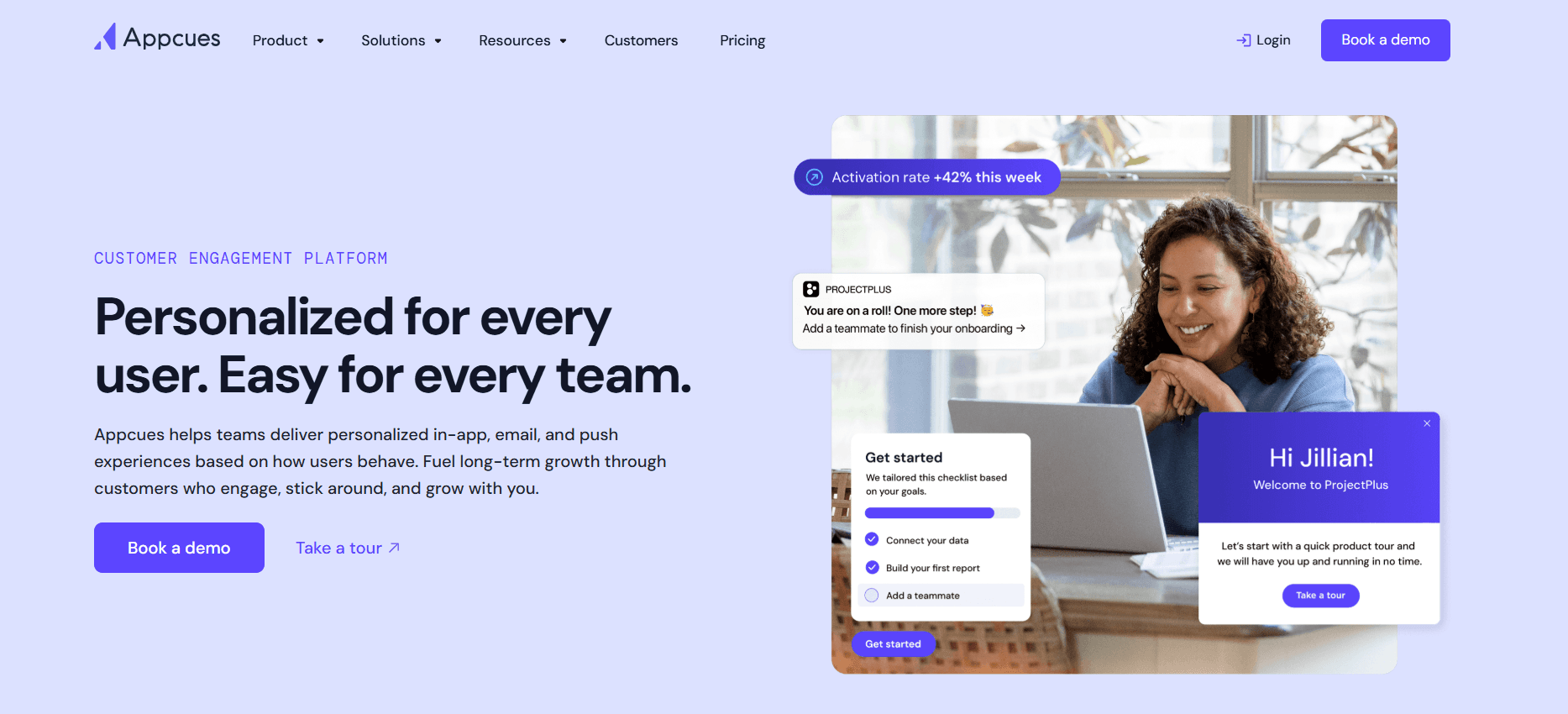
Appcues ist bekannt für seine Fähigkeit, ansprechende Produkttouren und User-Onboarding-Flows zu erstellen. Besonders hilfreich ist es für Produktteams, die das Nutzerengagement durch interaktive Erlebnisse steigern möchten. Allerdings bietet Appcues keine fortgeschrittene CRM-Integration, was für manche Unternehmen eine Einschränkung sein kann.
Wichtige Funktionen
Interaktive Produkttouren
Anpassbare Onboarding-Flows
User-Segmentierung und Analysen
In-App-Surveys und Feedback
Integration mit wichtigen Analyse-Tools
Support für mehrere Sprachen
Tracking der Performance in Echtzeit
Support für Mobile- und Web-Apps
Vorteile
Nachteile
Starker Fokus auf User Engagement und UX.
Keine fortgeschrittene CRM-Integration.
Einfach, interaktive Produkttouren zu erstellen.
Höherer Preis für erweiterte Funktionen.
Unterstützt mehrere Sprachen.
Eingeschränkte Funktionen für Teams außerhalb des Produkts.
Preisgestaltung
Kostenlose Testversion verfügbar, mit kostenpflichtigen Plänen ab 249 $/Monat.
Rocketlane
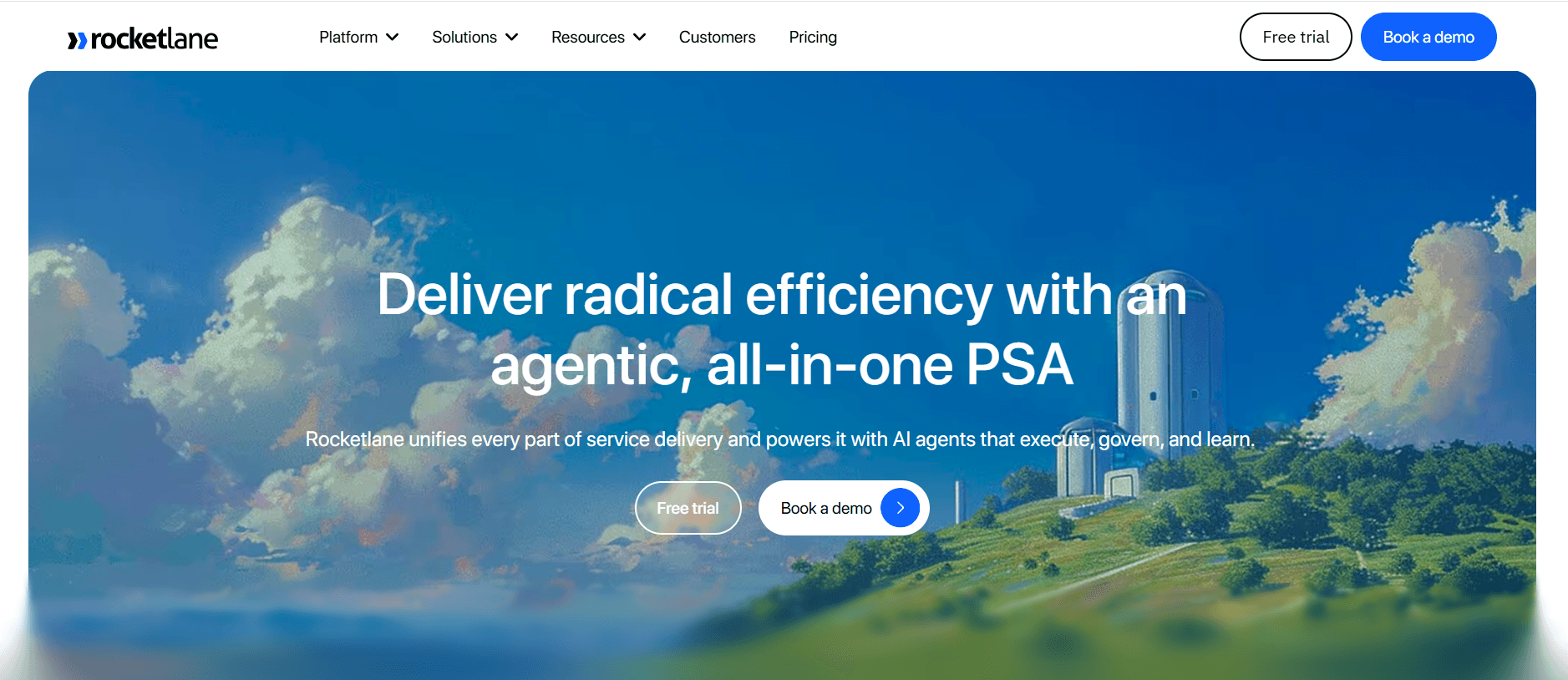
Rocketlane ist für Teams konzipiert, die einen strukturierten und kollaborativen Onboarding-Prozess benötigen. Es bietet Client-Portale und Funktionen für Projektmanagement, die sich perfekt für Agenturen und Enterprise-Teams eignen. Während es besonders stark im Task-Management ist, fehlen einige In-App-Guidance- und Anpassungsfunktionen.
Wichtige Funktionen
Onboarding-Portale für Kunden
Projektmanagement und Zusammenarbeit
Task-Automatisierung und Tracking
Fortschrittsanalysen und Reporting
Integration mit wichtigen CRMs
Anpassbare Vorlagen
Tools für die Teamzusammenarbeit
Updates und Benachrichtigungen in Echtzeit
Vorteile
Nachteile
Ideal für strukturierte Onboarding-Prozesse.
Eingeschränkte In-App-Guidance-Funktionen.
Starke Fähigkeiten im Task-Management.
Nicht ideal für kleine Teams.
Hervorragende Kollaborationstools für Teams.
Anpassungsoptionen sind begrenzt.
Preisgestaltung
Kostenloser Plan verfügbar, mit Business-Plänen ab 69 $/Monat.
Dock
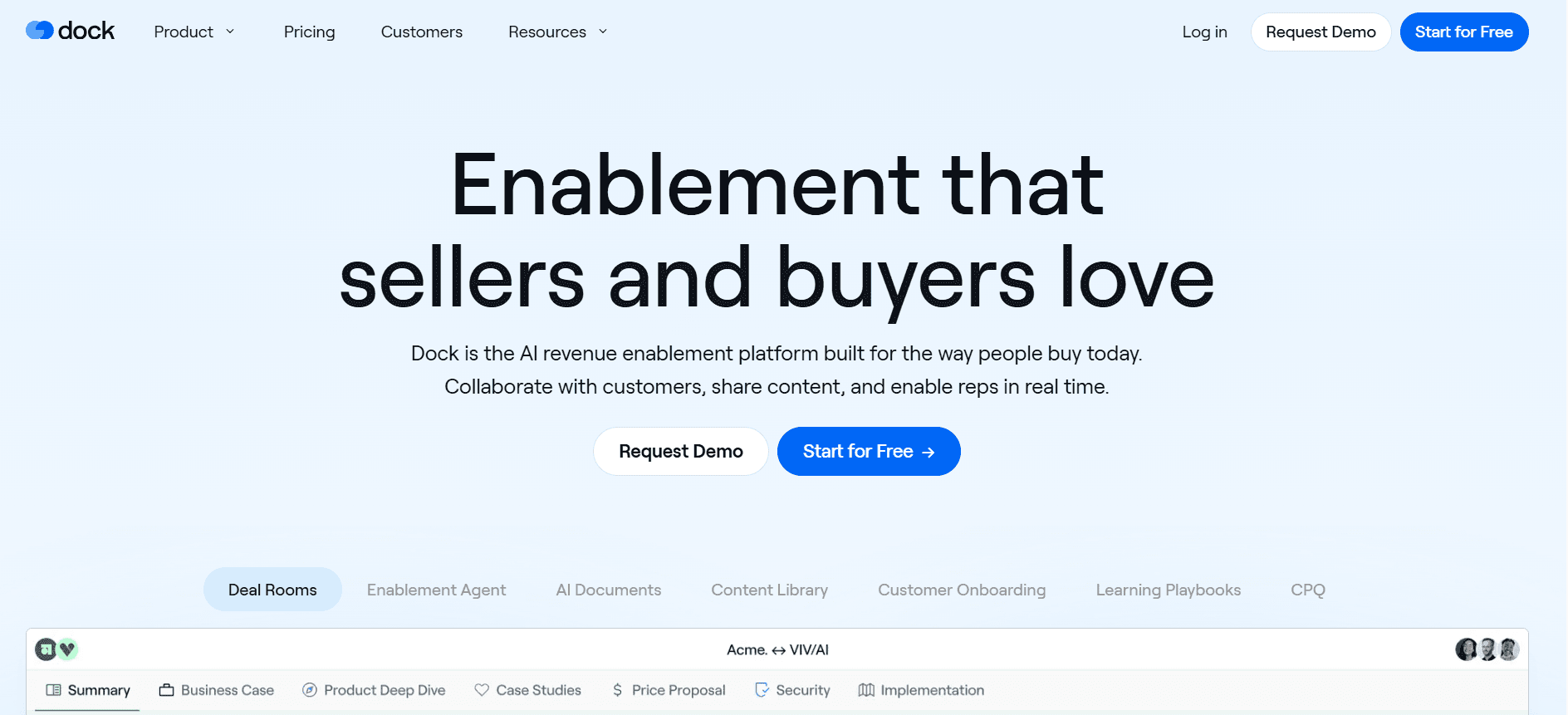
Dock konzentriert sich darauf, eine zentrale Plattform für die Kommunikation mit Kunden und das Projektmanagement bereitzustellen. Es ist ideal für serviceorientierte Unternehmen, die Kundeninteraktionen effizienter gestalten möchten. Allerdings fehlen einige der fortgeschrittenen Onboarding-Funktionen, die in anderen Tools zu finden sind.
Wichtige Funktionen
Zentrale Kundenkommunikation
Projekt- und Task-Management
Anpassbare Client-Portale
Gemeinsames Dokumenten-Repository
Chat und Messaging in Echtzeit
Integration mit wichtigen CRMs
Optionen für individuelles Branding
Fortschritts-Tracking und Analysen
Vorteile
Nachteile
Sehr gut für die Verwaltung von Kundenkommunikation.
Eingeschränkte Onboarding-spezifische Funktionen.
Zentrale Plattform für Projekte und Tasks.
Keine In-App-Guidance-Funktionen.
Anpassbare Portale für die Nutzung durch Kunden.
Weniger Integrationen als bei Wettbewerbern.
Preisgestaltung
Bezahlte Pläne ab 49 $/Monat, mit einer kostenlosen Testversion.
GuideCX
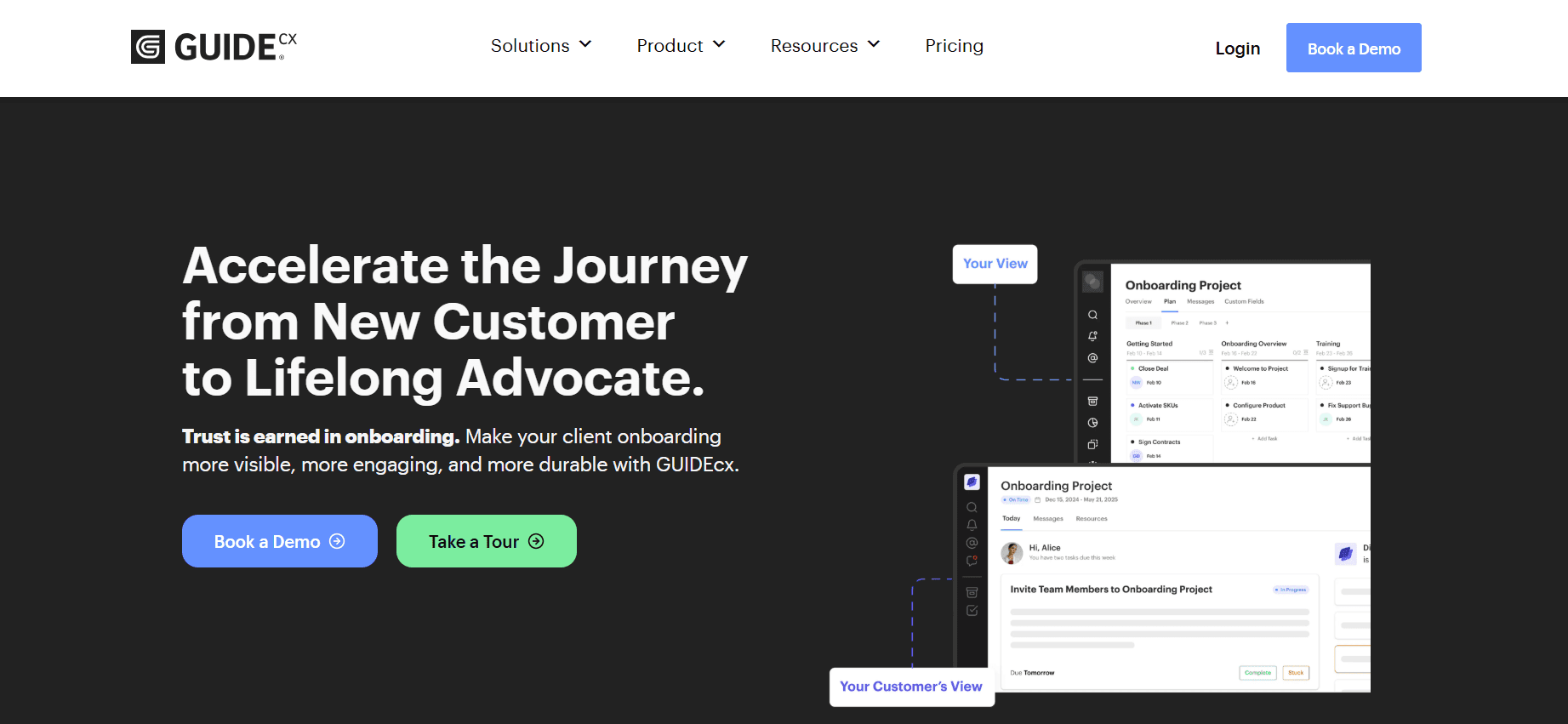
GuideCX ist für Teams gemacht, die Transparenz über den Onboarding-Fortschritt und die Interaktionen mit Kunden benötigen. Seine Stärken liegen in den kollaborativen Funktionen und dem detaillierten Fortschritts-Tracking, weshalb es bei Teams beliebt ist, die mehrere Kundenprojekte gleichzeitig verwalten. Das Tool bietet jedoch keine umfangreiche In-App-Guidance.
Wichtige Funktionen
Kollaborative Onboarding-Prozesse
Detailliertes Fortschritts-Tracking
Tools für die Kundenkommunikation
Anpassbare Workflows
Integration mit wichtigen CRMs
Automatisierte Task-Erinnerungen
Analysen und Reporting
Updates zu Projekten in Echtzeit
Vorteile
Nachteile
Gut für die Verwaltung mehrerer Kundenprojekte.
Keine In-App-Guidance-Funktionen.
Starker Fokus auf Zusammenarbeit und Transparenz.
Teurer als einige Alternativen.
Detailliertes Tracking von Fortschritt und Analysen.
Eingeschränkte Anpassung von Workflows.
Preisgestaltung
Ab 100 $/Monat, mit einem kostenlosen Plan verfügbar.
Intercom
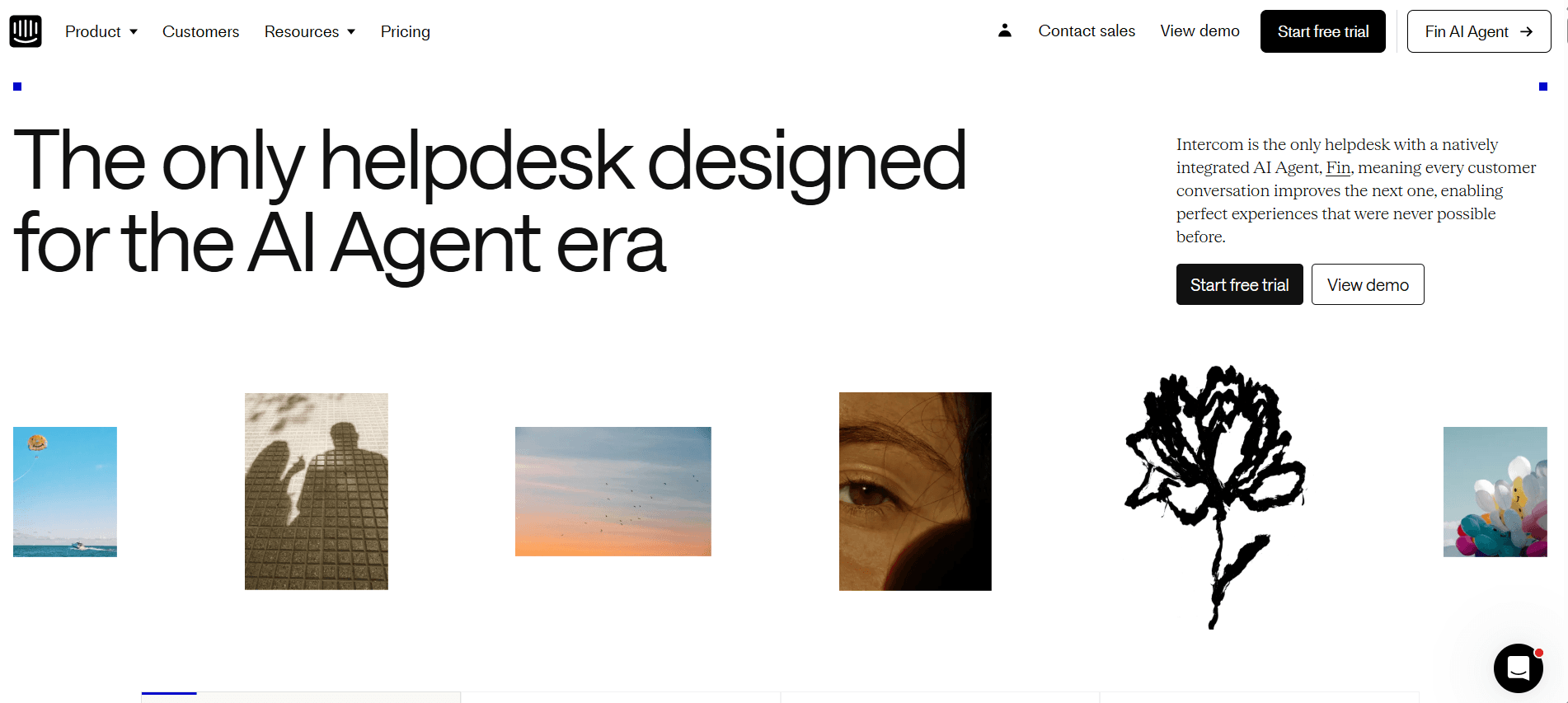
Intercom ist vor allem für seine Customer-Messaging-Plattform bekannt, bietet jedoch Funktionen, die sich für das Onboarding nutzen lassen. Besonders hilfreich ist es für Unternehmen, die Customer Support mit Onboarding-Prozessen verbinden möchten. Da der Fokus auf Messaging liegt, fehlen jedoch einige dedizierte Onboarding-Tools.
Wichtige Funktionen
Customer-Messaging-Plattform
In-App-Messaging und Benachrichtigungen
User-Segmentierung und Targeting
Integration mit wichtigen CRMs
Automatisierte E-Mail-Sequenzen
Help Center und Wissensdatenbank
Tracking von Nutzerinteraktionen in Echtzeit
Anpassbare Chatbots
Vorteile
Nachteile
Starke Integration von Support und Onboarding.
Fehlen dedizierter Onboarding-Funktionen.
Umfangreiche Messaging-Funktionen.
Kann für kleinere Unternehmen teuer sein.
Anpassbare Chat- und Messaging-Tools.
Der Fokus liegt eher auf Support als auf Onboarding.
Preisgestaltung
Kostenloser Tarif verfügbar, mit Business-Plänen ab 79 $/Monat.
Herausforderungen beim Customer- & Client-Onboarding: Womit Teams zu kämpfen haben
Uneinheitliches Onboarding-Erlebnis über verschiedene CS-Mitarbeiter hinweg
Jeder Mitarbeiter im Customer Success kann seinen eigenen Stil haben, was zu unterschiedlichen Kundenerlebnissen führt.
Fehlende standardisierte Vorgehensweisen können dazu führen, dass kritische Onboarding-Schritte übersehen werden.
Kunden fühlen sich möglicherweise verwirrt oder unzufrieden, wenn ihr Erlebnis stark von dem anderer abweicht.
Für Konsistenz sind zusätzliche Schulungen und Ressourcen erforderlich, was kostenintensiv sein kann.
Kunden schließen Onboarding-Schritte nicht ohne proaktive Impulse ab
Kunden benötigen oft Erinnerungen, um Onboarding-Aufgaben abzuschließen und dabei engagiert zu bleiben.
Ohne proaktive Kommunikation können Kunden das Interesse verlieren oder frustriert werden.
Fehlgeschlagene Onboarding-Schritte können zu höheren Abwanderungsraten und geringerer Kundenzufriedenheit führen.
Die Automatisierung dieser Impulse kann die Belastung für Customer-Success-Teams deutlich reduzieren.
Das CS-Team hat keine Transparenz darüber, wo einzelne Kunden feststecken
Fehlende Transparenz über den Fortschritt der Kunden kann die Fähigkeit beeinträchtigen, rechtzeitig Unterstützung zu leisten.
CS-Teams wissen möglicherweise nicht, bei welchem Schritt ein Kunde Probleme hat, was die Lösung verzögert.
Ohne Analysen ist es schwierig, Muster oder häufige Probleme im Onboarding-Prozess zu erkennen.
Tools mit robusten Analysen können Einblicke geben, wo Kunden Schwierigkeiten haben.
Das CS-Team kann seine Kapazität nicht skalieren, ohne zusätzliches Personal einzustellen
Manuelle Prozesse erfordern erhebliche personelle Ressourcen und begrenzen die Skalierbarkeit.
Mehr Personal einzustellen ist aufgrund von Budgetbeschränkungen nicht immer möglich.
Die Automatisierung sich wiederholender Aufgaben kann Teams helfen, mehr Kunden zu betreuen, ohne zusätzliches Personal.
Skalierbare Lösungen ermöglichen es Teams, sich auf strategischere Aufgaben und Kundeninteraktionen zu konzentrieren.
Schwache Integration mit bestehendem CRM und Ticketing
Getrennte Systeme führen zu Ineffizienzen und potenziellen Datensilos.
Ohne Integration müssen Informationen manuell zwischen Systemen übertragen werden, wodurch das Risiko von Fehlern steigt.
Kunden erwarten nahtlose Erlebnisse, die ohne integrierte Tools schwer zu liefern sind.
CRM- und Ticketing-Integrationen straffen Prozesse und verbessern die Datenqualität.
Herausforderung | Traditioneller Prozess | Business-Auswirkung | Zeitaufwand |
|---|---|---|---|
Uneinheitliches Onboarding | Manuelles Training | Unterschiedliche Kundenzufriedenheit | Hoch |
Kunden schließen Schritte nicht ab | Ad-hoc-Erinnerungen | Mehr Abwanderung | Moderat |
Keine Transparenz über Kundenprobleme | Reaktiver Support | Verzögerte Lösungen | Hoch |
Kapazität des Teams skalieren | Mehr Personal einstellen | Höhere Betriebskosten | Sehr hoch |
Schlechte CRM-Integration | Manuelle Dateneingabe | Ungenauigkeiten bei den Daten | Hoch |
Must-have-Funktionen in Tools für das Customer Onboarding
In-App-Guidance und Produkttouren
In-App-Guidance und Produkttouren sind entscheidend, um Nutzern ein praxisnahes Erlebnis mit Ihrem Produkt zu bieten. Sie ermöglichen interaktive Durchläufe, die Nutzer direkt in der Anwendung durch zentrale Features und Funktionen führen. Dieser Ansatz steigert nicht nur das Engagement, sondern reduziert auch die Lernkurve – sodass Kunden das Produkt leichter verstehen und effektiv nutzen können.
Tools wie Pendo und Appcues sind besonders stark darin, umfassende In-App-Guidance bereitzustellen und Unternehmen zu ermöglichen, den Onboarding-Prozess an Rollen und Bedürfnisse der Nutzer anzupassen. Diese Anpassung stellt sicher, dass Nutzer die relevantesten Informationen erhalten – und verbessert so insgesamt Erlebnis und Zufriedenheit.
Onboarding-Portal für Kunden
Ein Onboarding-Portal für Kunden dient als zentrale Anlaufstelle, in der Kunden ihren Fortschritt verfolgen, Ressourcen abrufen und mit ihrem Onboarding-Team kommunizieren können. Diese Funktion ist besonders vorteilhaft für Teams, die mehrere Kunden betreuen, da sie alle notwendigen Informationen an einem Ort bündelt und die Verwaltung von Onboarding-Aufgaben erleichtert.
Plattformen wie Rocketlane und GuideCX bieten robuste Client-Portale, die eine nahtlose Kommunikation zwischen Kunden und Customer-Success-Teams ermöglichen. Diese Portale enthalten häufig Funktionen wie Aufgabenlisten, Dokumentenfreigabe und Fortschritts-Tracking – damit beide Seiten während der gesamten Onboarding-Reise auf dem gleichen Stand bleiben.
Videodurchläufe, die in die Plattform eingebettet sind
Videodurchläufe sind ein wirkungsvolles Tool, um Produktfeatures und Prozesse visuell zu demonstrieren. Sie bieten eine ansprechende Alternative zu textbasierten Anleitungen und ermöglichen es Nutzern, das Produkt in Aktion zu sehen. Diese Methode ist besonders effektiv für komplexe Produkte, die detaillierte Erklärungen oder visuelle Vorführungen erfordern.
Trupeer und Appcues integrieren Videoinhalte in ihre Plattformen und bieten so dynamische und interaktive Lern-Erlebnisse. Das hilft nicht nur dabei, die Aufmerksamkeit der Nutzer zu halten, sondern verbessert auch das Verständnis – für ein erfolgreicheres Onboarding-Ergebnis.
Automatisiertes Tracking von Aufgaben und Meilensteinen
Die Automatisierung des Trackings von Aufgaben und Meilensteinen ist entscheidend, um sicherzustellen, dass Onboarding-Prozesse im Zeitplan bleiben und keine kritischen Schritte übersehen werden. Automatisiertes Tracking hilft sowohl Kunden als auch Success-Teams, den Fortschritt zu überwachen und notwendige Anpassungen in Echtzeit vorzunehmen.
Rocketlane und Dock bieten umfassende Automatisierungsfunktionen, die das Task-Management straffen und sicherstellen, dass alle Parteien über bevorstehende Deadlines und Meilensteine informiert sind. Diese Transparenz verbessert die Verantwortlichkeit und fördert einen proaktiven Ansatz, um potenzielle Engpässe im Onboarding-Prozess anzugehen.
Analytics zu Engagement und Health Score
Analytics, die Nutzer-Engagement und Health Scores verfolgen, liefern wertvolle Einblicke in die Wirksamkeit des Onboarding-Prozesses. Diese Kennzahlen helfen dabei, Bereiche zu identifizieren, in denen Nutzer möglicherweise Schwierigkeiten haben – sodass Teams proaktiv eingreifen und Unterstützung anbieten können, bevor Probleme eskalieren.
UserPilot und Trupeer bieten robuste Analyse-Tools, mit denen Unternehmen Nutzerinteraktionen und Zufriedenheitswerte überwachen können. Durch die Nutzung dieser Erkenntnisse können Unternehmen ihre Onboarding-Strategien verfeinern, um die Bedürfnisse der Nutzer besser zu erfüllen und die Rate der erfolgreichen Produktadoption insgesamt zu steigern.
E-Mail-Sequenzen und CRM-Integration
E-Mail-Sequenzen und CRM-Integration sind entscheidend, um während des Onboarding-Prozesses eine konsistente Kommunikation mit Nutzern sicherzustellen. Automatisierte E-Mail-Sequenzen können genutzt werden, um Erinnerungen, Tipps und Updates zu versenden – damit Nutzer engagiert bleiben und informiert sind.
Pendo und Intercom sind besonders stark in der E-Mail- und CRM-Integration: Sie ermöglichen einen nahtlosen Datenfluss zwischen Systemen und stellen sicher, dass alle Kundeninteraktionen erfasst und zugänglich sind. Diese Integration unterstützt ein personalisiertes Onboarding-Erlebnis, da Customer-Success-Teams ihre Kommunikation anhand des Nutzerverhaltens und der Präferenzen anpassen können.
So wählen Sie Tools für das Customer Onboarding nach Ihrem Use Case aus
SaaS Self-serve Product Onboarding
Für SaaS-Unternehmen, die Self-serve-Produkte anbieten, muss der Onboarding-Prozess intuitiv und nahtlos sein. Nutzer sollten das Produkt ohne umfangreichen Support durchlaufen können – damit sie den Mehrwert schnell und eigenständig freischalten.
Sicherstellen, dass Nutzer Produktfeatures eigenständig verstehen.
Engagement ohne direkte Interaktion aufrechterhalten.
Sofortigen Mehrwert liefern, um Abwanderungsraten zu reduzieren.
Interaktive Produkttouren und In-App-Guidance.
Automatisierte E-Mail-Sequenzen für fortlaufendes Engagement.
Analytics, um den Fortschritt der Nutzer zu verfolgen und Abbrüche zu identifizieren.
Tool | Interaktive Touren | E-Mail-Sequenzen | Analytics |
|---|---|---|---|
UserPilot | Ja | Nein | Ja |
Pendo | Ja | Ja | Ja |
Enterprise-Onboarding mit CSM-Führung
Unternehmen mit komplexen Produkten benötigen häufig einen Onboarding-Ansatz, der von einem CSM gesteuert wird. Diese Strategie beinhaltet direkte Interaktion und maßgeschneiderte Onboarding-Erlebnisse, um die spezifischen Anforderungen großer Kunden zu erfüllen.
Personalisierte Onboarding-Erlebnisse bereitstellen.
Umfangreiche Onboarding-Prozesse über mehrere Stakeholder hinweg steuern.
Sicherstellen, dass Client- und CSM-Teams aufeinander abgestimmt sind.
Portale für Kunden zur zentralen Informationsweitergabe.
Task-Automatisierung, um komplexe Onboarding-Schritte zu verwalten.
CRM-Integration für nahtlose Kommunikation und Datenfluss.
Tool | Client-Portale | Task-Automatisierung | CRM-Integration |
|---|---|---|---|
Rocketlane | Ja | Ja | Ja |
GuideCX | Ja | Ja | Ja |
Onboarding von Agentur-Kunden
Agenturen betreuen häufig unterschiedliche Kunden aus verschiedenen Branchen und benötigen dafür einen flexiblen und effizienten Onboarding-Prozess. Die Fähigkeit, sich schnell an die jeweiligen Anforderungen jedes Kunden anzupassen, ist entscheidend für den Erfolg.
Mehrere Kunden mit unterschiedlichen Anforderungen betreuen.
Konsistente Kommunikation und Updates sicherstellen.
Onboarding-Prozesse an die Bedürfnisse der Kunden anpassen.
Zentrale Client-Portale für einfachen Zugriff auf Ressourcen.
Anpassbare Workflows, um verschiedene Kundentypen abzudecken.
Updates in Echtzeit, damit Kunden informiert bleiben.
Tool | Client-Portale | Individuelle Workflows | Updates in Echtzeit |
|---|---|---|---|
Dock | Ja | Ja | Ja |
Trupeer | Ja | Ja | Ja |
Enablement für Partner und Reseller
Beim Onboarding von Partnern und Resellern liegt der Fokus darauf, sie mit den notwendigen Tools und dem Wissen auszustatten, um Ihr Produkt effektiv zu verkaufen und zu unterstützen. Schulungen und die Verfügbarkeit von Ressourcen sind dabei zentrale Bestandteile.
Umfassende Schulungsressourcen bereitstellen.
Sicherstellen, dass Partner die Value Propositions des Produkts verstehen.
Reibungslose Kommunikationskanäle ermöglichen.
Videotutorials und Schulungsmodule.
Ressourcenbibliotheken, die über Client-Portale zugänglich sind.
Integration mit Kommunikationsplattformen für nahtlose Interaktion.
Tool | Videotutorials | Ressourcenbibliotheken | Kommunikationsintegration |
|---|---|---|---|
Appcues | Ja | Nein | Eingeschränkt |
Trupeer | Ja | Ja | Ja |
Best Practices für Customer Onboarding
Vor dem Onboarding
Definieren Sie klare Onboarding-Ziele und -Vorgaben für jeden Kunden.
Wählen Sie das richtige Tool, das zu Ihren Anforderungen und den Bedürfnissen Ihrer Kunden passt.
Bereiten Sie alle notwendigen Ressourcen und Dokumentationen im Voraus vor und organisieren Sie sie.
Richten Sie automatisierte Systeme zum Tracking und zur Verwaltung von Onboarding-Aufgaben ein.
Kommunizieren Sie Erwartungen und Zeitpläne mit den Kunden, um die Ausrichtung sicherzustellen.
Während des Onboardings
Bieten Sie kontinuierlichen Support und Guidance über In-App-Nachrichten oder Kundengespräche.
Überwachen Sie den Fortschritt der Kunden und passen Sie ihn bei Bedarf an ihr Tempo an.
Nehmen Sie Analytics zur Hilfe, um Bereiche zu identifizieren, in denen Kunden möglicherweise Schwierigkeiten haben.
Fordern Sie Feedback von Kunden ein, um das Onboarding-Erlebnis zu verbessern.
Feiern Sie Meilensteine und Erfolge, um die Motivation der Kunden aufrechtzuerhalten.
Nach dem Onboarding
Führen Sie Follow-up-Sessions durch, um sicherzustellen, dass Kunden mit dem Produkt vollständig vertraut sind.
Sammeln Sie Erkenntnisse und Feedback, um zukünftige Onboarding-Prozesse zu verfeinern.
Stellen Sie Kunden fortlaufende Ressourcen und Support-Optionen bereit.
Bewerten Sie den Erfolg des Onboardings anhand vordefinierter Ziele und Kennzahlen.
Pflegen Sie eine regelmäßige Kommunikation, um die Kundenbeziehung zu stärken.
Häufig gestellte Fragen
Was ist Customer-Onboarding-Software?
Customer-Onboarding-Software ist ein Tool, das entwickelt wurde, um den Prozess zu erleichtern, bei dem neue Kunden an ein Produkt oder eine Dienstleistung herangeführt werden. Typischerweise umfasst sie Funktionen wie In-App-Guidance, Client-Portale und Analytics, um das Onboarding-Erlebnis zu straffen und den Customer Success sicherzustellen.
Warum ist Onboarding für SaaS-Unternehmen wichtig?
Onboarding ist für SaaS-Unternehmen entscheidend, weil es neuen Nutzern hilft, das Produkt zu verstehen und effektiv zu nutzen. Ein reibungsloser Onboarding-Prozess kann zu höherer User-Zufriedenheit, niedrigeren Abwanderungsraten und einem höheren Customer Lifetime Value führen – und trägt so letztlich zum Wachstum und Erfolg des Unternehmens bei.
Wie funktioniert In-App-Guidance?
In-App-Guidance umfasst interaktive Touren und Tipps, die Nutzer direkt innerhalb der Anwendung durch die Features und Funktionen eines Produkts führen. So lernen Nutzer, das Produkt effektiv zu nutzen, ohne auf externe Anleitungen oder Support angewiesen zu sein – und verbessert damit ihr gesamtes Erlebnis.
Kann Onboarding-Software mit bestehenden CRM-Systemen integriert werden?
Ja, viele Onboarding-Software-Lösungen bieten Integrationen mit gängigen CRM-Systemen. Diese Integration ermöglicht einen nahtlosen Datenfluss zwischen Plattformen und stellt sicher, dass Kundeninteraktionen und Fortschritt erfasst sowie für personalisierten Support und Kommunikation verfügbar sind.
Gibt es kostenlose Onboarding-Tools?
Einige Onboarding-Tools bieten kostenlose Tarife mit eingeschränkten Funktionen. Diese können für kleine Unternehmen oder für diejenigen geeignet sein, die gerade erst starten. Für umfassendere Funktionen wie fortgeschrittene Analysen und Anpassungen ist jedoch häufig ein kostenpflichtiger Plan erforderlich.
Welche Faktoren beeinflussen die Preisgestaltung von Onboarding-Software?
Die Preisgestaltung von Onboarding-Software kann je nach Faktoren wie der Anzahl der Nutzer, der Komplexität der Funktionen und dem Grad der erforderlichen Anpassung variieren. Zusätzliche Services wie Support und Schulungen können ebenfalls die Kosten beeinflussen.
Wie lange dauert die Implementierung von Onboarding-Software?
Die benötigte Zeit zur Implementierung von Onboarding-Software hängt von der Komplexität des Tools und den spezifischen Anforderungen des Unternehmens ab. Einfache Tools können innerhalb weniger Tage eingerichtet werden, während komplexere Systeme mit umfangreicher Anpassung mehrere Wochen in Anspruch nehmen können.
Benötigen Onboarding-Tools technisches Know-how für die Einrichtung?
Während einige Onboarding-Tools benutzerfreundlich sind und nur wenig technisches Know-how erfordern, benötigen andere möglicherweise ein tieferes Verständnis für Software-Integration und Anpassung. Viele Anbieter bieten Support und Schulungen an, um bei der Einrichtung und Implementierung zu helfen.
Abschließende Gedanken
Die Wahl der richtigen Customer-Onboarding-Software ist eine entscheidende Entscheidung, die den Erfolg Ihres Unternehmens erheblich beeinflussen kann. Wenn Sie Ihre spezifischen Use Cases und Herausforderungen verstehen, können Sie ein Tool auswählen, das nicht nur Ihre aktuellen Anforderungen erfüllt, sondern auch zukünftiges Wachstum unterstützt. Mit den richtigen Funktionen und Best Practices können Sie ein Onboarding-Erlebnis schaffen, das Ihre Kunden begeistert und ihre Reise mit Ihrem Produkt verbessert.
Für alle, die ihr Onboarding mit einer umfassenden und anpassbaren Lösung auf ein neues Level bringen möchten, bietet Trupeer eine leistungsstarke Plattform, die entwickelt wurde, um vielfältige Anforderungen von Unternehmen abzudecken – und so ein nahtloses und effektives Onboarding-Erlebnis für alle Kunden sicherzustellen.
Verwandte Blogbeiträge


