Trupeer Blog
Shrnout

Most S/4HANA greenfield vs brownfield conversations start with technology: database, custom code, data volumes, timelines. The question that gets asked much later, often too late, is what the chosen approach means for the people who have to use the system. A greenfield implementation can mean retraining every user on new processes. A brownfield conversion can look like "the same system on a new database", until users log in to find new Fiori apps, a new Business Partner model and changed finance screens.
This guide explains S/4HANA greenfield vs brownfield in plain terms, then focuses on what each approach means for documentation, training and knowledge transfer effort, so you can plan the people side of the move as carefully as the technical side.
What is the difference between S/4HANA greenfield and brownfield?
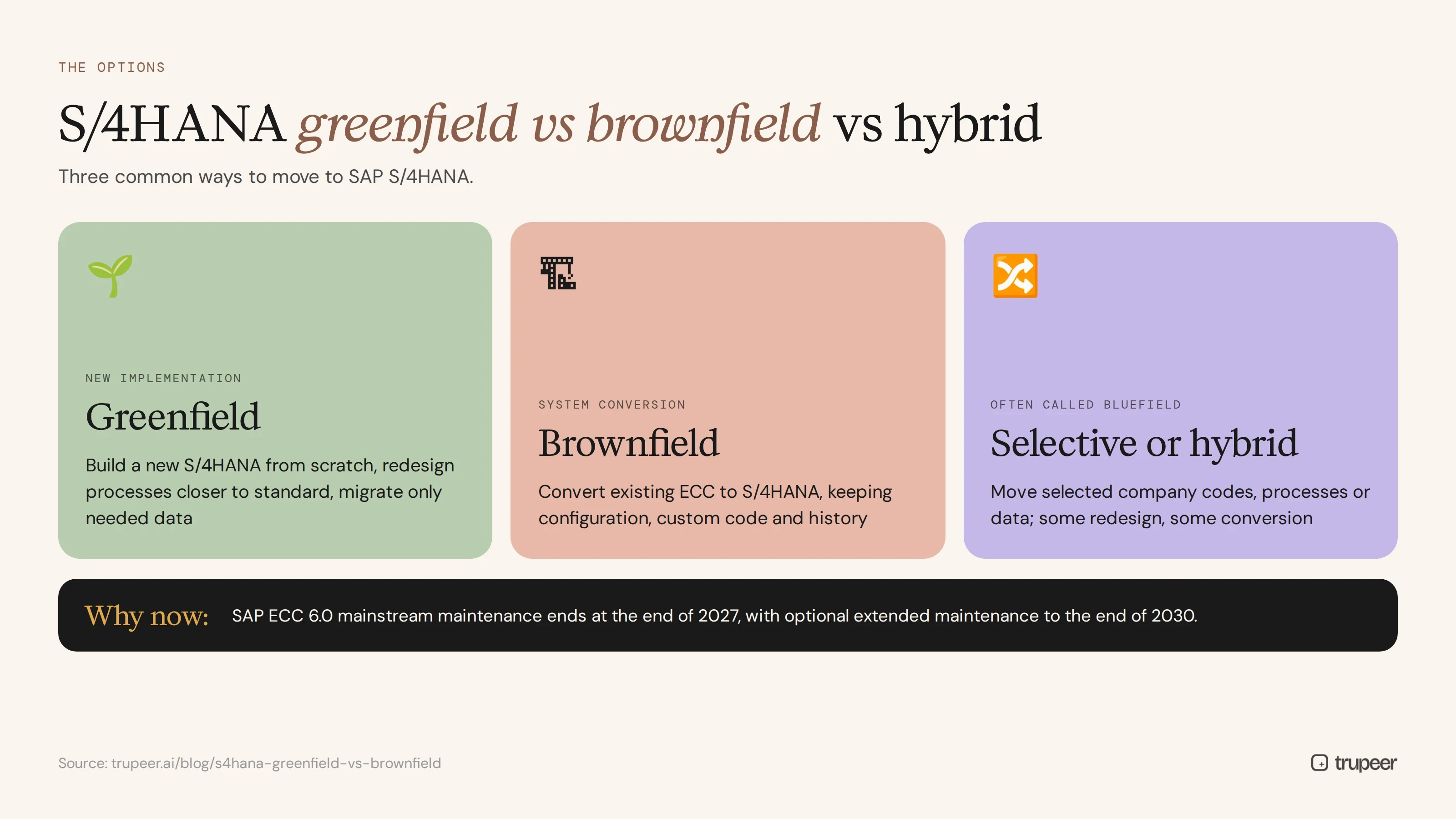
There are three common ways to move to SAP S/4HANA:
Greenfield (new implementation): you build a new S/4HANA system from scratch, redesign processes, usually closer to SAP standard, and migrate only the data you need.
Brownfield (system conversion): you convert your existing SAP ECC system to S/4HANA, keeping your configuration, custom code and transaction history, and adapting what S/4HANA requires.
Selective or hybrid (often called bluefield): you move selected parts, such as certain company codes, processes or data, combining some redesign with some conversion.
The choice is usually driven by how well your current processes and custom code serve the business, how much history you need to keep, budget and the timeline. SAP has announced that mainstream maintenance for SAP ECC 6.0 ends at the end of 2027, with optional extended maintenance to the end of 2030, so many organisations are making this decision now.
How do you choose between S/4HANA greenfield and brownfield?
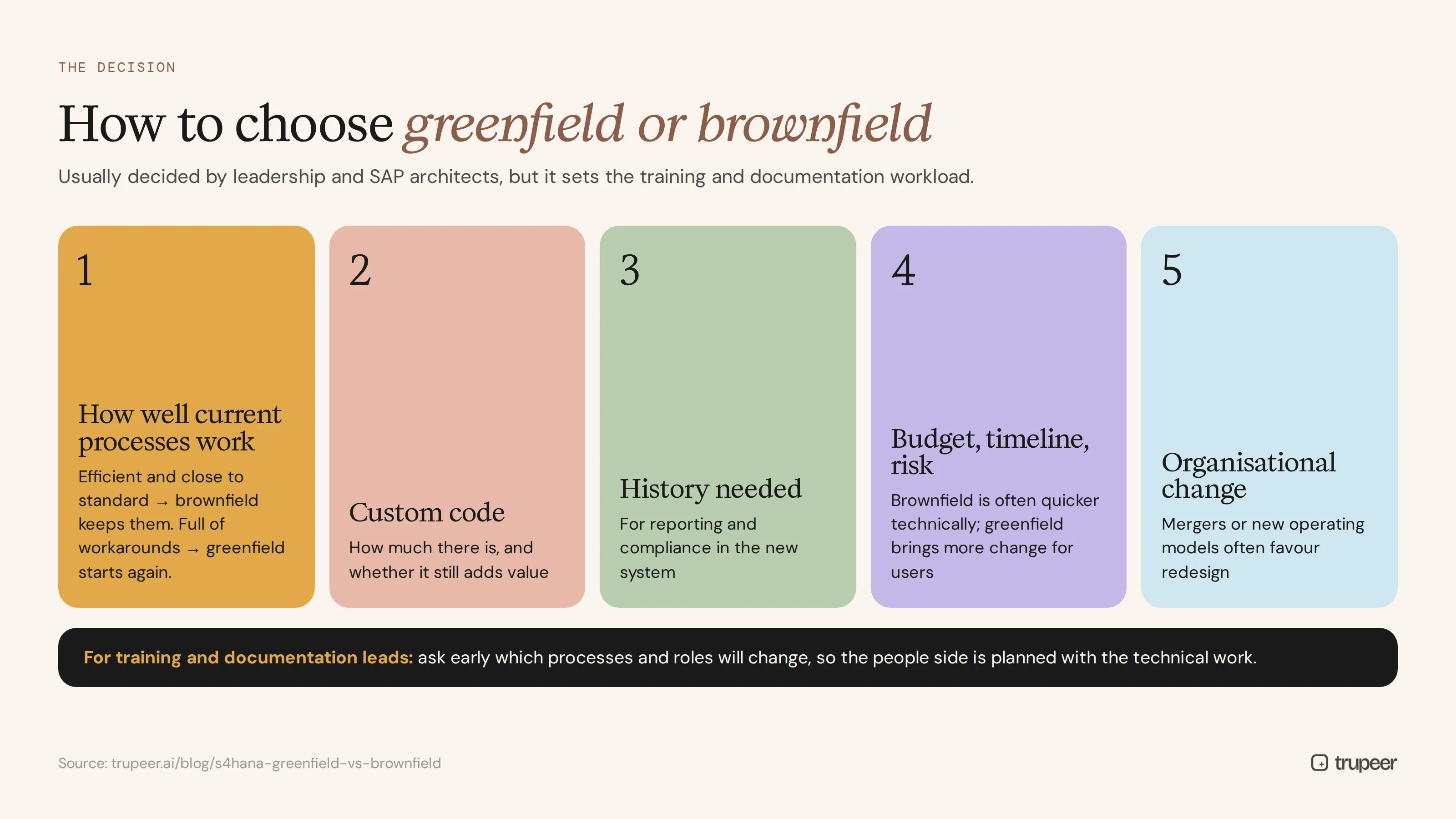
The decision is usually made by the programme's leadership and SAP architects, but training and documentation leads should know what drives it, because it sets their workload:
How well current processes work: if they're efficient and close to standard, brownfield keeps them; if they're full of workarounds, greenfield is a chance to start again.
How much custom code you have, and whether it still adds value.
How much history you need in the new system for reporting and compliance.
Budget, timeline and risk appetite: brownfield is often quicker to run technically, while greenfield brings more change for users.
Organisational changes, such as mergers or new operating models, which often favour redesign.
Whatever the choice, ask early for a view of which processes and roles will change, so documentation and training can be planned and budgeted alongside the technical work.
S/4HANA greenfield vs brownfield at a glance
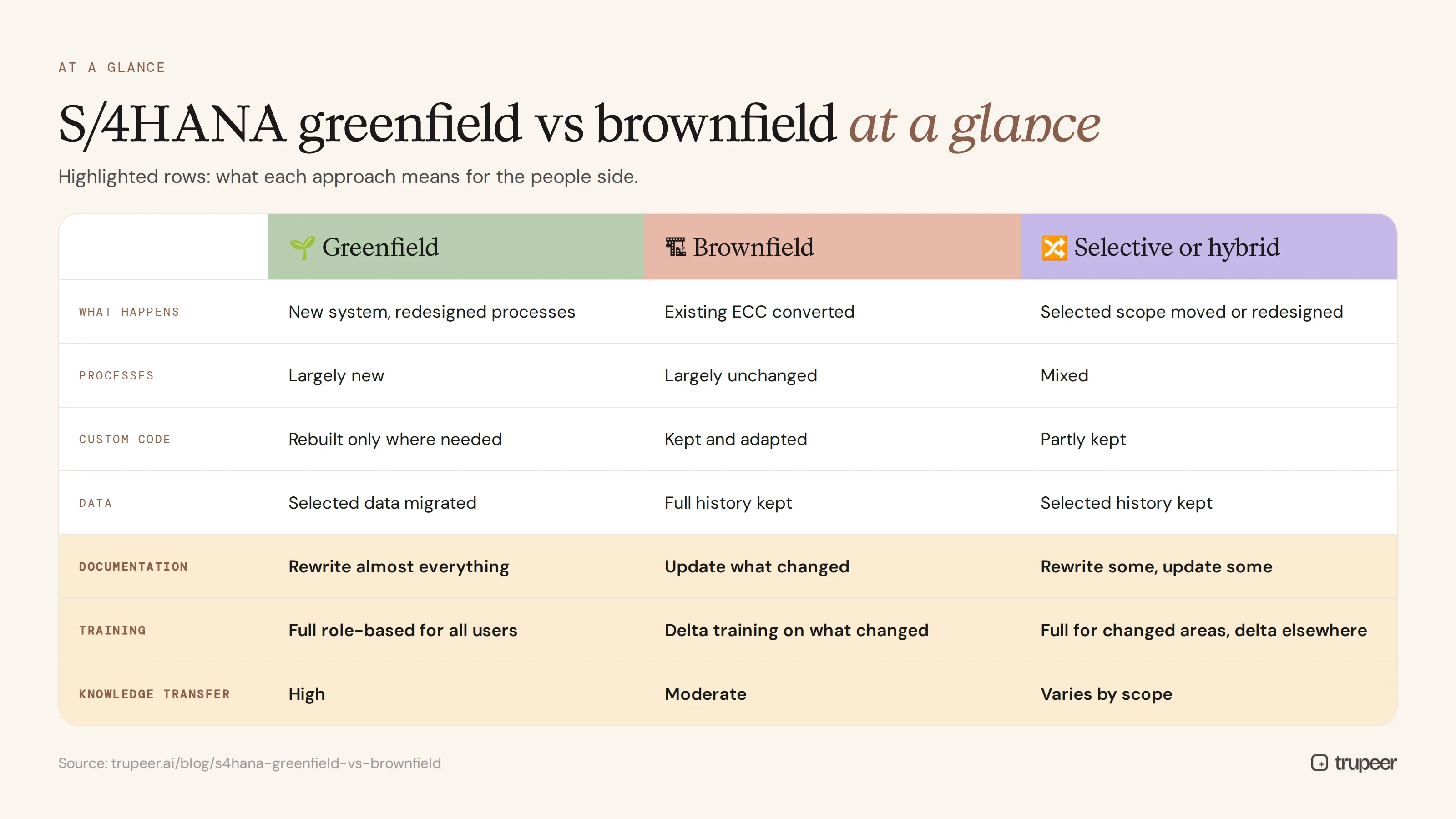
Greenfield | Brownfield | Selective or hybrid | |
|---|---|---|---|
What happens | New system, redesigned processes | Existing ECC converted to S/4HANA | Selected scope moved or redesigned |
Processes | Largely new | Largely unchanged | Mixed |
Custom code | Rebuilt only where needed | Kept and adapted | Partly kept |
Data | Selected data migrated | Full history kept | Selected history kept |
Documentation effort | Rewrite almost everything | Update what changed | Mixed: rewrite some, update some |
Training effort | Full role-based training for all users | Delta training on what changed | Full training for changed areas, delta elsewhere |
Knowledge transfer effort | High: new design must be learned by everyone | Moderate: focus on changes and new UI | Varies by scope |
What does a greenfield S/4HANA implementation mean for documentation?
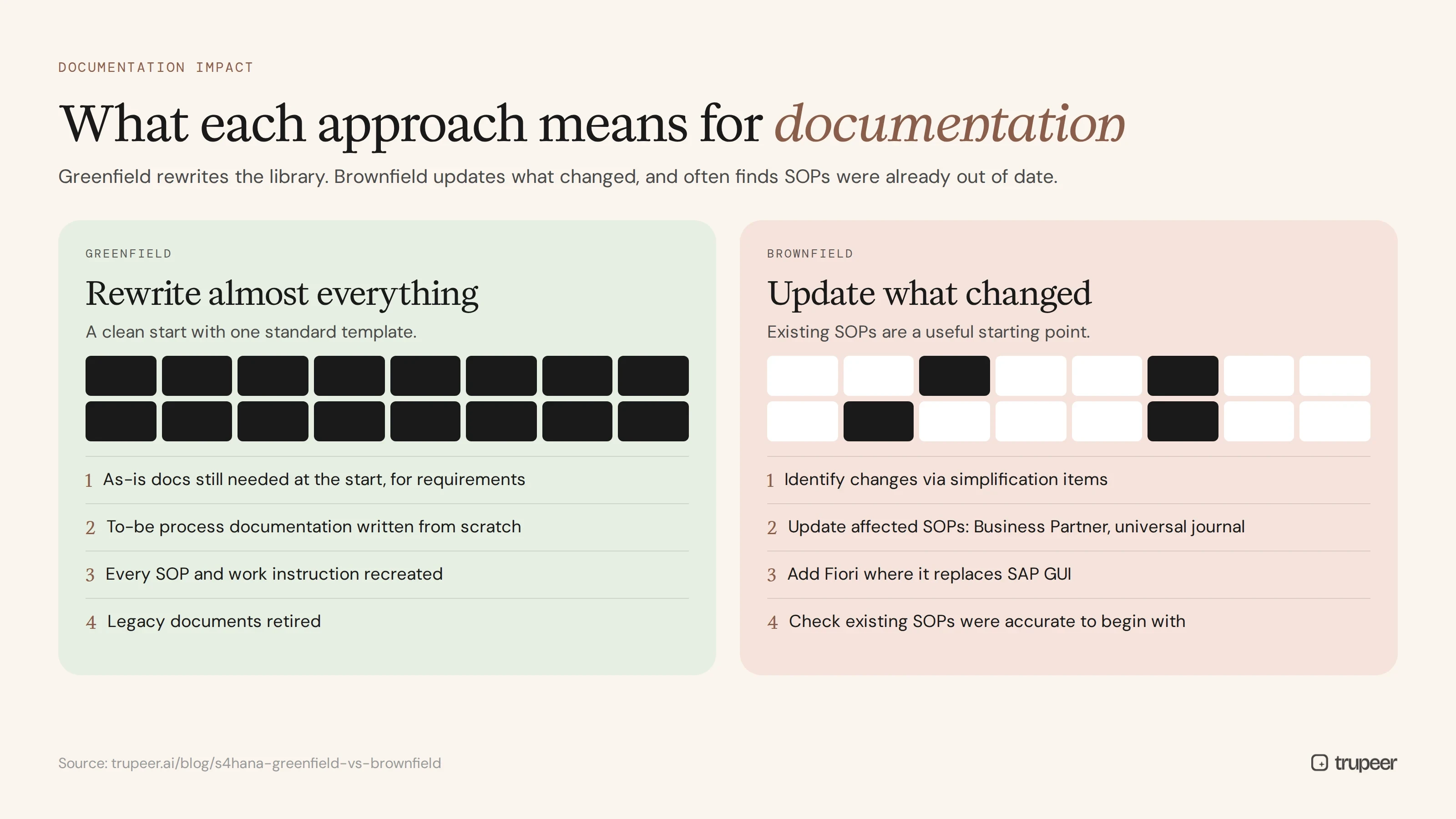
In a greenfield project, most existing documentation becomes obsolete. Processes are redesigned, screens are new and roles may change, so:
As-is documentation is still needed at the start, to make sure the new design covers today's requirements and exceptions; see ERP requirements gathering.
To-be process documentation must be written from scratch as the design is agreed.
Every SOP and work instruction needs to be recreated for the new system.
Legacy documents should be retired, so users don't follow old ECC procedures.
The upside is a clean start: one standard template, one structure and documentation built alongside the new processes.
What does a greenfield S/4HANA implementation mean for training?
Every user needs full role-based training, not just an update.
Fiori is the main interface, so launchpad and app training is essential for all roles.
New processes need explaining, not just new screens, because people are learning a different way of working.
Training must be ready before go-live, usually built in a training client while the system is still being tested.
Greenfield training is the biggest people workstream in the programme, and it's often under-resourced. For what to create for each role, see SAP Fiori end user training materials.
What does a brownfield S/4HANA conversion mean for documentation?
Brownfield keeps most processes, so existing SOPs remain a useful starting point. But conversion is not "nothing changes", and documentation needs a focused update:
Identify what changed, using SAP's simplification items and your own impact analysis.
Update the affected SOPs, such as customer and vendor master processes, which move to the Business Partner model, and finance processes affected by the universal journal.
Add Fiori where it replaces SAP GUI transactions for your users.
Check that existing documentation was accurate to begin with, because a conversion is often the moment teams discover their SOPs were already out of date.
If your SOP library is old or incomplete, use the conversion to fix it; see how to digitise thousands of legacy SOPs.
What does a brownfield S/4HANA conversion mean for training?
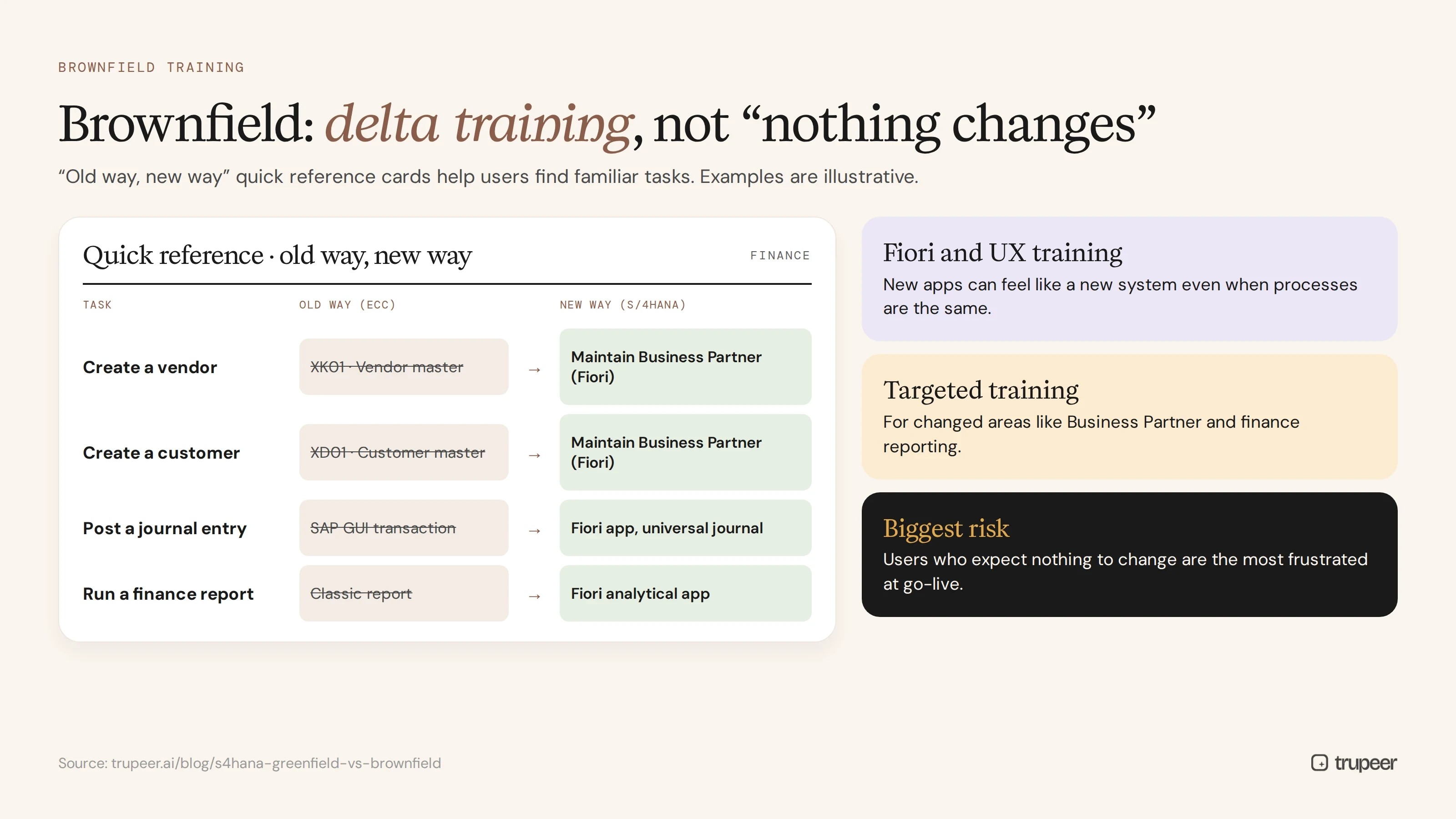
Delta training on what's different, rather than full process training for everyone.
Fiori and user experience training, because new apps and launchpads can feel like a new system even when processes are the same.
Targeted training for changed areas, such as Business Partner maintenance or finance reporting.
Quick reference cards for "old way, new way" changes, so users can find familiar tasks.
The biggest brownfield risk is underestimating training. Users who expect nothing to change are often the most frustrated at go-live.
S/4HANA greenfield vs brownfield: how much knowledge transfer effort?
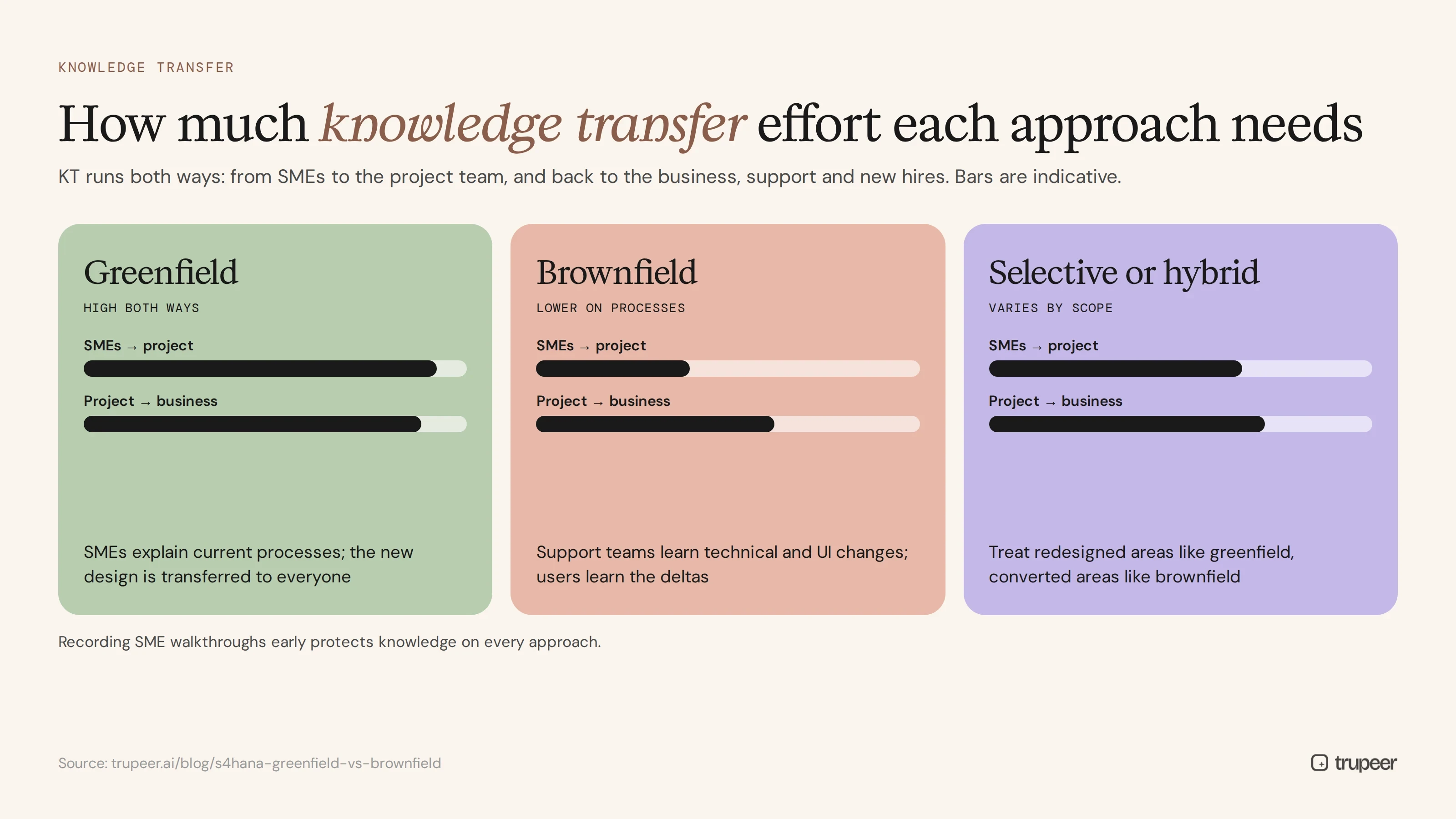
Knowledge transfer happens in two directions on any S/4HANA project: from business SMEs to the project team, and from the project team back to the business, support teams and new hires.
Greenfield: high effort both ways. SMEs must explain current processes and exceptions so nothing is lost, then the new design must be transferred to everyone who runs it.
Brownfield: lower effort on processes, but the support team needs to learn the technical and UI changes, and end users need the deltas.
Selective or hybrid: effort depends on scope; treat redesigned areas like greenfield and converted areas like brownfield.
Recording SME walkthroughs early protects knowledge on every approach, especially when experienced users leave during long programmes.
How do you plan training and documentation for S/4HANA greenfield vs brownfield?
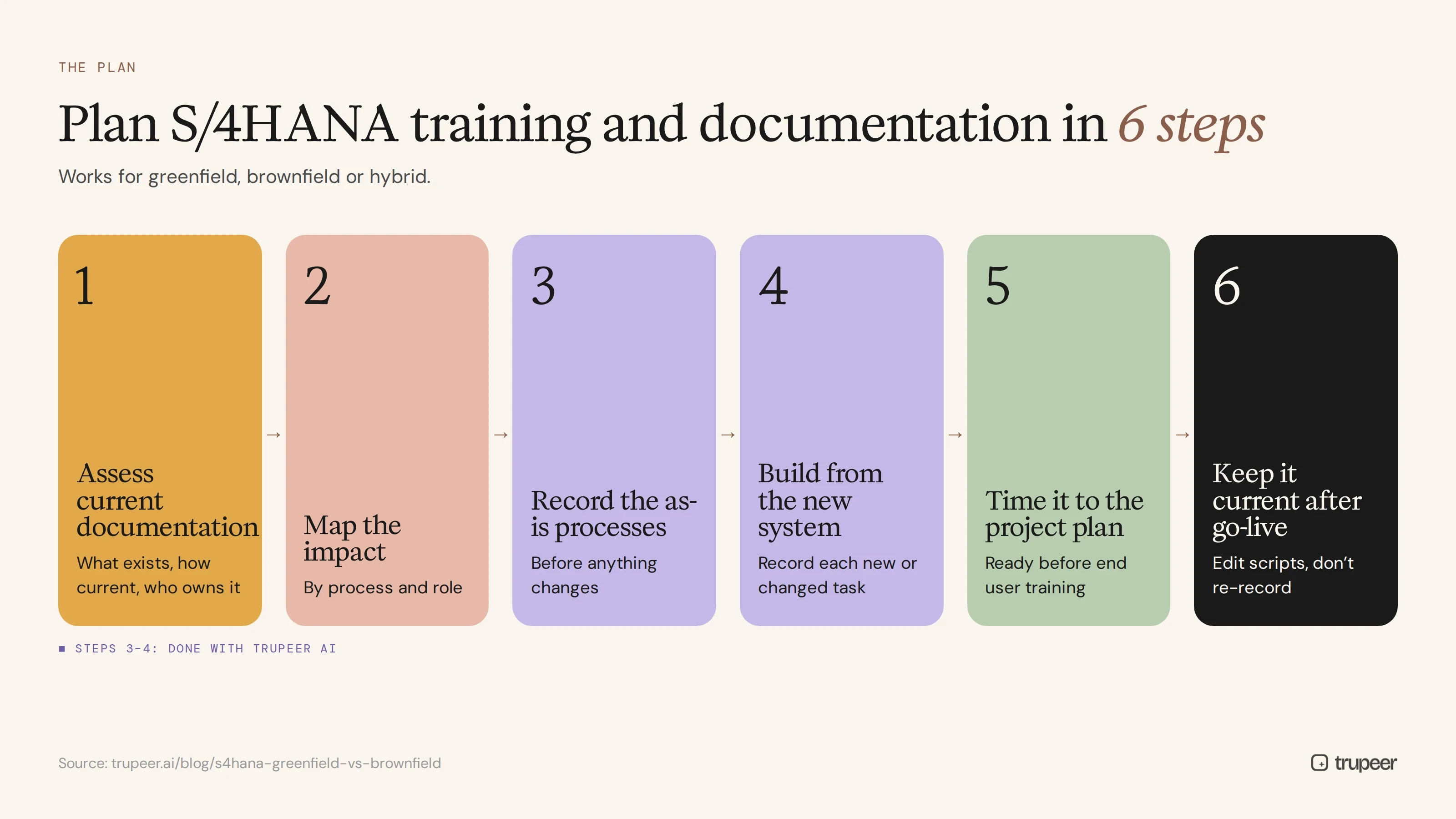
Step 1: Assess your current documentation
Find out what SOPs, guides and training exist, how current they are and who owns them. This tells you how much can be reused.
Step 2: Map the impact by process and role
List which processes and roles are affected, and how much: new process, changed process, new screens only or unchanged.
Step 3: Record the as-is processes
Before anything changes, record SMEs doing today's processes with Trupeer's AI screen recorder. The recordings support requirements, testing and training, whichever approach you choose.

Step 4: Build documentation and training from the new system
Record each new or changed task in the training or quality system, and turn each recording into a step-by-step guide and video. The SAP training video generator is built for this workflow.

Step 5: Time it to the project plan
Have training ready before end user training starts, quick references ready for go-live and FAQs growing through hypercare. The ERP go-live readiness checklist covers what to prepare.
Step 6: Keep it current after go-live
S/4HANA keeps changing after go-live, so update guides by editing scripts rather than re-recording; see how to update a training video without re-recording.

Common mistakes in S/4HANA training and documentation
Treating brownfield as "no training needed".
Starting training too late in greenfield programmes.
Reusing old SOPs without checking them against the new system.
Generic SAP training instead of materials built on your own configuration.
No plan for knowledge transfer when SMEs or consultants leave.
No owner for documentation after go-live.
Plan your S/4HANA training with Trupeer
Whichever side of the S/4HANA greenfield vs brownfield decision you land on, Trupeer turns recordings of your SAP processes into step-by-step guides and training videos for every role, ready to translate and keep current. Explore the SAP training video generator or see how Trupeer AI works.
Frequently asked questions
What is the difference between S/4HANA greenfield and brownfield?
Greenfield is a new S/4HANA implementation with redesigned processes and selected data. Brownfield is a conversion of an existing ECC system to S/4HANA that keeps configuration, custom code and history.
In S/4HANA greenfield vs brownfield, which needs more training?
Greenfield usually needs more, because every user learns new processes and a new interface. Brownfield needs delta training, but the change in user experience is often underestimated.
Do you need new documentation for a brownfield conversion?
Yes, for whatever changes. Update SOPs affected by simplification items, the Business Partner model, finance changes and new Fiori apps, and check that existing documentation is still accurate.
What is a selective or hybrid S/4HANA approach?
It combines elements of both, moving selected company codes, processes or data and redesigning some areas while converting others. Plan training and documentation separately for each area.
When should S/4HANA training development start?
As soon as designs are stable enough to record in a training or quality system, and well before end user training begins.
How do you capture knowledge before an S/4HANA migration?
Record SMEs doing today's processes, including exceptions and workarounds, and turn the recordings into process documents before anyone leaves or the old system is switched off.
Does brownfield change the user interface?
It can. Many organisations introduce Fiori apps during or after conversion, which changes how users find and complete tasks even when processes stay the same.
How do you keep S/4HANA training current?
Assign owners, review materials after each release or configuration change, and update videos by editing the script rather than re-recording.
Související blogy



