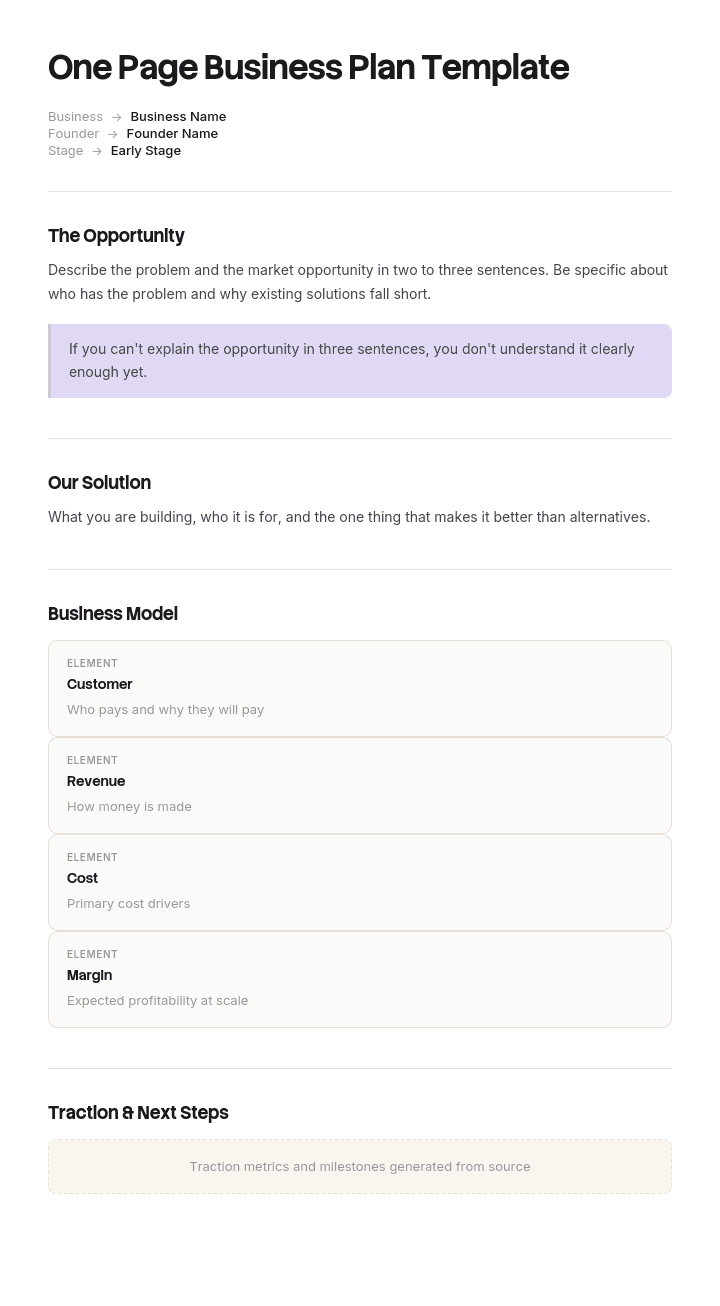
Use este modelo
Não precisa de um documento de 30 páginas para clarificar a sua estratégia de negócio — por vezes, uma página chega. Com a Trupeer, pode poupar horas no planeamento do negócio começando com um modelo de plano de negócio gratuito de uma página, personalizando-o com a sua identidade de marca e transformando o plano numa apresentação em vídeo de 2 minutos que pode partilhar com qualquer pessoa.
O que é um plano de negócio de uma página e para que serve?
Um plano de negócio de uma página define o que faz a sua empresa, a quem serve, como gera receitas e para onde está a caminho, numa única página.
A palavra importante nessa frase não é “uma”. É “define”. Um plano de uma página é um documento de comunicação. Não se planeia numa página: planeia-se noutro lugar e depois comprime-se, e a página existe para que alguém que não é você consiga compreender o negócio com rapidez suficiente para fazer algo a respeito.
Isso torna-o um animal diferente do plano com que gere o negócio. O nosso modelo de plano de negócio lean cobre a versão de gestão interna, que é curta por razões totalmente diferentes e é revista mensalmente. O documento completo, o que é escrito para persuadir ao longo do tempo, está no nosso modelo de plano de negócio.
Esta página cobre a versão que entrega a alguém.
Um plano de uma página é escrito para um único leitor
Aqui vai a pergunta que quase nenhum modelo faz e que todos os bons planos de uma página respondem primeiro: quem está a ler isto e o que quer que faça depois.
Um gestor de relação bancária lê-o para decidir se deve avançar com um pedido de crédito. Um candidato sénior em perspetiva lê-o para decidir se vale a pena deixar um emprego por este negócio. Um comprador grossista lê-o para decidir se consegue fornecer-lhes. A sua própria equipa lê-o para decidir o que deve priorizar neste trimestre.
Estes quatro leitores querem quase informações totalmente diferentes, e uma única página não consegue servir todos. A tentativa resulta num documento que contém um pouco do que cada um precisa e o suficiente para nenhum, uma falha específica e muito comum — em vez de uma falha vaga.
Por isso, a posição honesta é que vai acabar com mais do que uma página, geradas a partir do mesmo plano base. Isso parece mais trabalho e é, na verdade, consideravelmente menos, porque escrever para um leitor identificado é rápido e escrever para toda a gente é o que exige três versões e ainda assim falha.
Como personalizar este modelo na Trupeer
Passo 1: Abra a secção de Modelos
Vá à secção de Modelos no menu principal.

Passo 2: Selecione e abra um modelo
Clique em qualquer modelo com que queira trabalhar para o abrir.

Passo 3: Expanda a visualização do modelo
Se necessário, expanda a visualização do modelo para ver o layout completo e os detalhes com clareza.

Passo 4: Edite o modelo
Clique em Editar para começar a modificar o modelo selecionado.

No editor, pode:
Adicionar novas secções
Definir ou atualizar regras de formatação
Adicionar um logótipo e ajustar a sua posição e definições relacionadas
Passo 5: Guarde o seu modelo personalizado
Depois de fazer todas as alterações necessárias, clique em Guardar para guardar o modelo atualizado como seu.

Passo 6: Pré-visualize e ajuste o modelo
Quando quiser ver como fica o seu modelo personalizado, abra a Pré-visualização.

No ecrã de pré-visualização, pode continuar a fazer ajustes diretamente, se necessário, garantindo que o modelo aparece exatamente como o quer.
Com um modelo de plano de negócio de uma página pode:
Poupar horas no planeamento: Ignore o formato de 30 páginas — capture o essencial numa vista focada.
Validar ideias mais rapidamente: Um plano de uma página obriga à clareza sobre o que é mais importante.
Manter-se alinhado com a marca: Aplique o seu logótipo, fontes e cores usando o brand kit da Trupeer.
Apresentar com impacto: Transforme o plano de uma página numa apresentação em vídeo para investidores e stakeholders.
Iterar rapidamente: Atualize o plano e regenere o vídeo em minutos.
Alcançar stakeholders globais: Traduza o plano para 65+ idiomas com um clique.
Como definir primeiro o leitor e a decisão
Antes de escrever qualquer coisa, coloque duas linhas no topo do documento de trabalho. Elas não aparecem na página final.
Leitor. Não é uma categoria. Uma pessoa identificada ou um cargo específico numa organização específica. “O gestor de relação do nosso banco” funciona. “Investidores” não funciona, porque investidores em fases diferentes querem coisas diferentes e está prestes a escrever para uma média que não existe.
Decisão. O que quer que façam a seguir, indicado como uma ação com um prazo. Avançar o nosso pedido de crédito. Marcar uma primeira entrevista. Colocar-nos numa lista de teste em duas lojas. Aprovar as prioridades do trimestre.
Depois, tudo o que estiver na página tem de justificar o seu lugar servindo essa decisão. A dimensão do mercado é essencial para um investidor e irrelevante para um comprador grossista, que quer saber se consegue produzir quatro mil unidades por semana. As biografias da equipa importam para um candidato e quase nada para um banco, que se preocupa com o fluxo de caixa e a segurança.
O teste para qualquer secção é simples. Se removê-la não alterasse a decisão do leitor, então está lá porque está no modelo e está a ocupar espaço que algo mais merecia.
O teste dos noventa segundos que todo o plano de uma página deve passar
Dê a página a alguém que não conhece o negócio e peça-lhe, após noventa segundos, que lhe diga três coisas: o que faz o negócio, para quem é e o que está a pedir-lhes.
A maioria das primeiras versões falha na terceira. Os fundadores sentem-se à vontade para descrever e ficam desconfortáveis ao pedir, por isso o pedido acaba implícito ou desaparece por completo, e um leitor que não consegue dizer o que é pretendido acaba por não fazer nada.
Duas outras coisas que este teste identifica rapidamente. Se a primeira linha cumpre a sua função, porque um leitor que não compreende o negócio numa frase passa os próximos trinta segundos a tentar perceber em vez de ler. E se os números são legíveis, já que o detalhe financeiro comprimido numa página partilhada está muitas vezes tecnicamente presente e, na prática, ilegível.
Faça o teste com duas pessoas. A segunda apanha o que a primeira foi educada demais para mencionar.
Modelo gratuito de plano de negócio de uma página: a estrutura a copiar
Copie a partir daqui. Nove blocos. Elimine os que não sirvam a sua decisão identificada e espere eliminar dois ou três.
O que fazemos. Uma frase, sem adjetivos. Se precisar de uma vírgula e de um “que”, então são duas frases e o negócio pode ser dois negócios.
Para quem é. A descrição verdadeira mais específica do cliente, com um número associado. Quantos existem ou quantos tem atualmente.
O problema e por que razão agora. Duas frases sobre o que está a acontecer e que torna este o momento certo.
Como geramos receitas. Preço, unidade e a forma das receitas. Assinatura, transação, grossista, retalho.
Tração. Os três números mais relevantes para o seu leitor. Receitas, clientes, taxa de crescimento, retenção, capacidade — o que quer que a decisão deles dependa.
O que vem a seguir. Doze meses, três ou quatro objetivos concretos com números e datas em vez de temas.
O que custa e o que temos. Posição de financiamento, runway e o dinheiro envolvido no que quer que esteja a pedir.
Quem somos. Duas linhas. Só mais se a decisão do leitor depender das pessoas — o que, para um candidato ou um investidor, acontece; para um comprador, não.
O pedido. Explícito, no fim, numa frase. O que quer e até quando.
Copie até aqui. Duas regras de formatação importam mais do que parecem. Não reduza o tamanho da fonte abaixo de cerca de dez pontos para caber, porque uma página ilegível é pior do que uma de duas páginas. E deixe espaço em branco, porque uma página completa é lida como um documento a percorrer e uma página espaçosa é lida como uma página a absorver.
O que incluir num plano de negócio de uma página
Os nove blocos acima cobrem isso, e a orientação mais útil é o que deixar de fora, porque é a restrição que faz o documento funcionar.
Deixe de fora o valor da dimensão do mercado, a menos que o seu leitor seja um investidor. É a secção que os fundadores mais querem incluir e a que mais frequentemente faz uma página parecer ingénua, porque um número grande sem um caminho até ele é lido como otimismo em vez de evidência.
Deixe de fora a grelha de concorrentes. Não consegue ser legível neste tamanho e raramente decide qualquer coisa.
Deixe de fora a declaração de missão, os valores e o SWOT. As três são artefactos internos que descrevem em vez de comprometer.
Deixe de fora qualquer projeção para além de doze meses. Numa única página, um valor de receitas de cinco anos não traz raciocínio de suporte, por isso funciona como decoração e leitores experientes descontam-no.
O que quase toda a gente omite e não devia é o pedido. Uma página que termina numa projeção de crescimento deixa o leitor a descobrir o que é pretendido — e a maioria não o faz.
A padaria cujo plano de uma página falhou com três públicos
A Rushmere Bakehouse era uma padaria artesanal que passou de um local para três. A fundadora escreveu um plano de negócio de uma página e era genuinamente bom: uma proposta clara, uma leitura honesta do mercado local, o modelo de receitas, metas para três anos e a equipa.
Ela usou a mesma página para quatro coisas ao longo de oito meses.
Enviou-a ao banco com um pedido de cento e oitenta mil libras para equipamento e obras de adaptação. Enviou-a a um candidato para diretor de produção. Levou-a a uma reunião com uma cadeia regional de supermercados sobre grossista. E usou-a no seu próprio planeamento trimestral.
Só a última funcionou.
O banco respondeu com onze perguntas de seguimento e um pedido de um plano completo com três anos de previsões. Nove das onze eram coisas que uma página escrita para um credor teria respondido: utilização dos fundos detalhada, fluxo de caixa durante o período de obras, que garantias estavam disponíveis e como seriam cobertas as amortizações enquanto dois locais operavam abaixo da capacidade. O processo demorou mais sete semanas.
O diretor de produção recusou após uma segunda conversa. Disse mais tarde que não conseguia perceber, a partir da página, qual seria o âmbito real do cargo, quantas pessoas iria gerir ou se o negócio tinha financiamento para levar a expansão até ao fim.
O comprador de supermercado nunca fez follow-up. A primeira pergunta na reunião tinha sido se conseguiam produzir quatro mil unidades por semana e se tinham certificação BRC. Nenhuma apareceu na página, porque a página tinha sido escrita para descrever o negócio e não para responder a um comprador.
A correção foram três páginas a partir do mesmo plano base. A versão do banco começou pela utilização dos fundos, um resumo do fluxo de caixa, garantias e cobertura de amortizações. A versão do candidato começou pelo que o cargo assumia, a estrutura da equipa, a posição de financiamento e uma perspetiva de dezoito meses. A versão do comprador começou pela capacidade, acreditações, prazos de entrega, referências e escalões de preços.
A segunda abordagem ao banco foi aprovada em cinco semanas, com o plano completo anexado como apêndice em vez de ser pedido depois. Foi contratado um diretor de produção a partir da segunda pesquisa. A cadeia de supermercados fez uma lista de teste em duas lojas.
Nada sobre o negócio mudou entre a primeira tentativa e a segunda. O plano base também não mudou. Só a página é que mudou.
Como escrever um plano de negócio de uma página, passo a passo
Escreva primeiro a versão longa, ou pelo menos tenha-a. Um plano de uma página comprimido a partir de um plano real fica diferente de um escrito diretamente, porque a compressão força escolhas e as escolhas mostram.
Identifique o leitor e a decisão.
Rascunhe os nove blocos sem se preocupar com o comprimento. As primeiras versões costumam ter três páginas e isso está bem.
Agora corte e mantenha um registo do que cortou. Esse registo é útil duas vezes: torna-se o apêndice quando alguém pede, e diz-lhe de que é que as outras versões da página vão precisar.
Organize com espaço em branco real e texto legível e, em seguida, faça o teste dos noventa segundos com duas pessoas.
Por fim, escreva o pedido por último e coloque-o no fim. Escrito por último, tende a ser específico. Escrito primeiro, tende a ser aspiracional.
Variantes do modelo de plano de negócio de uma página por tipo de negócio
Os nove blocos mantêm-se em todos os tipos de negócio. O que muda é quais são os três números que entram na tração e o que o leitor não aceita como vago.
Negócio de serviços. A tração é utilização, taxa de repetição e valor médio de envolvimento. A pergunta que o leitor fará sempre é capacidade, ou seja, o que acontece quando vende mais do que consegue entregar.
Negócio de produto. A tração é economia por unidade, margem e posição de inventário. Os prazos de entrega e a concentração de fornecedores importam mais do que os fundadores esperam.
Retalho ou hotelaria. A tração é ao nível do local: receitas por local, capas ou transações, e a posição no arrendamento e no staffing. Um segundo local é um negócio diferente do primeiro, e os leitores sabem disso.
Startup à procura de investimento. A tração é taxa de crescimento, retenção e burn, e a secção da dimensão do mercado torna-se essencial em vez de opcional.
Organização sem fins lucrativos. O bloco de receitas passa a ser fontes de financiamento com as respetivas datas de renovação, e o pedido é normalmente específico para os critérios de um único financiador, que deve estar visível na página.
Imobiliário ou negócio liderado por agentes. A tração é pipeline e conversão, e o historial pessoal pesa mais do que o da entidade.
Plano de uma página ou plano lean: de que precisa?
Parecem semelhantes e fazem trabalhos opostos.
Um plano de negócio de uma página é virado para fora. É escrito para um leitor identificado, apresenta o negócio com confiança e a medida do sucesso é se esse leitor faz a ação que pediu. É reescrito por público e, no resto, não muda muito.
Um plano de negócio lean é virado para dentro. É um instrumento de gestão: regista o que não tem a certeza em vez de esconder e é revisto mensalmente com base nos resultados reais. Mostrar isso a um credor seria ativamente prejudicial, porque a incerteza que expõe deliberadamente é lida como falta de preparação por alguém que avalia risco.
A maioria das empresas em crescimento quer ambos, e a sequência que funciona é executar o plano lean internamente e gerar versões de uma página a partir dele, conforme necessário. Fazer o contrário tende a produzir um plano lean que é apenas o one pager com uma data de revisão anexada, herdando toda a confiança e nenhuma da utilidade.
Deve escrever um plano de negócio do zero?
Raramente vale a pena para a versão de uma página e, na maioria das vezes, vale a pena para a versão longa.
Um modelo é genuinamente útil aqui porque os nove blocos são estáveis em todos os negócios e o valor do documento está nas escolhas que faz dentro deles, não na estrutura. Começar numa página em branco custa, na maior parte das vezes, uma tarde inteira a redescobrir que um plano de negócio precisa de uma secção sobre clientes.
O plano longo é diferente. A estrutura é muitas vezes ditada por quem o vai ler: o formato de um credor, as secções exigidas numa candidatura a uma bolsa ou as expectativas de um investidor. Começar com um modelo genérico pode significar reescrever para se adaptar às exigências deles. Pergunte que formato querem antes de o escrever.
Nada nesta página é aconselhamento financeiro. Quando os números alimentam um pedido de crédito, uma decisão de investimento ou um juízo de solvência, peça a um contabilista ou a um consultor qualificado para os rever antes de saírem do edifício.
Posso obter um modelo de plano de negócio de uma página em Word ou Excel?
O Word ou o Google Docs é adequado para a própria página. Trata do layout, do espaço em branco e dos tamanhos de fonte que determinam se o conteúdo é legível, e exporta de forma limpa para PDF, que é como deve enviá-lo.
O Excel é adequado para os números por trás da página, não para a página em si. Mantenha o modelo, o fluxo de caixa e as métricas de tração numa folha de cálculo e extraia os três valores relevantes para a página. Construir a página no Excel produz algo com aspeto de relatório, que é o registo errado para um documento pensado para ser lido rapidamente.
O PDF é como deve chegar. Envie o PDF, mantenha a versão de trabalho editável e espere criar uma nova versão para cada leitor em vez de editar um único ficheiro para um compromisso.
O que as pessoas pedem depois de lerem a de uma página
Uma página que funciona não termina a conversa. Gera um pedido: envie-me mais, mostre-me como funciona, diga-me como é o seu processo, posso ver a operação.
Esse segundo documento é onde a maioria dos negócios perde o fio, porque o one pager foi polido e o que vem a seguir é uma mistura do que já existia.
A Trupeer AI ajuda aqui mais do que na própria página. Registe uma walkthrough de como o negócio opera de facto uma vez e terá um vídeo e um guia escrito para enviar, o que, para um comprador grossista, um candidato ou um franchisado, muitas vezes faz mais do que outro documento faria. Brand kits mantêm tudo o que vem a seguir com o aspeto de ter sido criado a partir do mesmo negócio, o que importa quando o leitor está a decidir se está pronto.
Registe. Dê marca. Traduza. Trupeer.
O mesmo conteúdo preenche a sua knowledge base para quem entrar a seguir. As instruções de configuração estão no guia de configuração do modelo de documento.
Perguntas Frequentes
Existe um modelo gratuito de plano de negócio de uma página em Word?
A estrutura de nove blocos acima é colada diretamente no Word ou no Google Docs. Não há download com restrição nem formulário. Defina o seu texto para dez pontos ou mais e deixe margens reais, porque as duas falhas mais comuns de um plano de uma página são texto ilegível e falta de espaço em branco.
Existe um modelo gratuito de plano de negócio de uma página em PDF?
Escreva-o num editor de documentos e exporte para PDF, que é o formato para enviar. Um modelo fixo em PDF é um ponto de partida fraco aqui porque os blocos que elimina dependem totalmente de quem está a ler, e cada leitor precisa de uma combinação diferente.
Existe um modelo gratuito de plano de negócio de uma página em Excel?
O Excel é para ficar por trás da página, não em cima dela. Mantenha o modelo e o fluxo de caixa lá e transfira os três valores relevantes para a página. Um plano de uma página disposto numa folha de cálculo parece um relatório, o que altera a rapidez com que as pessoas se envolvem com ele.
Onde posso encontrar um modelo completo de plano de negócio para descarregar em PDF?
Esse é o documento longo, e não este, e tem um propósito, estrutura e leitor diferentes. O nosso modelo de plano de negócio cobre a versão completa, incluindo as secções cortadas deliberadamente de uma página.
Um plano de negócio de uma página consegue-me um empréstimo bancário?
Sozinho, quase nunca. Os credores têm formatos exigidos e vão pedir previsões detalhadas, informações sobre garantias e, muitas vezes, vários anos de contas. Um one pager escrito para um credor é útil como a parte inicial de um pedido, e não como o pedido em si, e funciona melhor quando já responde antecipadamente às perguntas que o processo deles vai fazer de qualquer forma.
Quanto tempo deve ter, na prática, um plano de negócio de uma página?
Uma página, o que normalmente significa entre trezentas e quinhentas palavras, mais um pequeno número de valores. Se estiver com setecentas palavras em letra de oito pontos, tem um plano de duas páginas a fingir o contrário, e o leitor vai tratá-lo como um documento e não como uma página.
Plano de uma página ou resumo executivo: qual é a diferença?
Um resumo executivo resume um documento que existe e é lido em conjunto com ele. Um plano de uma página é autónomo e é muitas vezes a única coisa que alguém lê. A diferença prática é o pedido: um resumo raramente contém um, e um plano de uma página está a falhar se não o tiver.
Quem deve escrever o plano de negócio de uma página?
Quem vai ter a conversa a que ele conduz, o que normalmente é o fundador ou a pessoa que detém a relação. Delegar tende a produzir uma descrição precisa do negócio e nenhum pedido, porque o pedido depende de saber o que quer realmente deste leitor em particular.

Understand how work happens.
Carry it into your next transition.
Start Free Trial
Book a Demo
Funcionalidades
Casos de utilização
concorrentes

