Trupeer Blog
Summarise

Most SaaS companies have a knowledge base. Far fewer have one customers actually use. Articles are written once, organized around product features instead of customer tasks, and go out of date after the next release, so customers give up and open a ticket. This guide explains how to build a SaaS knowledge base that works as a real self-service knowledge base and customer self-service portal: what to include, how to structure it, how to write articles, and how to measure whether it is working.
What Is a SaaS Knowledge Base?
A SaaS knowledge base is a searchable library of help articles, guides and videos that explains how to use your product. A customer knowledge base is public or available to logged-in users, while an internal knowledge base serves your own teams. For a broader introduction, see what a knowledge base is and why you need one.
Why Customers Don’t Use Most Knowledge Bases
Organized by feature, not by task:
Customers search for what they want to do, not for your menu names.Poor search:
If the first search fails, customers go straight to support.Out-of-date content:
Screenshots that no longer match the product destroy trust.Hard to find:
The knowledge base is not linked from inside the product, emails or the support widget.Walls of text:
Long articles without screenshots or video are hard to follow.
How to Build a Knowledge Base for Your SaaS Product: 8 Steps
Whether you are figuring out how to create a knowledge base from scratch or fixing one nobody reads, these eight steps cover the full process.
Step 1: Start from real customer questions
Pull your top support tickets, onboarding questions, sales objections and search terms. The first 20 to 30 articles should answer the questions customers ask most.
Step 2: Plan the knowledge base structure around tasks
Group articles into a few clear sections, such as Getting started, Core workflows, Integrations, Account and billing, and Troubleshooting. Name articles after the task, such as “How to invite teammates”. A knowledge base template helps keep the structure consistent.
Step 3: Capture the content
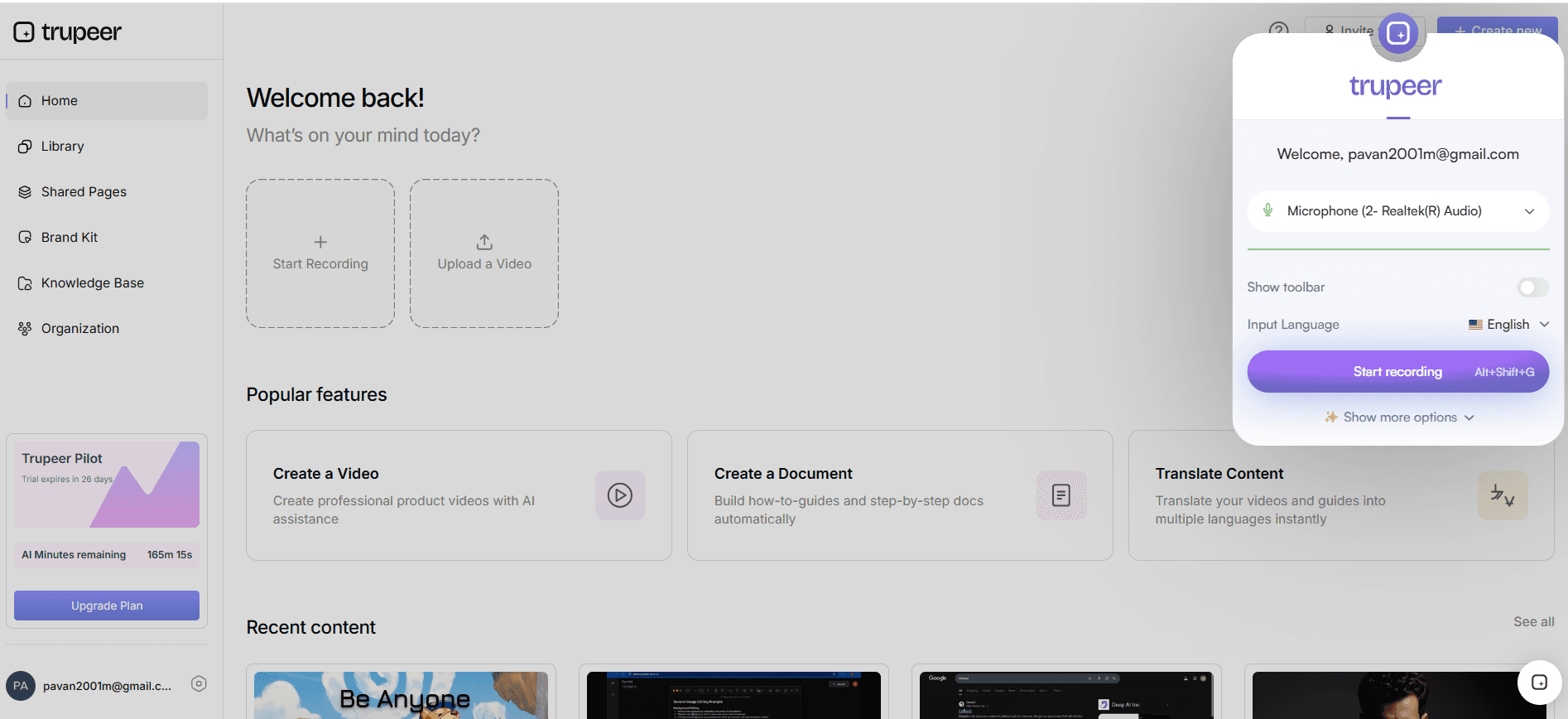
The fastest way to create accurate articles is to record the workflow in the product. With Trupeer, record a browser tab, a window or your entire screen with the Chrome extension, or upload an existing video, PowerPoint, Word or PDF file.
Step 4: Turn recordings into articles and videos
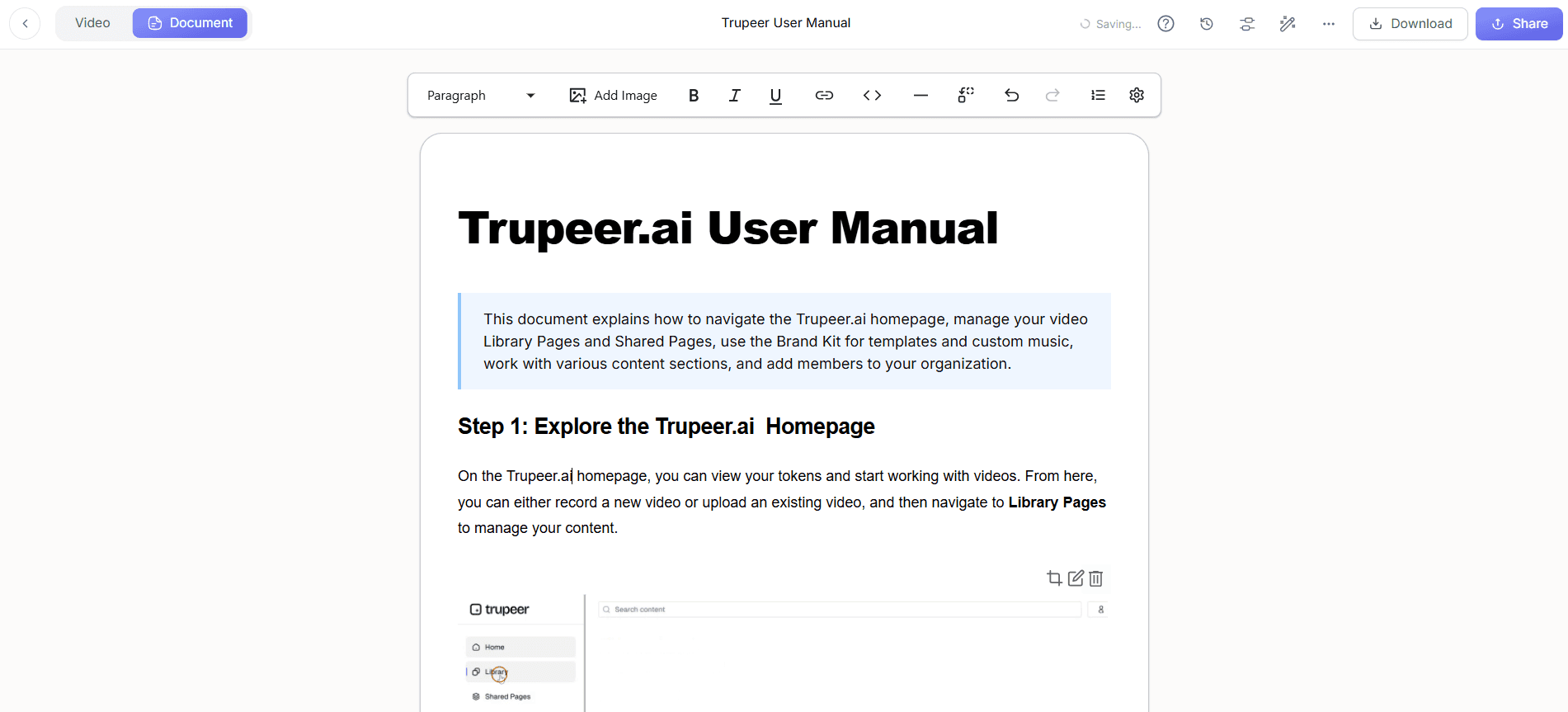
Click Generate AI Content and Trupeer creates a step-by-step article with a screenshot for each step and a polished video, so customers can read or watch. Existing documents can become videos with document to video, and Doc Skills keep every article in the same format.
Step 5: Edit for clarity
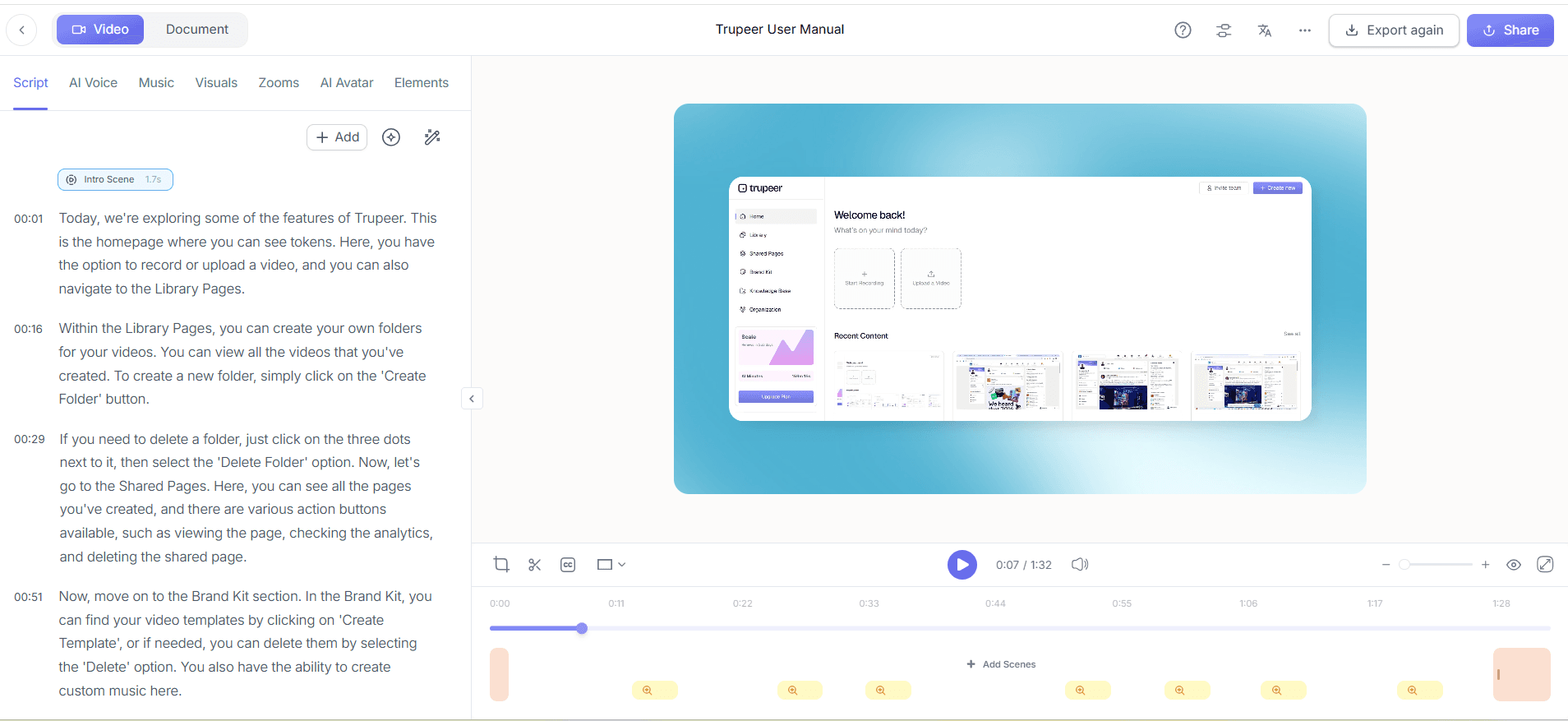
Keep one action per step, add arrows and text to screenshots, blur any sensitive data, and rewrite the video script with AI where needed. Start every article with the outcome, then the steps, then related articles.
Step 6: Localize for global customers
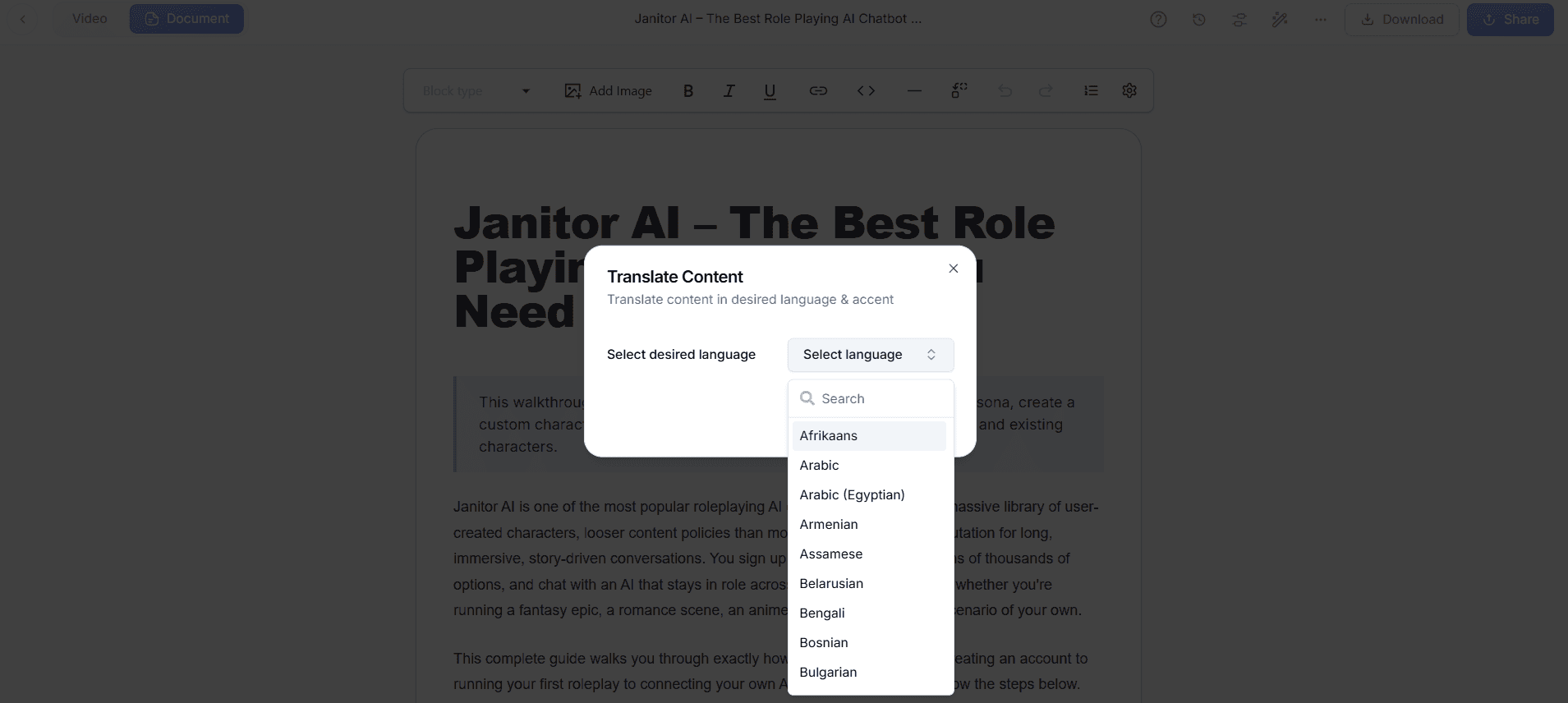
If you sell internationally, translate videos and documentation. Trupeer translates documents into up to five languages at a time. Learn more about translation.
Step 7: Publish and make it easy to find
In Trupeer, create a knowledge base with its own URL, add articles from your library into sections, and set access to Public, Organization, Selected Domain or Invited Only. Customize the appearance with a banner and navigation link, and enable indexing so public articles can appear in search engines. Customers can search with Ask AI to get suggested pages, videos or answers. Then link the knowledge base from your app, onboarding emails and support widget.
Step 8: Measure and improve
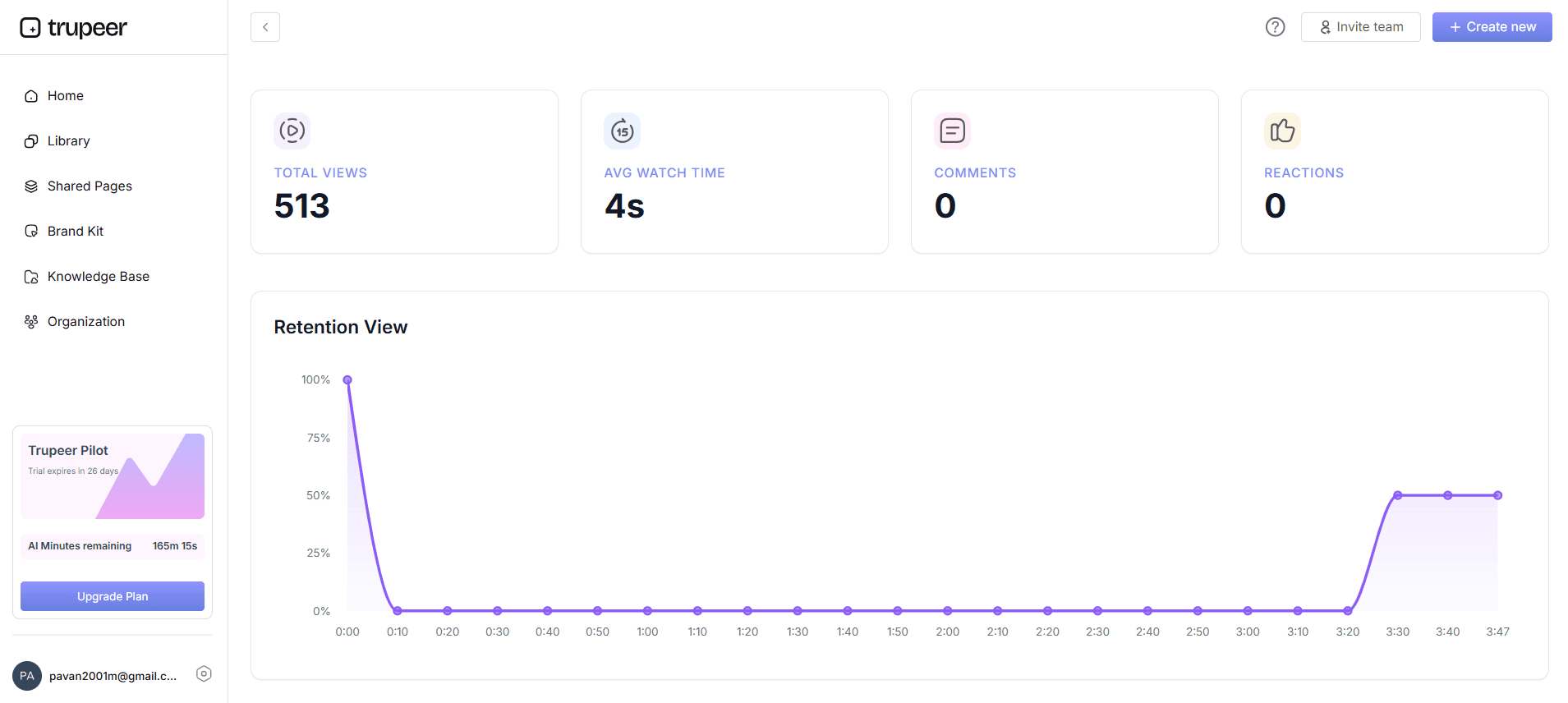
Knowledge base analytics show content performance (views, unique viewers and average time), search performance (queries, AI queries and the unresolved rate) and knowledge base health (stale articles and content freshness). Use unresolved searches to find missing articles and stale-content reports to schedule updates. To connect this to product usage, see how to measure product adoption.
Text, Video or Both? Building a Video Knowledge Base
Text articles are quick to skim and easy to search. Videos are better for multi-step workflows and visual interfaces. A video knowledge base that pairs each short video with a written step-by-step article serves both kinds of customers, and it is easier to keep in sync when both come from the same recording.
How an AI Knowledge Base Helps Customers Find Answers
An AI knowledge base lets customers ask questions in plain language instead of guessing the right keywords. In Trupeer, customers can use Ask AI to get suggested pages, videos or answers, and search analytics show which questions went unresolved so you know what to write next.
Natural-language search:
Customers type questions the way they would ask support.Answers from your own content:
Responses point back to your articles and videos.Gap detection:
Unresolved AI queries reveal missing or unclear articles.
How to Write Knowledge Base Articles Customers Read
Use the customer’s words in titles, the same words they type in search
Lead with the outcome in one sentence
Use numbered steps with one action each
Add a screenshot for every step and a short video for complex workflows
Keep articles focused on one task and link related articles
Add a “last updated” date and review owner
Knowledge Base Best Practices
Make search the front door:
Put search at the top and review failed searches every month.Embed help in the product:
Link articles from the screens where customers get stuck.Update with every release:
Add knowledge base updates to your release checklist.Combine text and video:
Some customers skim; others want to watch.Assign owners:
Every section needs someone responsible for keeping it current.
For inspiration, browse these knowledge base examples and our comparison of knowledge base software.
Metrics That Show Your Knowledge Base Is Working
Self-service rate:
Questions answered by the knowledge base compared with tickets openedSearch success:
The share of searches that lead to an article view, and the unresolved search rateArticle views and time spent:
Which content customers actually useTicket deflection by topic:
Whether ticket volume falls for topics with good articlesContent freshness:
How many articles were reviewed in the last quarter
Final Thoughts
Knowing how to build a knowledge base customers use comes down to a few habits. A SaaS knowledge base that works is built from real questions, organized by task, easy to search and kept up to date. Capture workflows directly in your product, publish them where customers already look, and use search and usage analytics to keep improving. It is one of the most effective ways to support customer success at scale.
Related reading
Frequently Asked Questions
How do you build a knowledge base for a SaaS product?
What should a SaaS knowledge base include?
How should a knowledge base be structured?
How do you get customers to use your knowledge base?
Should a knowledge base include videos?
How do you measure knowledge base success?
How often should knowledge base articles be updated?
Can Trupeer host a SaaS knowledge base?
Related Blogs



