Trupeer Blog
Opsummer

When you build a knowledge base for customer education, one of the first decisions is format. Should help content be written articles, videos, or both? Each format suits different customers and different questions. This guide compares a video knowledge base with a text knowledge base, explains when to use each, and shows how to offer both without doubling the work.
Video Knowledge Base vs Text Knowledge Base at a Glance
Factor | Text knowledge base | Video knowledge base |
|---|---|---|
Speed to find an answer | Fast: customers scan and skip to the step they need | Slower unless videos are short and well titled |
Search | Every word is searchable | Depends on titles, transcripts and AI search |
Complex, visual workflows | Hard to explain with words alone | Shows exactly where to click and what happens |
Onboarding and first-time users | Can feel dense | Engaging and easy to follow |
Updating after product changes | Quick to edit | Traditionally slow to re-record |
Accessibility | Works with screen readers and translation tools | Needs captions and transcripts |
Production effort | Low | Traditionally higher |
Which Format to Use for Each Type of Help Content
Content type | Best format | Why |
|---|---|---|
Getting started and first-time setup | Video plus written guide | New users need to see the flow; returning users skim the steps |
Multi-step workflows | Video plus written guide | Seeing each screen prevents mistakes; text helps people check one step |
Feature launches and what’s new | Short video | Shows the change quickly and drives adoption |
Troubleshooting and error messages | Text | Customers search for the exact error text |
Settings, limits and definitions | Text | Fast to scan and easy to update |
Billing, account and policies | Text | Precise wording matters and changes often |
Training courses and certifications | Video series with guides | Structured learning works best with both |
A simple rule: if a customer has to look at the screen to understand the answer, add a video. If they need to find a specific fact fast, lead with text.
Why the Best Answer Is Usually Both
Customers learn differently, and the same customer needs different formats at different times: a video the first time they set something up, and a written guide when they need to check one step later. A hybrid knowledge base pairs each short video with a written step-by-step guide, so both are searchable in one place. That also makes video documentation far more useful, because the text makes the video findable.
What a Hybrid Knowledge Base Article Looks Like
A strong hybrid article puts both formats on one page, so customers choose how to learn:
Title in the customer’s words, such as “How to invite teammates”
One-sentence summary of what the article helps them do
Short video, under about two minutes, with captions
Numbered written steps with a screenshot for each step
Tips and common mistakes for the task
Related articles for the next task
Many well-known help centers already use this pattern. Notion’s Help Center, for example, pairs many of its feature guides with a short how-to video and written steps, so readers can watch or skim.
How to Build a Hybrid Knowledge Base Without Doubling the Work
The traditional problem with video is effort: recording, editing, narrating and keeping it current. AI tools now produce the video and the written guide from the same recording.
1. Record the workflow once
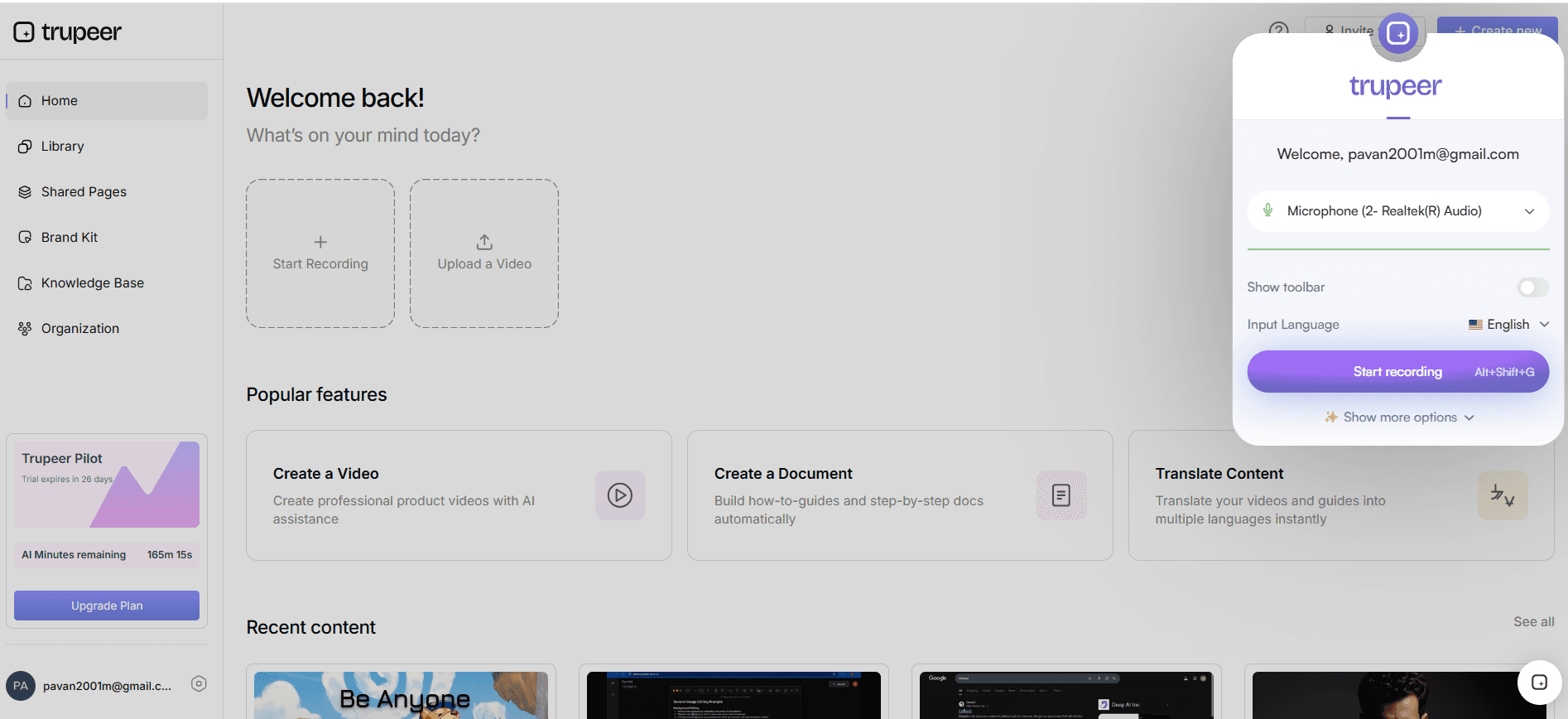
Record a browser tab, a window or your entire screen with the Trupeer Chrome extension, or upload an existing video or document.
2. Generate the video and the written guide
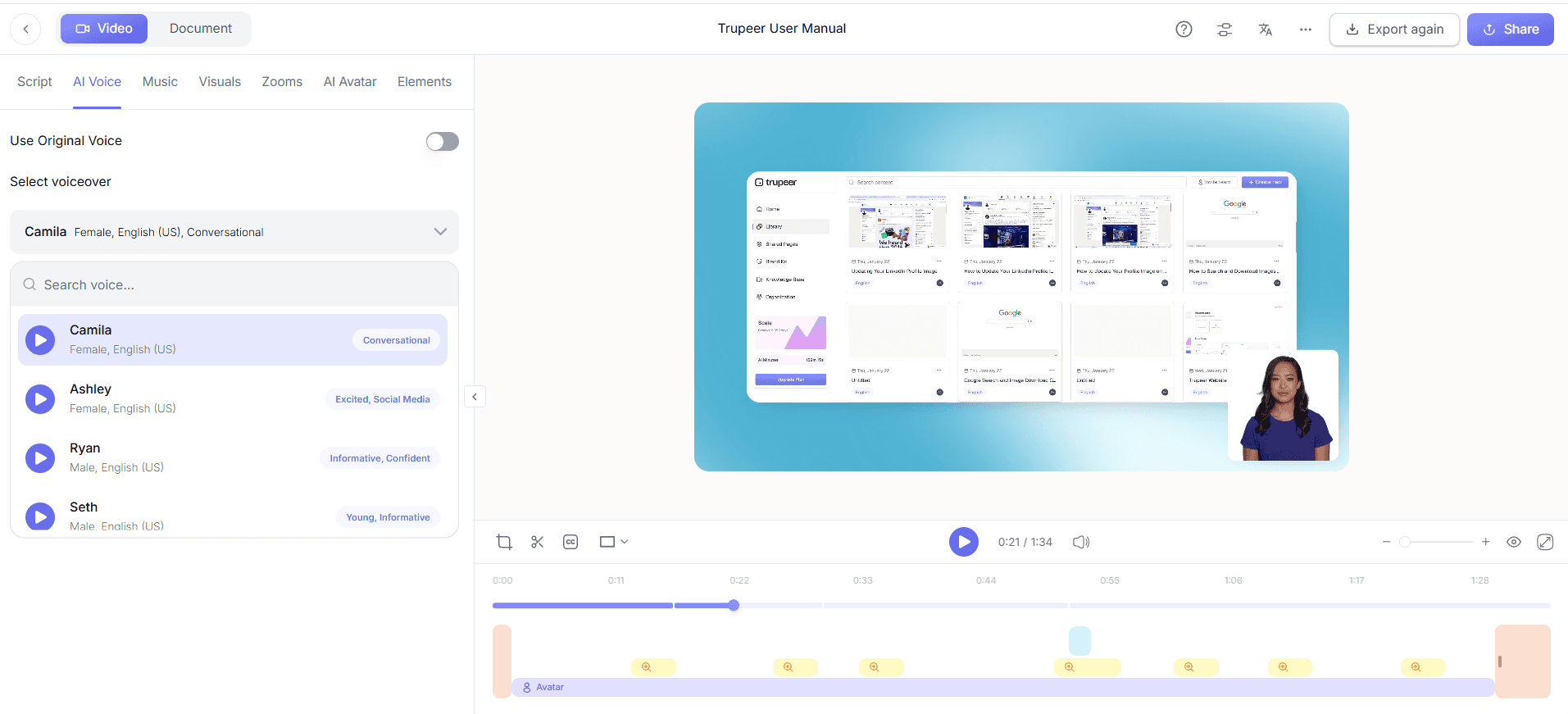
Click Generate AI Content to get a polished video with AI voiceover and a step-by-step guide with screenshots from the same recording.
3. Translate for global customers
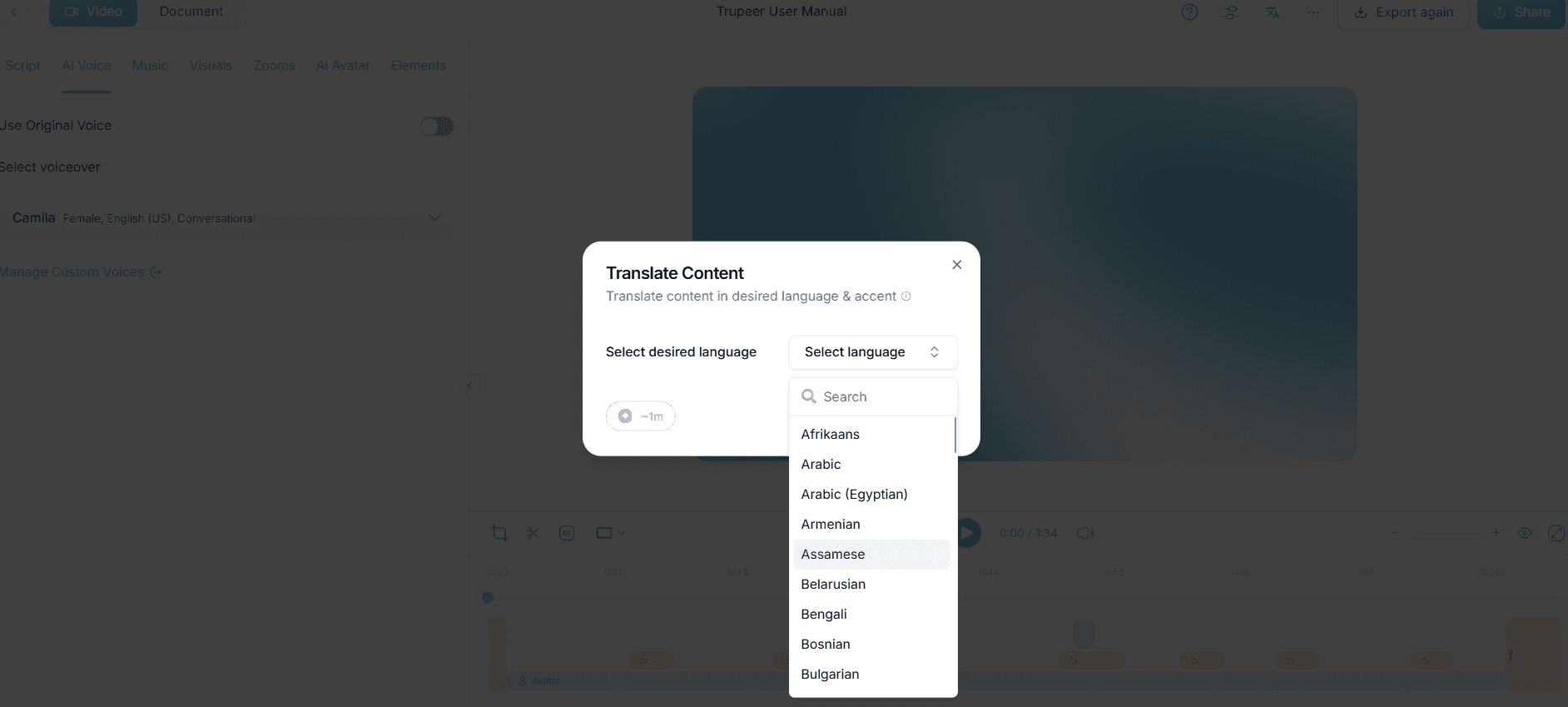
Translate videos and documentation for customers in other regions, available from the Scale plan. Learn more about translation.
4. Publish in one searchable knowledge base
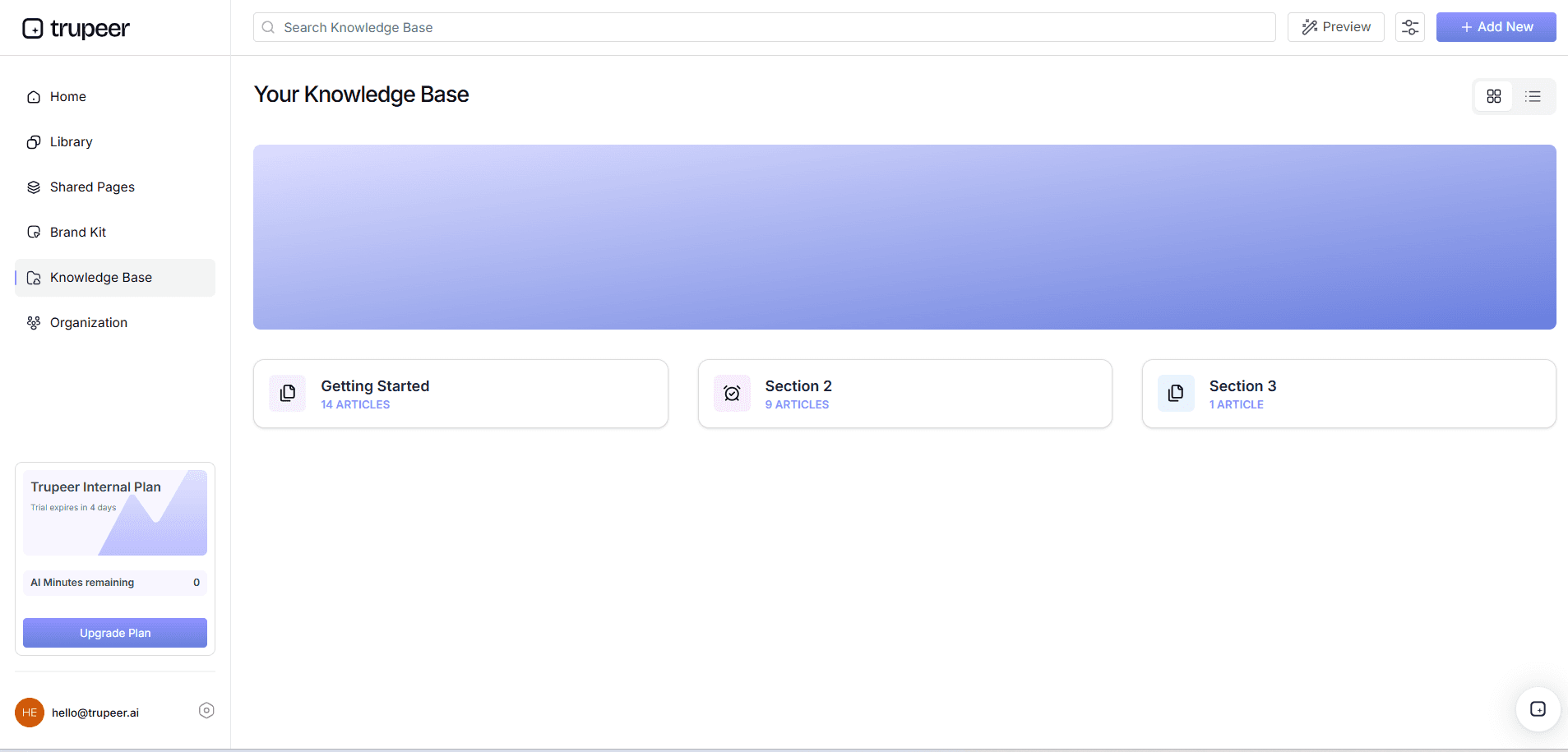
Publish both formats in a Trupeer knowledge base, where customers search with Ask AI and get suggested pages, videos or answers. Set access to Public, Organization, Selected Domain or Invited Only.
If you already use separate video library software, the same principle applies: link each video to its written guide, so customers can switch formats on one page.
5. Measure what customers use
Knowledge base analytics show views, unique viewers, time spent and unresolved searches, so you can see which formats and topics customers rely on and what is missing.
How to Keep Video Help Content Up to Date
The main reason teams avoid video is maintenance: when the interface changes, videos go out of date faster than text. These habits keep the effort manageable:
One task per video:
When a screen changes, you only replace the one short video that shows it.Keep text as the source of truth:
Update the written steps first, so customers still have accurate help while the video is refreshed.Tie updates to releases:
Add “check related help videos” to your release checklist.Prioritize by traffic:
Refresh the most-viewed videos first; low-traffic topics can stay text-only.Generate both formats from one recording:
Tools like Trupeer produce the video and the written guide together, so one re-recording updates both.
Accessibility and Search Considerations
Never put key information only in the video:
Customers using screen readers, on slow connections or in a quiet office need the same steps in text.Check captions:
Automatic captions often misspell product and feature names, so review them before publishing.Add alt text to screenshots:
Describe what each screenshot shows, such as “Invite button at the top right of the Team page”.Use descriptive titles and written steps:
Search engines and your knowledge base search mostly understand a video through its title and the text around it.Translate both formats:
Subtitled video alone leaves non-English customers without searchable steps.
How to Measure Which Format Works
Views and unique viewers for videos and articles on the same topic
Time spent on articles and how much of each video is watched
Unresolved searches, which show missing or hard-to-find content
Support tickets by topic, to see whether help content reduces repeat questions
Feedback ratings on articles, if your knowledge base supports them
Compare topics before and after adding the second format. If tickets on a topic drop after adding a video, video is earning its place for that type of content.
Best Practices for Customer Education Videos and Articles
Start with the 10 to 20 questions customers ask most, and add video only where it clearly helps
Write video scripts from the written steps so both formats say the same thing
Show the real product with realistic data, not slides
Link from in-app screens and support replies straight to the matching article
Organize content by task; see how to build a knowledge base customers actually use
How Zuora University cut demo video production from hours to minutes
Zuora University runs product education for Zuora’s customers, partners and employees, with learning paths, courses and certification programs built largely from product demos. Before Trupeer AI, instructional designers recorded silent screen captures, wrote scripts separately and stitched the two together, which caused sync issues and repeated editing. Even with AI voiceover, a single demo took two to three hours.
Now instructional designers record themselves walking through the product with a raw or lightly scripted voiceover and upload it to Trupeer AI. The first polished version, with script, voice and visuals aligned, comes back in five to ten minutes. Visual designers then add the educational design elements that turn a demo into a learning module.
Zuora University now hosts 1,500+ videos across its learning paths, courses and certifications, and is connecting the same video library to in-product help and its AI learning assistant.
“What used to take a full day now comes back in five to ten minutes with Trupeer and that’s freed us up to focus on what comes next.”
— Eszter Vörös, Director, Product Education and Partner Operations, Zuora
Read the full Zuora University story →
Final Thoughts
Text knowledge bases are fast to search and update; video knowledge bases teach complex workflows better. For customer education, use both: a short video and a written guide for each key task, in one searchable place. With AI generating both from a single recording, the hybrid approach no longer means twice the work.
Frequently Asked Questions
Is a video or text knowledge base better for customer education?
Neither is best on its own. Text is faster to search and update, while video explains complex workflows better. Most teams get the best results with both.
What is a video knowledge base?
A collection of short help videos, such as tutorials and walkthroughs, organized so customers can search and watch them to learn a product.
When should I use video instead of text?
For onboarding, multi-step workflows, visual tasks and feature launches, where seeing the screen makes the steps clearer.
When is text better than video?
For quick reference, troubleshooting, policies and billing, and content that changes often.
How do I make videos searchable in a knowledge base?
Give each video a clear title, pair it with a written guide or transcript, and use a knowledge base with AI search.
How long should knowledge base videos be?
Keep most videos to a single task and under about two minutes.
Can I create both video and text from one recording?
Yes. Trupeer generates a polished video and a step-by-step guide from the same screen recording.
How do I know which format customers prefer?
Use knowledge base analytics to compare views, time spent and unresolved searches for videos and articles.
Related Blogs



