

Record a process once. Trupeer maps it into a flow your whole team can see.

Require review and approval before content publishes. Reviewers comment on the content itself, every change is saved as a version, and Audit Logs record every step. Set it per workspace.

Doc to Video NEW FEATURE Upload a deck or a document and Trupeer builds the video from it, script and voiceover included, with nothing to record. Learn more

Analytics and Preview for Knowledge Base PRODUCT ENHANCEMENT Watch your knowledge base take shape as you set it up, and see how it is performing from the same page.

Share Pages in Library PRODUCT ENHANCEMENT Every page you share now sits in your Library with the rest of your content, ready to filter, open, or remove.

Tutorial Anda kini melakukan zoom pada setiap klik dan menyorotnya dengan warna Anda, sehingga setiap langkah menunjukkan kepada pembaca ke mana harus pergi.

Info pribadi disamarkan di setiap rekaman.
Banyak hal yang Anda rekam bersifat sensitif. Smart Blur mengurusnya untuk Anda. Saat Trupeer memproses video atau dokumen Anda, detail pribadi seperti nama, email, alamat IP, dan tanggal lahir akan disamarkan secara otomatis. Anda memilih apa yang disembunyikan, dengan kontrol terpisah untuk video dan dokumen. Tersedia di Enterprise.
Pengetahuan Trupeer Anda kini bekerja di dalam alat AI yang sudah Anda gunakan.
Trupeer MCP memperluas knowledge graph perusahaan Anda, cara tim Anda bekerja, dan penalaran di baliknya, ke Claude, ChatGPT, dan alat apa pun yang mendukung MCP. Satu klik, dan alat Anda bekerja berdasarkan konteks perusahaan Anda.

Build and ship a guide without leaving the page, with slash commands, movable sections, tables, and image editing in place.

Video dan dokumen Anda, dalam setiap bahasa yang dibaca pengguna Anda. Terjemahkan sekali, bagikan satu tautan, dan setiap orang mengikuti dalam bahasa yang mereka pahami.

Gabungkan beberapa video menjadi satu
Anda merekam pekerjaan Anda dalam beberapa bagian, dan sampai sekarang bagian-bagian itu tetap terpisah. Trupeer kini dapat menggabungkan beberapa rekaman menjadi satu. Rekam alur kerja di beberapa sistem, biarkan setiap orang merekam langkah yang menjadi tanggung jawabnya, atau gabungkan fitur yang Anda rekam satu per satu, lalu gabungkan semuanya menjadi satu panduan. Dan saat sebuah langkah berubah di kemudian hari, ganti rekaman itu saja dan pertahankan sisanya.

Ask Trupeer adalah pencarian agenik di seluruh rekaman yang dimiliki tim Anda. Ajukan pertanyaan dengan cara Anda akan bertanya kepada rekan kerja, dan dapatkan jawaban langsung yang diambil dari video, panduan, dan dokumen Anda sendiri, dengan momen-momen spesifik yang diberi cap waktu dan siap dibuka.

Lihat audio Anda saat memotong.
Buka tampilan pemotongan, dan audio Anda akan muncul sebagai gelombang, dengan puncak saat ada percakapan dan bagian datar saat jeda. Bagian yang layak dipotong mudah dikenali, sehingga Anda bisa memisahkannya hanya dengan beberapa klik. Perbesar pada timeline untuk edit yang lebih presisi, batalkan kapan saja, dan bekerja dengan cara yang sama baik saat Anda mengunggah video maupun merekamnya di Trupeer.

Kontrol yang presisi atas skrip Anda.
Edit persis bagian yang Anda inginkan dan biarkan sisanya tetap seperti semula. Cari dan ganti satu kata di seluruh skrip Anda dalam satu langkah, jalankan edit AI hanya pada potongan yang Anda pilih, dan bersihkan kata pengisi dari bagian mana pun dengan satu perintah. Kontrol yang lebih detail untuk skrip yang lebih panjang, sehingga setiap perubahan jatuh di tempat yang Anda maksud.

Hosting panduan Anda di situs web Anda sendiri.
Trupeer mengumpulkan semua video cara melakukan dan dokumen Anda ke satu tempat yang bisa dicari orang.
Kini knowledge base tersebut bisa berada di situs web Anda sendiri, di alamat seperti docs.yourcompany.com, sehingga menjadi bagian alami dari situs Anda.
Setiap video atau dokumen yang Anda buat di Trupeer menambah jejak web Anda sendiri. Semakin banyak yang Anda publikasikan, semakin kuat situs Anda berkembang, dan semakin mudah pelanggan menemukan Anda.
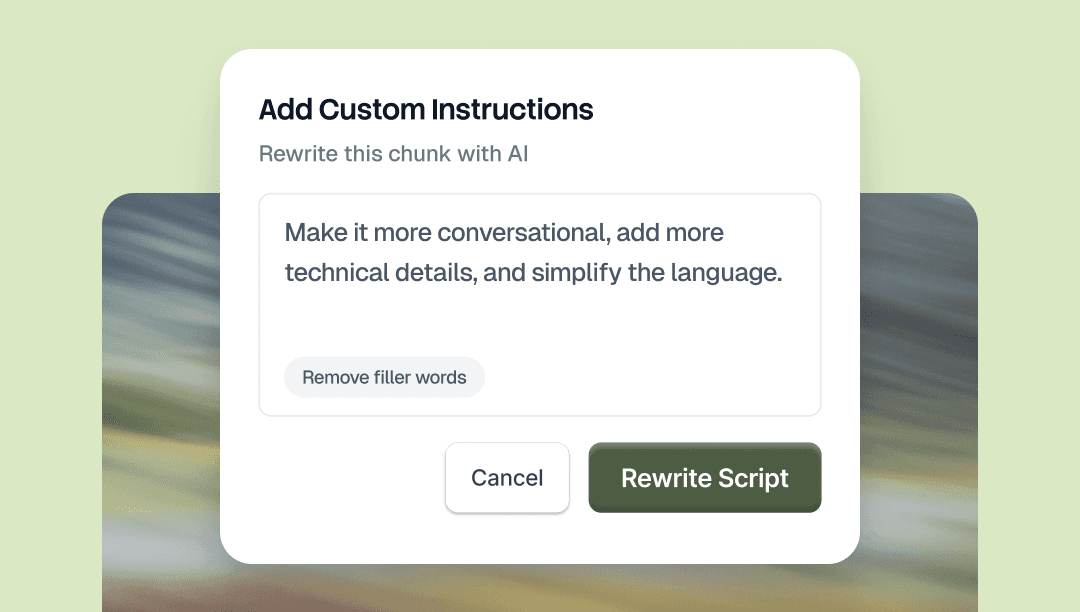
Pilih bagian mana pun dari skrip Anda dan beri tahu AI apa yang harus diubah. Minta dalam bahasa yang sederhana, baik itu berarti mengubah nada, mengganti kata, mempersingkat satu bagian, atau memperbaiki tata bahasa. Hanya bagian yang Anda pilih yang berubah.
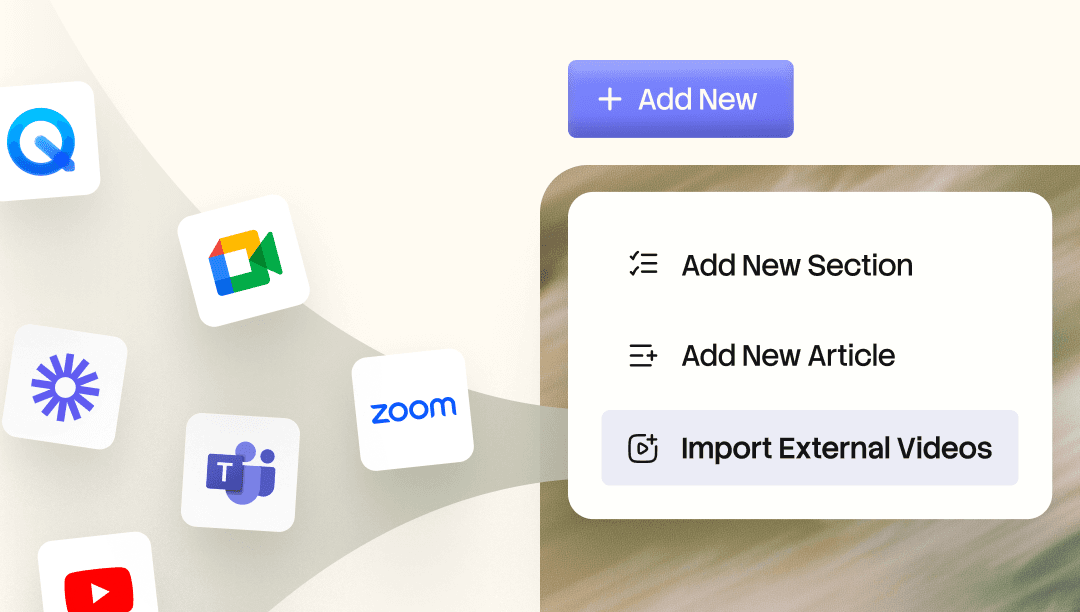
Bawa rekaman Loom dan Zoom yang sudah ada ke dalam Knowledge Base. AI mengindeks setiap kata, sehingga Anda dapat mencarinya dan langsung melompat ke momen yang Anda butuhkan. Ubah rekaman apa pun menjadi video yang rapi, panduan berbab, atau dokumen tertulis.

Host panduan Anda di situs web Anda sendiri.
Trupeer mengumpulkan semua video panduan dan panduan Anda menjadi satu tempat yang dapat dicari.
Kini basis pengetahuan dapat berada di situs web Anda sendiri, di alamat seperti docs.yourcompany.com, sehingga menjadi bagian alami dari situs Anda.
Setiap video atau dokumen yang Anda buat di Trupeer menambah kehadiran web Anda sendiri. Semakin banyak yang Anda publikasikan, semakin kuat situs Anda berkembang, dan semakin mudah pelanggan menemukan Anda.
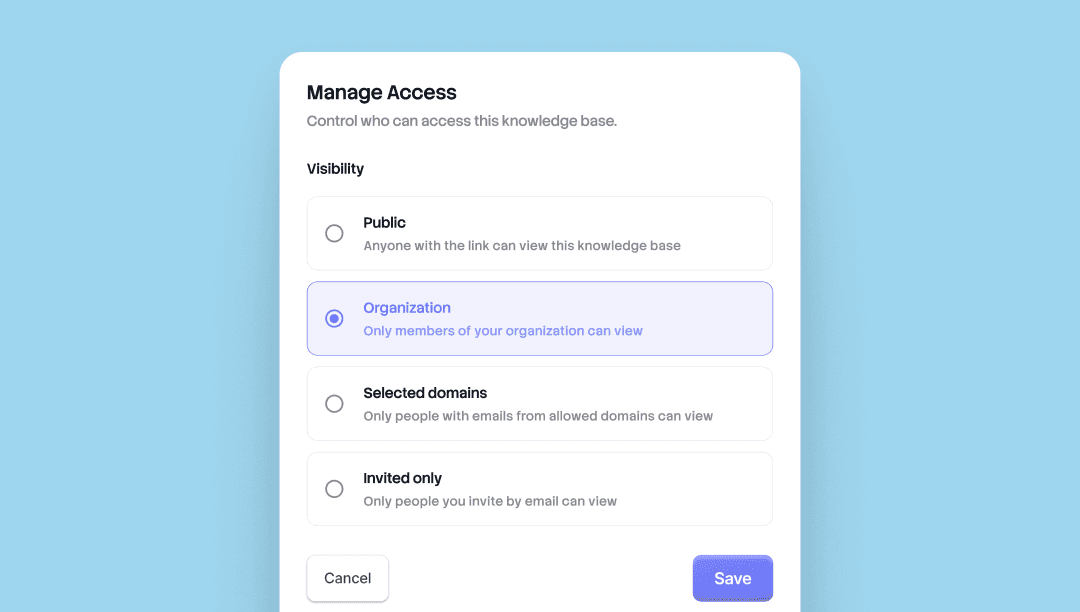
Pilih siapa yang dapat melihat apa. Setiap basis pengetahuan dan halaman bersama di Trupeer sekarang dilengkapi dengan empat tingkat akses. Atur visibilitas per halaman, ubah kapan saja.
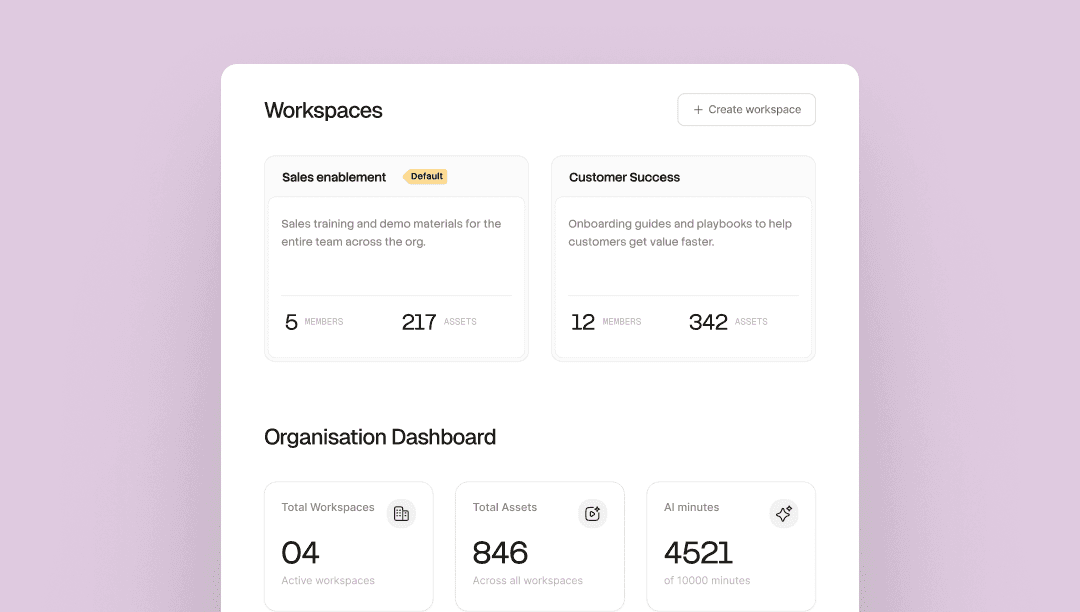
Satu organisasi. Setiap tim dengan ruangnya sendiri. Jalankan beberapa tim di dalam satu organisasi Trupeer, setiap ruang kerja dengan admin, anggota, Skill, dan pustakanya sendiri.
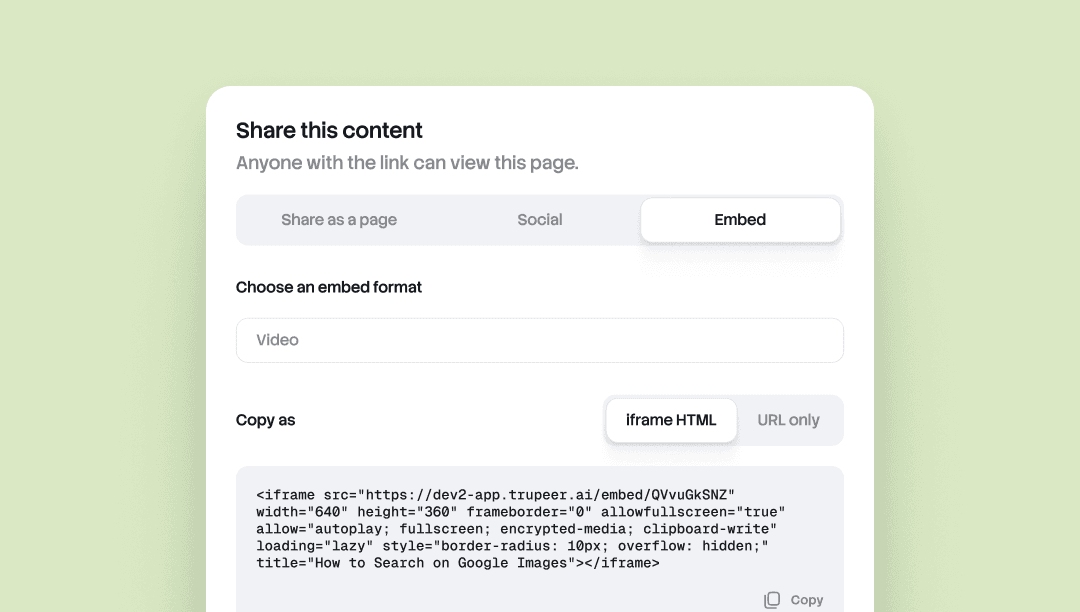
Embed Anywhere memungkinkan Anda menyematkan dokumen atau video Trupeer apa pun ke alat apa pun yang menerima iframe.
Notion, Confluence, Zendesk, Webflow, help center, CMS, wiki. Perbarui sumber di Trupeer, dan setiap embed akan diperbarui secara otomatis. Tidak perlu ekspor ulang, tidak perlu tempel ulang, tidak ada perbedaan versi di berbagai tampilan.
Berguna untuk tim yang kontennya berada di lebih dari satu tempat dan perlu tetap mutakhir di mana pun.
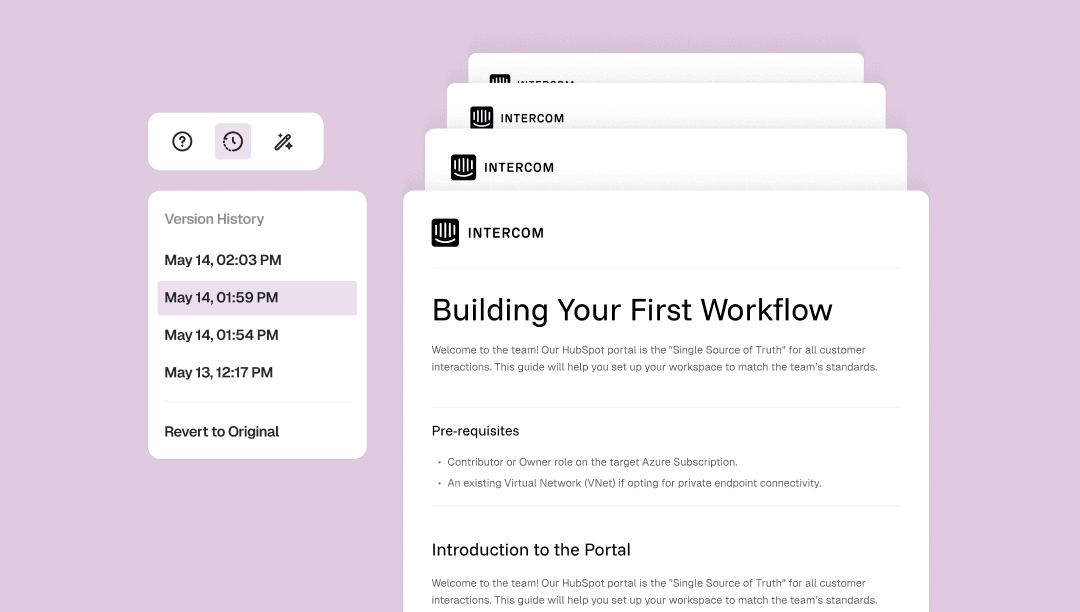
Doc Version History menyimpan setiap perubahan yang Anda buat pada dokumen secara otomatis, lengkap dengan stempel waktu.
Buka panel versi dari toolbar dokumen untuk kembali ke versi yang lebih awal, atau kembalikan semuanya hingga ke versi aslinya. Satu klik, tanpa checkpoint manual, tanpa pekerjaan yang hilang.
Berguna untuk mengedit tanpa ragu, menyusun ulang dengan bebas, atau memulihkan paragraf yang ingin Anda potong.
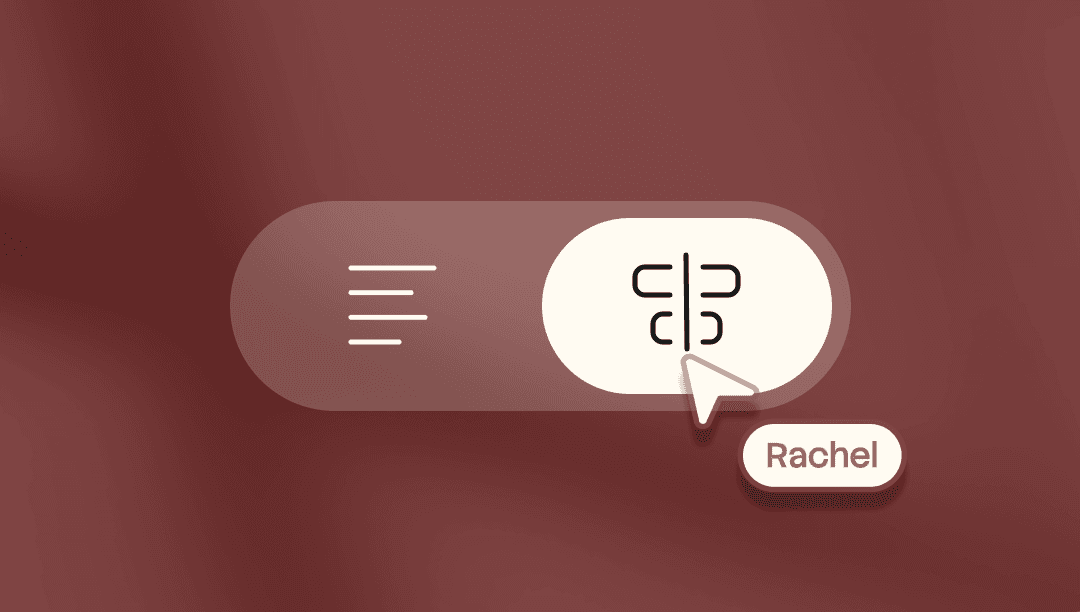
Kontrol yang presisi atas setiap frame video Anda. Letakkan kata apa pun pada frame apa pun. Pangkas video dan skrip secara independen. Ubah bentuk bagian-bagian dari video Anda.
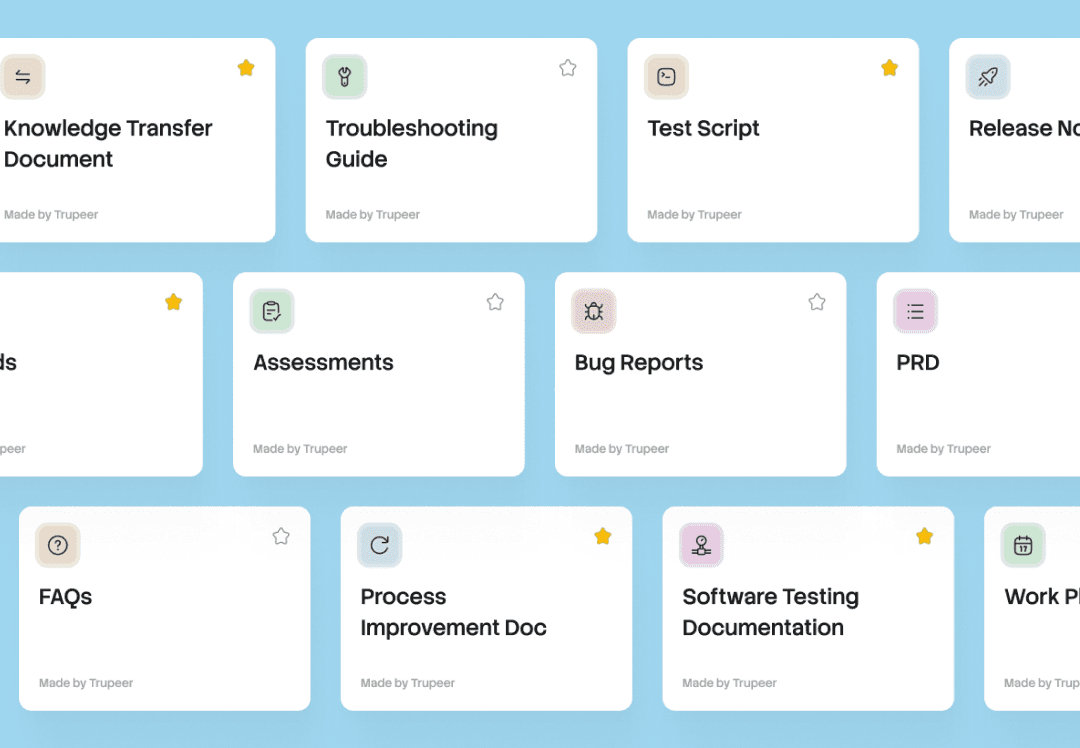
Satu rekaman, setiap dokumen. Skill mengemas prompt, format, dan aturan Anda. Terapkan ke rekaman apa pun, dan Trupeer menghasilkan dokumen serta video yang siap digunakan.
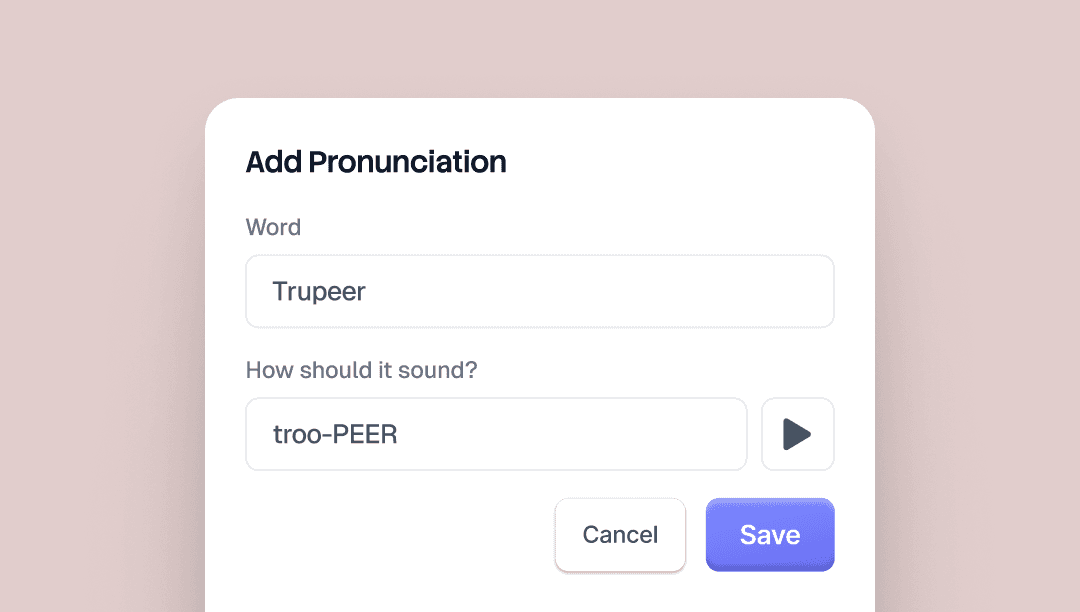
Alias Pronunciations memungkinkan Anda mengontrol cara suara AI Trupeer mengucapkan kata tertentu. Ketik kata tersebut seperti yang tertulis, lalu ketik lagi dengan cara yang seharusnya terdengar.
Untuk "Trupeer," Anda akan menulis "true peer." Suara AI akan mengenalinya di setiap video.
Ada tombol pratinjau di halaman brand kit agar Anda bisa mendengar hasilnya sebelum menyimpan.
Berguna untuk nama brand, nama produk, akronim, dan istilah apa pun yang cenderung salah diucapkan oleh suara AI.


