Trupeer Blog
Opsummer
According to Forrester Research, over 77% of B2B buyers say the ability to access reliable self-service product documentation is critical to their decision-making process. In a world where businesses operate at lightning speed, the need to create, scale, and maintain knowledge bases efficiently has never been greater. Whether it is updating internal SOPs, building help centers, or publishing how-to guides for new feature rollouts, documentation now plays a central role in employee enablement, customer success, and product adoption.
Scribe has grown in popularity for its ability to turn user actions into simple, visual step-by-step guides. However, as companies scale their documentation workflows and prioritize SEO, localization, video inclusion, and analytics, many are now evaluating more advanced alternatives to Scribe.
This guide introduces the top Scribe alternatives in 2026 - tools that go beyond basic screen capture to offer AI-powered workflows, searchable multilingual knowledge bases, shared analytics pages, and scalable documentation pipelines. Whether you are documenting a new product release or updating legacy SOPs, these alternatives offer smarter ways to create and manage knowledge at scale.
Quick Answer: The Best Scribe Alternatives in 2026
Here is our list of the best Scribe alternatives for 2026, with the job each one does best:
Trupeer AI - best for turning one recording into a narrated video and a written step-by-step guide.
Tango - best free, like-for-like Scribe alternative for browser step-by-step guides.
Guidde - best for quick AI video guides with voiceover.
iorad - best for interactive tutorials that learners click through.
Zight - best for screenshots, GIFs and quick screen clips.
Tella - best for polished, branded screen recordings.
Loom - best for quick async video explanations.
What Scribe Does Well and Where It Falls Short
Scribe captures your clicks and keystrokes and instantly turns them into a step-by-step guide with annotated screenshots. It is one of the fastest ways to create a written SOP, and it has a usable free plan. Teams usually start comparing alternatives for a few reasons:
No narrated video. Scribe is text-and-screenshot first, so teams that also need a training or customer-facing video need a second tool.
Advanced features sit on paid plans. Desktop capture, branding, redaction and export controls are on Pro tiers.
Team pricing has a seat minimum. Pro Team starts at five seats, which adds up for small teams.
Polish and localisation. Customer-facing guides often need branding, voiceover and translation that go beyond a screenshot list.
Scribe Pricing and Reviews in 2026
Basic – free, browser capture only.
Pro Personal – $25 per seat per month billed annually.
Pro Team – from $13 per seat per month billed annually, with a five-seat minimum.
Enterprise – custom pricing.
Scribe is rated 4.8/5 on G2 (based on 830+ reviews). Users like how fast it creates guides; common complaints are lag on longer processes and the cleanup needed after capture.
How We Picked These Scribe Alternatives
Output: does it produce a written guide, a video, or both?
Automation: how much of the capture, writing and formatting is done for you?
Polish: is the result good enough for customers, not just internal notes?
Pricing: is there a free plan, and is pricing published?
Scale: translation, knowledge base publishing and team features.
A note on bias: Trupeer AI is our product and we have listed it first. We say where each tool, including Trupeer, is not the right choice. Pricing was checked on each vendor’s public pricing page in September 2026, so confirm before you buy.
Scribe Alternatives at a Glance (2026 Pricing)
Tool | Best for | Platform | Free plan | Paid from | AI voiceover | Written guide |
|---|---|---|---|---|---|---|
Scribe (for reference) | Fast text-and-screenshot SOPs | Browser, desktop (Pro) | Yes (Basic) | $13/seat/mo (yearly, 5 seats) | No | Yes |
Trupeer AI | Narrated video + written guide | Web, Chrome | 10 days (1,000 AI credits) | $40/mo (yearly) | Yes | Yes |
Tango | Free browser step guides | Browser | Yes | $15/user/mo (yearly, 3+ users) | No | Yes |
Guidde | Quick AI video guides | Chrome, desktop (Business) | 25 videos | $19/creator/mo (yearly) | Yes | Yes |
iorad | Interactive tutorials | Browser, desktop | Yes (public) | About $200/mo | No | Yes |
Zight | Screenshots, GIFs, clips | Mac, Windows, Chrome | Yes | $9.95/user/mo (yearly) | No | Limited |
Tella | Polished screen recordings | Web, desktop | No | $13/mo | No | No |
Loom | Quick async video | Web, desktop, mobile | 25 videos, 5-min cap | $18/user/mo | Business + AI | Summary only |
Which Kind of Scribe Alternative Do You Need?
The same thing, but free or cheaper: Tango.
A written guide and a narrated video from one recording: Trupeer AI, or Guidde for simpler internal videos.
Interactive practice for learners: iorad.
Quick visual communication rather than documentation: Zight, Tella or Loom.
The 7 Best Scribe Alternatives in 2026
1. Scribe vs Trupeer AI: Best for Narrated Video and Written Guides from One Recording
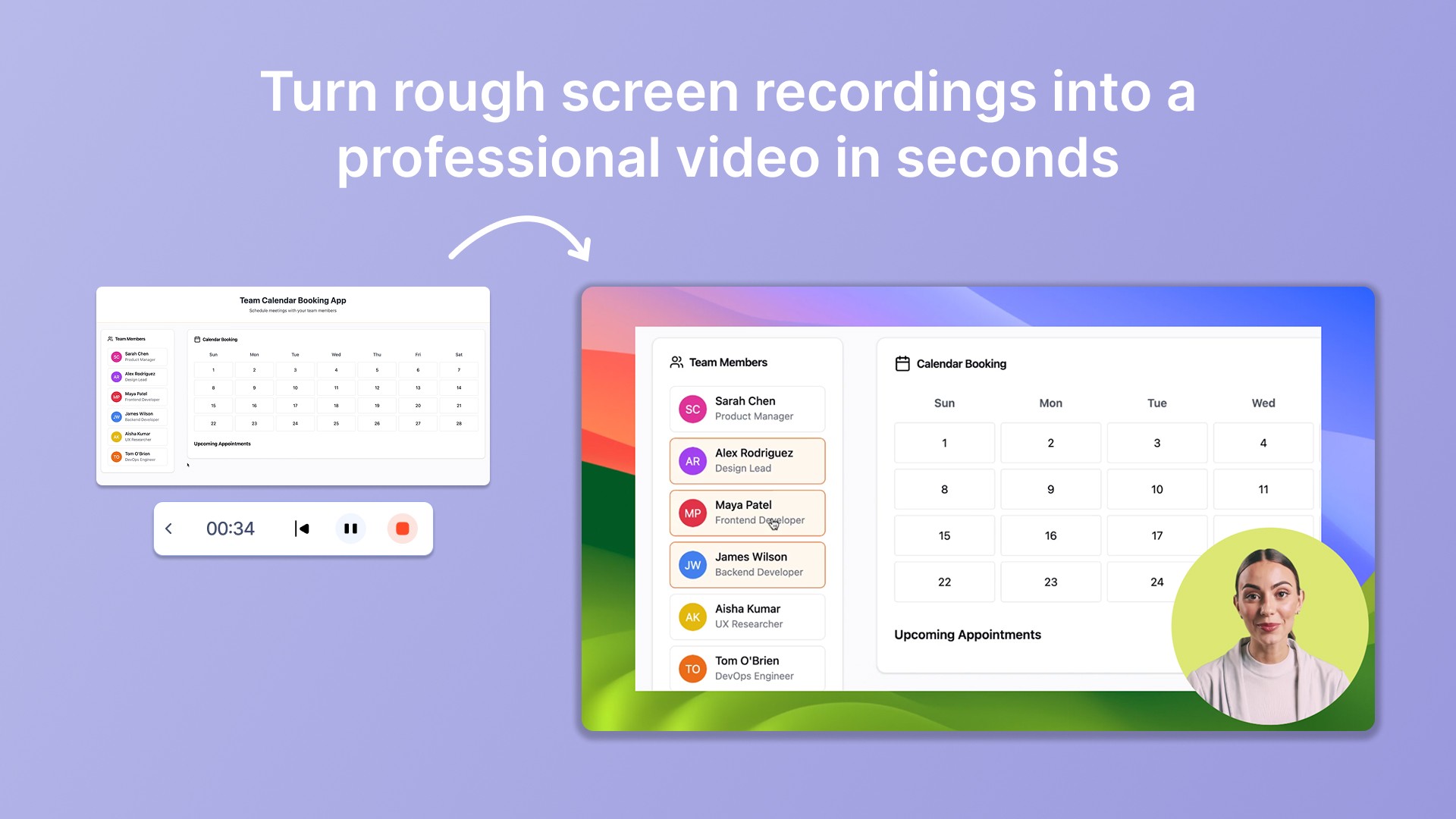
Trupeer.ai is an all-in-one AI documentation platform built to help teams turn screen recordings into step-by-step guides, training documents, and searchable knowledge base content - instantly. As a powerful record screen app, Trupeer automates everything from capturing your workflow to generating text narration, annotating screenshots, translating content, and publishing guides to a branded knowledge base - no manual labor required. With Trupeer, you can build rich help centers, internal SOPs, and support pages that are visually engaging and professionally structured - without manual effort.
The workflow is simple: record your screen walkthrough, and Trupeer automatically convert it into a polished, shareable knowledge asset. Each guide includes smart screenshots, AI-generated text instructions, multilingual captions, and embedded videos - all of which can be exported or published in multiple formats (Markdown, PDF and Word for documents, MP4 for video). It also lets you publish shared pages and, with the Knowledge Base add-on, host your guides in a searchable help center.
For teams that frequently update documentation due to product changes, feature rollouts, or international expansion, Trupeer offers the most robust combination of automation, localization, and scalability. It is not just a replacement for Scribe – it is the next level.
Key Features of Trupeer
AI Step-by-Step Generation: Auto-generates detailed guides from your screen recordings, with titles, bullets, and contextual tips.
Multilingual Support: Translate documentation and video from a library of 100+ languages (Scale and Enterprise plans).
Smart Screenshot Annotations: Instantly highlight, blur, or add callouts to captured steps.
Knowledge Base Publishing: Publish documentation to a searchable, branded knowledge base with the Knowledge Base add-on (from $120 a month), with custom domain hosting on Enterprise.
Shared Pages & Analytics: Create public or private shared documentation pages, with viewer and usage analytics on Enterprise.
Video Embeds + PDF/Markdown Export: Combine visuals, text, and narration — then export in your preferred format.
Pros of Trupeer
1. Unified Video + Text Documentation: Trupeer generates step-by-step text guides and narrated videos from the same recording, allowing teams to deliver knowledge in multiple formats without extra effort. This makes it perfect for product tutorials, help centers, and internal documentation alike.
2. Built for Scale and Collaboration: Trupeer supports role-based collaboration, shared workspaces, content tagging, and approval workflows. Whether you are a 5-person CX team or a 2000-person enterprise, your documentation pipeline stays organized, versioned, and governed.
3. Localized, Indexed, and Trackable: Unlike basic screen capture tools, Trupeer automatically translates, SEO-optimizes, and publishes your content with detailed analytics. It is built for global teams and data-driven organizations that care about visibility and performance.
G2 rating: 4.8/5
One customer said, “I use Trupeer to create training videos for my online courses. The AI voiceover, easy editing, and screen recording features save me so much time.”

Trupeer vs Scribe: Feature Comparison
Feature | Trupeer | Scribe |
AI Script + Voiceover | Yes – with AI avatars | No |
Export Formats | MP4, PDF, Word, Markdown | PDF, HTML, Markdown, Shared Web Link |
Collaboration Tools | Yes – team seats, comments and roles; version history on Enterprise | Team workspaces and sharing on Pro Team |
Screenshot Documentation | Auto step-by-step with annotation | Auto capture only |
Multi-language Translation | 100+ languages (Scale and Enterprise) | Not available |
Security Compliance | SOC 2 Type II, ISO 27001, GDPR | SOC2 compliant |
SEO Indexing | Searchable knowledge base (add-on) | No indexing capabilities |
Shared Analytics Pages | Shared page analytics; viewer analytics on Enterprise | Not supported |
Ideal For | Enterprises, trainers, documentation teams | Individual process creators |
Why teams use it: One recording becomes a narrated video and a formatted written guide, so teams do not need Scribe plus a separate video tool.
Where it isn’t the answer: If you only need quick internal text SOPs, Trupeer is more than the job needs, and Scribe or Tango is cheaper. Unlike Scribe, it is not a free tool beyond the 10-day plan. AI credits are metered on every plan (100 credits per minute of AI video, 50 per document), and recordings are capped at 5 to 15 minutes below Enterprise.
Trupeer AI Pricing
Free – 10 days, 1,000 AI credits a month, recordings up to 5 minutes
Pro – $40/month billed yearly, or $49 monthly: 2,000 AI credits, 10-minute recordings, one creator seat
Scale – $199/month billed yearly, or $249 monthly: 10,000 AI credits, 15-minute recordings, three seats, translation and brand kit
Enterprise – custom: 3-hour recordings, 100+ languages in bulk, SSO, analytics
Knowledge Base add-on – from $120/month
Bottom line: The pick when your SOPs also need to be videos. Try it free on one real workflow.
2. Scribe vs Tango: Best Free Like-for-Like Scribe Alternative
Tango is a step-by-step documentation tool designed for internal enablement and training. It allows users to capture workflows and convert them into interactive, visual guides without needing to manually write instructions. Unlike Scribehow, Tango offers better UX design and annotation controls, making its output more polished and brand-aligned. Tango also includes productivity features like version history, team collaboration tools, and template reuse.
While it does not offer AI-based narration or localization, Tango is favored by teams looking to standardize training documentation across sales, support, and operations. It lacks deep integrations into SEO and public-facing knowledge bases but remains a reliable tool for quick internal documentation.

Key Features of Tango
Workflow Capture: Screenshots + action tracking for building visual guides.
Smart Fields: Highlight form fields and add contextual notes.
Team Folders: Organize content across business functions.
Embed & Share: Export to PDFs or embed guides in Notion, Confluence, or CMS.
Version Control: Track changes and edit history across guide versions.
Pros of Tango
1. Clean Design and Visual Clarity: Tango produces elegant guides with step numbering, annotations, and highlights - perfect for polished internal knowledge sharing.
2. Built for Team Enablement: Team folders, approval workflows, and content updates make it useful for sales, HR, and training departments.
3. Strong Chrome Extension: The capture process is smooth and fast with Tango’s browser extension, allowing for accurate real-time walkthroughs.
Cons of Tango
1. No AI Text or Voice Automation: Unlike Trupeer, Tango requires manual text editing and lacks voiceover or multilingual support - which slows down high-volume content creation.
2. Not Search Engine Optimized: Tango does not allow Google indexing or advanced SEO options, limiting its value in external-facing documentation strategies.
3. Limited Analytics and Engagement Data: You cannot track views, clicks, or completion metrics - making it harder to optimize documentation based on user behavior.
G2 rating: 4.8/5
One customer said, “One thing I wish Tango did better is capturing typed input - sometimes it misses key context if I enter something into a field or dropdown. I also think the editing interface could be a bit more flexible when it comes to rearranging or customizing steps post-recording.”

Why teams use it: It works almost exactly like Scribe, with a generous free plan, so it is the easiest switch for price-driven teams.
Tango Pricing
Free – for individuals and small teams, with limits on shared workflows
Pro Personal – $22/user/month billed annually
Pro Team – $15/user/month billed annually (3+ users)
Enterprise – custom
Bottom line: The closest free swap for Scribe. Compare in detail: Tango alternatives.
3. Scribe vs Guidde: Best for Quick AI Video Guides
Guidde is an AI-powered video documentation platform designed to simplify how businesses create SOPs, product walkthroughs, and help center content. Unlike traditional tools that focus solely on screenshots, Guidde emphasizes video-first workflows, where users can record a process and instantly convert it into a step-by-step guide with visual overlays, subtitles, and voiceovers. Its browser-based interface is user-friendly and integrates well with tools like Slack, Google Workspace, and Confluence.
While it does not provide deep SEO capabilities, Guidde is perfect for internal documentation and lightweight customer support content. Its AI narration, fast capture speed, and flexible guide output make it ideal for remote teams and operations managers documenting repetitive tasks.

Key Features of Guidde
AI Narration & Subtitles: Automatically generates voiceover and subtitles for videos.
Browser Extension: Capture and annotate directly in the browser.
Quick SOP Creation: Create structured, repeatable SOPs in minutes.
Multi-Step Layouts: Break videos into visual steps with annotations.
Easy Sharing: Share via link, embed in websites, or export to PDF.
Pros of Guidde
1. Video-First Documentation Made Easy: Guidde is optimized for teams who prefer capturing flows via video and breaking them into steps - ideal for visual learners and support teams.
2. Fast Turnaround with AI Tools: Its AI narrator and subtitle generator streamline documentation for distributed teams without extra editing time.
3. Integrates with Knowledge Platforms: Supports easy sharing across Confluence, Notion, Slack, and Chrome, making deployment across tools seamless.
Cons of Guidde
1. Basic SEO and Analytics: Guidde does not offer search engine indexing or granular analytics on views or engagement, limiting its utility for public knowledge bases.
2. Limited Custom Branding: Branding and layout options are restricted unless you upgrade to a premium plan, making content feel generic for client-facing use.
3. Lacks Multi-Language Translation: Unlike Trupeer, Guidde does not support localization, which can be limiting for global documentation efforts.
G2 rating: 4.8/5
One customer said, “I need to create videos for training content. Thanks to Guidde, I no longer have to spend hours editing in a video editor - the AI takes care of everything. I do not even have to use my own voice in the video, as the tool offers a variety of voices with different accents. I just input what I need from the video, and Guidde takes care of the rest. I only need to check the final product and make amends if necessary.”

Why teams use it: Teams that want a short narrated video with each guide use it for internal how-tos and support content.
Guidde Pricing
Free – up to 25 how-to videos
Pro – $19/creator/month billed annually, or $29 monthly
Business – $39/month billed annually, or $59 monthly, for up to five creators
Enterprise – custom
Bottom line: Good for internal video guides at volume. Compare in detail: Guidde alternatives.
4. Scribe vs iorad: Best for Interactive, Click-Through Tutorials
Iorad is a powerful tutorial builder designed for creating real-time interactive walkthroughs. Rather than capturing a simple video or screenshot series, Iorad records your workflow and lets users replay it step-by-step interactively - meaning readers can click through each step as if they were doing it themselves. This makes it ideal for product onboarding, app tutorials, or customer education.
Its standout feature is the ability to embed fully interactive guides into websites or platforms like Salesforce and Zendesk. Iorad also supports multilingual translations and offers SCORM export for LMS integration, making it highly versatile for enterprise training.

Key Features of iorad
Interactive Step Player: Allows users to click through steps interactively.
Real-Time Capture: Monitors every mouse movement and keystroke.
Language Localization: Supports multiple languages with automated translation.
SCORM & LMS Integration: Export for use in e-learning platforms.
Embeddable Modules: Add to websites, apps, or support portals.
Pros of iorad
1. Best-in-Class Interactivity: Iorad creates guides users can click through like a simulation, which is great for technical onboarding and product training.
2. Versatile Format Output: Supports PDF, HTML, LMS formats, and embedding, making it flexible across learning environments.
3. Localization Support: Built-in multi-language translation allows teams to roll out documentation globally with minimal effort.
Cons of iorad
1. UI Feels Dated and Clunky: Despite powerful features, the dashboard and editor are not very intuitive and may slow down first-time users.
2. High Cost for Advanced Features: To access SCORM exports, advanced branding, and analytics, users must upgrade to enterprise-tier pricing.
3. Less Suitable for Marketing Docs: Its guides are built for functionality, not aesthetics - making it less suitable for polished external content.
G2 rating: 4.8/5
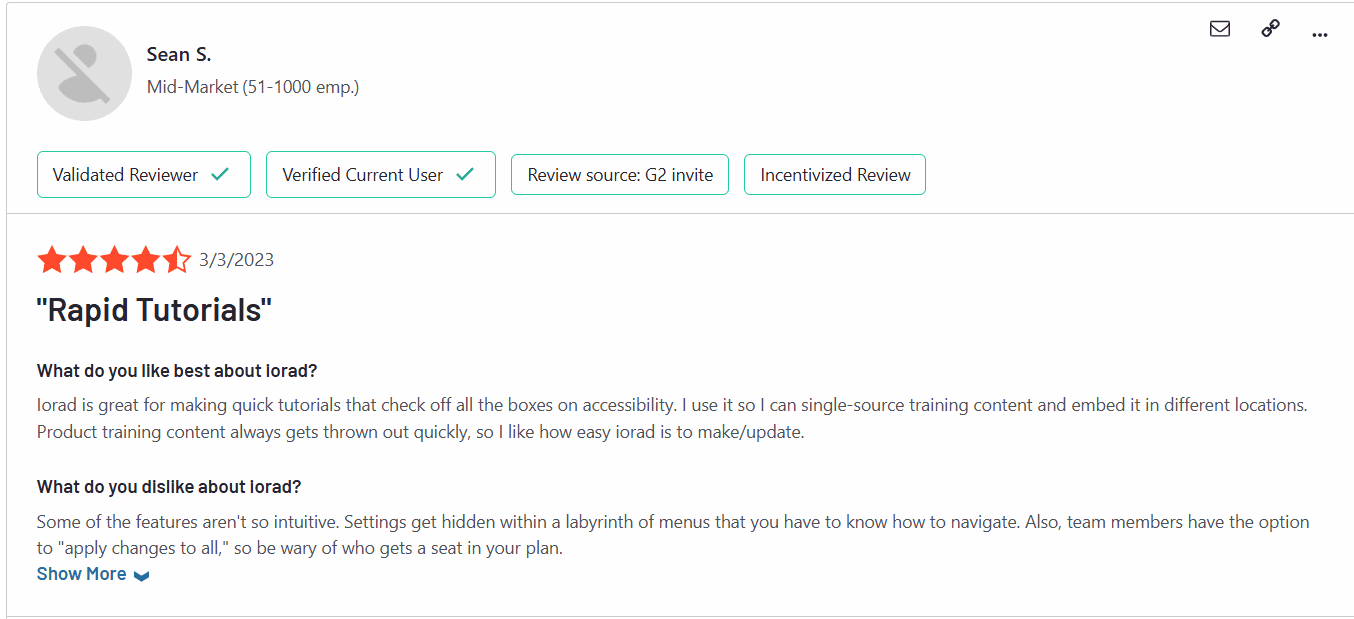
One customer said, “Iorad's paid plans are quite expensive for small startups. When you use the Iorad extension for Chrome it slows down your browser a lot, even when you are not actively using Iorad.”
Why teams use it: L&D and customer education teams use it when learners should practise the steps rather than read or watch them.
iorad Pricing
Free – unlimited public tutorials and learners
Individual – from about $200/month
Team – from about $500/month
Enterprise – custom
Bottom line: The pick for interactive, practice-based training.
5. Scribe vs Zight (formerly CloudApp): Best for Screenshots, GIFs and Quick Clips
Zight is a hybrid screen capture and video communication tool designed for asynchronous team updates, quick tutorials, and visual bug reporting. While not a full documentation suite, Zight is often used by product and support teams to record brief annotated videos, screenshots, and GIFs that explain workflows or troubleshoot issues. Its annotation features and quick sharing capabilities make it a handy alternative to Scribehow for simple visual guides.
Zight’s core value lies in speed and clarity - enabling teams to show rather than tell. It is particularly useful for capturing bugs, reporting UX issues, or sharing visual context during QA reviews or sprint demos.

Key Features of Zight
Instant Screen Capture: Record screen, webcam, or both.
GIF and Video Output: Easily convert clips into short visuals.
Annotations & Markups: Add arrows, text, or blurs on screenshots.
Analytics & Viewer Insights: Track who views your content and for how long.
Slack & Asana Integration: Share instantly in your workflow.
Pros of Zight
1. Extremely Fast Sharing Workflow: Zight allows instant screen capture and sharing with minimal friction, making it ideal for support or engineering teams.
2. Great for Lightweight Visual Documentation: Its annotation and GIF capabilities are excellent for quick fixes, updates, and explainer content.
3. Viewer Analytics Included: Basic tracking tools help teams know which videos or screenshots are being opened and engaged with.
Cons of Zight
1. Not a True Documentation Platform: Zight is not built for structured guides or scalable help center creation - it is better as a communication aid.
2. Limited Branding and Layout Control: Visual consistency across guides is hard to maintain, especially in customer-facing documentation.
3. Weak Export and Archiving Options: You cannot export Zight videos as Markdown, PDF, or structured documentation formats, unlike Trupeer or Iorad.
G2 rating: 4.6/5
One customer said, “I was using it on a macbook pro connected to a monitor and I disliked how you could not actually move the application window on your screen. I found it awkward to us with the set up of two screens I had and for some reason the countdown for when the screen recording would start did not appear, I don't know if this is a setting you can turn on or off. The recording timer and stop/play buttons for the app appear in the application/status bar the the top of your screen but when you are presenting in full screen you cannot see this which was not helpful for how I was using it.”

Why teams use it: Support, QA and engineering teams use it to show a bug or a quick fix without writing a full guide.
Zight Pricing
Share – free
Create – $9.95/user/month billed annually
Collaborate – $12/user/month billed annually
Scale – custom, with SSO and HIPAA
Bottom line: A fast capture tool, not a documentation platform.
6. Scribe vs Tella: Best for Polished, On-Brand Screen Recordings
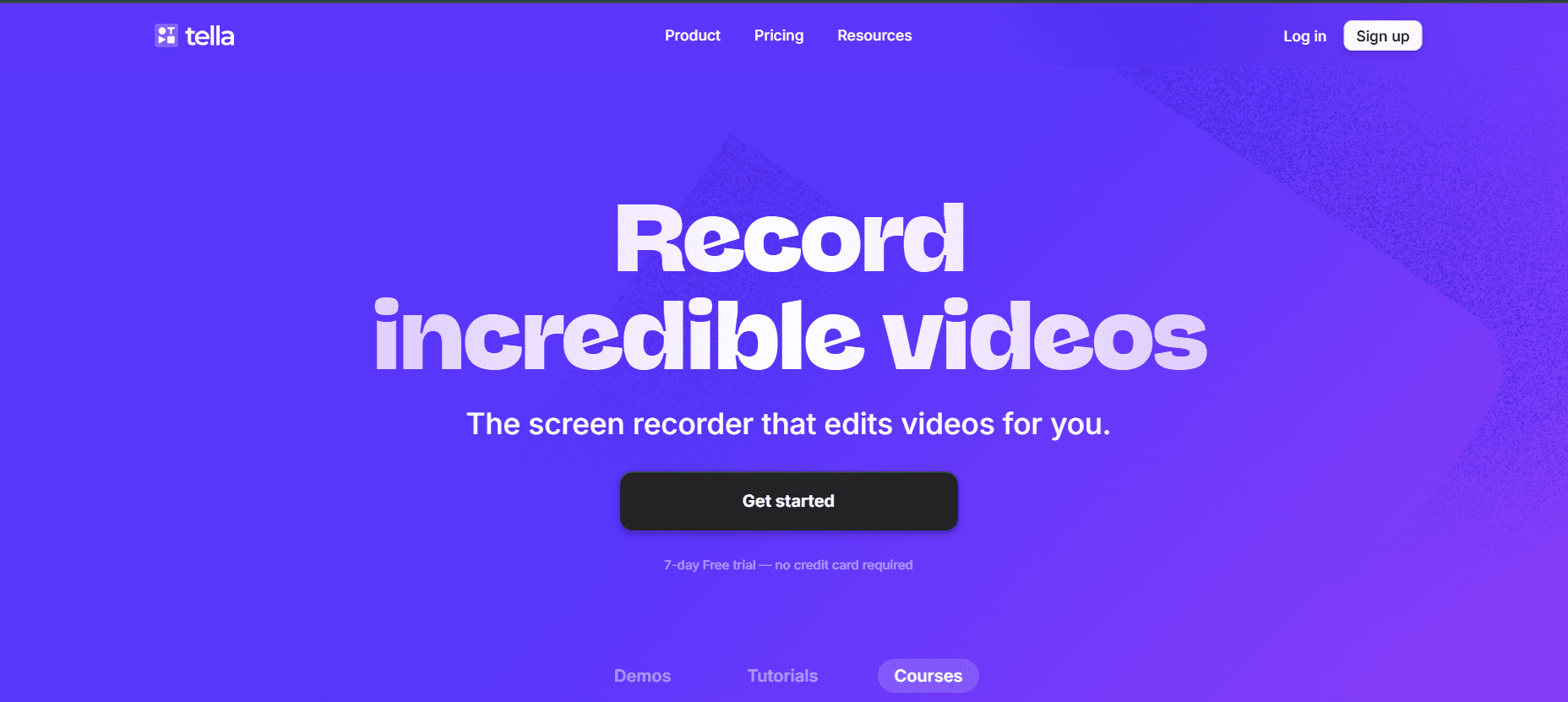
Tella is a video recording and editing tool designed for creating highly branded, polished screen recordings. While it does not offer step-by-step documentation features like Trupeer or Scribe, it is gaining traction among product marketing and customer success teams for feature demos, release notes, and short tutorials. Tella stands out with its beautiful templates, camera overlays, and the ability to record in different scenes or layouts.
It is not positioned as a pure documentation tool - but for teams who value design-forward communication, Tella helps create video content that looks professionally edited without needing a full video team.
Key Features of Tella
Scene-Based Recording: Combine screen, webcam, slides, and branding assets in one video.
Template Library: Customize layouts, backgrounds, and frames.
Simple Timeline Editing: Trim clips, rearrange scenes, or add transitions.
Direct Uploads: Share to YouTube, Twitter, or embed on websites.
No Installation Required: Fully browser-based.
Pros of Tella
1. Visually Stunning Outputs: Tella’s scene editor enables slick-looking product walkthroughs or video messages that look like they came from a creative team.
2. Perfect for Feature Launch Videos: Its structured flow and branding options make it ideal for sharing new feature demos in a clean, engaging way.
3. Seamless Sharing for Social or Product Teams: Export and share video content quickly across web, email, or help center articles.
Cons of Tella
1. Lacks Structured Step-by-Step Documentation: Tella is not built for generating written guides, SOPs, or visual workflows - making it less ideal for teams focused on knowledge management.
2. No Collaboration or Version Control: There’s limited support for team-based editing or maintaining guide versions.
3. No Search, SEO, or Analytics Features: Tella is great for visuals but lacks the backend tools to manage content at scale or analyze engagement.
Why teams use it: Founders, marketers and course creators use it when the recording itself needs to look designed.
Tella Pricing
Pro – $13/month or $156/year
Premium – $19/month or $228/year
Enterprise – custom
Bottom line: Great for branded video, not for written SOPs.
7. Scribe vs Loom: Best for Quick Async Video Explanations
Loom records your screen, camera and voice and gives you a shareable link instantly. It is not a documentation tool, but many teams use it alongside or instead of Scribe for quick explanations.
Key Features of Loom
One-click screen and camera recording on desktop, web and mobile
Instant share links with comments and reactions
AI titles, summaries and chapters on higher plans
Viewer insights and wide integrations
Pros of Loom
Nothing is faster for sending a quick walkthrough to someone who already has context.
Cons of Loom
There is no structured step-by-step guide, and the free plan caps recordings at five minutes.
Loom Pricing
Starter – free (25 videos, 5-minute recordings)
Business – $18/user/month
Business + AI – $24/user/month
Enterprise – custom
G2 rating: 4.7/5 (based on about 2,400 reviews)
Bottom line: Use it for quick explanations, not for SOPs. Compare in detail: Loom alternatives.
Feature Comparison Table of Scribe Alternatives
Here is how the top Scribe alternatives stack up across the most important documentation features - from automated capture to multilingual support, analytics, and SEO readiness.
Feature | Trupeer.ai | Scribe | Tango | Guidde | Iorad | Zight | Tella |
AI Step-by-Step Capture | Yes | Yes | Yes | Yes | Yes | No | No |
Screenshot to Document | Yes | Yes | Yes | Yes | Yes | No | No |
Multilingual Translation | Yes | No | No | No | Yes | No | No |
SEO & Search Indexing | Yes | No | No | No | No | No | No |
Shared Analytics Pages | Yes | No | No | No | Yes | Yes | N o |
Knowledge Base Integration | Yes | No | Yes | Yes | No | No | No |
Video Support | Yes | No | No | Yes | Yes | Yes | Yes |
Export (PDF, HTML, Markdown) | Yes | Limited | Yes | Yes | Yes | No | No |
Collaboration & Version Control | Yes | No | Yes | Yes | Yes | No | No |
AI Voiceovers & Avatars | Yes | No | No | Yes | No | No | No |
Best Free Scribe Alternatives
Tango: free plan for browser step-by-step guides, the closest like-for-like option.
iorad: free plan for unlimited public tutorials.
Guidde: free for up to 25 how-to videos.
Zight: free Share plan for quick captures.
Loom: free Starter plan for short recordings.
Trupeer AI: 10-day free plan with 1,000 AI credits to test video plus guide generation.
Scribe vs Tango, Guidde and Loom: Quick Comparisons
Scribe vs Tango: both turn clicks into written guides with screenshots. Tango’s free plan is more generous for small teams; Scribe has stronger desktop capture on Pro.
Scribe vs Guidde: Scribe is text-first; Guidde adds a narrated video to each guide. Choose Guidde if your audience prefers to watch.
Scribe vs Loom: Scribe documents a process step by step; Loom records a quick explanation. Many teams use both for different jobs.
Scribe vs Trupeer: Scribe gives you the written guide; Trupeer gives you the written guide and a polished narrated video from the same recording.
Is Trupeer AI the Best Scribe Alternative for You?
If you are searching for a modern documentation platform that goes beyond capturing processes - Trupeer is worth a close look.
Unlike Scribe, Trupeer does not stop at screenshots. It gives you an end-to-end documentation engine that combines:
AI-powered video and screenshot capture
Translation from a library of 100+ languages (Scale and Enterprise)
Knowledge base publishing with AI search (add-on)
Brand kits and custom AI skills (Scale)
Built-in collaboration, with approval workflows and version history on Enterprise
Viewer and usage analytics (Enterprise)
The ability to embed videos, voiceovers, avatars, and more
Whether you are building SOPs, product documentation, training manuals, or release notes - Trupeer offers everything Scribe does and much more, with AI doing the heavy lifting. Plus, you can convert your screen recordings directly into Google-indexed help center content, saving hours every week.
Trupeer AI is a good fit if:
Your SOPs and guides also need a narrated video for training or customers.
You want branded, customer-ready output, exported to PDF, Word or Markdown.
You need translation or a hosted knowledge base as your documentation grows.
Trupeer AI is not the right fit if:
You only need quick, free internal text guides. Tango or Scribe’s free plan will do.
Learners must practise steps interactively. iorad is built for that.
You just want to send quick video messages. Loom or Zight is faster.
Which Scribe Alternative Should You Choose?
Trupeer AI for video plus written guides from one recording.
Tango for a free, like-for-like replacement.
Guidde for quick internal video guides.
iorad for interactive practice.
Zight for screenshots and GIFs.
Tella for polished branded recordings.
Loom for quick async explanations.
Stay on Scribe if fast, written SOPs are all you need and its pricing works for your team size.
Related reading
Frequently Asked Questions
What are the best Scribe alternatives in 2026?
How does Trupeer compare to Scribe?
What’s the best Scribe alternative for walking people through a process?
Is there a free or low-cost Scribe alternative worth trying?
What is a Notion alternative for step-by-step guides?
Is Scribe free?
How much does Scribe cost in 2026?
Scribe vs Tango: which is better?
Related Blogs