Trupeer Blog
Shrnout

Quick Answer: The Best Guidde Alternatives in 2026
Trupeer - best for polished video documentation and a written guide with screenshots from a single screen recording.
Scribe - best for fast, text-and-screenshot SOPs with no video.
Tango - best free option for lightweight, browser-based step-by-step guides.
iorad - best for interactive tutorials that learners practise step by step.
Zight - best for lightweight in-browser workflow capture and sharing.
Loom - best for quick async screen recordings and team updates.
Trainual - best when documentation needs to live inside a full training system with quizzes.
What are good Guidde alternatives? The list above covers the main Guidde competitors for 2026, from free SOP tools to AI video platforms, with pricing and honest trade-offs for each below.
If you want one tool that turns a rough screen recording into both a studio-grade video and a structured, translatable document, Trupeer is the closest all-in-one replacement. Try Trupeer free.
A global study found that about 49% of employees are frustrated by the technology and tools their company provides. The worst? 26% are even considering quitting because of it! Are you in the same boat? Maybe you’re looking for more than just Guidde, perhaps a free screen capture program for Mac or a more powerful documentation tool.
What Guidde Does and Where It Stops
Guidde is an AI-powered screen-capture tool that turns browser and desktop workflows into step-by-step video guides with automatic AI voiceover. It’s genuinely good at its core job: capture a process once, and get a shareable how-to basic guide without editing skills. That’s why teams adopt it for speed and near-zero learning curve.
The friction shows up later, when a team’s needs grow past a quick how-to.
Guidde Pricing and Reviews in 2026
Free – up to 25 how-to videos.
Pro – $19 per creator per month billed annually, or $29 monthly.
Business – $39 per month billed annually, or $59 monthly, for up to five creators; adds desktop and mobile capture and analytics.
Enterprise – custom pricing; adds SCORM export and PII redaction.
Guidde is rated 4.8/5 on G2 (based on 96 reviews). Reviewers praise how quickly it turns a workflow into a guide; the most common complaints are robotic-sounding AI narration and limited customisation.
Why Teams Outgrow Guidde
Across user reviews and hands-on testing, the same limits come up again and again:
The 100-step cap. Complex or long workflows have to be split into multiple videos, which fragments documentation and frustrates viewers.
Gated integrations. Guidde connects with a limited set of apps, and key integrations (Salesforce, Zendesk, and similar) are locked behind higher-priced plans so connecting your stack often means an upgrade.
Basic editing. Limited cropping, zooming, and screenshot fine-tuning means teams reach for a second tool the moment output needs to look customer-ready.
Per-seat pricing that scales fast. As teams grow, the more powerful features sit on expensive tiers, and cost becomes the reason people start comparing alternatives.
One output format. Guidde is built around the how-to guide. Teams increasingly need the same recording to become a training asset, a customer-facing tutorial, a translated version, and a written article not just a step guide.
The takeaway: the best Guidde alternative isn’t a like-for-like clone. It’s the tool that best fits the specific job you keep reaching for.
How We Tested These Guidde Alternatives
We evaluated each tool against a representative task: capture a ~12-step product onboarding workflow, clean up the draft, produce both a shareable video and a written guide, translate it, and estimate the real cost for a small team. We weighted five things:
Criteria | Weight | What we looked at |
|---|---|---|
Workflow fit | 30% | Does it solve the real job behind a "Guidde alternative" search - video, docs, or both? |
Output quality | 25% | How polished the final video and written guide can be without extra tools or manual editing |
Source & editing flexibility | 20% | Editing depth, redaction, branding, and how much manual cleanup is needed |
Pricing clarity | 15% | Whether public pricing and limits are transparent and reasonable for a team |
Team readiness | 10% | Collaboration, translation, integrations, and governance |
We reviewed each tool’s live product and pricing pages, public documentation, and user sentiment on G2, Capterra, and Reddit. Pricing below reflects published plans at the time of writing, always confirm on the vendor’s site.
A note on bias: Trupeer AI is our product and we have listed it first. To keep this useful, we say where each tool, including Trupeer, is not the right choice. Pricing was checked on each vendor’s public pricing page in September 2026. Prices change often, so confirm before you buy.
Guidde Alternatives at a Glance (2026 Pricing)
Tool | Best for | Platform | Free plan | Paid from | AI voiceover | Written guide |
|---|---|---|---|---|---|---|
Guidde (for reference) | Quick AI how-to videos | Chrome, desktop (Business) | 25 videos | $19/creator/mo (yearly) | Yes | Yes |
Trupeer AI | Polished video + written guide | Web, Chrome | 10 days (1,000 AI credits) | $40/mo (yearly) | Yes | Yes |
Scribe | Text-and-screenshot SOPs | Browser, desktop | Yes (Basic) | $13/seat/mo (yearly, 5 seats) | No | Yes |
Tango | Free browser step guides | Browser | Yes | $15/user/mo (yearly, 3+ users) | No | Yes |
iorad | Interactive practice tutorials | Browser, desktop | Yes (public tutorials) | About $200/mo | No | Yes |
Zight | Screenshots, GIFs, quick clips | Mac, Windows, Chrome | Yes | $9/mo | No | No |
Loom | Quick async recordings | Web, desktop, mobile | 25 videos, 5-min cap | $18/user/mo | Business + AI | Summary only |
Trainual | Training system with quizzes | Web | Trial | $249/mo (yearly) | No | Yes |
Which Kind of Guidde Alternative Do You Need?
Most Guidde alternatives do one of four jobs. Decide which one you need first.
Polished video plus a written guide: the output goes to customers or new hires and has to look professional. Look at Trupeer AI.
Written SOPs only: you need text and screenshots, fast and often free. Look at Scribe or Tango.
Interactive practice: learners should click through the steps themselves. Look at iorad.
Quick recordings or a training system: Loom and Zight for fast capture, Trainual when content must live inside a training platform.
If these issues are slowing you down, don’t settle! You must explore some Guidde alternatives that can offer longer workflows and stronger documentation/ video editing.
This article covers top Guidde alternatives and AI tutorial makers you can consider using in 2026.
The 7 Best Guidde Alternatives in 2026
1. Guidde vs Trupeer AI: Best for Polished Video Guides and Written Docs from One Recording

Trupeer is an AI tutorial maker and screen recorder. Using it, you can automate the creation of professional product videos and detailed documentation. All you have to do is feed the tool with your rough screen recordings. Next, it transforms them into polished videos and structured guides.
Being the winner of the Golden Kitty Awards and titled “product of the day” twice, Trupeer.ai is widely used by:
Product marketers
Technical writers
Support teams
Content creators
So, do you want to communicate processes or showcase products with minimal effort? With Trupeer you don’t need those advanced editing or writing skills! Try out Trupeer.ai today for free. Signup now!
Key Features of Trupeer
1. AI Screen Recording Extension In this Guidde alternative, you get a Chrome extension to capture screen activity.
2. The tracking covers - clicks, cursor movements, and narration.
3. Automated Video Creation. Converts screen recordings into professional videos.

4. AI-generated scripts and voiceovers (100+ accents and tones)
5. Automated zoom effects and highlights
6. Background noise removal and speech refinement
7. Customizable AI avatars and backgrounds
8. Transform recordings into step-by-step guides with: Automatic screenshot capture for each action
9. Get Structured steps, headlines, and descriptions
10. Smart annotations and arrows for clarity
Word-like editor for easy customization
Multilingual Capabilities. Instantly translates videos and documents from a library of 100+ languages for global reach (translation is included on Scale and Enterprise plans).
Export and Sharing Options
Videos: Export as MP4
Documents: Export as PDF, Word, or Markdown
Share via links or embed in platforms
Customization. With this Guidde alternative, you can edit scripts and select voiceovers.
Also, you can add music and even personalize branding elements such as logos and colors (check out the brand kit now)
Strong Documentation Abilities of Trupeer
Trupeer.ai particularly excels in the documentation. This Guidde alternative uses AI to analyze screen recordings and identify key actions. Based on this analysis, Trupeer.ai generates structured guides with screenshots and concise instructions.
As a user, you can refine text, highlight steps, and add visual cues for clarity. Next, these guides can be exported in multiple formats (Markdown, PDF, Word) and uploaded directly to knowledge bases.
Advantages of Trupeer
1. Automates tedious tasks, which reduces manual editing and writing.
2. Accessible to users without video editing or technical writing experience.
3. Produces high-quality output. You can export studio-grade videos and professional documentation within minutes.
4. Highly suitable for demos, training, onboarding, SOPs, technical documentation, and customer support.
5. Due to multilingual support, you can broaden your audience reach.
6. You can do “consistent branding” via several customization features. This lets you achieve brand consistency across all content.
7. Content can be shared instantly or embedded in various platforms.
Trupeer.ai Pricing
Free Plan – free for 10 days, with 1,000 AI credits a month (about 10 minutes of AI video) and recordings up to 5 minutes
Pro Plan – $40/month billed yearly, or $49 monthly: 2,000 AI credits a month, recordings up to 10 minutes, one creator seat
Scale Plan – $199/month billed yearly, or $249 monthly: 10,000 AI credits a month, recordings up to 15 minutes, three creator seats, AI translation and brand kit
Enterprise Plan – Custom (contact Trupeer sales): recordings up to 3 hours, translation in 100+ languages in bulk, custom voice and avatar clones, SSO
Trupeer AI Reviews
With Trupeer.ai, you can automate your documentation creation workflows. This Guidde alternative is proudly used by 10,000+ companies worldwide. Want to know what real users are saying? Let’s check out some reviews:
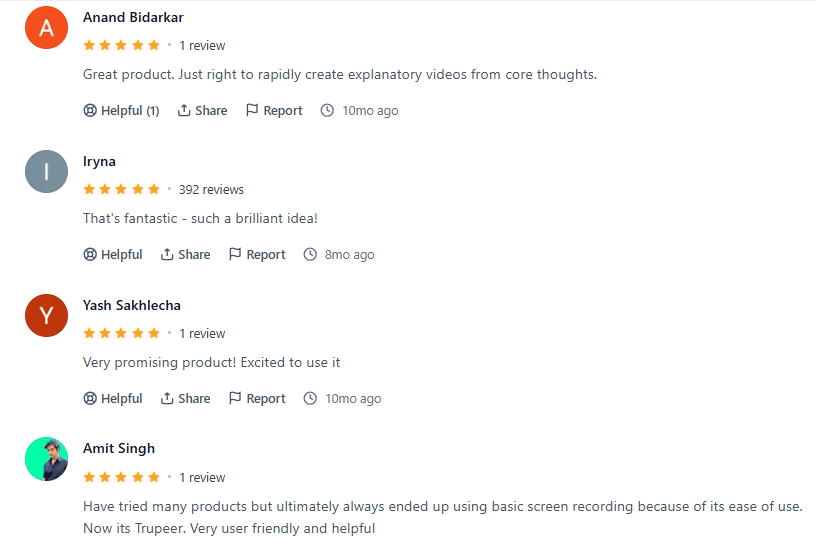
Searching for the best process documentation AI tool? End your search with Trupeer.ai in 2026! Make your first video now! Try it out for free!
Why teams use it: It removes the gap between a functional guide and customer-ready content: one recording becomes a polished, narrated video and a structured written guide, without editing or writing skills.
G2 rating: 4.8/5 (based on 68 reviews)
Where it isn’t the answer: If you only need quick internal SOPs, Trupeer is more tool than the job needs. AI credits are metered on every plan (100 credits per minute of AI video), and recordings are capped at 5 to 15 minutes below Enterprise, so long workflows need planning.
Bottom line: The pick when your guides need to look professional and come with written docs. Try it free on one real workflow.
2. Guidde vs Scribe: Best for Fast Text-and-Screenshot SOPs

ScribeHow is an automated process documentation tool. Using it, you can create step-by-step guides, standard operating procedures (SOPs), and training materials. This Guidde alternative uses AI to capture on-screen actions. Post-capturing, it instantly generates visual and annotated instructions.
This AI tutorial maker is best suited for teams that want to automate their routine workflows and knowledge sharing.
ScribeHow Key Features
1. Automatic Guide Creation. This Guidde alternative records user actions (clicks, form entries, etc.).
2. Next, it automatically generates detailed and step-by-step guides with annotated screenshots and text.
3. Customizable Content. As a user, you can edit guides by: Adding or removing steps. Altering the annotations, Inserting the company branding, Redacting sensitive information
4. Easy Sharing Options. Guides can be shared via links or embedded in websites/ knowledge bases.
5. Alternatively, you can export guides in various formats (PDF, HTML).
6. Chrome Extension and Desktop App. Scribe offers a browser extension and desktop app.
7. It allows users to document processes across web and desktop applications without additional software installation.
8. Multiple users can collaborate on guides. Scribe offers built-in commenting and editing tools.
9. Also, it provides a “version control” feature to keep documentation up to date.
Advantages of ScribeHow
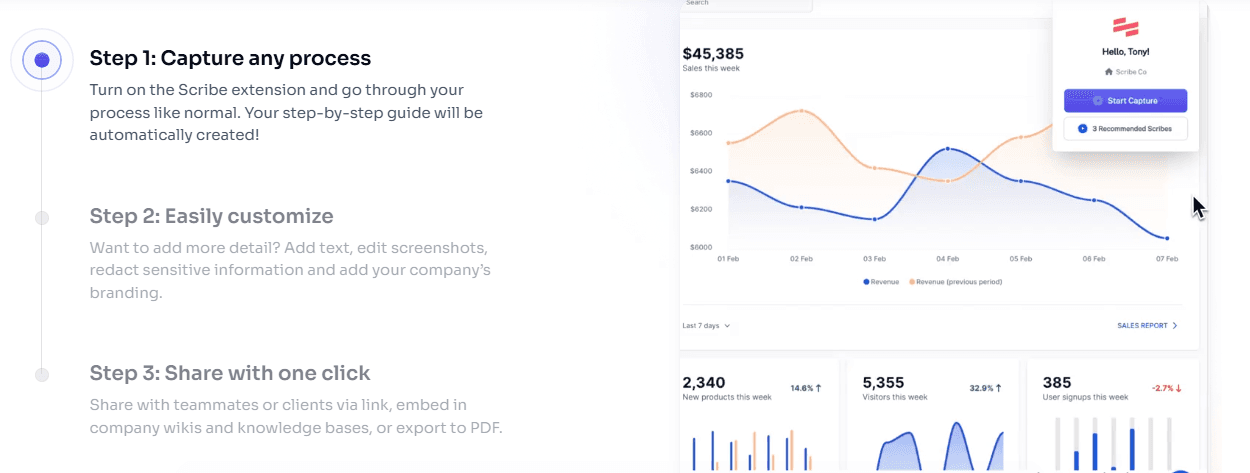
1. This Guidde alternative automates the documentation process, which reduces the manual effort needed to create step-by-step guides. This frees up team members for other tasks.
2. Scribe is designed for non-technical users. It is accessible for anyone to create professional-looking documentation without specialized skills.
3. Guides can be customized to specific audiences. You get options to edit, annotate, and brand content.
4. With this AI tutorial maker, you get advanced security and data governance features. This significantly helps organizations with sensitive documentation needs.
Disadvantages of Scribe
1. Many powerful features (like advanced customization, export options, and security tools) are only available on paid plans. It is a barrier for individuals or small team
2. This Guidde alternative has a steep learning curve. New users may need time to understand and fully utilize all features.
3. Scribe excels at visual and step-by-step workflows. However, it is less effective for documenting highly conceptual or non-visual processes.
Scribe Pricing
Basic Plan - Price: Free
Pro Team Plan - Price: Starts at $13 per seat per month billed annually (minimum 5 seats)
Pro Personal Plan - Price: $25 per seat per month billed annually
Enterprise Plan - Custom pricing
Note: If you pay annually, you can save 20% on your total cost.
Scribe Reviews
ScribeHow claims to increase your team’s efficiency by 25%. However, if you have complex documentation needs, you might suffer. Let’s find out what some real Reddit users have to say -

Why teams use it: Ops and support teams use it to turn routine processes into written SOPs in minutes.
G2 rating: 4.8/5 (based on 830+ reviews)
Bottom line: The best pick for fast written SOPs. Compare in detail: Scribe alternatives.
3. Guidde vs Tango: Best Free Browser Step-by-Step Guides
Tango is a browser extension that captures your clicks and turns them into a step-by-step guide with screenshots. Like Guidde, it is lightweight and browser-first, and it is popular for its free plan.
Key Features of Tango
One-click capture into a written guide
Automatic screenshots with highlights
In-app guidance and workflow embeds
Free plan for individuals and small teams
Advantages of Tango
Why teams use it: It is one of the easiest free ways to document a browser workflow, which makes it a common first stop for teams leaving Guidde over price.
Disadvantages of Tango
Where it isn’t the answer: It is browser-only and text-first: no narrated video, no AI voiceover and limited branding.
Tango Pricing
Free – for individuals and small teams, with limits on shared workflows
Pro Personal – $22/user/month billed annually (1–2 users)
Pro Team – $15/user/month billed annually (3+ users)
Enterprise – custom pricing
Bottom line: Good free step capture for browser tasks, not for polished video. Compare in detail: Tango alternatives.
4. Guidde vs iorad: Best for Interactive, Practice-Based Tutorials
iorad captures a workflow in any web or desktop application and turns it into an interactive tutorial that learners can click through themselves, as well as video, scroll, slide and quiz formats.
Key Features of iorad
Interactive “try it” tutorials learners practise step by step
Multiple output formats, including video, scroll, slides and quizzes
Unlimited learners on every plan
Integrations with LMS platforms and knowledge bases
Advantages of iorad
Why teams use it: L&D and customer education teams use it when they want people to practise a process, not just watch it. Unlimited learners with no per-viewer fees also appeals to large rollouts.
Disadvantages of iorad
Where it isn’t the answer: Paid plans are expensive for small teams, and the free plan only covers public tutorials. It is not built for polished, narrated marketing-quality video.
iorad Pricing
Free – unlimited public tutorials and learners
Individual – from about $200/month
Team – from about $500/month
Enterprise – custom pricing
Capterra rating: 4.7/5 (based on 59 reviews)
Bottom line: The pick when learners need to practise the steps, not just watch them.
5. Guidde vs Zight: Best for Screenshots, GIFs and Quick Captures
Zight (formerly known as CloudApp) is an all-in-one visual communication platform. Using this Guidde alternative, you can quickly capture, edit, and share screenshots, screen recordings, GIFs, and annotated images. This tool automates the process of creating visual content. Zight is mostly used by:
Remote teams
Educators
Product managers
Customer support professionals
Key Features of Zight
1. Screen Capture. Take full or partial screenshots on Mac, Windows, Chrome, and iOS devices.
2. You can even instantly annotate images with text, arrows, highlights, and shapes.
3. Screen Recording. Record your screen, webcam, or both.
4. With this AI tutorial maker, you get options to include system audio and voiceovers.
5. Zight supports both high-definition video and GIF creation.
6. Video Editing: Trim, cut, merge, and annotate videos to create polished content for demonstrations or tutorials
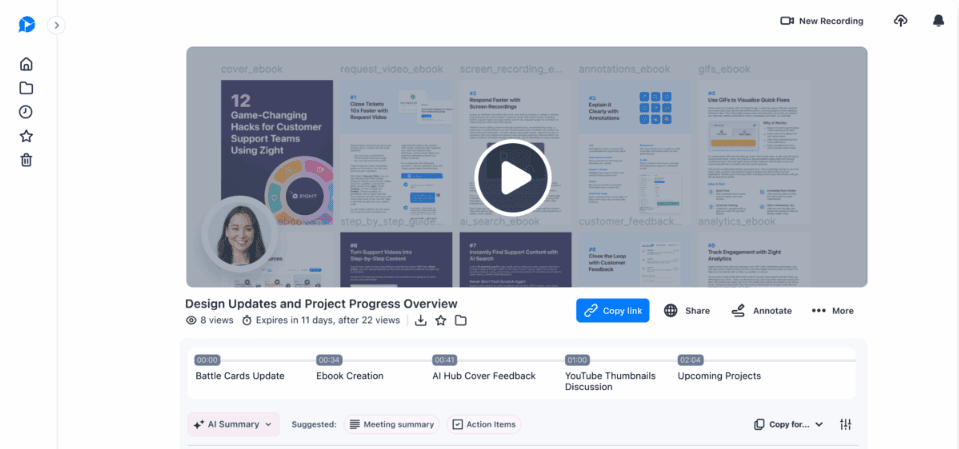
7. Cloud Storage and Sharing: All captures are automatically saved to the cloud.
8. As a user, you can do instant guide sharing via links, embeds, or integrations with tools like Slack, Teams, Jira, and Asana.
9. AI-Powered Features: Generate step-by-step guides, smart titles, summaries, chapters, and transcriptions in over 50 languages.
10. AI also makes video content searchable by keywords.
11. Annotations: Add comments, highlights, and drawings to both images and videos for clearer communication.
12. File Upload and Sharing: Share a wide range of file types (images, videos, documents, audio) with secure and trackable links.
13. Smart Organization: Organize content into folders, playlists, and collections for easy management and retrieval.
14. Custom Branding: Add company logos, colors, and custom domains to reinforce your brand identity.
15. Analytics: Track content views, engagement, and recipient interactions. Such tracking allows you to measure impact and optimize communication.
Advantages of Zight
Automates and accelerates the process of creating and sharing visual content. It reduces the need for lengthy explanations or meetings.
Through visuals, annotations, and video walkthroughs, you can easily convey complex ideas more effectively. It reduces the chances of miscommunication.
This Guidde alternative has an intuitive interface. It allows users of all technical levels to capture, edit, and share content.
Zight supports screenshots, videos, GIFs, and a wide range of file types. This makes it suitable for various use cases (training, support, product demos, bug reporting).
With this AI tutorial maker, you enjoy several advanced security features (passwords, permissions, compliance). This makes sure your sensitive information is protected.
Disadvantages of Zight
Some users report lag or glitches, particularly with large files or during high-traffic periods.
Most features rely on cloud connectivity. This is a serious limitation in environments with poor internet access.
Many powerful features (unlimited storage, advanced editing, analytics, branding, and security controls) are only available on paid plans.
While basic functions are easy, mastering advanced features (AI, integrations, analytics) requires a steep learning curve.
Zight Pricing
Free - Price: $0
Pro - Price: $9/ month/ year
Team - Price: $11/ month/ user/ year
Enterprise - Custom pricing
Zight Reviews
Are you an organization or individual requiring advanced document management? If yes, you may find Zight’s limitations noteworthy. Let’s find out what some real users are saying -
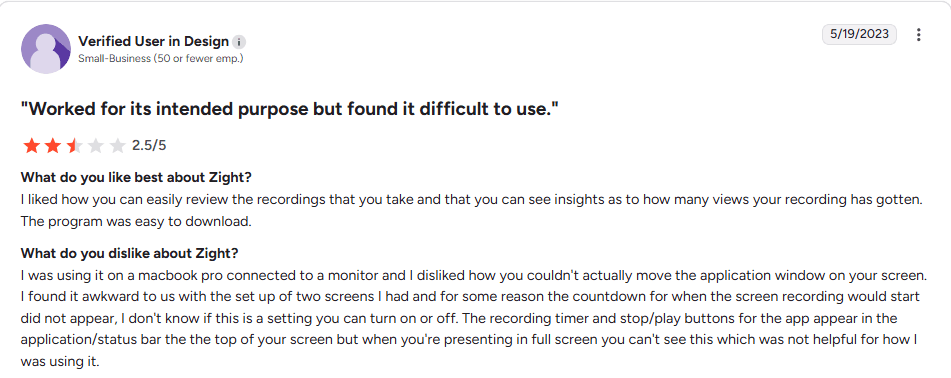
Why teams use it: Support, QA and remote teams use it when a screenshot or GIF explains faster than a full guide.
Bottom line: A capture utility, not a documentation platform.
6. Loom vs Guidde: Best for Quick Async Screen Recordings

Loom is a popular screen recording and video messaging platform. Using it, you can capture your screen, webcam, and audio to create shareable videos. This Guidde alternative is particularly designed for asynchronous communication. Most professionals and teams use this AI tutorial maker to:
Replace meetings
Deliver feedback
Create tutorials
Share updates across devices and platforms
Key Features of Loom
1. Multi-Platform Recording: Record your screen, webcam, or both simultaneously. Such a recording can be done on Mac, Windows, Chrome, iOS, and Android. Choose from full-screen, window, or custom area capture.
2. Instant Cloud Sharing: Videos are automatically uploaded to Loom’s cloud. You get an instant shareable link for easy distribution.
3. Editing Tools: Trim and stitch video clips. Remove filler words. Add chapters, transitions, and basic annotations, Limited screenshot capture and annotation capabilities are also available.
4. AI-Powered Enhancements: Loom AI can generate video titles, chapters, and summaries. This AI tutorial maker can even create meeting notes or SOPs from your recordings.

5. Viewer Engagement: Recipients can leave time-stamped comments, emoji reactions, and feedback directly on videos.
6. Integrations: Loom integrates with tools like Slack, Jira, GitHub, Gmail, Salesforce, and Confluence.
7. Security and Privacy Controls: With this Guidde alternative, you can set privacy levels, password protection, and access controls for each video. Please note that videos are public by default but can be restricted.
8. Analytics: You can track viewer engagement, reactions, and insights.
9. Mobile and Desktop Apps: With Loom, you can record and manage videos on the go with dedicated apps for iOS and Android. Desktop applications are also available.
Advantages of Loom
1. Through asynchronous communication, Loom saves time and reduces meetings. It allows teams to share updates, feedback, and presentations without scheduling live meetings.
2. Minimal learning curve; users can start recording and sharing within minutes
3. Visual and verbal explanations reduce misunderstandings. Loom makes it easier to convey complex information.
4. This Guidde alternative offers automatic captions and transcripts. This makes the content more accessible to audiences from different backgrounds.
5. With Loom, you can automate titles, summaries, and meeting notes. In this way, you can save time on documentation and organization.
Disadvantages of Loom
1. Video editing capabilities are basic. If you are looking for professional-level editing, you may find Loom insufficient and will need external tools.
2. Several users have reported that screenshot capture and annotation features are less advanced as compared to other Guidde alternatives.
3. Certain features vary between desktop, browser, and mobile apps. For example, the Chrome extension cannot record camera bubbles outside Chrome, and mobile apps have restricted folder management.
4. Most features of Loom require a stable internet connection. Offline functionality is very limited.
5. Many past Loom users have experienced glitches with audio recording and lag. This particularly happens with slow internet connections or large files.
Loom Pricing
Starter - Pricing: $0/ user/ month (25 videos, 5-minute recordings)
Business - Pricing: $18/ user/ month
Business + AI - Pricing: $24/ user/ month
Enterprise - Custom pricing
Loom Reviews
Loom is rated 2.0 (out of 5) on Trustpilot. It offers asynchronous collaboration, but most users remain mindful of its privacy defaults, editing limitations, and reliance on cloud connectivity. Let’s see what some real users have to say -
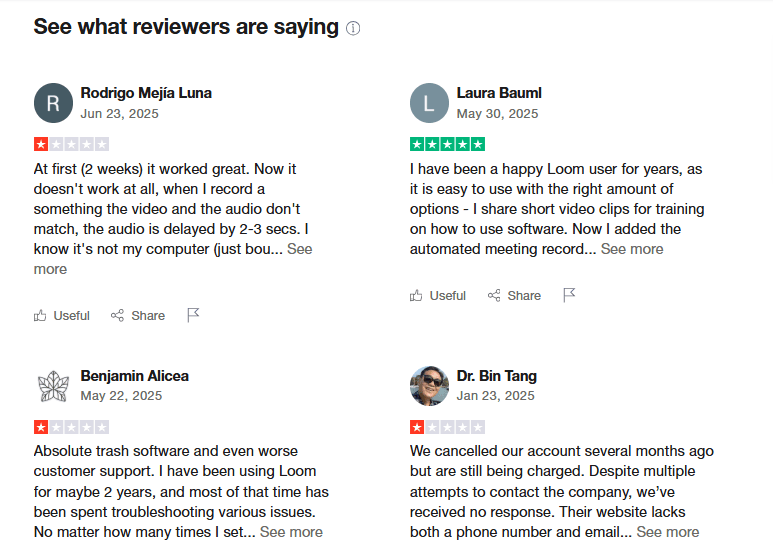
Why teams use it: It is the fastest way to record and share a quick explanation with people who already have context.
G2 rating: 4.7/5 (based on about 2,400 reviews)
Bottom line: Great for async updates, not for structured documentation. Compare in detail: Loom alternatives.
7. Guidde vs Trainual: Best for Training Systems with Quizzes

Trainual is an online tool that allows companies to keep all their critical work processes, training materials, and company rules in one place. Instead of using paper documents or scattered files, businesses can use Trainual to create clear instructions for how their teams should do their jobs. This Guidde alternative is mostly used by small and medium-sized businesses, mainly for:
Training new employees
Onboarding
Documenting processes
Knowledge sharing
Key Features of Trainual
1. Centralized Knowledge Base: Organize all company documents, SOPs, policies, and processes in one searchable location. Store multimedia content including videos, images, PDFs, and embeds from 700+ content sources.
2. Onboarding and Training Automation. Assign training modules by role, department, or location. This AI tutorial maker offers automated notifications for content updates and completion tracking.
3. Template-based Content Creation: Use pre-built templates or create custom training paths and onboarding checklists. You get a drag-and-drop editor for easy content creation and updates.
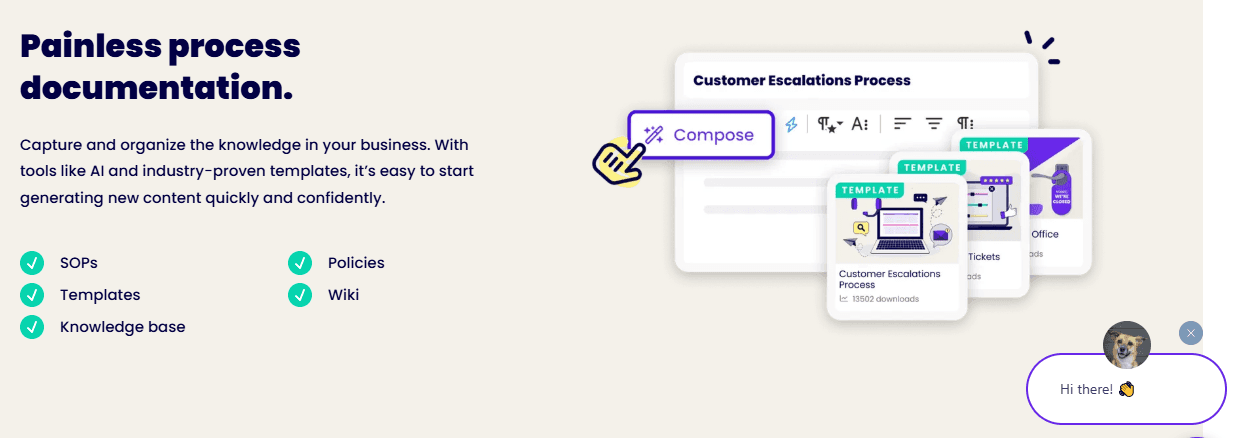
4. Quizzes, Assessments, and Progress Tracking. With this Guidde alternative, you can build quizzes to test knowledge retention. Also, you can track:, Employee progress, Completion rates, Compliance with built-in analytics
5. Integrations and Mobile Access: Integrate with tools like Slack, Zapier, Loom, Google Workspace, and more. Access via web, iOS, and Android apps
6. Custom Branding and Version Control: Add company logos, colors, and branding. Maintain version history and strong control over documentation.
Advantages of Trainual
1. Reduces onboarding time by automating repetitive tasks. Trainual makes sure your new hires receive relevant and up-to-date information.
2. This Guidde alternative minimizes knowledge silos. It offers all your team members access to accurate and standardized information.
3. Trainual comes with built-in testing and tracking features. These features make sure everyone understands and acknowledges the company processes.
4. The intuitive interface makes it easy for users of all technical backgrounds to create, update, and access training materials.
Disadvantages of Trainual
1. Updates to processes must be made manually in each guide/ subject; there is no automatic syncing across workflows.
2. Trainual is not a full HRIS or task management system. It lacks real-time task tracking and major HR functionalities found in dedicated HRIS platforms.
3. Subscription fees can be significant for smaller organizations. This particularly happens when more seats are added.
4. Initial setup and content migration can be time-consuming. Most users find the workflow confusing at first.
5. Certain features (such as the employee directory) are not fully accessible on mobile devices.
Trainual Pricing
Small - Price: $249/ month (billed yearly)
Medium - Price: $279/ month (billed yearly)
Growth- Price: $419/ month (billed yearly)
Custom - Price: Talk to their sales team
Trainual Reviews
Trainual is rated 4.6 on Trustpilot. The company claims it has more than 8,000 companies worldwide as clients. But what’s the ground reality? Let’s find out below -

Why teams use it: Growing companies use it to keep onboarding, policies and processes in one place, with quizzes and progress tracking.
Bottom line: Choose it when documentation must live inside a training system.
Guidde Alternatives: Detailed Comparison Table
Need automation + professional-quality videos + AI-powered documentation? What if, everything was available from a single tool? Yes, Trupeer.ai is your perfect choice! The other Guidde alternatives are useful but have some major limits, whether it’s in video creation, advanced automation, or documentation features.
To gain more clarity before making a choice, check out the detailed comparison of five of the tools above, Trupeer.ai, ScribeHow, Zight, Loom and Trainual, below:
Feature / Tool | Trupeer.ai | ScribeHow | Zight | Loom | Trainual |
Automated Video Creation | Yes (AI creates polished videos) | No | Yes (Basic recordings, manual edit) | Yes (Basic recordings, manual edit) | No |
AI Voiceovers & Scripts | Yes (100+ voices, AI-generated scripts) | No | No | Basic titles/summaries only | No |
AI Documentation Generator | Yes (Smart guides with screenshots) | Yes (Screenshots + Text) | Basic step-by-step only | Very basic AI SOPs | Yes (But no recording features) |
Multilingual Support | 100+ languages for both docs/videos (Scale and Enterprise) | Only available via translation tools | 50+ languages (search, titles) | Limited to captions/transcripts | No built-in translation |
Export Formats | Video (MP4), Docs (PDF, Word, Markdown) | PDF, HTML, Markdown | Video, GIF, Screenshots | Video only | PDF, Videos, Embedded files |
Automation Level | 100% automated process | Semi-automated, mostly manual edits | Manual video editing | Basic automation, manual editing | Manual content creation |
Best For | Product demos, guides, training, SOPs | SOP creation, simple guides | Screenshots, GIFs, short videos | Video messaging, async communication | Team onboarding and SOP management |
Pricing (Starting Plans) | $40/month | $12/seat/month (min. 5 seats) | $9/month | $15/user/month | $249/month (billed yearly) |
Limitations | No | No video creation, paid advanced features | No AI videos, limited for long content | Basic video editor, privacy concerns | No video creation, setup is manual |
Guidde vs Scribe, Loom, iorad and Camtasia: Quick Comparisons
Guidde vs Scribe: Guidde produces narrated how-to videos with a guide; Scribe produces text-and-screenshot guides with no video. Choose Scribe for fast written SOPs, Guidde for short video guides, and Trupeer AI if you need both at a more polished level.
Loom vs Guidde: Loom records you and your screen for quick async messages and does not structure the steps. Guidde detects steps and writes them up. Use Loom for updates, and a documentation tool for anything people need to follow.
iorad vs Guidde: iorad focuses on interactive tutorials that learners click through, while Guidde focuses on narrated video guides. iorad suits practice-based training; Guidde suits quick visual how-tos.
Camtasia vs Guidde: Camtasia is a full timeline editor with quizzes and SCORM, which takes time to learn. Guidde is fast but far less customisable. See our Camtasia alternatives guide for more.
Best Free Guidde Alternatives
Tango: free plan for browser step-by-step guides.
Scribe: free Basic plan for text-and-screenshot guides.
iorad: free plan with unlimited public tutorials.
Loom: free Starter plan with 25 videos and five-minute recordings.
Zight: free plan with limited captures.
Trupeer AI: a 10-day free plan with 1,000 AI credits to test AI video and written guides on a real workflow.
Is Trupeer AI the Right Guidde Alternative for You?
Trupeer.ai is the only tool here that automates both videos + documentation. Its advanced AI technologies do the hard work - voiceovers, highlights, scripts, and screenshots. The result? You get studio-grade product demos, training guides, and SOPs, and that too without editing skills!
Trupeer AI is a good fit if:
Your guides go to customers or new hires and the video needs to look professional, not just functional.
You want the video and the written guide from the same recording, exported to PDF, Word or Markdown.
You need natural AI voiceovers, or translation into other languages on Scale or Enterprise.
Trupeer AI is not the right fit if:
You only need quick internal text SOPs. Scribe or Tango is faster and cheaper.
Learners must practise the steps interactively. iorad is built for that.
You need a full training system with quizzes and completion tracking. Trainual covers that.
Don’t want to commit first? You can start on Trupeer’s 10-day free plan, which includes 1,000 AI credits (about 10 minutes of AI video), and test it on one real workflow.
Alternatively, if you need simple SOPs only, you could try Scribe or Trainual. But if you want pro-level videos + written guides from your screen recordings, Trupeer.ai is your best choice!
Which Guidde Alternative Should You Choose?
Trupeer AI for polished video guides plus written docs from one recording.
Scribe for fast text-and-screenshot SOPs.
Tango for free, lightweight browser guides.
iorad for interactive, practice-based tutorials.
Zight for screenshots, GIFs and quick captures.
Loom for quick async recordings.
Trainual for a full training system with quizzes.
Stay on Guidde if you mainly need quick internal how-to videos, its step detection covers your workflows, and its narration quality is good enough for your audience.
Frequently Asked Questions About Guidde Alternatives
1. What is the best Guidde alternative in 2026?
A: For teams that need both a polished video and a written guide from one recording, Trupeer is the best all-in-one Guidde alternative. If you only need step-by-step documents, Scribe is the strongest pick; for interactive demos, Supademo.
2. Is there a free Guidde alternative?
A: Yes. Trupeer offers a 10-day free plan with 1,000 AI credits, Tango and Scribe have free plans for step-by-step guides, iorad has a free plan for public tutorials, and Loom has a free Starter plan for short recordings.
3. Which Guidde alternative creates both video and documentation?
A: Trupeer generate both a narrated video and a written guide from a single screen recording.
4. Why do teams switch from Guidde?
A: The most common reasons are the 100-step cap on videos, integrations gated behind higher tiers, limited editing, and the need for the same content to work as both video and written documentation across multiple languages.
5. Can I create tutorials without video-editing or writing skills?
A: Yes. AI tutorial makers like Trupeer handle the editing, scripting, voiceover, and formatting. You record your screen and the tool produces a polished video and a structured guide automatically.
6. Are there tools that support video translations into multiple languages?
A: Yes, though not many offer it for both video and documents. Trupeer.ai translates videos and documents from a library of 100+ languages on its Scale and Enterprise plans. This AI tutorial maker lets you create content for global teams without extra work.
7. How do these tools handle privacy and sensitive data?
A: Most tools offer screenshot redaction and privacy settings to hide sensitive information. As a tip, you should always check if the tool encrypts your content and allows you to control who can view it.
Trupeer.ai, for example, lets you redact screenshots. Also, you can control sharing with password protection and link expiration.
8. What should I look for when choosing a process documentation tool?
A: Ideally, your selection should be based on your real needs. Let’s see how you can decide:
If you need text-only guides, simple tools like Scribe may be enough.
If you want videos + step-by-step guides, go for tools like Trupeer.ai
Additionally, also check for ease of use, customization options, and whether it supports your preferred file formats.
9. What's a strong Guidde alternative for creating in-app walkthroughs?
A: Guidde captures clicks, but teams often want higher production quality and written docs from the same recording. Trupeer AI generates a polished video and a step-by-step guide together with AI voiceover, auto-zoom, and your branding so one capture covers both video and documentation needs.
10. What is a good Guidde alternative?
Guidde focuses on documentation-style video guides, and alternatives differ on editing, branding, and enterprise readiness. Trupeer combines guides, AI video, brand kits, and translation from a library of 100+ languages, as our Tango vs Trupeer comparison details.
11. Is Guidde free?
Guidde has a free plan for up to 25 how-to videos. Paid plans start at $19 per creator per month billed annually.
12. How much does Guidde cost in 2026?
Guidde Pro is $19 per creator per month billed annually ($29 monthly), Business is $39 a month billed annually ($59 monthly) for up to five creators, and Enterprise is custom.
13. How does Guidde’s pricing compare to Trupeer?
Guidde Pro starts at $19 per creator per month billed annually. Trupeer Pro is $40 a month billed yearly for one creator, and includes AI video, a written guide, watermark-free exports and document exports. Guidde is cheaper per seat; Trupeer is aimed at more polished, customer-facing output.
14. Guidde vs Scribe: which is better?
Scribe is better for fast, text-and-screenshot SOPs. Guidde is better when you want a short narrated video guide. If you need both video and docs at a professional level, Trupeer AI covers both.
15. Loom vs Guidde: what is the difference?
Loom is for quick async screen recordings and messages. Guidde turns a captured workflow into a step-by-step video guide. Many teams use Loom for updates and a documentation tool for how-tos.
16. iorad vs Guidde: which should you choose?
Choose iorad for interactive tutorials that learners practise, with unlimited learners on every plan. Choose Guidde for fast narrated how-to videos.
17. What do Guidde reviews say?
Guidde is rated 4.8/5 on G2 from 96 reviews. Users like its speed and ease of use; common complaints are robotic AI voices, limited customisation and features gated behind higher tiers.
18. Who are Guidde’s main competitors?
Guidde’s main competitors include Trupeer AI, Scribe, Tango, iorad, Loom, Zight and Trainual, depending on whether you need video guides, text SOPs, interactive tutorials or quick recordings.
Související blogy



