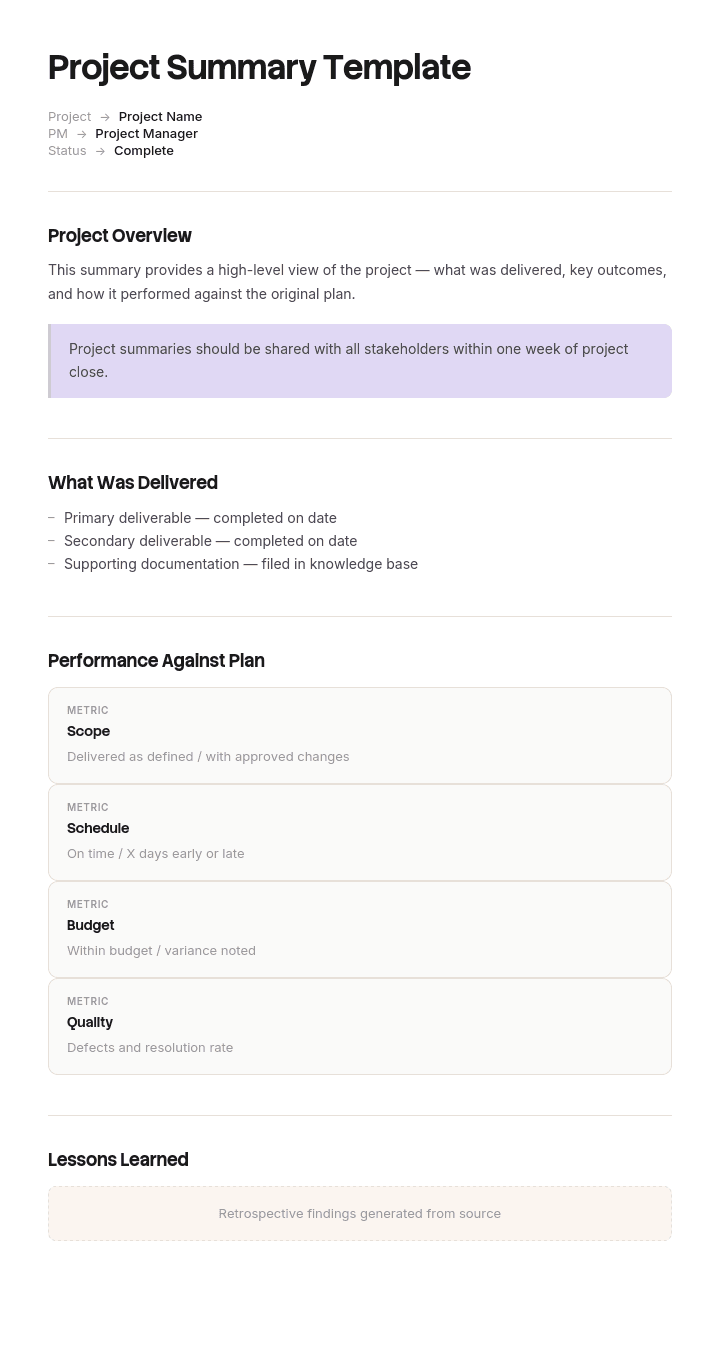
Use this template
A great project summary cuts through noise and gives stakeholders exactly what they need - in minutes. With Trupeer, you can save hours on status reporting by starting with a free project summary template, customizing it with your brand identity, and turning summaries into short video updates executives actually watch.
What is a free project summary template?
A free project summary template is a reusable one page structure for telling someone who is not working on a project what they need to know about it.
That definition contains the constraint most templates ignore. The reader is not on the project. They have no context, no memory of last month's version, and roughly sixty seconds. Everything in the document has to work for that person, which rules out most of what project teams naturally want to include.
The template is not the summary. It is an empty structure, and it becomes useful only when someone fills it in honestly, which turns out to be the hard part rather than the formatting.
Format follows the reader. A project summary template Word file suits a document that gets read on its own. A free project summary template PPT suits a summary presented to a board with someone in the room. A free project summary template PDF is the circulated version, fixed so that the copy in the reader's inbox is the copy that was sent.
Why most free project summary templates could have been written last month
Take eleven consecutive monthly summaries from any long project, shuffle them, and hand them to the person they were written for. If they cannot tell you which is which, the template has failed, however well designed it is.
This happens constantly and it is a structural fault rather than a writing fault. The standard sections are status, progress, next steps, risks and budget. Every one of those can be filled in accurately, month after month, without conveying that anything has moved. Progress sections describe activity. Risk sections get copied forward. Status stays amber because amber is defensible.
Nothing false is written. The summary is simply incapable of carrying news.
The reader of a project summary has two questions, and neither is answered by a progress list. What has changed since you last told me, and is there anything you need me to decide. A template that does not ask those questions explicitly will not receive their answers, because the person writing the summary is also the person accountable for the thing being summarised, and volunteering bad news into a free text box is an act of courage rather than a step in a process.
Design the document so that reporting a problem is the path of least resistance.
How to customize this template in Trupeer
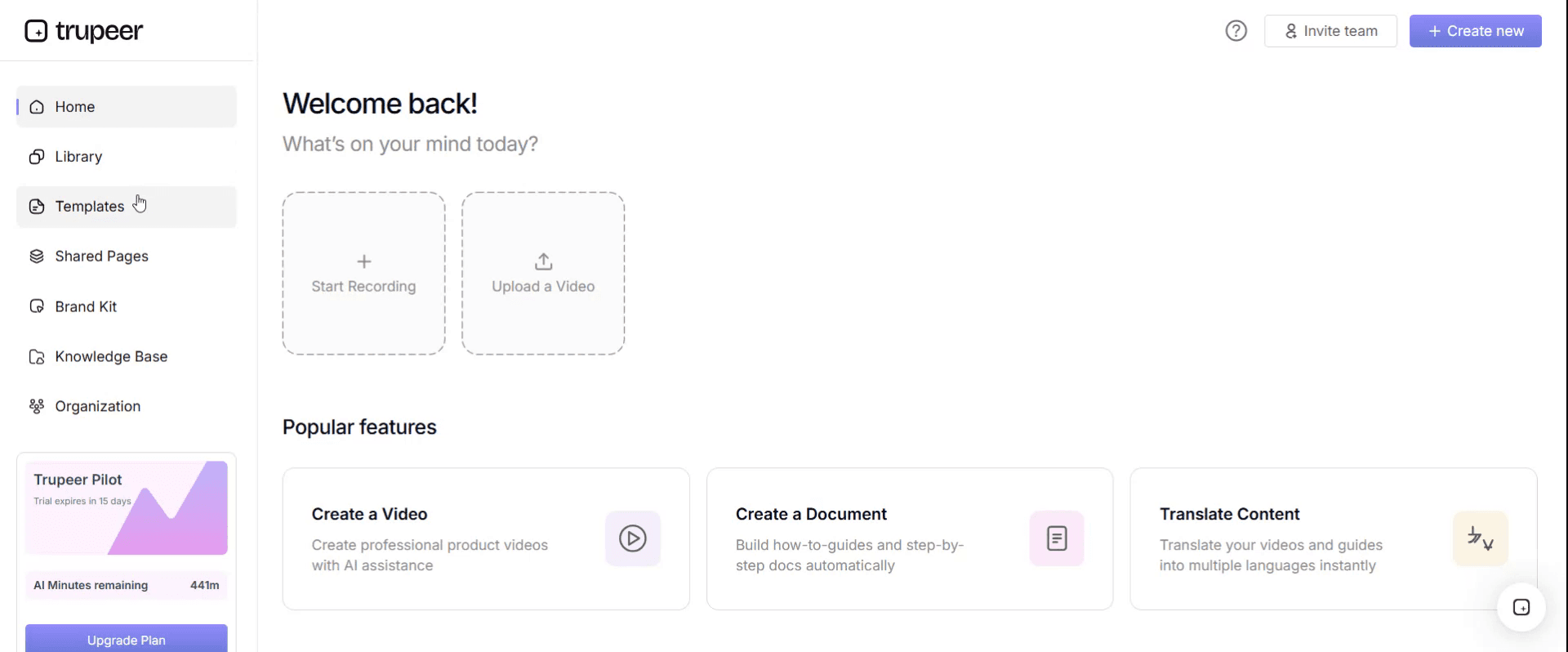
Step 1: Open the Templates Section
Go to the Templates section from the main navigation.
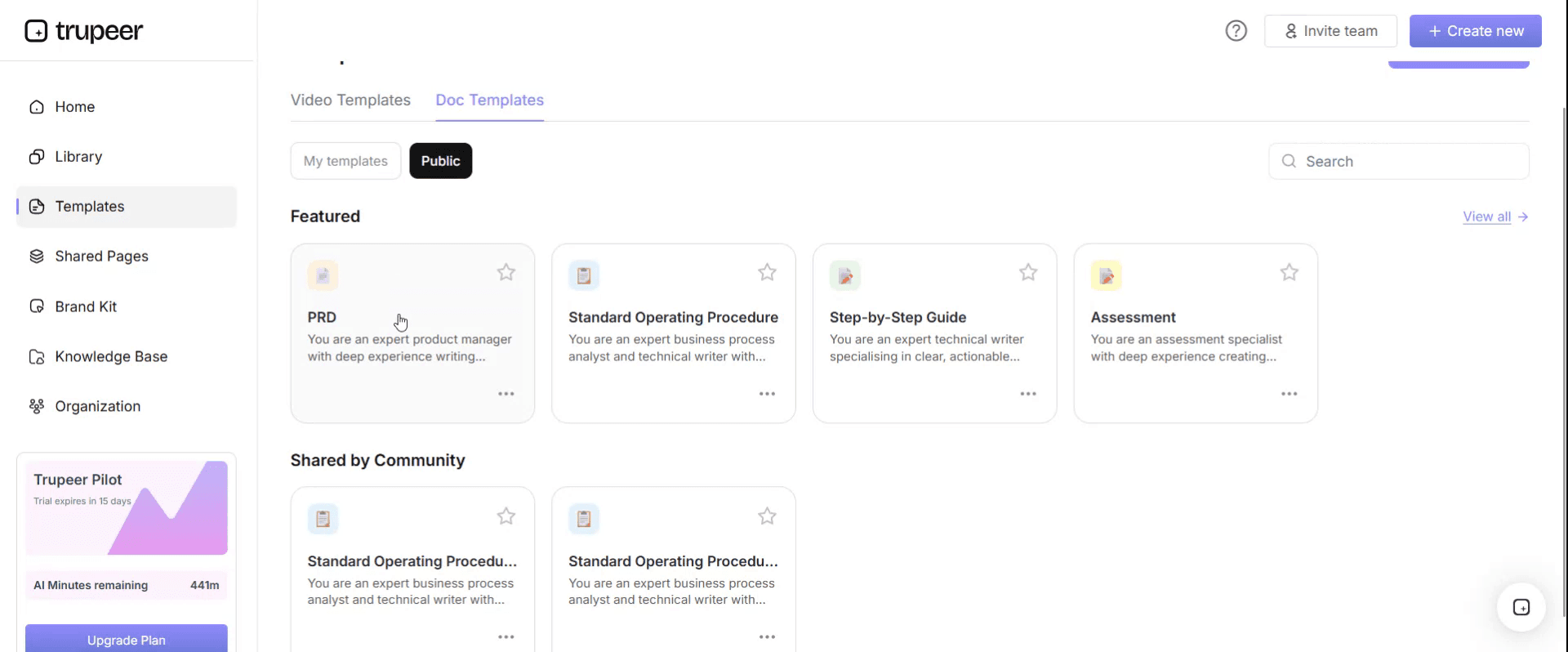
Step 2: Select and Open a Template
Click on any template you want to work with to open it.
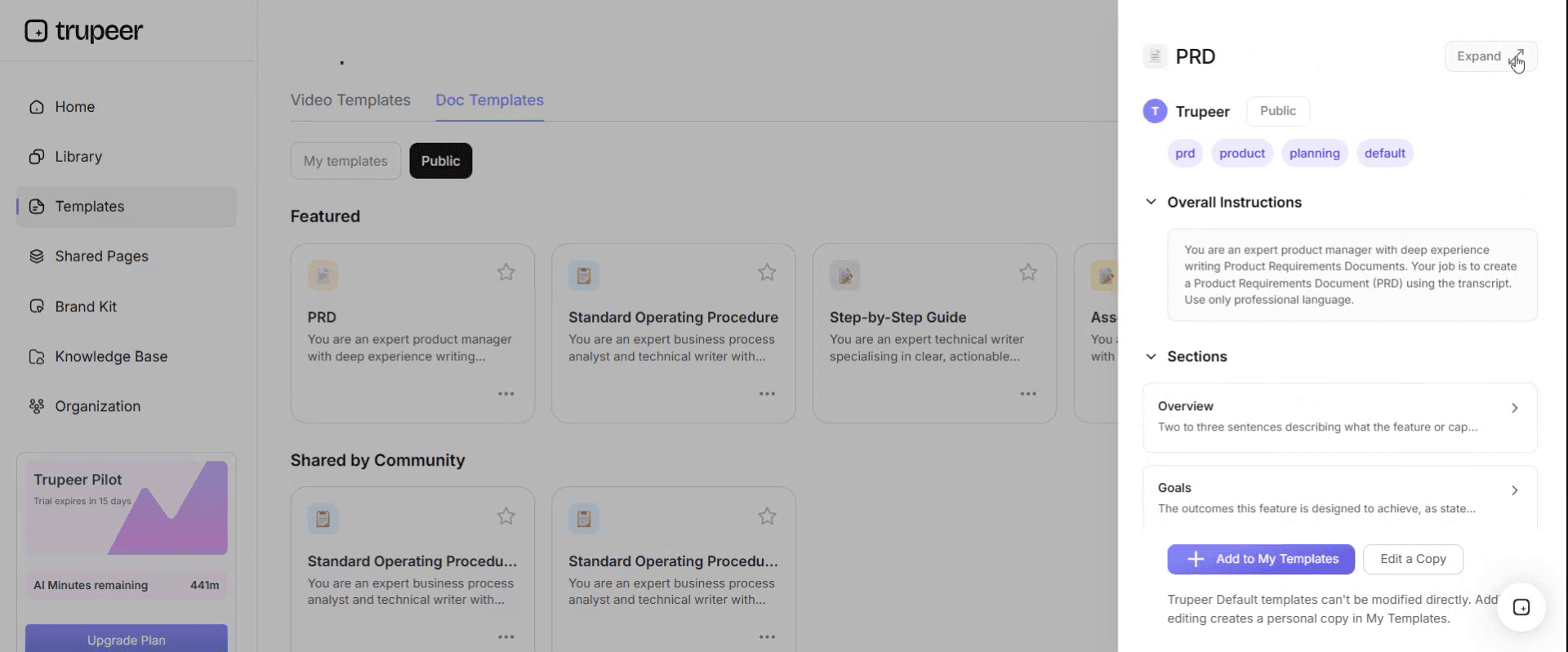
Step 3: Expand the Template View
If needed, expand the template view to see the full layout and details clearly.
Step 4: Edit the Template
Click on Edit to start modifying the selected template.
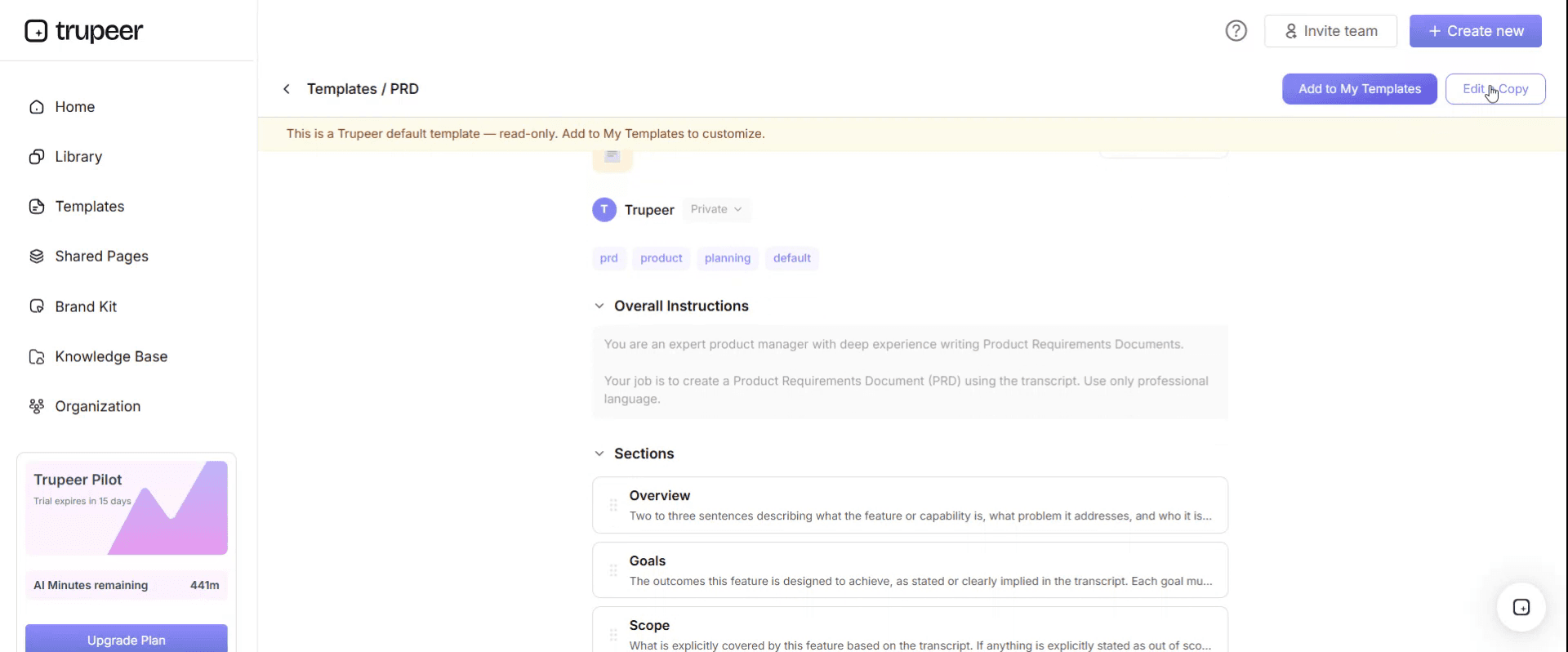
Within the editor, you can:
Add new sections
Define or update formatting rules
Add a logo and adjust its position and related settings
Step 5: Save Your Customized Template
After making all necessary changes, click Save to store the updated template as your own.
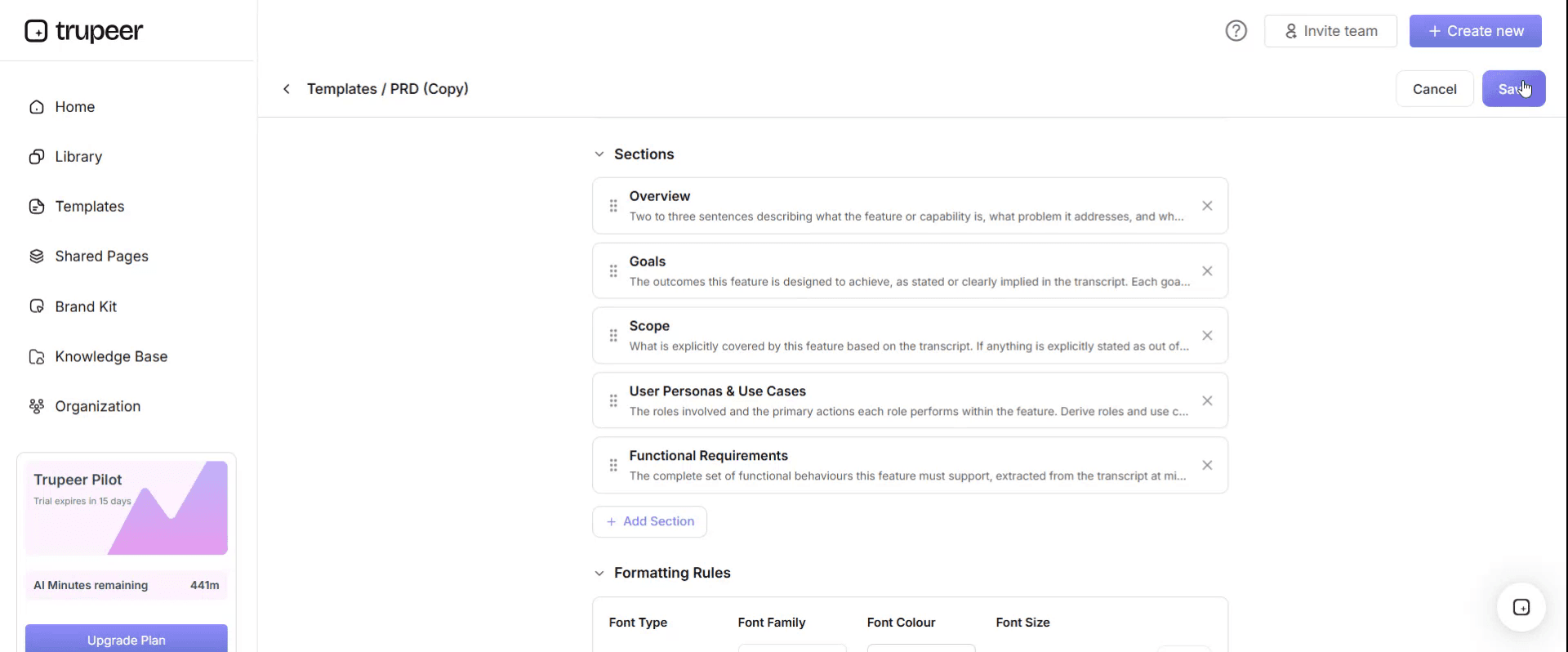
Step 6: Preview and Fine-Tune the Template
When you want to see how your customized template looks, open the Preview.
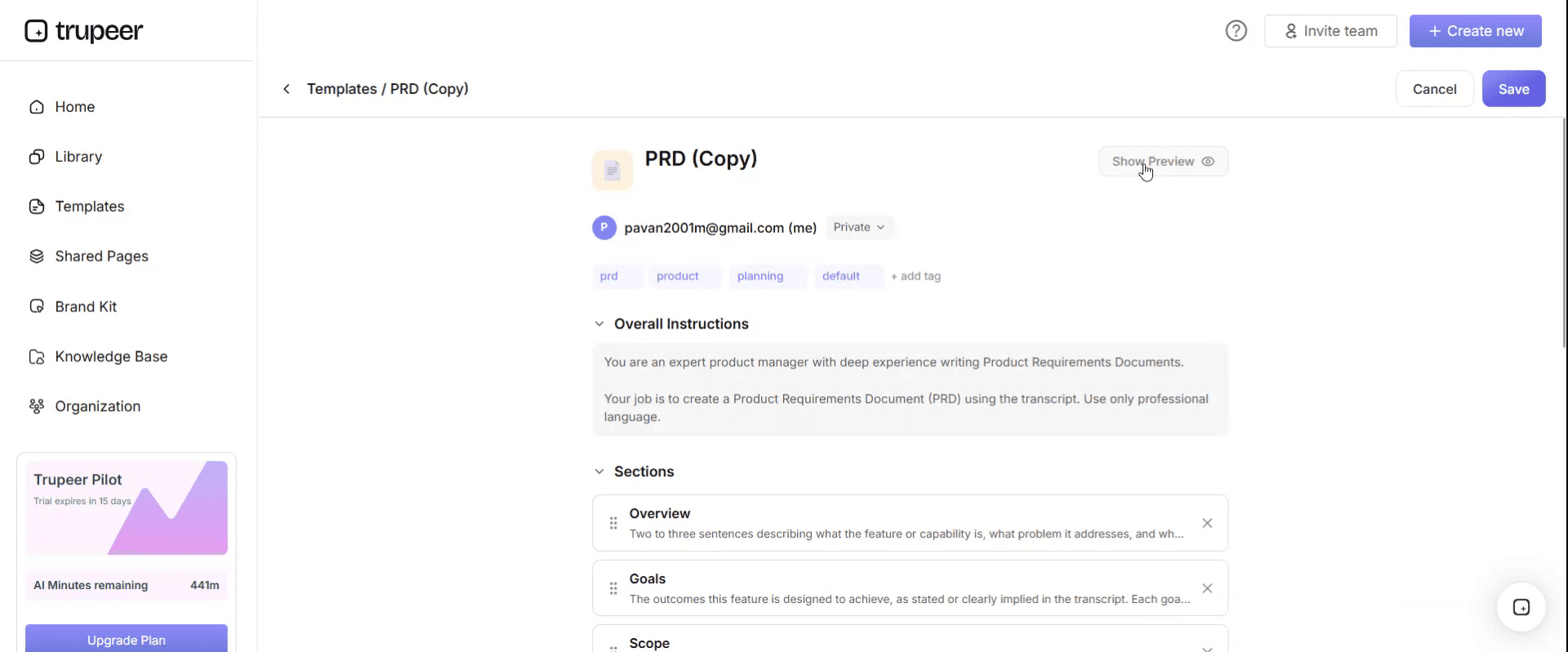
From the preview screen, you can continue to make adjustments directly if needed, ensuring the template appears exactly as you want.
With a project summary template you can:
Save hours on reporting: Skip the blank page with a proven summary structure.
Communicate clearly: Built-in sections ensure stakeholders see what matters most.
Stay on-brand: Apply your logo, fonts and colors using Trupeer's brand kit.
Engage executives: Convert summaries into short video updates - far more engaging than email.
Standardize updates: Use the same template for every project and update cycle.
Reach global teams: Translate summaries into 65+ languages with one click.
Write the project summary in reverse
The conventional order is background, progress, status, risks, next steps, and a request buried at the end if there is one.
Invert it. Decision needed first, what changed second, status third, and the context that never changes last, if at all.
Three things follow, and each is worth the discomfort.
The reader gets the actionable part while they are still reading. Summaries are abandoned halfway more often than they are read to the end, and the conventional order guarantees that whatever gets abandoned is the part that needed a response.
Writing the decision line first exposes summaries that do not have one. If you cannot fill it in, either the project genuinely needs nothing this month, which is worth stating plainly, or you have been avoiding an ask.
The changed-since-last-time line does the work of the whole document. Fill it in honestly and the rest is supporting detail. Leave it out and the rest is decoration.
Background goes last or goes into a linked document. The reader who needs it will scroll. The reader who does not is the one you are writing for.
What a project summary template must contain
Seven components, in this order.
Component | What it does |
|---|---|
Decision needed | What you want from the reader this month, and by when. "Nothing this month" is a valid and useful entry. |
What changed | Since the last summary. Movements, not activity. If nothing material changed, say so in those words. |
Status | One word, with the reason underneath. A status without a reason is a colour. |
Milestones | Next two only, with dates, and whether each date has moved since last time. |
Budget | Spent, committed, remaining, and forecast at completion. Four numbers. |
Risks and issues | Only those that have moved or are new. Static risks belong in the register, not the summary. |
Context | One paragraph on what the project is, for readers who are new. Last, and unchanged between versions. |
The risk rule is the one that changes behaviour. Most templates invite a full risk list, which is then copied forward until it is furniture. Showing only what moved makes an unchanged risk visible by its absence and forces a decision about the ones that never move.
Free project summary template: the structure to copy
Filled with a real example rather than placeholders. The project is a practice management system replacement in month nine of eighteen.
Copy from here.
Header. Project name, reporting period, author, distribution, and the date of the previous summary so the reader knows what window "changed" refers to.
Practice management system replacement. Period: September. Author: M Okafor, Programme Manager. To: Board. Previous summary: 4 August.
Decision needed. First, always.
Approval to appoint a second migration contractor at a cost of eighteen thousand pounds, by 10 October. Without it the December cutover cannot hold.
What changed since the last summary. Movements only.
The supplier's lead migration engineer resigned on 2 September and leaves on 30 September. This was previously carried as a risk and is now an issue. Migration testing that was due to start on 15 September has not started. December cutover has moved from comfortable to at risk.
Status. One word and a reason.
Amber, because the December cutover now depends on a single unfilled role.
Milestones, next two.
Migration testing complete, was 31 October, now 14 November, moved by two weeks. Cutover, 8 December, unchanged, but contingent on the decision above.
Budget. Four numbers, no commentary unless one has moved.
Approved four hundred and twenty thousand. Spent two hundred and ninety one thousand. Committed sixty four thousand. Forecast at completion four hundred and thirty eight thousand, which is eighteen thousand above approval and is the subject of the decision above.
Risks and issues that moved.
Single point of dependency on the supplier's migration team, previously amber, now realised as an issue. No other risk moved this month.
Context. One paragraph, unchanged between versions, last.
Replacing the practice management system used by all four offices before its support ends in March. Eighteen month programme, currently in month nine.
Copy to here.
Project summary example: eleven identical reports and a surprise
Hartnoll and Reeve, an accountancy firm of about four hundred and eighty staff, replaced its practice management system over an eighteen month programme. The board received a one page summary every month.
The template was a good one by ordinary standards. Status, achievements this month, planned next month, risks, budget. It was completed carefully every month by a competent programme manager, and nothing untrue was ever written in it.
The risk section listed the same six risks for eleven consecutive months. One of them read that client data migration depended on a single contractor's engineer.
That engineer left in month nine. The risk had been accurate and visible on eleven separate pieces of paper that eleven board members had read.
The board's first knowledge that anything was actually wrong came in month eleven, as a request for a hundred and ninety thousand pounds and a five month extension.
The review afterwards was more interesting than the usual finger pointing, because there was nobody obvious to point at. The programme manager had reported the risk every month, exactly as the template asked. The board had read every summary. The information was present in the room for two years and produced no action, because a risk that appears identically eleven times stops being read as information and starts being read as boilerplate.
What the template never asked was whether anything had changed. Had it done so, month nine's summary would have contained one sentence saying the engineer had resigned, and that sentence would have arrived two months before the invoice did.
They rewrote the template afterwards. Decision needed at the top. What changed since last month second. And a rule that any risk carried unchanged for three consecutive months must be closed, escalated, or rewritten with a date attached, which cleared four of the six inside a month and turned the remaining two into decisions.
On the next programme the board caught a supplier problem in month two. It cost a fortnight.
How to write a project summary in five steps
Write the decision line first. Before anything else, and before you have decided the rest of the summary. If it comes out empty, write "no decision needed this month" and be ready to defend it.
List what has moved since the last one. Open the previous summary and compare. This takes four minutes and is the only step that cannot be skipped.
Set the status from the reason, not the reverse. Write the sentence explaining why, then pick the word that matches it. Choosing the colour first produces a reason engineered to justify it.
Cut everything that has not changed. Except the context paragraph, which stays for new readers.
Read it as the recipient. Someone with no context and sixty seconds. If the first thing they see is background, move it.
Step two is where the honesty lives. Comparing against last month makes drift visible to the writer before it becomes visible to the reader, which is the point at which it is still cheap to raise.
Project summary template variants: one page, executive, end of project and IT
The variants are mostly the same seven components at different lengths and for different readers.
One page project summary template. The default and the right choice for regular reporting. The constraint is the feature, because a page that must fit forces the cuts the writer would otherwise avoid. Search results for a One Page Summary template PPT free download will give you the layout, which is the easy half.
Project executive summary template. For a board or a sponsor rather than a steering group. Shorter, heavier on money and decisions, lighter on delivery detail. The decision line matters more here than anywhere.
End of project summary report template. A different document doing a different job. Written once, backward looking, and its value is in what it says about what went wrong, since a closing report with no lessons in it will not be read by the next project. This is the variant most often published as a project summary example pdf.
Project summary PowerPoint template. For a summary presented rather than sent. Fewer words, larger numbers, and someone in the room to answer questions. Do not use slides for a summary that will be read alone, because the missing narration is exactly the part that mattered.
IT project summary template. Adds environments, cutover readiness and support handover. Otherwise identical.
Agile project summary template. Reports against a cadence rather than a date, so "what changed" becomes velocity, scope movement and anything that has left the backlog. The decision line is unchanged.
A free project summary template Word doc covers all of these, and the best free project summary template for you is the variant matching your reader rather than the one matching your industry. Pick by reader, not by project type. The same project reported to a board and to a delivery group needs two documents, and trying to serve both with one produces a summary that is too detailed for the board and too vague for the team.
Project summary or executive summary?
These overlap enough that search engines treat them as near neighbours, and they are not the same document.
A project summary reports on a project in flight, repeatedly, to people tracking it over time. Its value comes from the difference between this version and the last one.
An executive summary is a standalone opening section of a longer document such as a business case, a report or a proposal. It is written once, it summarises the document beneath it, and it has no previous version to differ from.
The practical consequence is the "what changed" section. It is the most important line in a project summary and it does not exist in an executive summary, because there is nothing to compare against.
A project charter template sits earlier than both, authorising the work before there is anything to report on. If you have been asked for an executive summary of a project that is still running, ask which one they mean. Usually they want a project summary, and occasionally they want the opening page of a business case, which is a different piece of work entirely.
How often to send a project summary and who reads it
Monthly for a programme measured in quarters. Fortnightly for a project measured in months. Weekly summaries usually indicate that the summary is being used as a substitute for a conversation.
Match the frequency to the decision cycle rather than to the calendar. A summary that arrives after the meeting where it would have been useful is an archive entry.
Name the distribution list and keep it short. A summary written for everyone is written for nobody, and the tell is a document that carefully avoids saying anything a wide audience might react to. If two audiences genuinely need different things, write two summaries rather than one compromise.
One person writes it, and it should be the person accountable for delivery rather than a communications function. A summary written by someone who was not in the room cannot answer the changed-since-last-time question, because they were not there when it changed.
Does executive summary AI writing actually help?
Partly, and the useful part is not the part being marketed.
Executive summary AI tools are good at compression. Give one a status report, a set of meeting notes or a risk register and it will produce a readable paragraph quickly. That saves time on the assembly.
They are weak at exactly the thing that makes a summary valuable. A model summarising this month's material has no access to last month's summary unless you supply it, and cannot know which of twenty facts is the one the board needs to act on. Fed a month of green updates it will produce a confident green summary, because that is what the input said.
The strongest use is the reverse of the obvious one. Give it this month's draft and last month's summary together and ask what has materially changed between them. That is a comparison task rather than a compression task, and it catches the eleven-identical-reports problem that human writers miss precisely because they wrote both.
What a free project summary template cannot fix
A culture where amber is career limiting. If reporting a problem is punished, the template will be completed accurately and tell you nothing. This is the real cause of most summary failure and no structure addresses it.
A reader who does not act. Hartnoll and Reeve's board read the risk eleven times. Information arriving is not the same as information landing, and a summary that produces no response is worth questioning rather than repeating.
Too many audiences. One document serving a board, a steering group and a delivery team will be pitched for none of them.
A project with no agreed baseline. "What changed" needs something to change against. If the project scope was never signed or the project schedule was never baselined, every summary is written against a moving reference and drift becomes invisible.
Show your reporting method rather than describing it
The part of project reporting that does not survive a written handover is how it is actually produced. Where this month's numbers come from. Which report gives the committed figure. What the programme manager checks before the status word gets chosen.
Written procedures for this decay fast, because the reader has to reconstruct a sequence of steps from prose, gives up, and asks whoever did it last month.
Trupeer AI closes that gap. Whoever writes the summary records the process once, and the output is a written walkthrough with screenshots and a video, in your own branding, sitting in your knowledge base next to the template itself. Where a programme reports across several regions, the same recording produces the same walkthrough in each language, so every reporting line is compiling the numbers the same way.
Record it. Brand it. Translate it. Trupeer it.
It earns its keep twice. The recording that taught one person to produce the summary becomes the training material for their successor, which is the handover where reporting discipline is usually lost and the eleven-identical-reports habit begins. Consistency with your other project documents is a matter of setting the brand kit once, and setup is covered in the document template setup guide.
Frequently Asked Questions
Is there a free project summary template PPT?
A free project summary template PPT is the right choice when the summary is presented with someone in the room to answer questions, and the wrong choice when it will be read alone in an inbox.
Slides drop connective tissue. The narration supplies it, and without the narration the reader gets numbers with no argument attached. If your summary is circulated rather than presented, build it as a document and produce slides separately for the meeting.
Is there a free project summary template Word doc version?
Yes, and the structure above pastes into one directly. Build it as a free project summary template Word doc with the seven components as headings in the order given, keep it to a single page, and keep the context paragraph at the bottom.
Word suits this document because summaries get commented on and because the previous month's file is what you compare against. Keep every version rather than overwriting, since the comparison is the whole point.
Is there a project summary template Word free version, and what should it contain?
A project summary template Word file needs seven things: decision needed, what changed, status with a reason, the next two milestones, four budget numbers, only the risks that moved, and one paragraph of context.
Most free project summary template Word files you will find contain five of those and omit the two that matter, which are the decision line and the changed-since-last-time line. Those two are worth adding by hand to whatever template you adopt.
Is there a free project summary template PDF?
PDF is for the circulated version. Write in a document editor, then export a free project summary template PDF when you send it, with the period and the date on the page so a summary read three weeks late is obviously three weeks old.
Do not draft in PDF and do not use it as the file you compare against next month. The comparison needs the editable version.
What is a good project summary example?
The filled example above is one, and it is deliberately a summary carrying bad news, because those are the ones that are hard to write and easy to find badly done.
When looking at any project summary example, check two things. Whether you can tell what the writer wants from the reader, and whether you could tell it apart from the previous month's. Most published examples fail the second test, since they are written as illustrations rather than as the ninth in a series.
Where can I find a project summary example PDF?
Public sector and university project reports are published as PDFs and are the most useful source, because they are real rather than illustrative and they cover projects that went wrong as well as ones that went well.
Read a project summary example PDF for how it handles bad news rather than for its layout. Layout transfers from any template. The willingness to write a status word that will prompt questions is the part worth learning.
What is the best free project summary template?
The best free project summary template is whichever one you will complete honestly every month, which is usually the shortest one.
If you are choosing between options, apply one test. Does it have a field for what changed since the last version, and a field for what you need from the reader? Almost none do. A template with both, however plain, will outperform a beautifully designed one without them.
Is a project charter template the same as a project summary?
No, and they sit at opposite ends of a project. A project charter template authorises the work at the start, naming the sponsor, the objective and the high level business case. It is written once and rarely revisited.
A project summary reports on the work while it runs, repeatedly. If you are being asked for a summary of a project that has not started, what is wanted is a charter, and the two documents share very little beyond the objective paragraph.
Where can I get a One Page Summary template PPT free download?
Most of what a One Page Summary template PPT free download gives you is layout, and layout is the part you least need help with. The constraint that makes a one page summary work is the page limit itself, which any tool enforces.
Build the seven components on one slide, keep the decision line at the top left where the eye lands first, and resist the pull to fill the space. Empty space on a summary slide is a sign it has been edited.
What is the difference between a project summary and a project status report?
Largely audience and length. A status report goes to people working on or close to the project, runs longer, and covers workstream detail. A summary goes to people who are not close to it and fits on a page.
The failure mode differs too. Status reports fail by being too long to read. Summaries fail by being too similar to the last one. Broader approach and governance belong in the project plan rather than in either.


