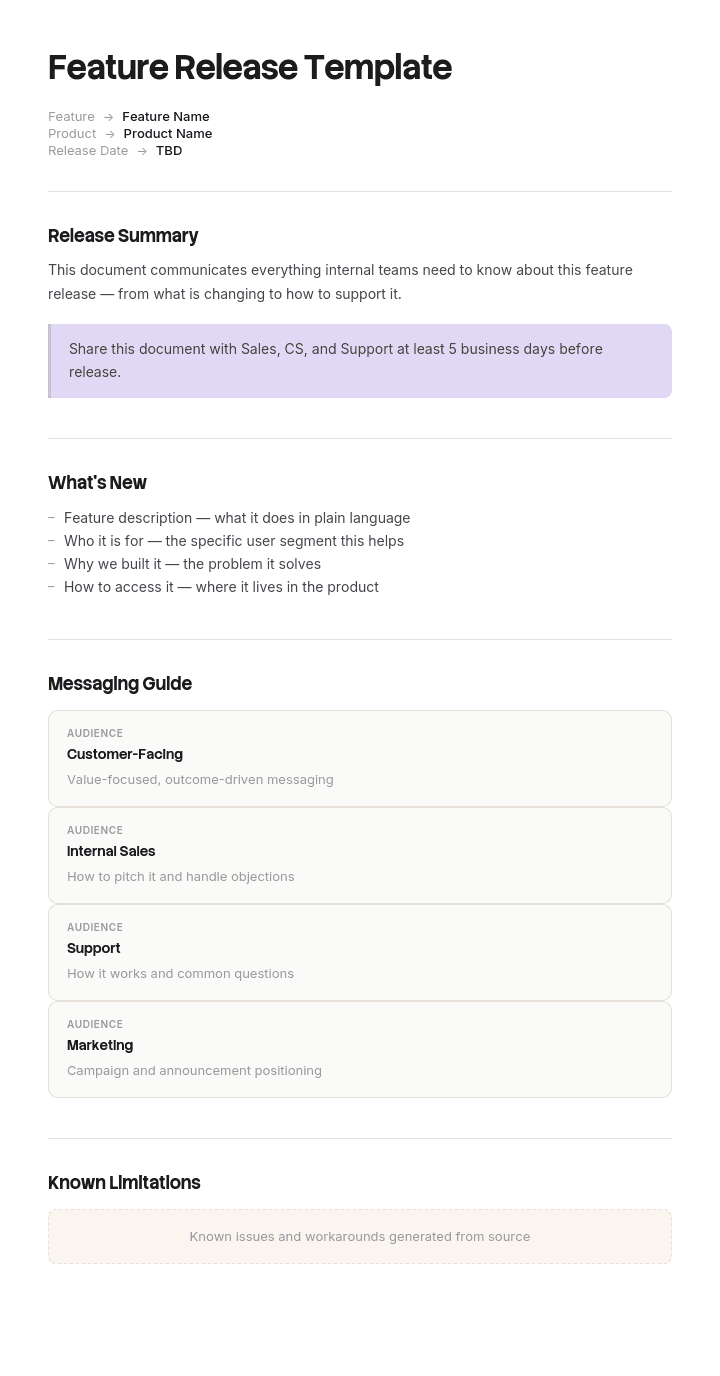
Use this template
A great feature release isn't about shipping code - it's about driving adoption. With Trupeer, you can save hours on launch planning by starting with a free feature release template, customizing it with your brand guidelines, and turning launch plans into video updates that align teams behind every release.
Feature releases go wrong in a predictable order. The build finishes late, so the support briefing gets skipped, so the help documentation is not updated, so the release notes are written by an engineer twenty minutes before deploy, and support learns what shipped from the first ticket.
None of that is a build problem. It is a coordination problem, and it is solved with a countdown rather than a checklist.
Download the feature release templates
Format | Best for |
|---|---|
Excel (.xlsx) | The release plan, scope tracker, go/no-go checklist and release calendar |
Word (.docx) | Release notes, the support briefing and the internal announcement |
PowerPoint (.pptx) | The release review deck and sales enablement |
The approved plan and printable briefings | |
Google Docs and Sheets | Live collaboration through release week |
Free, editable, no watermark.
How to customize this template in Trupeer
Step 1: Open the Templates Section
Go to the Templates section from the main navigation.
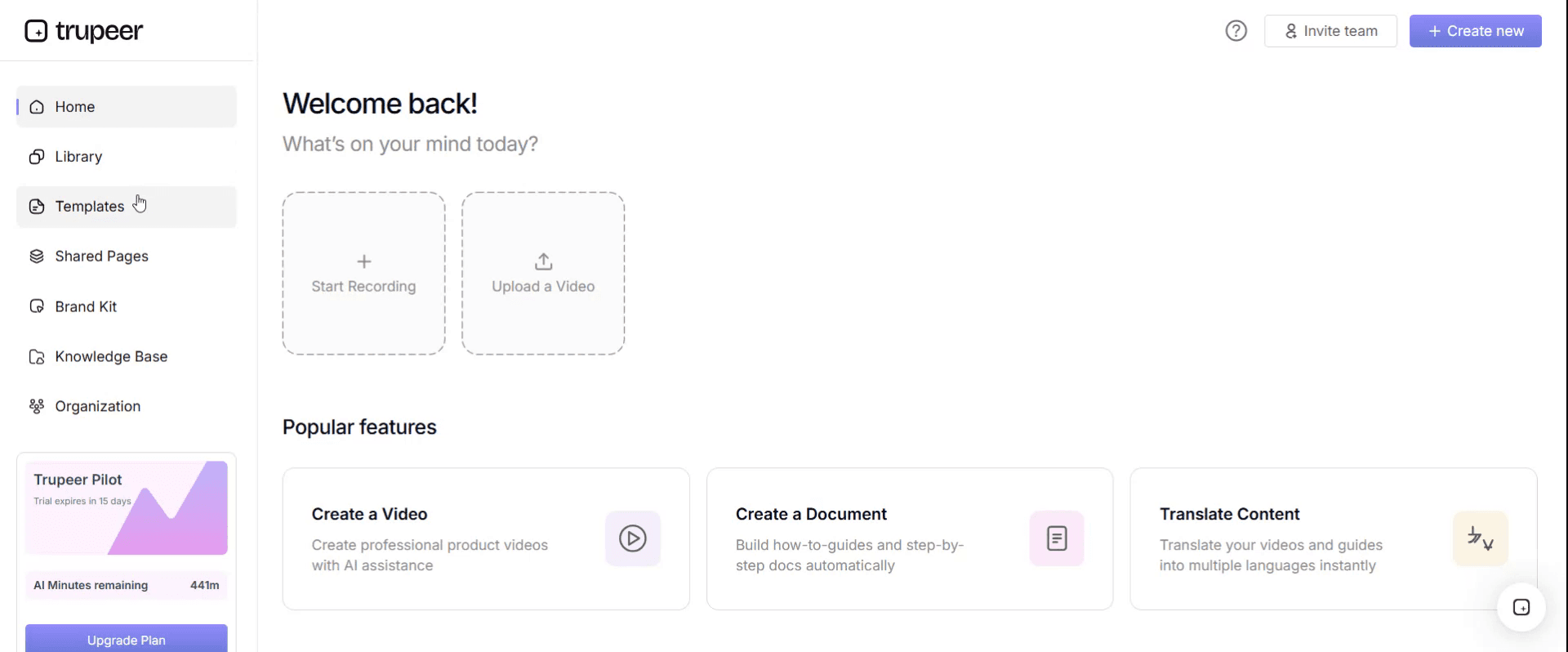
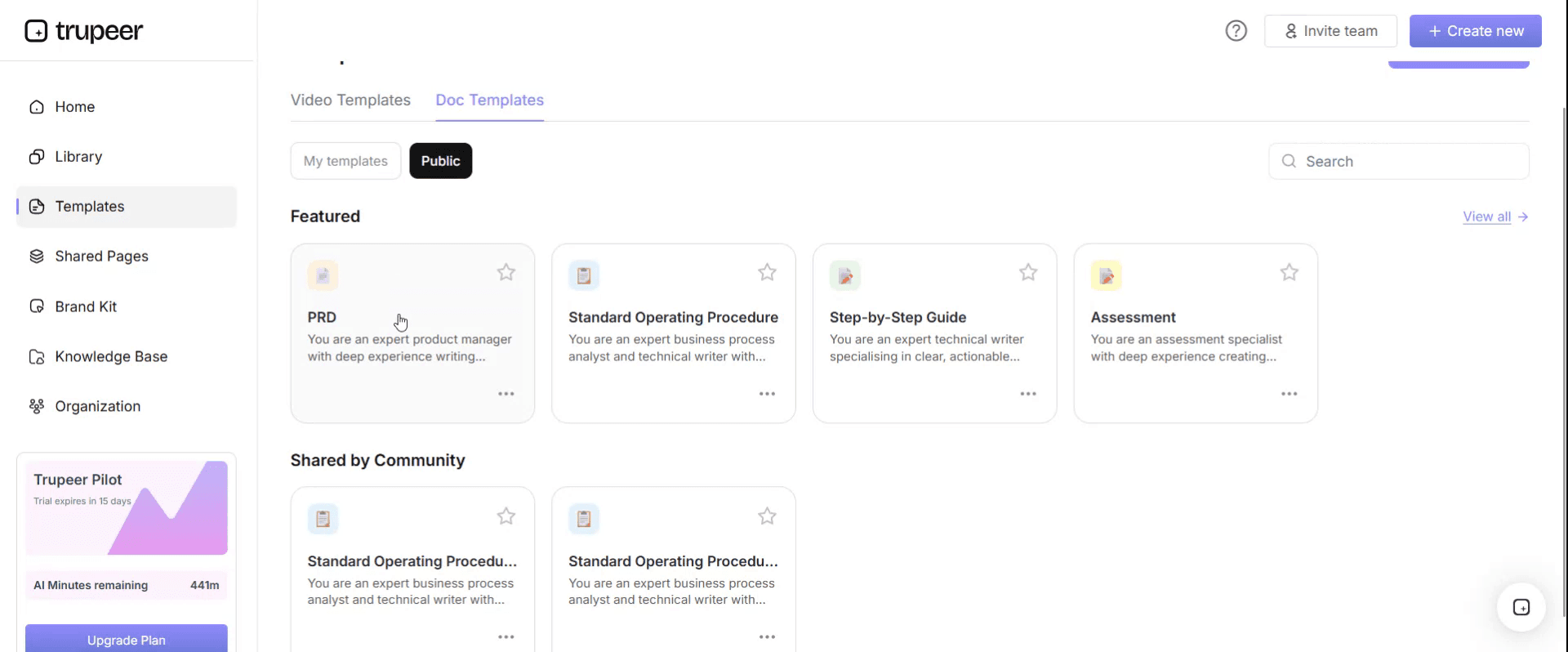
Step 2: Select and Open a Template
Click on any template you want to work with to open it.
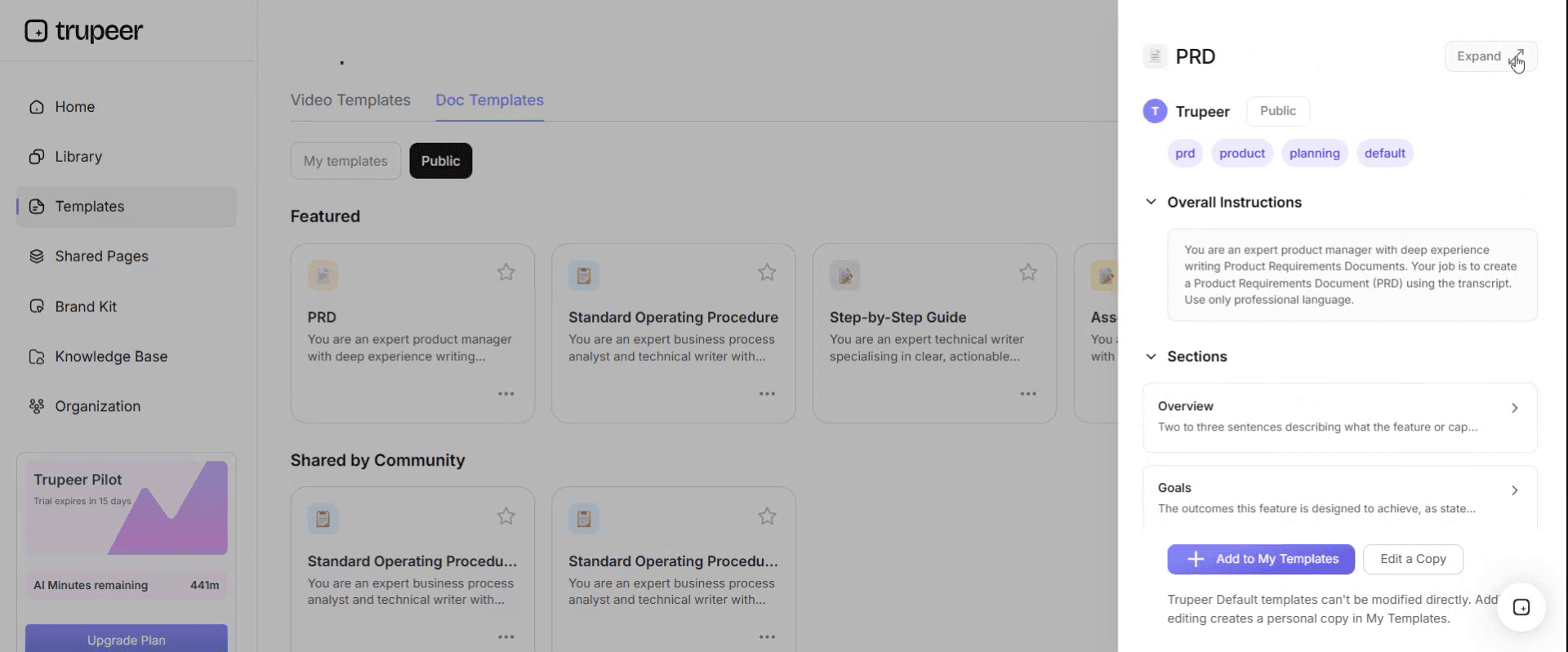
Step 3: Expand the Template View
If needed, expand the template view to see the full layout and details clearly.
Step 4: Edit the Template
Click on Edit to start modifying the selected template.
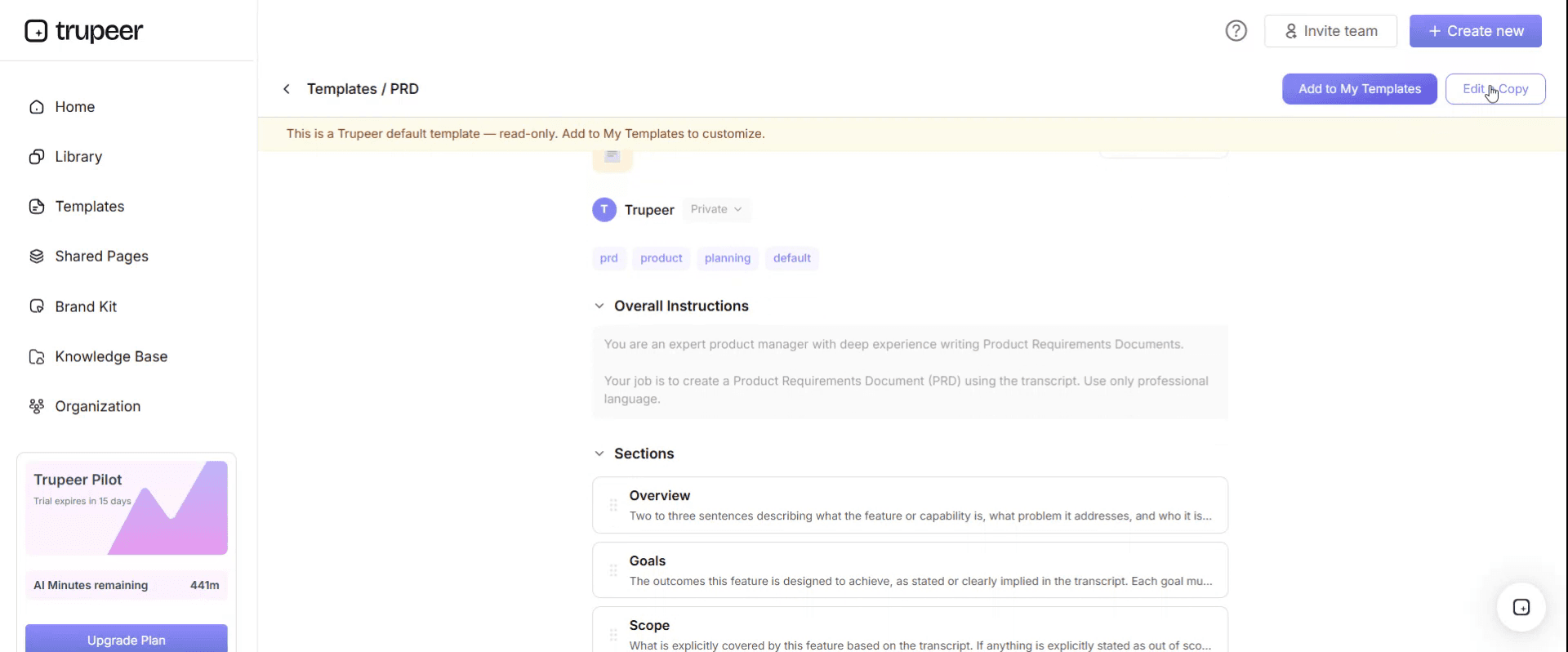
Within the editor, you can:
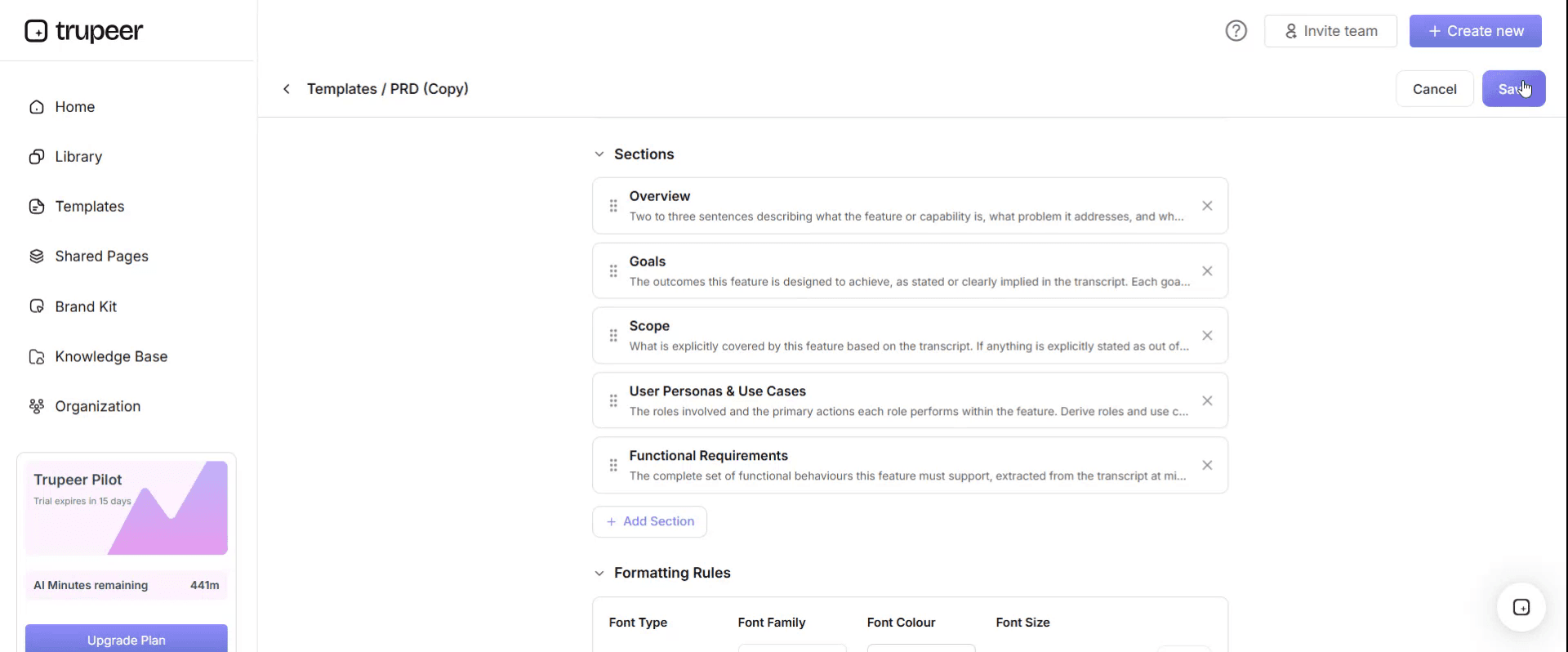
Add new sections
Define or update formatting rules
Add a logo and adjust its position and related settings
Step 5: Save Your Customized Template
After making all necessary changes, click Save to store the updated template as your own.
Step 6: Preview and Fine-Tune the Template
When you want to see how your customized template looks, open the Preview.
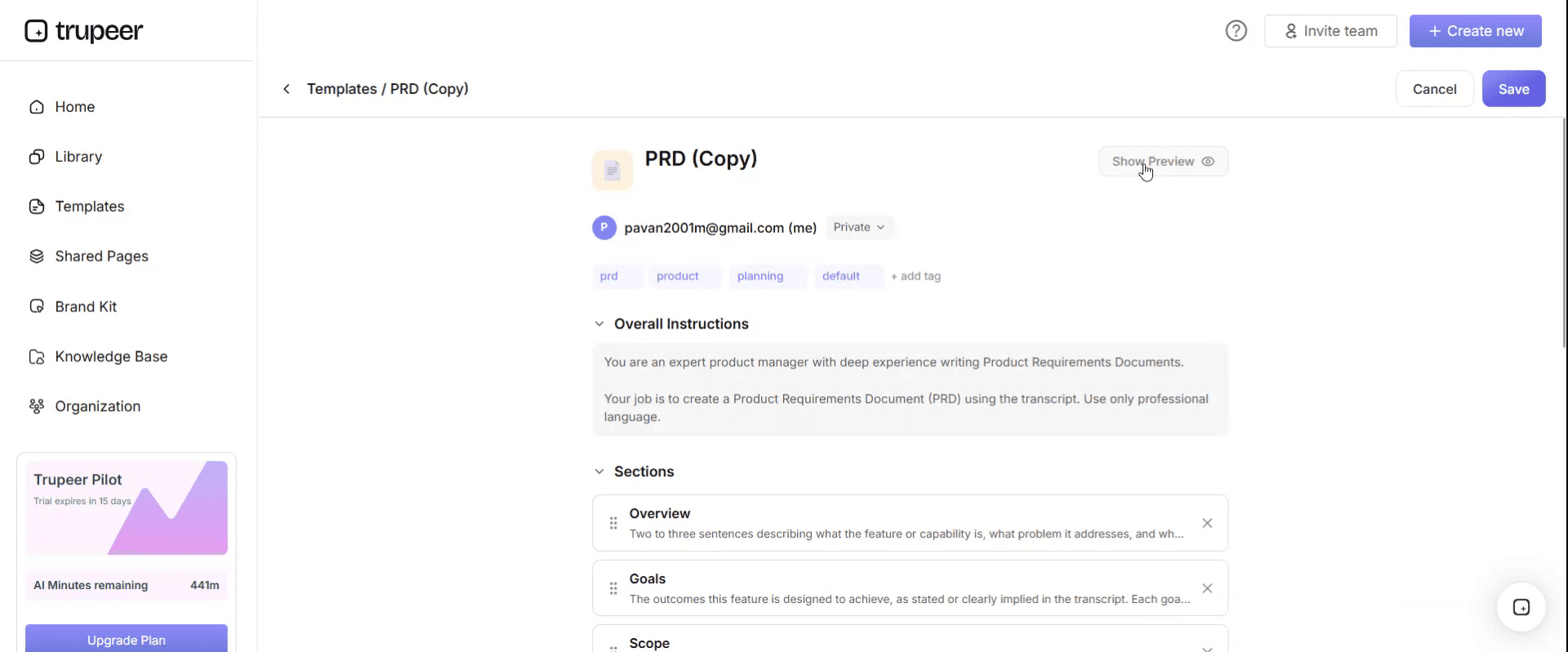
From the preview screen, you can continue to make adjustments directly if needed, ensuring the template appears exactly as you want.
With a feature release template you can:
Save hours on launch planning: Skip the blank page with a structure built for product launches.
Align cross-functional teams: Built-in sections for product, marketing, sales and support.
Stay on-brand: Apply your logo, fonts and colors using Trupeer's brand kit.
Drive adoption: Built-in messaging and training fields ensure customers actually use the feature.
Standardize launches: Use the same template for every feature release.
Reach global teams: Translate launch materials into 65+ languages with one click.
What a feature release actually needs
Six artifacts, five audiences. Most teams produce two.
Artifact | Audience | Usually owned by | Skipped when late? |
|---|---|---|---|
Release plan | Engineering and product | Product or release manager | No |
Go/no-go checklist | The release decision makers | Release manager | Often, and this is the dangerous one |
Release notes | Customers | Product marketing or product | Written hurriedly |
Support briefing | Support and success | Product | Almost always |
Help documentation | Customers who get stuck | Technical writing or support | Almost always |
Sales and enablement note | Sales, where relevant | Product marketing | Often |
The two that get skipped are the two that determine what the week after the release feels like. Build them into the countdown rather than treating them as follow-ups.
The release countdown
Dates relative to ship day. Adjust the intervals to your cadence, but keep the order.
T-14: scope frozen
What is in this release is decided and written down. Anything arriving after this point goes into the next one unless it is a defect fix.
Scope creep after freeze is the single most common cause of everything downstream being late. The freeze is not bureaucracy, it is what allows the briefing, the notes and the documentation to be written against something stable.
Output: the release plan, with scope confirmed and each item assigned.
T-7: internal readiness
Documentation drafted, release notes drafted, support briefing written. Not published, drafted.
This is the week that gets compressed when the build is late, and compressing it is what causes the support problem. If the build slips, the release date slips with it. Shipping on time with no briefing is not shipping on time.
Output: draft notes, draft help articles, support briefing ready for review.
T-2: support and sales briefed
The briefing happens as a session, not an email. Support asks the questions that reveal what the notes have not explained, and those questions improve the notes before customers see them.
Output: support briefed and their questions answered. Notes revised. Sales enablement sent where relevant.
T-1: go or no-go
A defined decision with defined criteria, made by named people. Not a feeling about whether things seem ready.
Output: a recorded decision, and if it is no-go, a new date.
T-0: ship
Deploy, monitor, publish notes, enable the in-app announcement. In that order, since publishing notes for a release that failed to deploy is a bad half hour.
Output: released, notes live, support watching.
T+1: monitor
Someone owns watching for the first day: error rates, support volume by topic, adoption of the new feature. Not the whole team glancing occasionally, one named person.
Output: a short status note to the team, even if everything is fine.
T+7: review
What shipped, what broke, what support heard, whether anyone is using it. Thirty minutes, and it is what makes the next release better.
Output: notes from the review, and any process changes.
The release plan template
Field | Enter |
|---|---|
Release name and version | 2026.8 or v3.4.0 |
Release type | Major, minor, patch, hotfix |
Target date | And the freeze date |
Release manager | One name |
Scope | Each item, with owner and status |
Out of scope | Explicitly, agreed at freeze |
Dependencies | Internal and external |
Risks | With owners and mitigation |
Rollback plan | Tested, not just documented |
Go/no-go criteria | Defined before the meeting |
Communications | Who is told what, when |
Documentation | What needs writing or updating, and who |
Success measures | Adoption target and monitoring window |
The out-of-scope field earns its place. Writing down what is not in this release is how you stop the same conversation happening three times.
Go and no-go criteria
Decide these at planning, not at the meeting, or the meeting becomes a negotiation under pressure.
Typical go criteria. All scope items complete or explicitly deferred. Test suite passing. No open critical or high-severity defects. Rollback tested in a production-like environment. Support briefed and confirmed ready. Documentation published or ready to publish. Monitoring and alerting confirmed in place. Named owner available for the monitoring window.
Automatic no-go. Any untested rollback. Any open critical defect. Support not briefed. The release manager unavailable for the next 24 hours.
The rollback one matters most. A documented rollback nobody has executed is a hypothesis. Test it, and record when you last did.
Writing release notes
Four of the eight pages in this search result cover release notes, which tells you it is the artifact people struggle with most.
The core mistake is writing them from the changelog. A commit list reorganised into bullet points is not release notes, because it describes what you changed rather than what the reader can now do.
Lead with what they can now do, not what you built.
Group by user outcome, not by component or team.
Write in the second person. "You can now export to CSV" beats "CSV export has been implemented."
Say why for anything non-obvious, in one clause.
Include fixes, especially ones customers reported. It closes a loop they remember.
Be honest about limitations. "Currently supports up to 10,000 rows" prevents a ticket.
Link to the detail. Notes announce; documentation explains.
Keep each entry to two or three sentences.
Skip internal changes nobody outside can perceive, unless they affect performance or security.
Weak and better
Weak: Implemented CSV export functionality for the reporting module.
Better: You can now export any report as CSV. Look for the export button in the top right of any report view. Currently limited to 50,000 rows per export.
Weak: Fixed various bugs and improved performance.
Better: Reports with more than 10,000 rows now load in around 3 seconds rather than timing out. We also fixed the issue several of you reported where date filters reset when you changed tabs.
Weak: Added new user permission granularity to the admin panel.
Better: Admins can now give someone access to reporting without giving them access to billing. Set this per user under Settings, Team, Permissions. Existing users keep the permissions they have now, so nothing changes unless you change it.
The pattern: what you can do, where it is, what the limits are, and what happens to existing setups. That last one prevents most of the anxious tickets a release generates.
What to include in release notes
Element | Always | Notes |
|---|---|---|
Version and date | Yes | People reference these in support tickets |
New features | Yes | Grouped by outcome |
Improvements | Yes | Only if perceptible |
Fixes | Yes | Especially customer-reported ones |
Breaking changes | Yes, prominently | At the top, not buried |
Deprecations | Yes | With the removal date |
Known issues | Yes | Better from you than discovered |
Action required | If any | Clearly flagged at the top |
Links to documentation | Yes | Per feature |
Breaking changes and required actions go at the top with visual prominence. A breaking change discovered halfway down a list of improvements is a breaking change discovered by an angry customer.
The support briefing
The most-skipped artifact and the cheapest to produce.
Section | Contents |
|---|---|
What is shipping | Plain language, one paragraph |
Who it affects | Which customers, which plans, which regions |
What changes for them | Concretely |
Anything they must do | Migration, reconfiguration, re-consent |
Likely questions | With the answers, written out |
What might go wrong | And what to say if it does |
Known limitations | So support does not promise what does not exist |
Where to escalate | Named person for release week |
Documentation links | Whatever support will send customers |
Deliver it as a session two days before. The questions support asks are the best free review your release notes will get, because support knows what customers actually ask and product usually does not.
Release types
Type | Contains | Notes needed | Typical cadence |
|---|---|---|---|
Major | Breaking changes, significant new capability | Full notes, migration guide, advance warning | Rarely |
Minor | New features, backwards compatible | Full notes | Regular cadence |
Patch | Bug fixes only | Brief notes | As needed |
Hotfix | Urgent production fix | Brief note, often after the fact | Exceptional |
Hotfixes bypass the countdown by definition, which is why they need a separate lightweight process rather than an assumption that the normal one will be followed. Document what that is before you need it.
Major releases need advance warning, not just notes on the day. Anything breaking should be announced at least one release cycle ahead, and deprecations need a removal date stated when they are announced rather than when they happen.
Feature flags and staged rollout
If you can release to a percentage of users, most of the risk in this page disappears.
Ship dark, enable for internal users, then a small cohort, then progressively. Monitor at each step and roll back by flag rather than by deploy. The flag becomes your rollback, which is faster and less alarming than a redeploy.
Two disciplines that stop this becoming a mess. Every flag needs an owner and a removal date, or you accumulate hundreds of them and nobody knows which paths are live. And your release notes need to say who has the feature, because "you can now export CSV" is confusing for the 80% who cannot yet.
Measuring the release
Adoption. Percentage of eligible users who used the feature in the first 7, 30 and 90 days. The number that says whether it was worth building.
Support volume by topic. Should spike then fall. A plateau means documentation or design is unclear.
Error rate. Against baseline, over the monitoring window.
Rollback rate, across releases. Rising means the go criteria are too loose.
Time from freeze to ship. Slipping consistently means the freeze is too late.
Release notes engagement, where you can measure it. Low readership is worth knowing before you invest more effort in them.
Set the adoption target before the release, in the plan. Retrofitting a definition of success after seeing the numbers is how features get declared successful regardless.
How to run a feature release
Freeze scope at T-14 and write down what is out.
Draft notes, documentation and briefing at T-7, before the build is finished.
Brief support at T-2 as a session, and revise the notes based on their questions.
Hold a real go/no-go at T-1 against criteria set in advance.
Test the rollback before, not during.
Deploy, then publish notes, in that order.
Name one person to monitor for 24 hours.
Review at T+7, thirty minutes, honestly.
Track adoption at 7, 30 and 90 days against the target in the plan.
Fix the process, not just the feature, when something goes wrong.
Best practices
Scope frozen with the out-of-scope list written down.
Documentation and notes drafted before the build finishes.
Support briefed in a session, two days ahead.
Go criteria agreed before the meeting.
Rollback tested, with a date recorded.
Breaking changes at the top of the notes.
Notes written from user outcomes, not the changelog.
One named monitor for the first 24 hours.
Adoption target set before release.
A review every time, even for uneventful releases.
Common mistakes
Scope changing after freeze, compressing everything downstream.
Release notes written from commit messages.
"Various bug fixes and improvements" as an entry.
Breaking changes buried in the middle of a list.
Support learning about the release from a customer.
Documentation updated the week after.
Go/no-go as a feeling rather than criteria.
Rollback documented but never tested.
Notes published before deployment is confirmed.
Nobody monitoring after ship.
Feature flags with no owner or removal date.
Success declared without an adoption target set beforehand.
No hotfix process, so urgent fixes bypass everything including sense.
Ship the documentation with the feature, not after it
Open the templates in Trupeer AI, apply your brand kit so release materials match your product, and edit any section directly. Setup is in the template guide.
Documentation and the support briefing get skipped for the same reason every time: writing them takes hours the release week does not have, and describing a new interface in prose is slow and ambiguous work.
Record the feature once, as soon as it is testable, and Trupeer AI produces the help article and a narrated video walkthrough from the same pass. That gives you the documentation, the support briefing material and a demo clip for the release notes from one recording made at T-7 rather than three tasks nobody has time for.
Translate it into 65+ languages so international customers get the release at the same time as everyone else, and keep the set in your knowledge base so it is there when the first ticket arrives. Use the same recording for support enablement.
Record it. Brand it. Translate it. Trupeer it.
Frequently Asked Questions
Is there a free feature release template in Word?
Yes. The Word version holds the release notes template, the support briefing and the internal announcement, meaning the documents people write into rather than track in. Free download, no sign-up, no watermark.
Is there a free feature release template in Excel?
Yes, and Excel is where the release plan lives: scope tracker with owners and status, the go/no-go checklist, dependencies, risks and the release calendar. It is the working file through release week.
Is there a release plan template in Excel?
Yes, that is the Excel file on this page. It covers scope, out-of-scope, dependencies, risks, rollback, go/no-go criteria, the communications plan and success measures, with a tab per release so you build a history.
Is there a software release plan template in Word?
Yes. The Word version of the release plan suits a narrative plan for stakeholders or a formal change process, where the Excel version suits tracking. Most teams use Excel to run it and Word for anything that needs approving.
Can I download a free feature release template?
Yes, every format is a free download with no account required and no attribution.
Is there a free feature release template in PDF?
Yes, as the approved plan and printable versions of the go/no-go checklist and support briefing.
Is there a free feature release template in PowerPoint?
Yes. The PowerPoint version covers the release review deck and sales enablement, one slide per feature with what it does, who it is for and the objection it answers.
What is the best free feature release template?
The one that includes the artifacts people skip. A release plan is easy to find and a release notes template is easy to write. What determines whether release week goes well is the support briefing and the go/no-go criteria, which is why both are included here rather than left as an assumed extra.
What is a feature release template?
A set of documents for shipping a feature: the plan covering scope and dates, the go/no-go checklist, the release notes for customers, the support briefing, and the documentation update. Treating it as one document is the reason the internal artifacts get skipped.
What should release notes include?
Version and date, new features grouped by user outcome, perceptible improvements, fixes including customer-reported ones, breaking changes at the top, deprecations with removal dates, known issues, any required action, and links to documentation.
How do you write good release notes?
Write from what the user can now do rather than from the changelog. Second person, grouped by outcome, two or three sentences per entry, honest about limits, and explicit about what happens to existing setups. Put breaking changes and required actions at the top where they cannot be missed.
What is the difference between a release plan and release notes?
A release plan is internal and forward-looking: what ships, when, who owns it, what the rollback is. Release notes are external and backward-looking: what changed and what it means for the customer. You need both, and they are usually written by different people.
What are go and no-go criteria?
The conditions that must be true before a release proceeds, agreed in advance so the decision is a check rather than a negotiation. Typically all scope complete or deferred, tests passing, no open critical defects, rollback tested, support briefed, documentation ready, and monitoring in place.
How far in advance should you brief support?
Two days, as a session rather than an email, and after the release notes are drafted so support can question them. Their questions are the best review the notes will get, because they know what customers actually ask.
How do you measure a feature release?
Adoption among eligible users at 7, 30 and 90 days against a target set before release, support volume by topic, error rate against baseline, and across releases the rollback rate and whether the freeze-to-ship interval is slipping.
What is the difference between a major, minor and patch release?
A major release contains breaking changes or significant new capability and needs advance warning and a migration guide. A minor release adds features while remaining backwards compatible. A patch fixes defects only. Hotfixes are urgent production fixes that bypass the normal countdown, which is why they need their own documented lightweight process.
Can I customise this feature release template?
Yes, all versions are fully editable. Adjust the countdown intervals to your cadence, since a weekly release cycle cannot use a fourteen-day freeze. The order of the steps matters more than the specific timings. In Trupeer AI you can also apply your brand kit so release materials match your product.


