Use this template
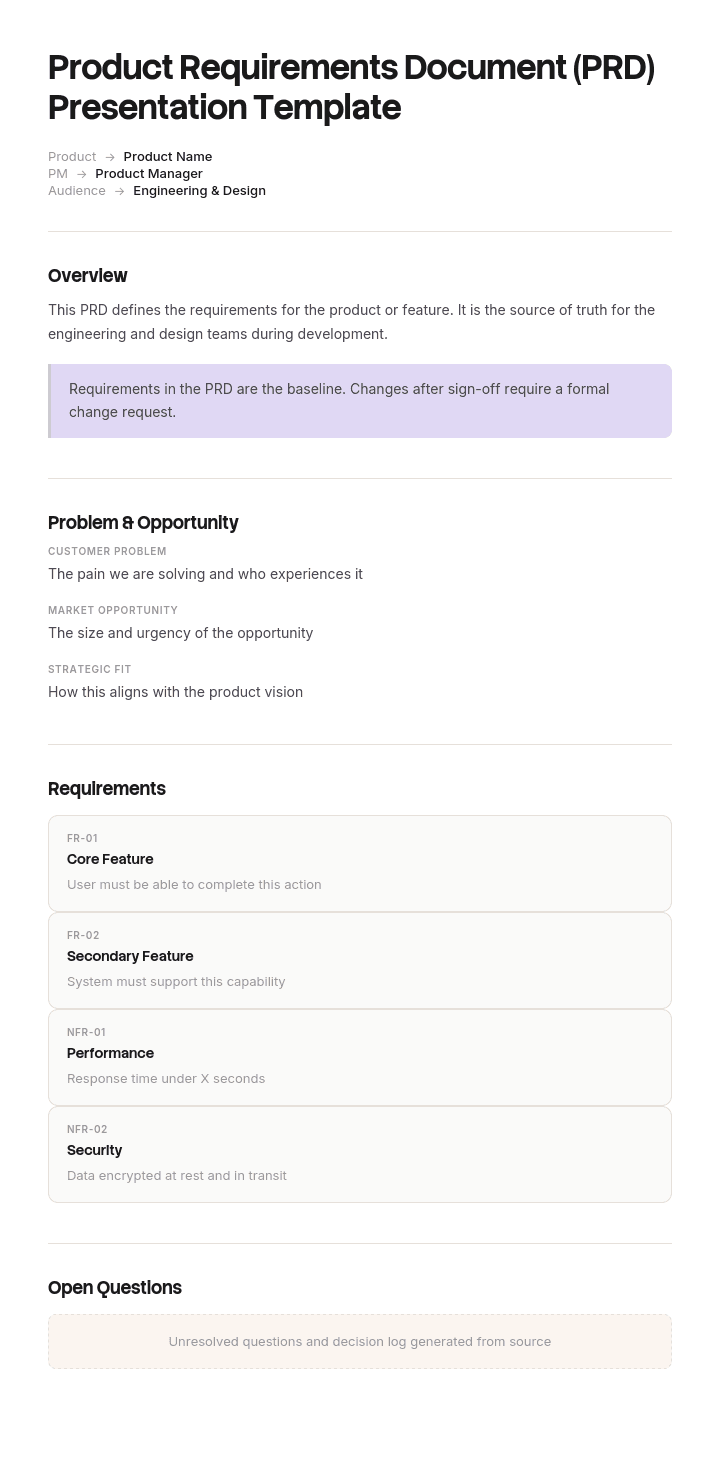
Most PRDs go unread - but a great PRD presentation gets seen. With Trupeer, you can save hours on PM communication by starting with a free PRD presentation template, customizing it with your brand guidelines, and turning PRDs into video walkthroughs that align stakeholders fast.
What is a PRD presentation, and how does it differ from the PRD?
A product requirements document sets out what is being built, for whom, and what has to be true for it to count as done. It is written for the team that will build it, it is detailed, and it is read rather than presented.
A PRD presentation is a different artefact with a different job. It is the small number of slides you take to a product review, a steering group or an executive forum in order to get a decision, and it should contain almost none of the document.
Conflating them is the standard failure. The deck becomes the document paginated, the meeting becomes a page-by-page walkthrough, and the decision the meeting existed to make does not get made.
If what you need is the document itself, our lean PRD template covers the structure, including which requirements should be constrained and which left to the team. This page covers the twenty minutes in front of other people.
The room cannot evaluate your requirements
Here is the thing nobody says about product review meetings.
The people in the room, meaning executives, commercial leaders, functional heads, are not able to assess whether requirement fourteen is correct. They have not spoken to the customers, they have not read the support tickets, they do not know the system, and they are seeing the material for the first time in a slot with five other items on it.
That is not a criticism of them. It is what delegation means. You were asked to do the work precisely so they would not have to.
But a room that is shown thirty one requirements will engage with something, because that is what a review is for. And what it engages with is whatever it can genuinely evaluate: the product name, the chart colours, whether customers really want this, the release date, and whether the export should be CSV or XLSX.
So a deck full of requirements does not produce scrutiny of the requirements. It produces scrutiny of everything adjacent to them, delivered with authority, by people who will then feel they have contributed and expect their contribution to be honoured.
The deck's job is to present only what the room is competent to rule on.
How to customize this template in Trupeer
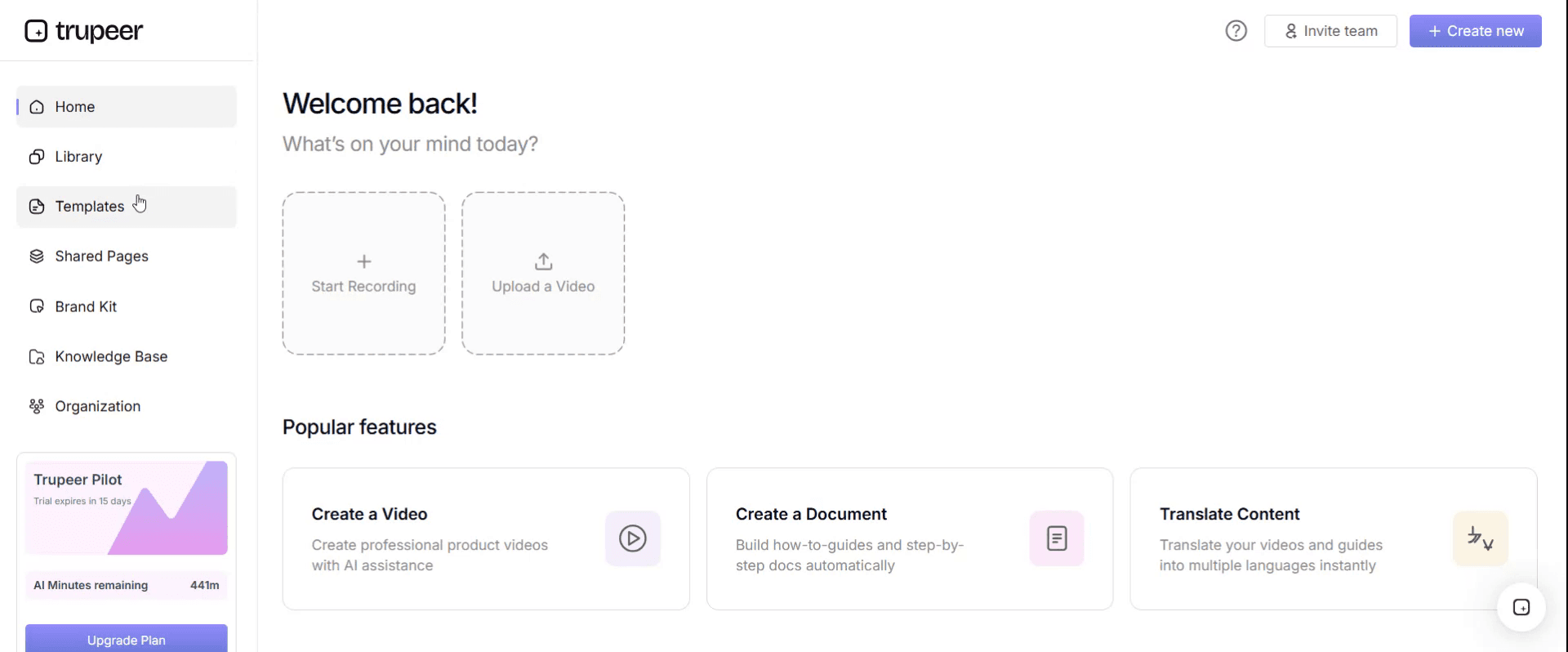
Step 1: Open the Templates Section
Go to the Templates section from the main navigation.
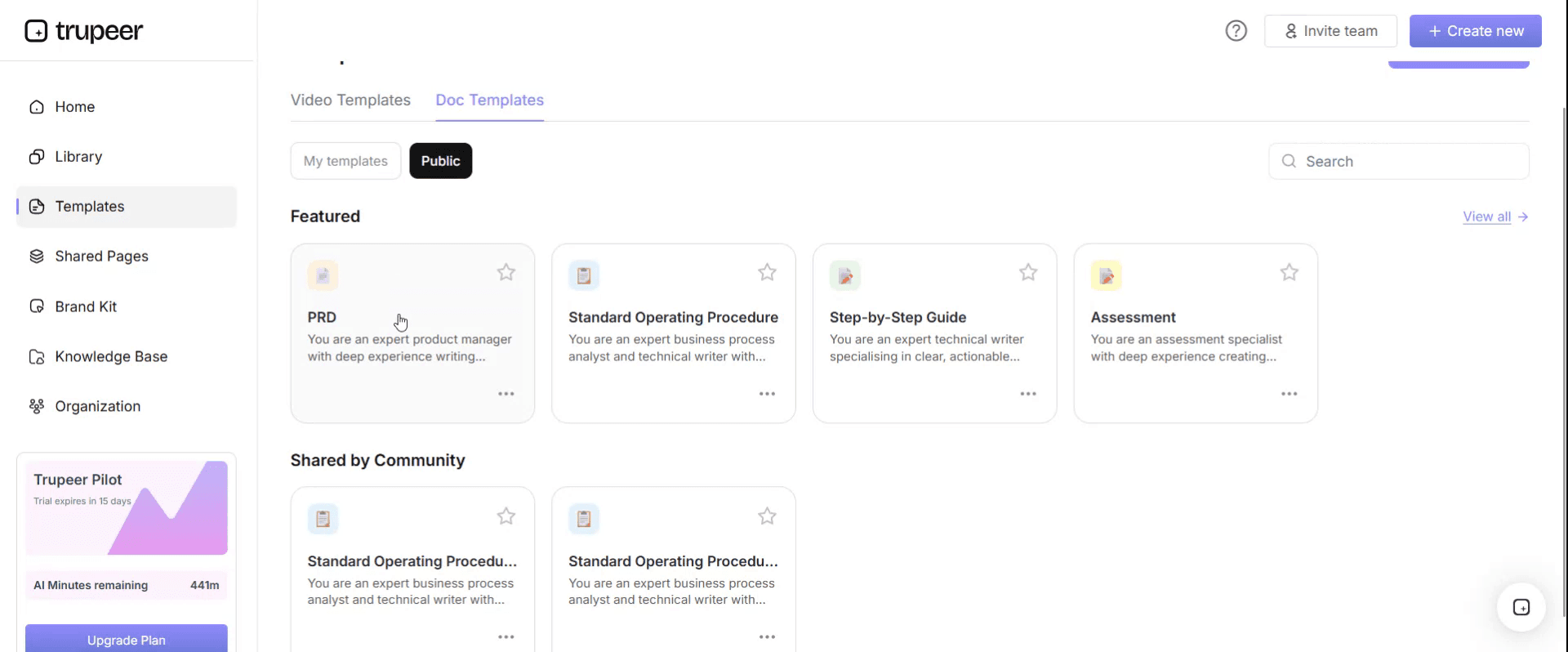
Step 2: Select and Open a Template
Click on any template you want to work with to open it.
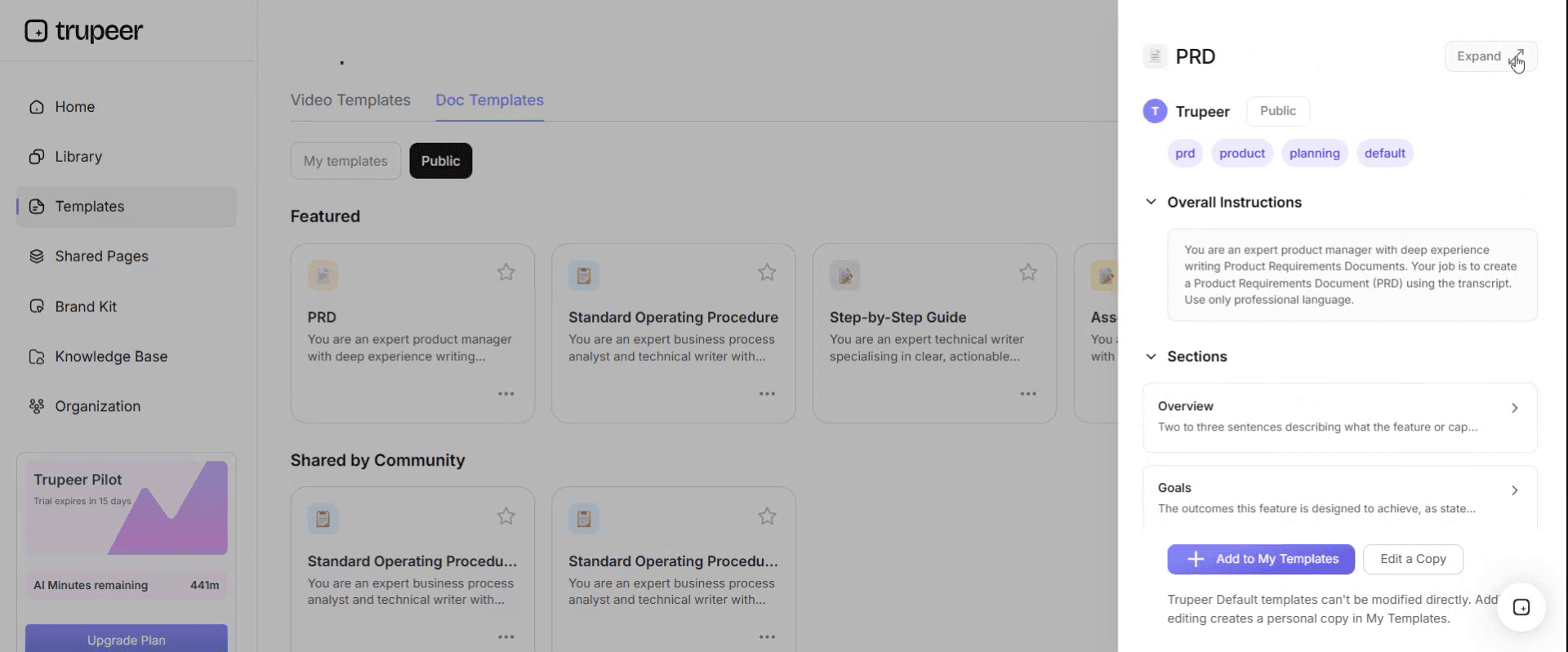
Step 3: Expand the Template View
If needed, expand the template view to see the full layout and details clearly.
Step 4: Edit the Template
Click on Edit to start modifying the selected template.
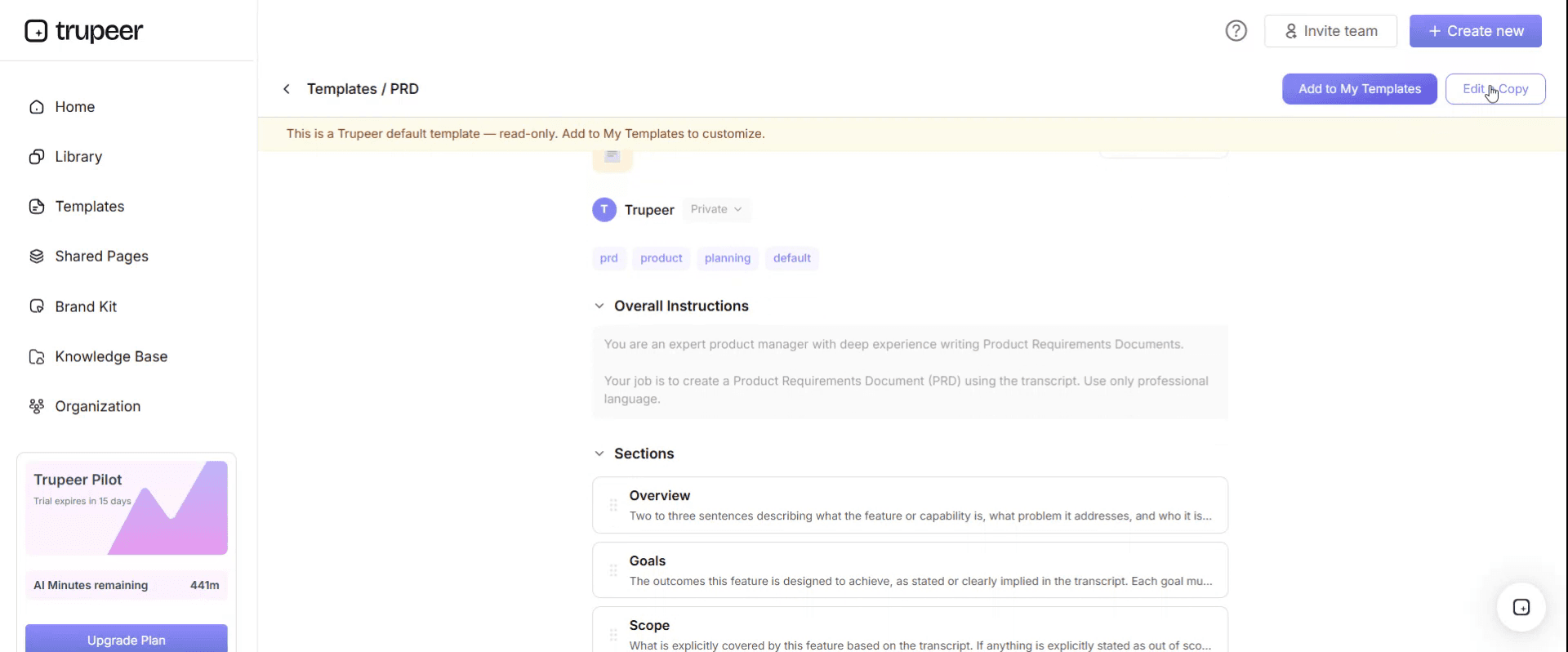
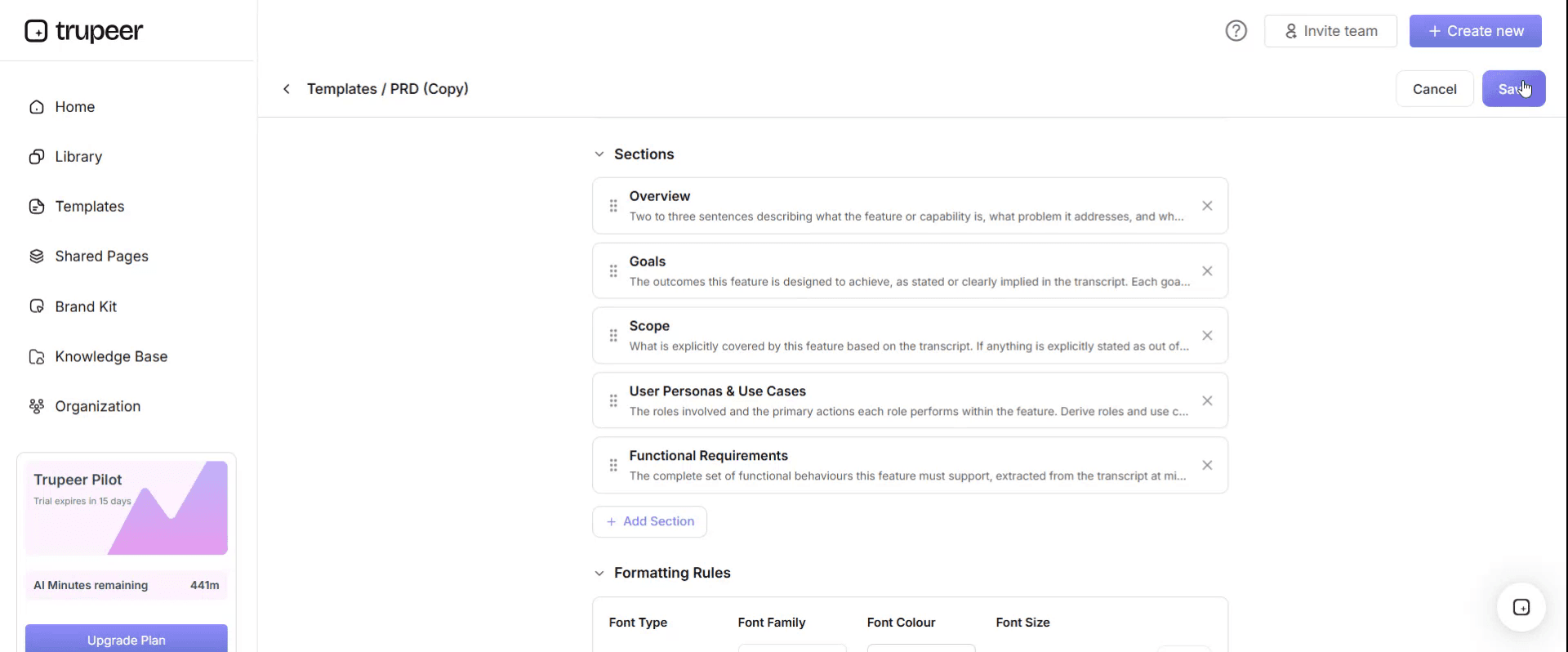
Within the editor, you can:
Add new sections
Define or update formatting rules
Add a logo and adjust its position and related settings
Step 5: Save Your Customized Template
After making all necessary changes, click Save to store the updated template as your own.
Step 6: Preview and Fine-Tune the Template
When you want to see how your customized template looks, open the Preview.
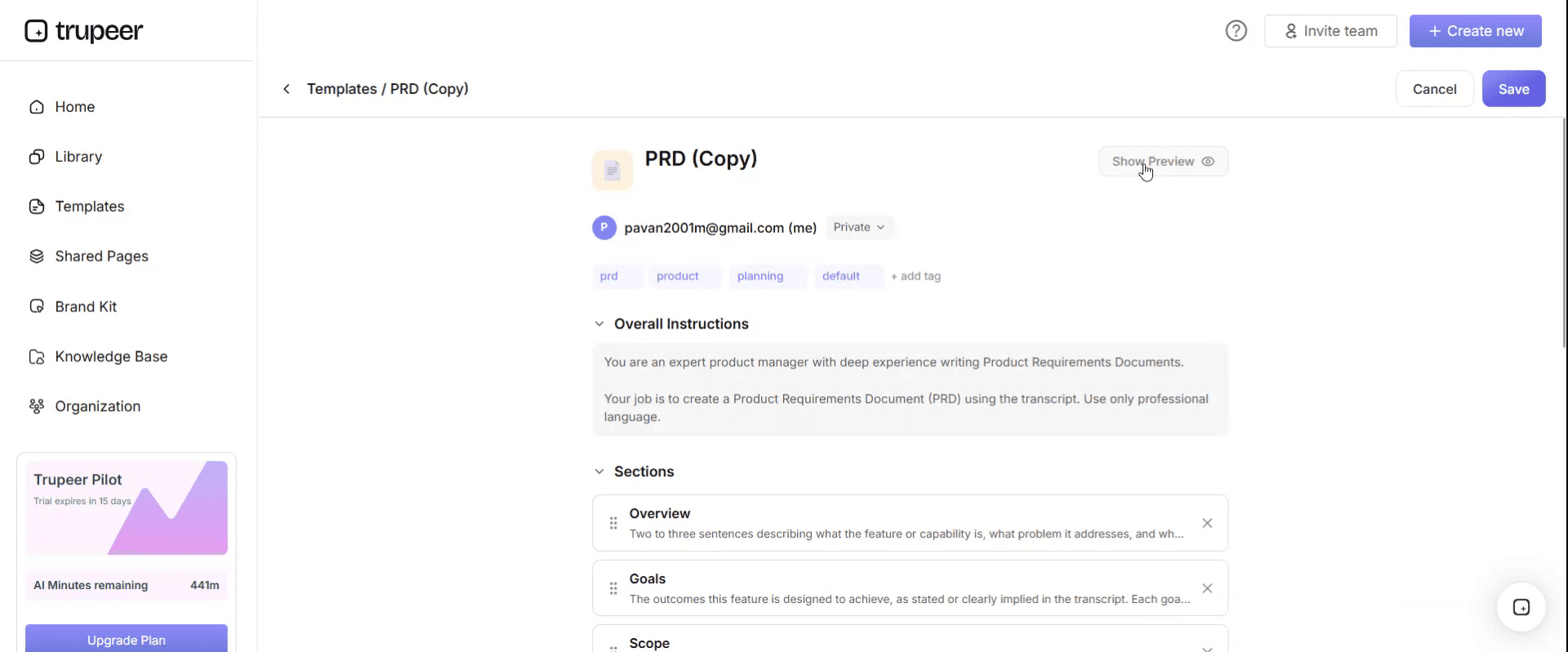
From the preview screen, you can continue to make adjustments directly if needed, ensuring the template appears exactly as you want.
With a PRD presentation template you can:
Save hours on writing: Skip the blank page with a structure built for product communication.
Align stakeholders fast: Built-in sections cover what executives and engineers need.
Stay on-brand: Apply your logo, fonts and colors using Trupeer's brand kit.
Drive better decisions: Convert dense PRDs into video walkthroughs everyone can absorb.
Standardize across products: Use the same template for every PRD review.
Reach global teams: Translate PRDs into 65+ languages with one click.
What a product review room can actually decide
The room can decide | The room cannot decide | Where it belongs |
|---|---|---|
Whether to do this at all, now | Whether requirement 14 is correctly specified | The PRD, reviewed by the team |
How it ranks against other work competing for the same people | Which technical approach is right | Engineering, with the team |
What it is allowed to cost, in money and in time | Whether the wording of an error message is good | Nowhere near this meeting |
Whether to buy rather than build | Whether the data model supports it | Technical design review |
Which trade-off to accept where two goods conflict | Whether the acceptance criteria are testable | The team and QA |
Whether the risk profile is acceptable | The export file format | The team, and it was already delegated |
Build the deck from the left column only. Every slide should map to something in it, and any slide that does not is context, which belongs in a pre-read rather than in the meeting.
The trade-off row is the one product managers under-use. Executives are genuinely good at choosing between two options with different consequences, and that is the highest value thing a review can produce. Bring them two real options rather than one recommendation dressed as inevitability.
The six slide PRD presentation that gets a decision
Slide one. The decision required. One sentence, with a date. "We are asking for approval to build the reporting module, starting 4 May, at a cost of nine engineering weeks." Not an agenda, not a title slide. The ask, first, before anybody has formed an opinion about something else.
Slide two. The problem, with a number. What is happening, how often, and what it costs. One chart at most. This is what justifies the ask and it is the only slide where evidence belongs.
Slide three. What we propose. One paragraph and, if it helps, one image. Not a feature list. The room needs to understand the shape of the thing, not its contents.
Slide four. The trade-offs and what we rejected. Two or three genuine choices, with the option not taken and why. This is the slide that makes the meeting worth holding, and it is the one most decks omit.
Slide five. What it needs. People, time, money, and what those people will not be doing instead. The opportunity cost line is what turns an easy yes into a real decision.
Slide six. What we are not doing. Explicitly, including the things people in this room have previously asked for. Naming them prevents them being added in the meeting.
Six slides, fifteen minutes, and the PRD circulated forty eight hours ahead for anyone who wants the detail.
Free PRD presentation template: the slides to copy
Copy from here.
Title and decision. Product or feature name. Presenter. Date. The decision required, as a full sentence with a date and a cost.
Problem. The observation, the frequency, the cost or the opportunity, with one supporting figure and its source.
Proposal. One paragraph describing what will exist that does not exist now, written so somebody outside the team can repeat it.
Trade-offs. Two or three rows: the choice, the option taken, the option rejected, the consequence of each.
Cost and commitment. Engineering time, other functions involved, money, and the work that will be displaced.
Out of scope. What this deliberately does not include, listing anything previously requested by people present.
Appendix, not presented. Success measures, dependencies, risks, timeline detail. Available if asked, never walked through.
Pre-read. The PRD itself, sent at least forty eight hours ahead, with a note saying which decision will be sought.
Copy to here. The rule that makes it work: no requirement appears anywhere in the presented slides. If somebody asks, the answer is that it is in the document, and this is a good answer.
The review with sixty one comments and no decision
Kirkwall Systems, a B2B software company of about three hundred and fifty people, ran a quarterly product review. A product manager brought a PRD for a new reporting module as a thirty four slide deck, which was essentially the document paginated.
In the room: the chief executive, the finance director, the heads of sales, engineering and customer success, and two engineering leads. Seventy five minutes.
Somebody logged the comments afterwards. Sixty one questions and comments in total.
Nine of them concerned things the room could decide: whether to build this now, how it ranked against two other initiatives, whether to buy an existing tool instead, and what it was allowed to cost.
Fifty two concerned things it could not. The product name. The colours in a mocked-up chart. Whether customers really wanted this, asserted in both directions with no evidence on either side. The wording of individual requirements. And a twelve minute discussion of whether one export should be CSV or XLSX, which was the single longest item in the meeting, and which the PRD had explicitly marked as the team's call.
No decision was made. The action recorded was that the product manager would revise and bring it back.
The second review, three weeks later, used a twenty eight slide version. It was approved, with two scope additions agreed in the room that nobody had costed.
The delay from first review to work starting was six weeks. The two uncosted additions added an estimated five weeks of build. A feature originally scoped at nine weeks took about twenty from first review to delivery.
The change was a deck standard rather than a process change. Six slides, decision first, no requirements presented, PRD circulated as a pre-read forty eight hours ahead.
Across the following four quarters, nineteen PRD reviews ran under the new format. Median meeting length fell from seventy five minutes to thirty four. The proportion where a decision was actually made in the room went from around forty percent to eighty nine. And uncosted scope added during meetings fell from an average of one point eight items per review to under one in three reviews.
The requirements were no better. They had never been the problem.
What goes in the PRD itself rather than the deck?
Everything the deck deliberately leaves out, which is most of the substance.
The acceptance criteria, stated so that you and an engineer would independently agree whether they had been met. The constrained requirements, each with the reason it must be that way. The areas explicitly delegated to the team. The out of scope list in full. The open questions with owners and dates. And the measures you will look at after release.
Our lean PRD template covers that structure in detail, including the tagging approach that separates what the team must do from what they may decide, and why over-specifying costs more than it saves.
The relationship between the two documents is worth stating plainly. The PRD is the contract with the team. The deck is the request to the business. They have different readers, different lifespans and different levels of detail, and the only content they should share is the problem statement and the proposal paragraph.
How to write a product requirements document, step by step
Write the acceptance criteria first, meaning one sentence describing what will be true after this ships that is not true now. If it will not come, the work is not ready to specify.
Write why now, in two or three sentences, because that is what the team uses to make the hundred small trade-offs you will never see.
List every requirement without filtering, then decide for each whether you genuinely care about the answer. Most first drafts constrain far more than the author actually has an opinion about.
Give every constrained requirement a reason. Anything where the reason turns out to be "that is how we usually do it" is not a constraint, it is a habit.
Write the not-doing list while you still remember what people have been asking for.
Then read the constrained list as if you were an engineer. Anywhere you would ask why and the document does not answer, add the reason or remove the line.
How not to use a PRD or its presentation
As a status update. A PRD review with no decision on the table becomes a progress report with opinions attached, which is worse than no meeting.
As a substitute for talking to the team. If the first time engineering sees the requirements is in a review, the review is the wrong forum and the wrong audience.
As a persuasion document. A PRD written to secure approval hides uncertainty, which is precisely what the team needs to see.
Frozen at approval. Open questions get answered during the build, and a document that cannot change becomes a document nobody consults.
As a specification for a regulated or safety-critical build. Where a regulator, safety case or contractual obligation governs, you need a full specification with traceability rather than a PRD, and delegating implementation detail is exactly what you cannot do.
Presented page by page. Covered at length above, and it is the most common of the six.
Common mistakes when writing and presenting a PRD
Leading with context rather than with the ask, so the room forms opinions before it knows what is being asked of it.
Presenting one option as though it were the only one, which removes the room's ability to do the thing it is best at.
Burying the requirement that actually matters at number thirty four, where it reads as a nice-to-have.
Bringing mock-ups to a decision meeting, which reliably consumes the discussion regardless of what else is on the agenda.
Omitting the opportunity cost, so approval feels free.
Not naming the out of scope items that people in the room have previously requested, which is an invitation to add them live.
And accepting scope added in the meeting without costing it, which is how a nine week feature becomes a twenty week one.
PRD templates in Google Docs, Word and Confluence
Google Docs suits a PRD that will be argued over, because the comment threads are where the argument happens. The weakness is that decisions end up in resolved comments nobody reads, so copy anything that changed the document into the requirement's reason field before resolving.
Confluence is the most common home in engineering organisations and its stock PRD template is conventional. Replacing the body with a leaner structure works fine, and the page properties for status and owner are worth keeping.
Word suits organisations where the PRD forms part of a formal approval pack, and it handles numbered requirements and cross-references well.
Notion works well if you want the requirements as a database, since the constrained or delegated tag becomes a property you can filter and count across a quarter.
For the presentation itself, use whatever your organisation presents in, and keep it to the six slides. The tool matters far less than whether the requirements stay out of the deck.
Can I get a PRD template in Word, Excel or PDF?
Word or Google Docs for the PRD. It is prose with a numbered list in it and it gets commented on.
Excel for the requirements register across features rather than for one PRD: feature, requirement, constrained or delegated, the reason, and whether it was renegotiated during the build. That last column is the only PRD metric that reliably changes anyone's behaviour.
PDF for the version attached to a decision record or shared outside the company, exported once the open questions are closed.
PowerPoint or Slides for the presentation, six slides, with the PRD sent as a pre-read rather than embedded. For stakeholders who can't attend the review, run the deck through a presentation to video tool and share the recording. Where the deck goes to an external audience such as a partner or a board, brand kits keep it consistent without anyone rebuilding a template.
How to show what you built after the decision
The PRD stops being read the day work starts, and the presentation is forgotten the week after the meeting. What nobody produces is the artefact that closes the loop: a short demonstration of what actually got built, for the people who approved it and for everyone downstream who now has to support or sell it.
Trupeer AI makes that cheap. Whoever built it records the finished feature once, and the output is a written walkthrough, a video for the release note, and a document for your knowledge base in your own branding. That single recording serves the review group, the support team and the customer-facing article, which our knowledge base article templates cover.
Record it. Brand it. Translate it. Trupeer it.
It also improves the next review. A two minute recording of what the last approved feature actually became is far more persuasive at the start of a product review than any slide about what this one might become. Technical documentation covers the internal record of what was built. Setup instructions are in the document template setup guide.
Frequently Asked Questions
Is there a free PRD template in Word?
The document structure is covered in our lean PRD template and pastes straight into Word or Google Docs. The presentation structure on this page is six slides. There is no gated download and no form for either.
Is there a PRD template for Google Docs?
Copy the structure into a Google Doc and save it to your team drive as a template. Google Docs is a good choice specifically because PRDs get argued over in comments, with the caveat that anything decided in a thread needs writing into the document before the thread is resolved.
Is there a product requirements document template in Excel?
Excel suits the requirements register across several features rather than a single PRD. Columns for feature, requirement, whether it is constrained or delegated, the reason, and whether it was renegotiated during the build. Reviewing that last column quarterly shows you which product managers are over-specifying.
Is there a PRD example or sample in PDF?
Published examples are easy to find and worth reading for section order rather than content, since the requirements in any real PRD belong to one product. The more useful exercise is to take a feature you shipped recently and write the six slide deck for it retrospectively, which usually reveals that the decision was never clearly stated.
Are AI PRD tools worth using?
For the first draft, yes. Describe the feature and most current tools will return a structured document with sections you might have forgotten. What they cannot do is decide which requirements you genuinely care about, because that depends on knowledge only you have. Left alone they produce a confidently over-specified document, which is the failure mode to avoid.
How many slides should a PRD presentation be?
Six, presented in about fifteen minutes, with an appendix you do not walk through. Longer decks produce more comments and fewer decisions, which is the relationship the worked example above measures. If your governance requires a fixed format, keep the decision on the first slide regardless of what follows.
Who should present the PRD?
The product manager who wrote it, with the engineering lead present but not presenting. Having engineering in the room matters for the trade-off slide, since the credible answer to "could we do it faster" comes better from them than second hand.
What is the difference between a PRD and a requirements document?
A PRD is product facing: what will be built, for whom, and what done means. A business requirements document sits earlier and describes the business problem and what any solution must achieve, before the build decision is taken. A technical specification sits later and describes how it will be built. Searching for one when you need another is common and produces documents at the wrong altitude.


