Trupeer Blog
Summarise
Teams have more knowledge in videos than ever: product walkthroughs, training sessions, demos and how-to recordings. But AI assistants cannot use what they cannot read. Two approaches come up when you try to connect that content to AI: RAG and MCP. This MCP vs RAG guide explains the difference between MCP and RAG in plain language, when to use each, how they work together, and what it takes to make video content usable by AI.
What Is RAG?
RAG, or retrieval-augmented generation, is a technique that lets an AI answer questions using your own content. Before the model answers, a retrieval step searches an index of your documents, usually by meaning using vector embeddings, picks the most relevant passages and adds them to the prompt. The model then answers based on that context instead of only what it learned in training.
RAG works well for large libraries of documents that change occasionally, such as help articles, policies or transcripts.
What Is MCP?
MCP, the Model Context Protocol, is an open standard introduced by Anthropic in late 2024 for connecting AI assistants to external tools and data. An MCP server exposes tools and resources, such as “search the knowledge base” or “get this document”, and any compatible AI client, such as Claude, can discover and call them. Instead of copying content into a prompt ahead of time, the AI asks the system for what it needs, when it needs it, and can also take actions.
MCP vs RAG: What Is the Difference?
Factor | RAG | MCP |
|---|---|---|
What it is | A retrieval technique | A connection standard (protocol) |
How the AI gets content | Relevant passages are retrieved and inserted into the prompt | The AI calls a tool on an MCP server and gets results back |
Freshness | Depends on how often the index is updated | Live: the AI queries the system at the moment it asks |
Actions | Read-only answers | Can read data and take actions, if the server allows it |
Setup | Build and maintain an index and retrieval pipeline | Connect an existing MCP server to a compatible AI client |
Best for | Answering questions across large document collections | Connecting AI to live systems, tools and apps |
Permissions | Handled in your retrieval pipeline | Handled by the MCP server and the user’s sign-in |
The simplest way to remember it: RAG decides which content goes into the prompt; MCP decides how the AI reaches your systems. An MCP server can run its own RAG search behind the scenes, so the two often work together.
Example: The Same Question Answered With RAG and With MCP
A support agent asks an AI assistant: “How do I set up single sign-on for a new customer?” The answer lives in a 4-minute setup video and its written guide.
With RAG:
Earlier, the guide and the video transcript were split into chunks and indexed
The question is matched against the index and the most relevant chunks are retrieved
Those chunks are added to the prompt, and the AI answers from them
With MCP:
The assistant sees a “search knowledge base” tool on the connected MCP server
It calls the tool with the question, using the agent’s own sign-in and permissions
The server searches the current knowledge base, often using retrieval internally, and returns the matching guide and video, which the AI uses to answer
Both reach the same guide. The differences are freshness, since MCP queries the live knowledge base, and who maintains the plumbing: with RAG you run the index, with MCP the platform does.
When Should You Use MCP Instead of RAG?
Use MCP when the content lives in a product that already offers an MCP server, the data changes often, you want answers to respect each user’s permissions, or the AI needs to take actions as well as answer.
Use RAG when you are building your own AI application over a large, fairly stable document collection and need full control over how content is chunked, ranked and cited.
Use both when you want an AI assistant to search several systems: each system exposes an MCP server, and each server uses retrieval internally to find the right passages.
Why Video Content Is Harder for AI
Neither RAG nor MCP can understand a video file directly in most setups. AI assistants work with text, so the information in a video has to be turned into text first:
Transcripts: what was said in the video.
Step-by-step guides: what happens on screen, step by step, which matters for software walkthroughs where much of the meaning is visual.
Titles and descriptions: what the video is about, so it can be found.
A video with no transcript or written guide is mostly invisible to AI, however good the video is. This is the same reason video needs text to be found in search; see video knowledge base vs text knowledge base.
How nSpire built its knowledge library in days
nSpire needed a library of enterprise client content, and the job landed with Jeff Miller, Head of Partnerships, who had no content background. Tools like Loom took a lot of time and energy: a five-minute video meant speaking perfectly for five minutes, then doing retakes.
With Trupeer AI’s auto transcription, simple editing and synced AI voiceovers, Jeff could record, edit and produce studio-quality videos much faster than before.
Within a few days, nSpire had a product support and demo library of 20+ videos, saving 400+ hours and more than $20,000. Updating a video after a product change or creating a launch demo is now easy for the team.
“Trupeer simplified video creation for me, allowing me to create a knowledge library of 20+ videos in just a few days.”
— Jeff Miller, Head of Partnerships, nSpire
How to Connect Video Content to AI
1. Turn each video into a video plus a written guide
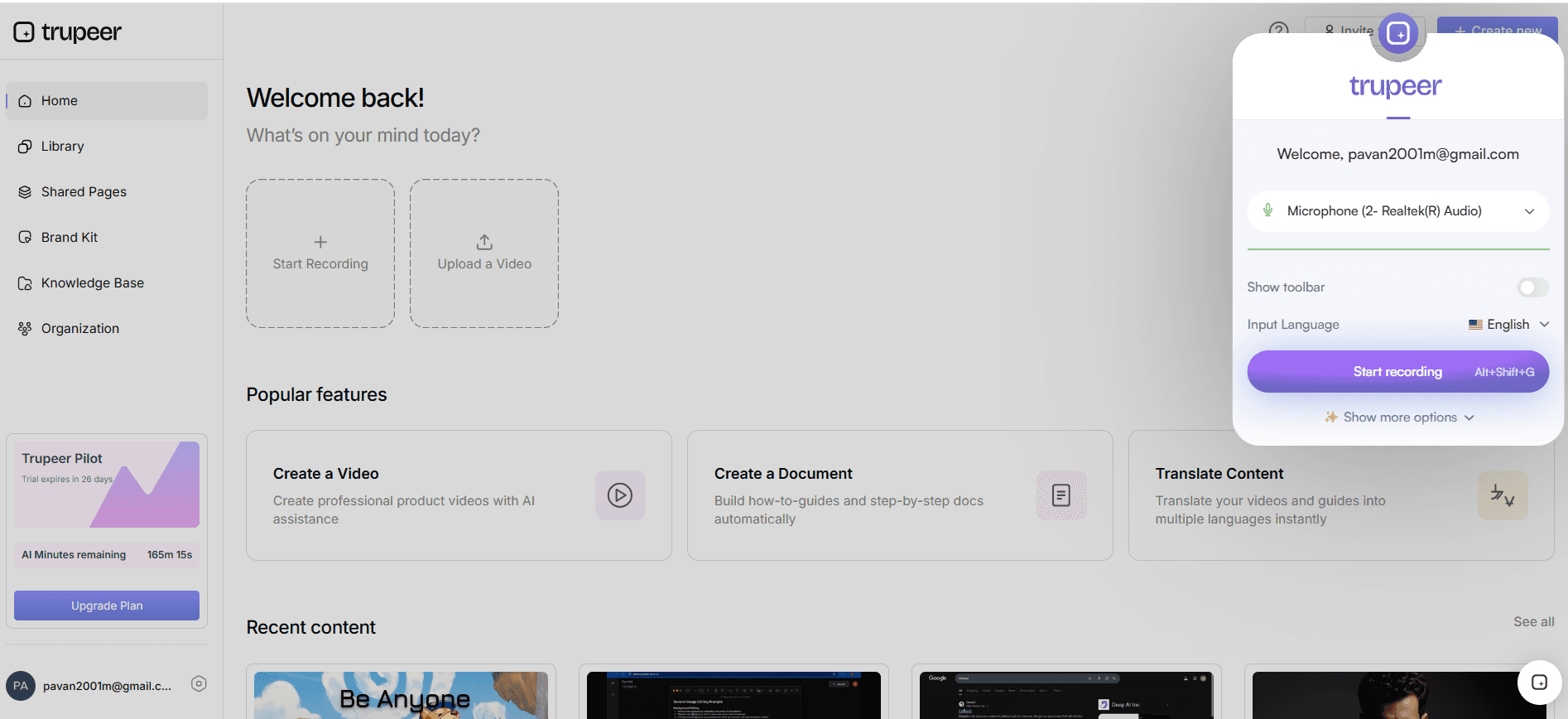
Record the workflow with the Trupeer Chrome extension, or upload an existing video, then click Generate AI Content. Trupeer creates a polished video and a step-by-step guide with screenshots, so the content exists in both formats.
2. Publish both formats in a knowledge base
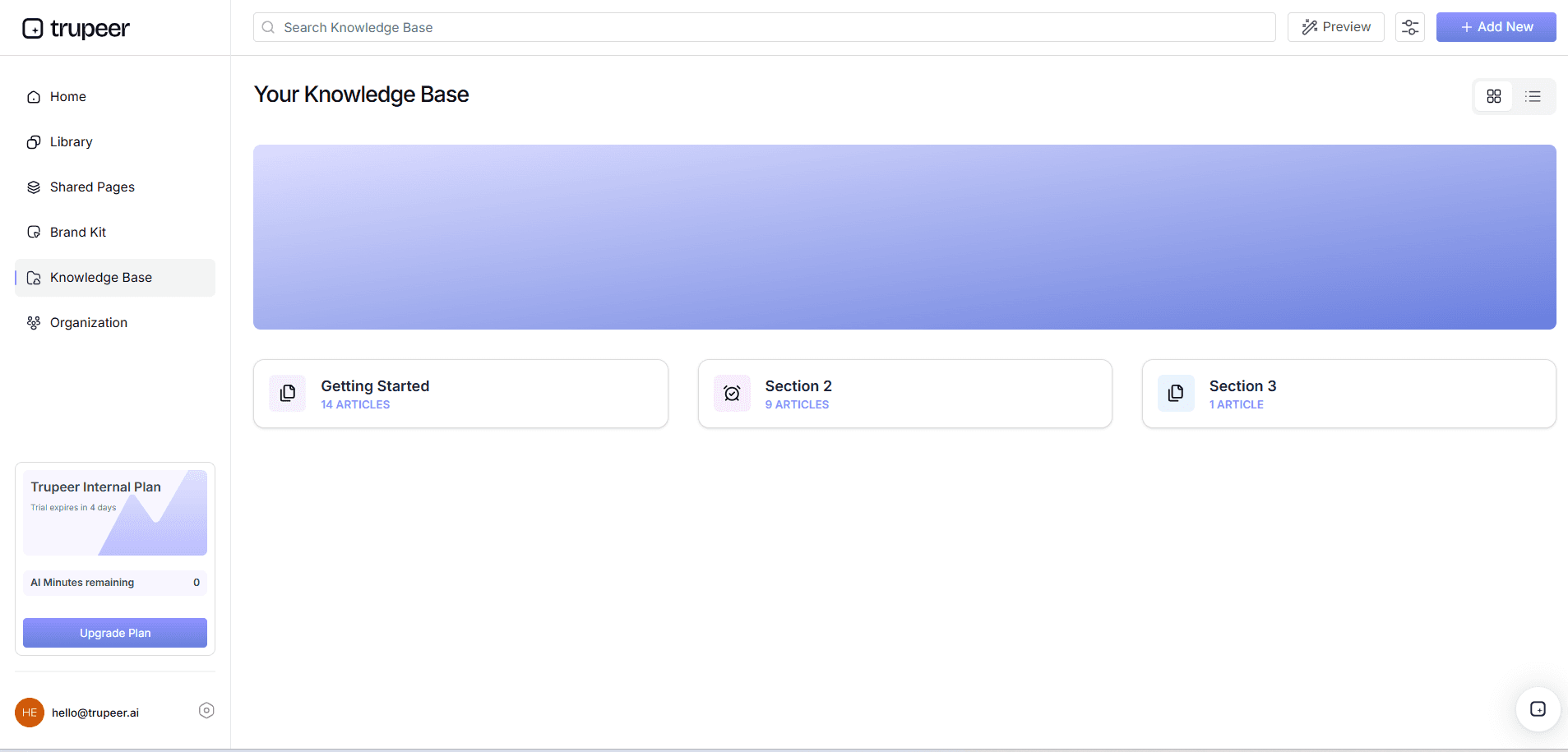
Publish videos and guides in a Trupeer knowledge base with access set to Public, Organization, Selected Domain or Invited Only. People can already search it with Ask AI.
3. Connect the knowledge base to your AI assistant with MCP
Trupeer provides an MCP server for its knowledge base. In the knowledge base, choose Connect to AI and copy the MCP server URL. In Claude or ChatGPT, add it as a custom connector under Settings, then sign in with your Trupeer account. The assistant can then search your video library and guides when it answers.
4. Or feed the text into your own RAG pipeline
If you are building your own AI application, export the step-by-step guides as DOC, PDF or Markdown and index them in your retrieval pipeline alongside your other documents.
5. Keep it current
When the product changes, update the recording and guide in one place. With MCP, the assistant queries the live knowledge base, so it sees the update without re-indexing.
Common Mistakes When Connecting Video to AI
Uploading videos without transcripts or written steps, so AI has nothing to read
Indexing auto-generated transcripts without checking product names and terms
Ignoring permissions, so internal content becomes visible to the wrong people
Letting indexes go stale while the source content changes
Choosing MCP or RAG before deciding what the AI should actually answer
Final Thoughts
The RAG vs MCP question is less a choice than a question of layers: RAG retrieves the right passages, and MCP connects the AI to the systems that hold them. For video, the deciding factor is whether your videos have good text alongside them. Turn videos into guides, publish them in one place, and connect that place to your AI assistant.
Frequently Asked Questions
What is the difference between MCP and RAG?
RAG retrieves relevant passages from your content and adds them to the AI’s prompt. MCP is an open standard that lets an AI assistant connect to tools and data sources and query them live. RAG is a retrieval technique; MCP is a connection protocol.
When should you use MCP instead of RAG?
Use MCP when the content lives in a product with an MCP server, the data changes often, answers must respect each user’s permissions, or the AI needs to take actions. Use RAG when you build your own AI app over a large, stable document set.
Does MCP replace RAG?
No. They solve different problems and often work together. An MCP server can use RAG internally to find the right passages before returning them to the AI.
Can you use MCP and RAG together?
Yes. A common pattern is an AI assistant that connects to several systems through MCP, where each system’s MCP server uses retrieval to find relevant content.
Is MCP better than RAG for connecting a knowledge base or CMS?
Usually, if the platform offers an MCP server: it gives live, permission-aware access without building an index. Build RAG yourself when you need full control or the platform has no MCP server.
Can AI understand video content?
Most AI assistants work with text, so videos need transcripts and written step-by-step guides to be searchable and useful to AI.
How do I connect Trupeer to Claude or ChatGPT?
In your Trupeer knowledge base, choose Connect to AI and copy the MCP server URL. In Claude or ChatGPT, add a custom connector with that URL, then sign in with your Trupeer account.
Who created MCP?
Anthropic introduced the Model Context Protocol as an open standard in late 2024, and it is now supported by many AI tools.
Related Blogs