Trupeer Blog
Opsummer

Imagine you've crafted the perfect pre-recorded webinar, filled with insights and actionable advice, only to watch it languish with low views. The webinar SEO strategy can prevent this scenario, transforming your evergreen content into a search-driven pipeline. Search engines love video content, but without optimization, even the best webinars get buried. According to a recent study,
video content is 50 times more likely to drive organic search results than plain text
. Yet, the stakes are high. Without the right techniques, your webinars could remain hidden from potential leads, missing the opportunity to engage and convert. This guide is for marketers and content creators eager to make their pre-recorded webinars discoverable and impactful. Teams weighing tools often start with a Loom alternatives comparison before standardizing on a workflow.
Why does webinar SEO matter?
Webinar SEO is crucial because it bridges the gap between creating valuable content and ensuring it reaches the intended audience. Businesses invest significant resources into creating webinars, from research to production. However, the return on investment (ROI) hinges on discoverability. If people can't find your webinar, all that effort goes to waste. A strategic approach to SEO ensures that your content not only attracts attention but also retains it. This matters to marketers aiming to enhance brand visibility and to sales teams looking to nurture leads.
Consider the impact on customer engagement and education. Webinars serve as a powerful customer education use case. They provide a platform for delivering detailed, subtle information that can clarify complex topics. If your webinar ranks high in search results, it becomes a key educational resource, cementing your authority in the field. This can lead to increased trust and loyalty from your audience. For businesses, this translates to better-informed customers who are more likely to convert and less likely to churn.
What are the benefits of optimizing webinar SEO?
Optimizing webinar SEO can significantly amplify the reach and impact of your video content. Here are some concrete benefits:
Increased visibility. By optimizing your webinars for SEO, you ensure they appear prominently in search results. This increased visibility can drive more organic traffic to your content, expanding your audience reach.
Higher engagement. SEO-optimized webinars attract a more targeted audience, leading to higher engagement rates. With the right keywords, you connect with viewers actively seeking the information your webinar provides.
Improved conversion rates. Optimized webinars can lead to better conversion rates. When viewers find relevant content easily, they're more likely to take desired actions, such as signing up for a newsletter or purchasing a product.
Enhanced brand authority. Regularly ranking high in search results positions your brand as an industry leader. This enhances your authority, making your brand a go-to source for valuable information.
Cost-effective lead generation. Compared to paid advertising, SEO offers a cost-effective way to generate leads. With consistent optimization, your webinars can continually attract leads without ongoing ad spend.
simplified content updates. Using tools like AI video editing, you can easily update webinar content to reflect the latest information, maintaining its relevance and SEO value.
When SOPs come into the same conversation, a Scribe alternatives comparison helps clarify the scope.
Which Trupeer features help you optimize webinar SEO?
Trupeer offers a suite of features that can significantly enhance your ability to optimize webinar SEO. Here’s how these capabilities can transform your video content into a discoverable asset:
AI screen recording with auto-zoom and click detection
Trupeer's AI screen recording feature enhances the visual clarity of your webinars by automatically zooming into areas of activity and detecting clicks. This ensures that key actions are highlighted, making your content more engaging and easier to follow. Improved video clarity can lead to better viewer retention and engagement, which are crucial factors for SEO ranking. This feature is particularly useful for product demos or tutorials where detail matters.
Silent screen recording with automatic AI narration
This feature enables you to record webinars silently, with Trupeer providing AI-generated narration. The narration can be customized for tone and pace, ensuring it matches your brand voice. By improving the accessibility and professionalism of your webinars, this capability enhances viewer experience and retention. Search engines favor content with high engagement metrics, so this feature is a boon for your SEO strategy.
AI voiceover in 65+ natural voices, adjustable pace and tone
Trupeer's AI voiceover capability offers multilingual support, which is crucial for reaching a global audience. With over 65+ natural voices available, you can tailor the voiceover to suit different demographics and regions. This adaptability can lead to higher engagement from diverse audiences, contributing positively to your SEO efforts. also, having a documentation generator ensures that your content remains consistent and accessible across various formats.
Automatic SOP generation from any recording
This feature automatically creates standard operating procedures (SOPs) from your webinar recordings. These SOPs are editable and exportable, allowing for easy updates and distribution. By providing structured documentation alongside your video content, you enhance its SEO value. Search engines prioritize comprehensive resources, so this capability can improve your webinar’s ranking by offering additional, relevant content that satisfies user queries.
AI-searchable knowledge base with timestamp deep-links
Trupeer's AI-searchable knowledge base indexes your webinars with timestamp-level deep links, making it easy for viewers to find and jump to specific sections. This feature enhances the user experience by reducing friction in accessing information, leading to longer viewing times and lower bounce rates. Both factors are critical for SEO, as search engines favor content that keeps users engaged.
How do you optimize pre-recorded webinar SEO step by step with Trupeer?
Step 1: Capture Your Webinar
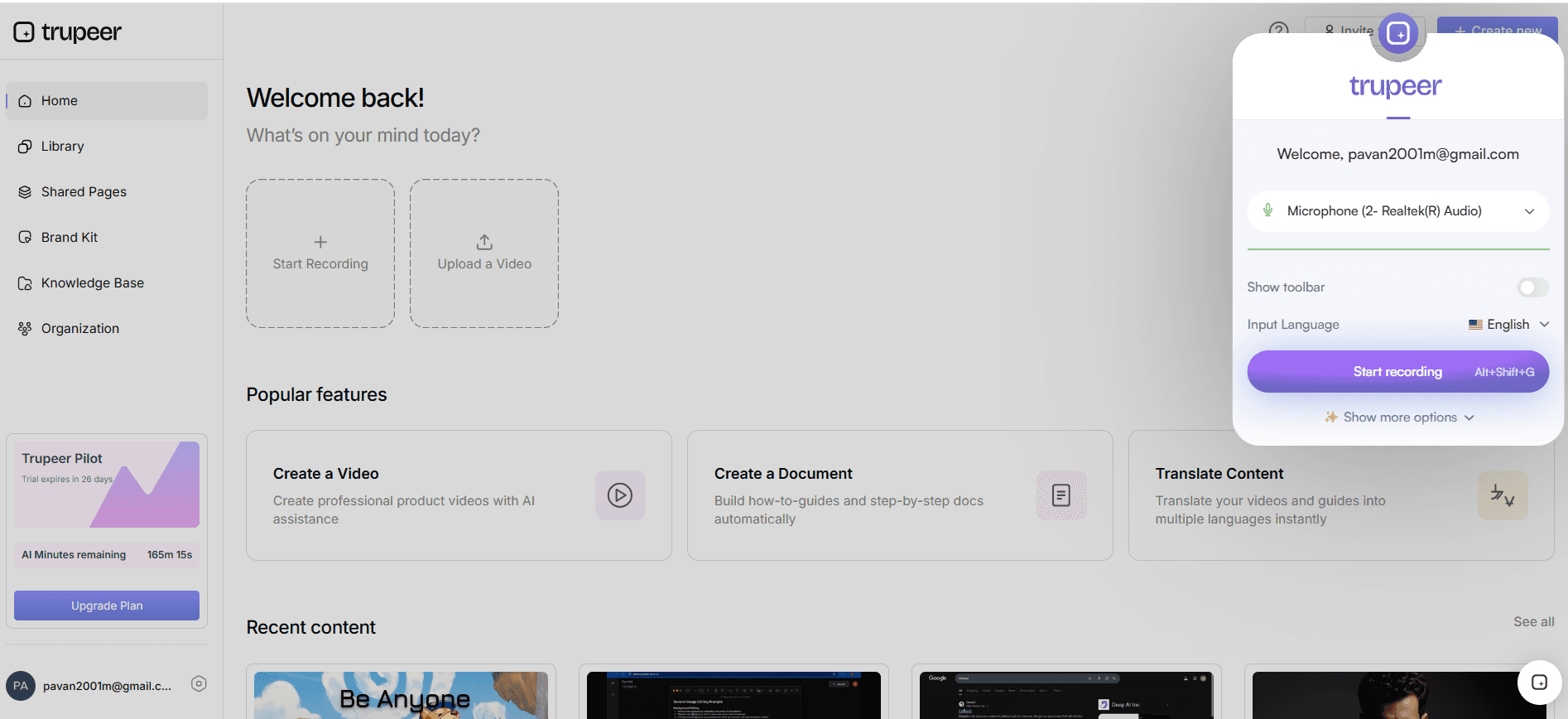
Begin by using Trupeer's AI screen recording with auto-zoom and click detection to capture your webinar. This capability ensures that any on-screen activity is highlighted, improving viewer engagement. Start the recording by launching the Trupeer browser-based recorder, which requires no installation, or use the desktop app for more solid features. The AI will automatically adjust the zoom to focus on areas of interest, such as mouse clicks and highlighted text. This process enhances the clarity and professionalism of your video, creating a polished end product that is more likely to engage viewers and improve SEO rankings.
Step 2: Enhance Audio with AI Narration
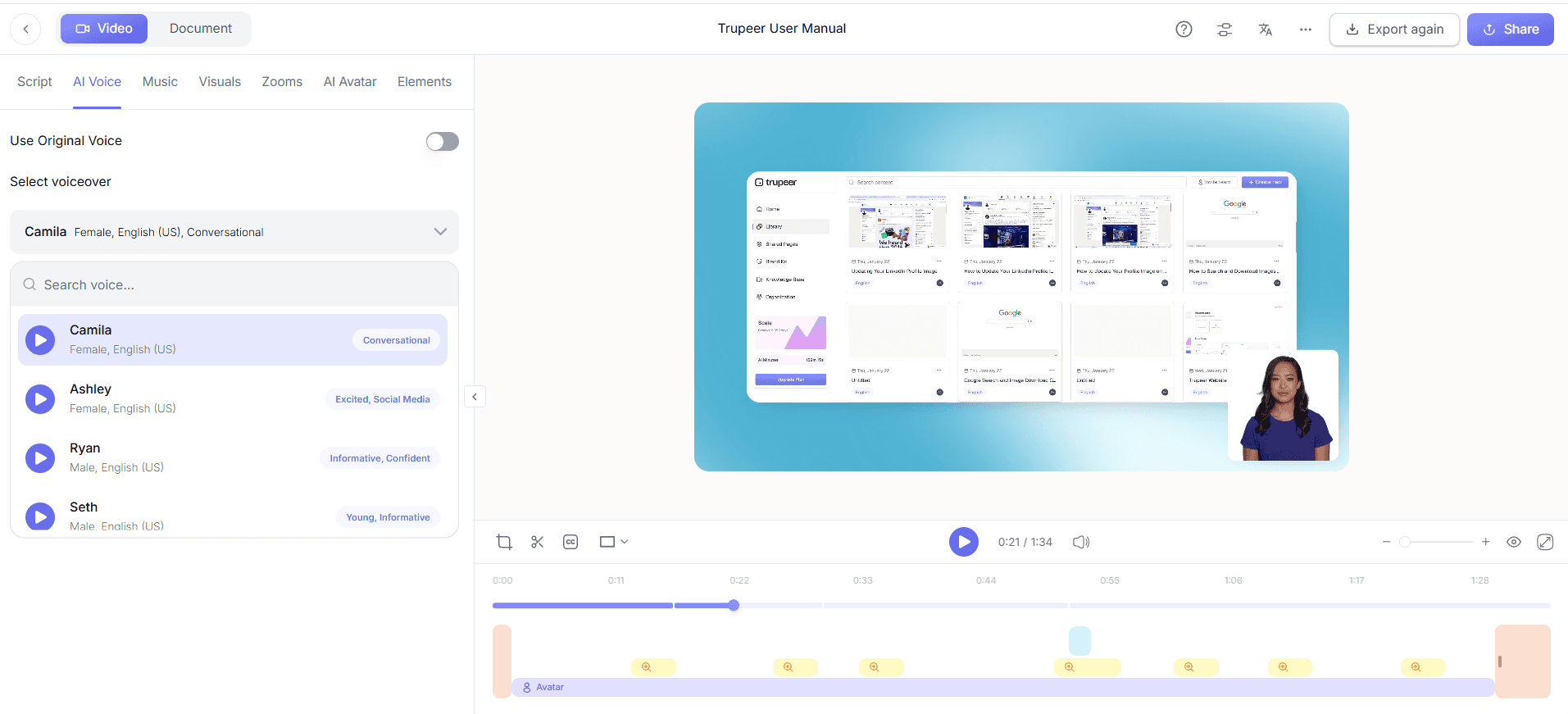
After recording, enhance the audio using Trupeer's silent screen recording with automatic AI narration. Select from over 65+ natural voices to match the tone and pace that best fits your brand. This step is crucial for accessibility, making sure viewers can follow along even without watching the screen. Customize the narration to ensure it aligns with the content of your webinar. This feature not only improves the viewer's experience but also boosts SEO, as search engines favor content that is both engaging and comprehensive. This step typically takes about 10 minutes to set up and execute.
Step 3: Generate Automatic SOPs
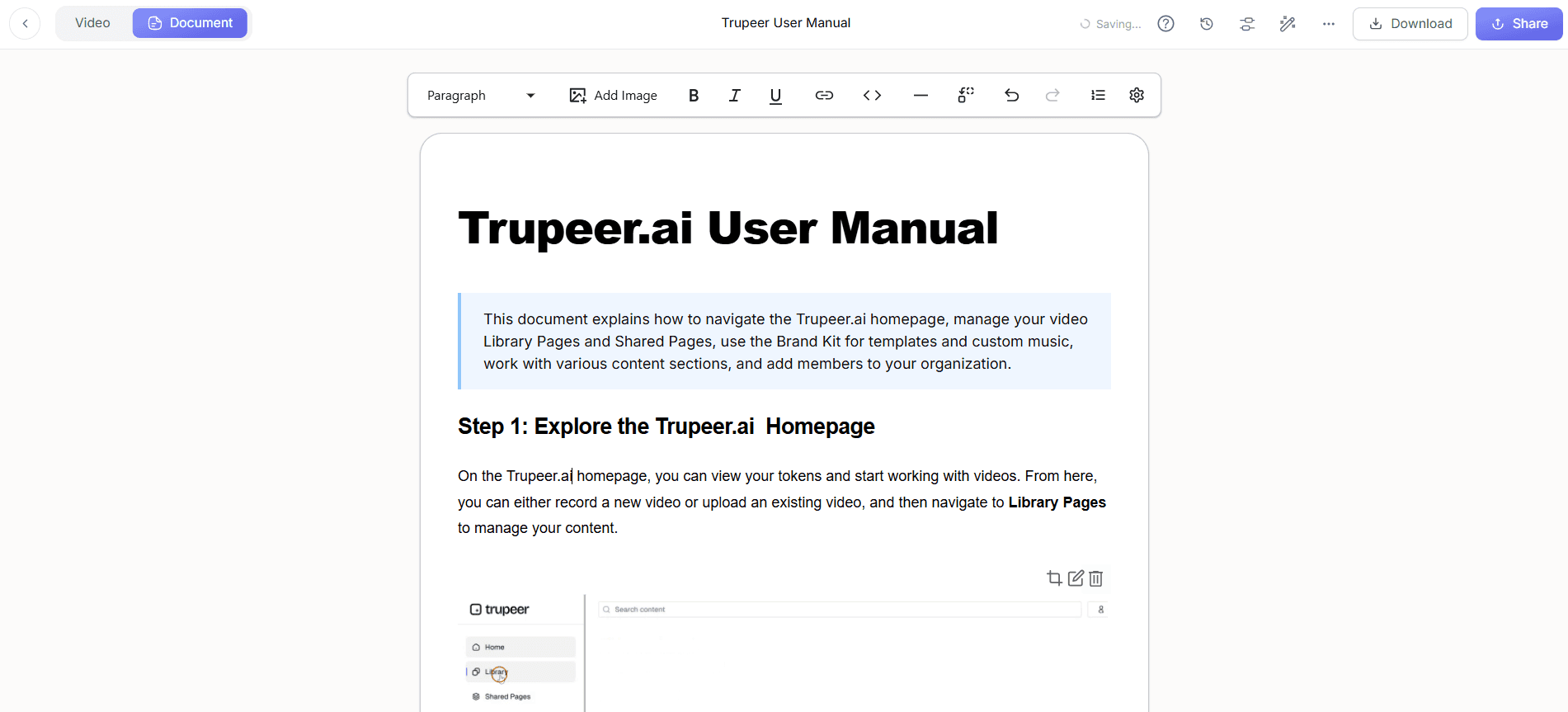
Use Trupeer's automatic SOP generation to create detailed documentation of your webinar. This feature allows you to produce an edit-ready SOP that complements your video content. Export these documents in various formats such as HTML or PDF, which can be indexed by search engines. This additional content provides a textual reference that can rank independently in search results, increasing the discoverability of your webinar. The process is straightforward: select the recording, and within minutes, Trupeer generates a comprehensive SOP ready for review and distribution.
Step 4: Add Chapters and Segments
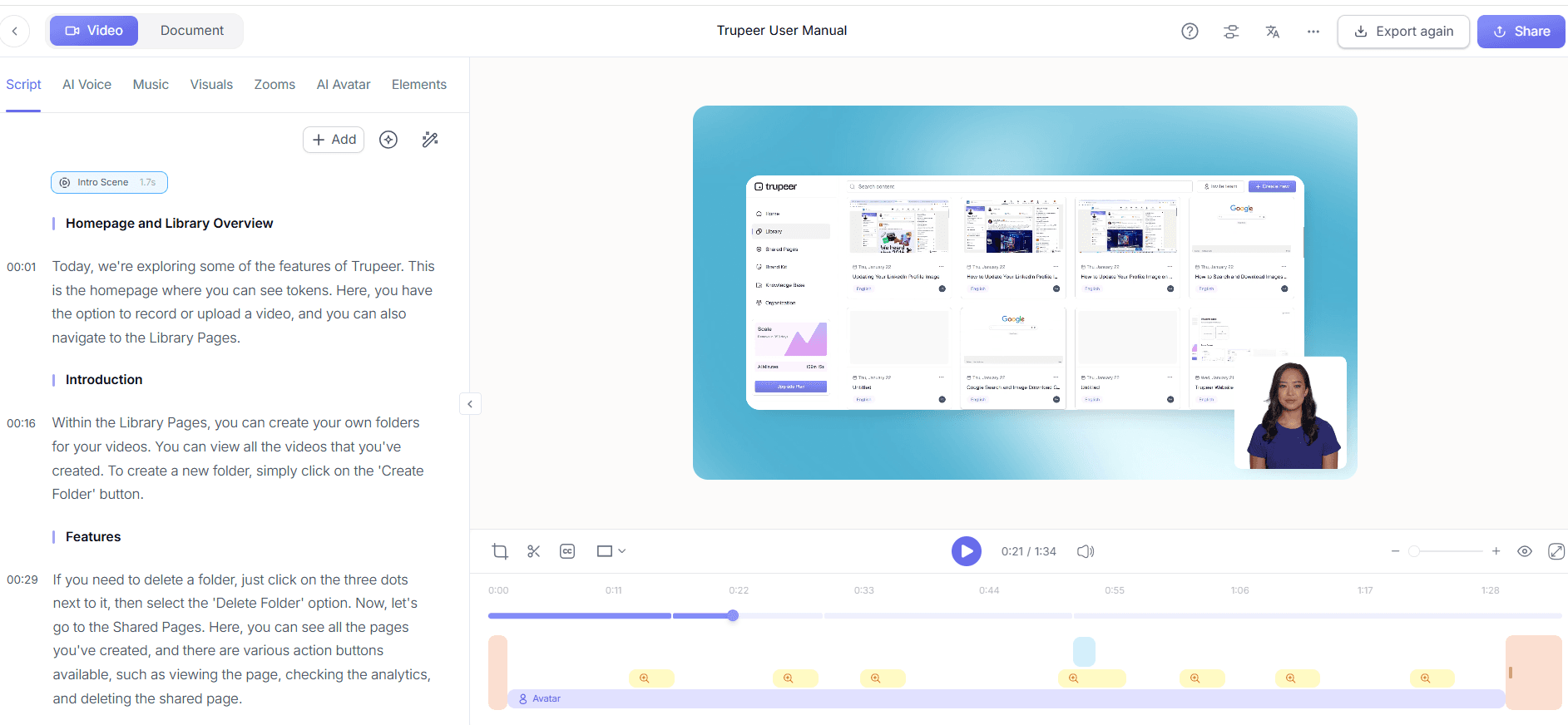
Enhance the organization of your webinar by using Trupeer’s auto chapters and segment detection. This feature automatically detects the natural breaks in your content, allowing you to create a structured viewing experience. By breaking the webinar into chapters, you make it easier for viewers to find specific information, which improves the user experience and encourages longer viewing times. Longer engagement is a positive signal to search engines, enhancing your SEO performance. This step can be completed within 15 minutes, depending on the length of your content.
Step 5: Localize Content for Global Reach
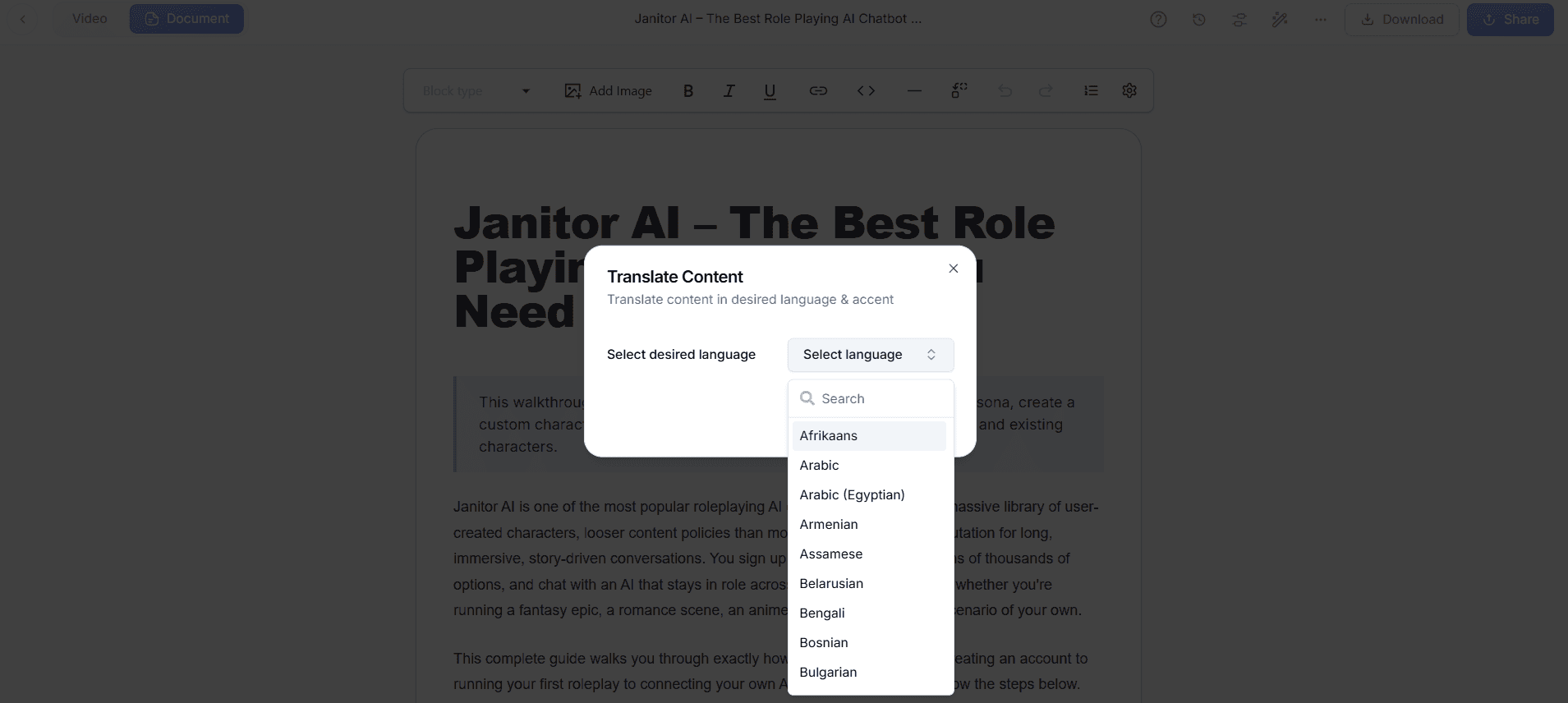
To extend your webinar's reach, employ Trupeer's AI translation and dubbing features. Translate your video into over 40 languages with lip-sync accuracy, making it accessible to a global audience. This step is critical for maximizing SEO as it allows your content to rank in non-English search queries. The AI dubbing feature ensures that the translated content remains engaging by maintaining natural pacing and tone. Set aside approximately 30 minutes for this process, depending on the number of languages you choose to include.
Step 6: Host and Distribute Your Webinar
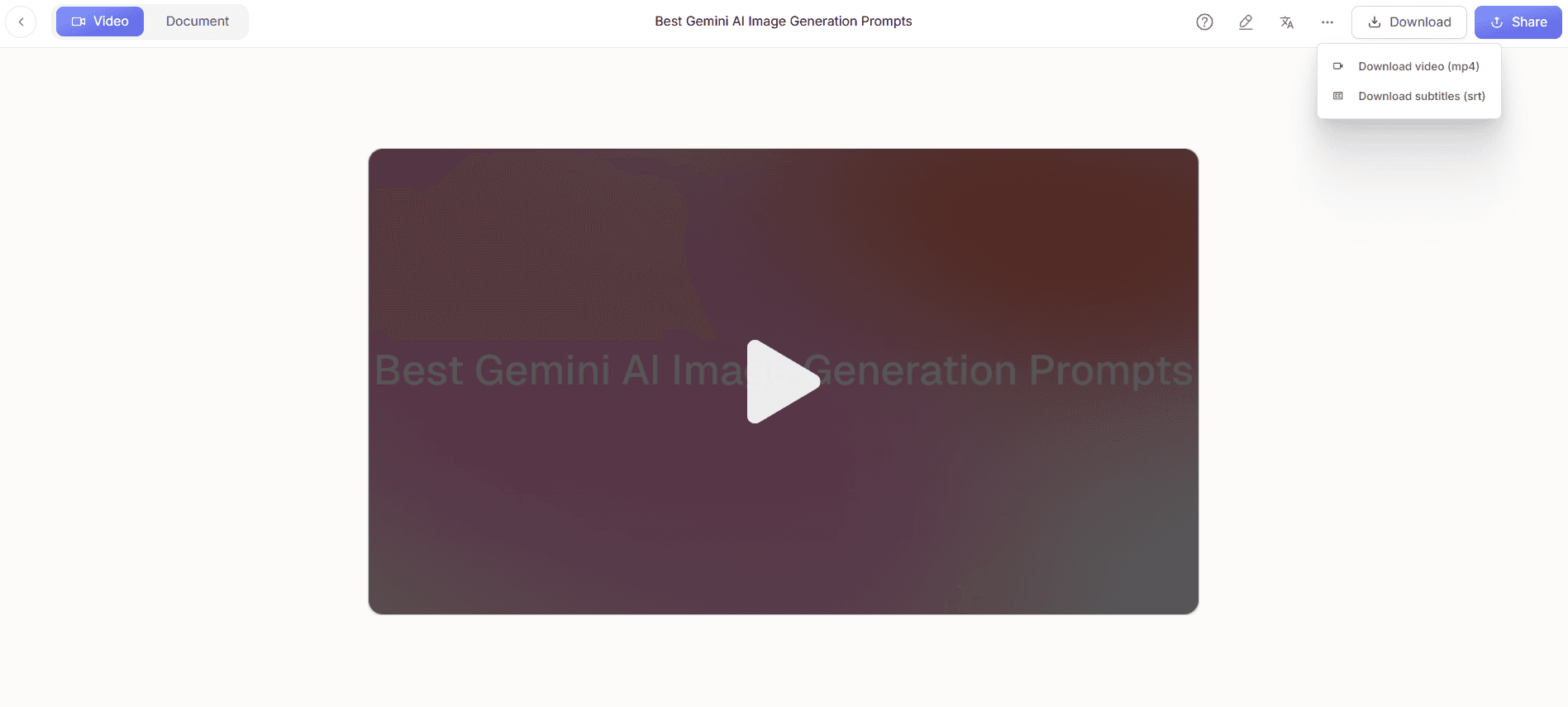
Finally, host your optimized webinar using Trupeer’s custom-domain hosting with SSO and shared pages/client-facing portals. This ensures that your content is easily accessible while maintaining brand consistency. By embedding the webinar on your website, you enhance its SEO value, as embedded videos can increase on-page time and reduce bounce rates. Use the video trimmer to make any final adjustments before publishing. Expect this final step to take about 20 minutes to set up, ensuring your content is ready for distribution and indexing by search engines.
What tips help you optimize webinar SEO?
Implementing effective tips can significantly enhance your webinar's SEO and discoverability. Here are seven practical strategies:
Keyword research. Identify relevant keywords that your target audience is searching for. Use these strategically in your webinar title, description, and tags to improve search engine rankings.
Engaging thumbnails. Create visually appealing thumbnails that capture attention and reflect the content of your webinar. This can increase click-through rates from search results pages.
Optimize titles and descriptions. Craft clear, concise titles and descriptions that incorporate primary keywords. This improves your webinar's visibility in search results and attracts qualified viewers.
Transcript availability. Provide a transcript of your webinar to improve accessibility and SEO. Search engines can index this text, which helps your content appear in relevant searches.
use social media. Share your webinar on multiple platforms to increase its reach. Social signals, such as likes and shares, can indirectly impact your SEO by driving traffic and engagement.
Regular updates. Keep your webinar content updated to reflect current trends and data. Fresh content is favored by search engines, improving your webinar’s ranking over time.
Analyze performance. Use analytics tools to track your webinar’s performance, identifying areas for improvement. Adjust your SEO strategy based on these insights to maintain or improve rankings.
For a deeper look, our guide on make product demo video covers the adjacent playbook.
Teams ship this workflow end-to-end using Trupeer's AI video platform, which turns raw recordings into polished output without an editor.
Related reading
Frequently Asked Questions
How can I improve the SEO of my pre-recorded webinar?
What role do transcripts play in webinar SEO?
Why should I localize my webinar content?
Can social media impact the SEO of my webinar?
Is there a tool that helps with AI video translation?
Related Blogs



